List of the Best Webcams without Microphones – Budget Options

Webcams with built-in microphones cannot always eliminate the background noise or offer clear audio output. On the other hand, separate, dedicated microphones can easily do that. The webcams with built-in microphones can’t fulfill your high-quality audio output expectations.

The reason is the quality of that built-in microphone is average. Especially you can’t use them for professional and educational purposes. Therefore, going for a webcam with a separate mic is recommended to ensure listeners hear your voice.

Another reason to use a webcam without a built-in mic is that the manufacturers don’t have to focus on the mic and would focus on other things. Moreover, most webcams without a microphone provide better image quality and resolution. Their prices are more affordable than those webcams with built-in microphones. Besides, they provide excellent image and video quality. Let’s get familiar with when to use a webcam without a mic.

When to use a webcam without a mic?

A webcam without a mic can also offer quality that is exceptional. It offers options for complex audio projects like podcasting, live streaming classes, music recording, and presentations. Usually, an external USB microphone is a smart investment in such cases.

Webcams are designed to record videos and capture still shots for business professionals, streamers, and casual users. The inclusion of a sub-par microphone may not be effective if you demand extremely high-quality audio.

You can use a webcam with a microphone for your computer use and average communication.

Factors to consider before buying a webcam without a microphone:

1) Video resolution:

Your webcam without a microphone should have a minimum HD resolution whether you stream or record videos. 720p resolution can work in some cases. But choosing the one with at least 1080p or higher resolution is better. Those with 1080p resolution provide excellent smoothness and clarity.

2) Frame rate:

It denotes the number of images your camera can capture per second. Make sure to choose a webcam with a microphone whose frame rate is at least 30 fps; otherwise, the video recording will have a shaky effect.

3) Optical zoom:

Optical zoom capability is beneficial if you use your webcam without a microphone for gaming, webinars, or professional video calls. If you wish to obtain the best performance for conference calls, choose a webcam with at least 4x visual zoom capability. The mentioned zoom capability is essential when dealing with auditoriums and large conference halls.

4) Auto image adjustments:

A webcam without a microphone that supports auto image adjustments lets you quickly adjust images while conducting a business meeting or pursuing online learning. Certain webcams without microphones have a special lens that avoids image distortion and enhances image quality in low-light conditions. The lens decides the amount of light that reaches the camera sensor.

The top-notch quality lenses guarantee superior image quality and automatic image adjustment. To benefit from automatic image adjustments, ensure your webcam has color, white balance, and low-light correction abilities.

Best Webcams without Microphones:

Image Product Name Buy
Logitech PTZ Pro 2 video camera Check on Amazon

Check on Newegg

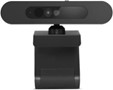
Lenovo 500 USB Webcam Check on Amazon

Check on Newegg

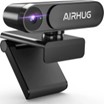
AIRHUG 2K Webcam No Mic Check on Amazon

Check on Newegg

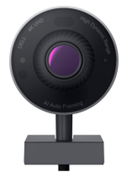
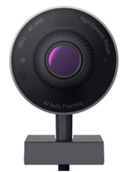
Dell Ultrasharp Webcam WB7022 Check on Dell

Check on Newegg

Check on Amazon

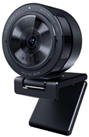
Razer Kiyo Pro Check on Razer

Check on Newegg

Check on Amazon

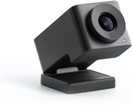
Huddly GO Video Conferencing Camera Check on Amazon

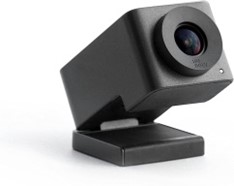
6. Huddly GO Video Conferencing Camera:
Check on Amazon

This webcam is highly recommended to anybody looking for one that can fit the entire scene in a frame from a very near distance. It can capture a wide shot and focus precisely. It is a perfect device for Zoom meetings and streaming.

Features:

  • Its 150° wide-angle lens allows you to capture everybody in the room. So, it converts even the smallest rooms into superior-quality conference suites.
  • The 180°Auto-flip feature allows you to install this webcam with the Huddly bracket upside down underneath your meeting room display. So, the image automatically flips to display the correct view.
  • It supports lossless HD zoom up to 4x.
  • It comes with a USB plug-and-play interface.
  • It is compatible with both MacOS and Windows.
  • It supports USB 2 and USB 3 after the update is installed.

Specifications:

Image sensor CMOS
Effective resolution 16 MP
Digital zoom 3x
Video resolution maximum 1280 x 720
Lens angle 150°
Frame rate 30 fps
Camera device supported Computer
Device supported Notebook
Supported applications Zoom, Skype, BlueJeans, WebEx, and Google Hangouts
Dimensions and weight ‎3.75 x 2.5 x 2.3 inches; ‎0.5 ounces
Included components USB 3 Type C to C Cable (0.6 m) (helps installation in huddle spaces and small & medium-sized rooms), travel pouch

Pros:

  • Easy to handle and mount.
  • Excellent image quality
  • Decent zoom capability

Cons:

  • It needs the effort to screw in the mount.

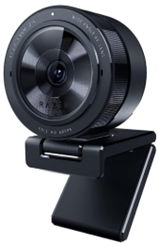
5. Razer Kiyo Pro:
Check on Razer | Check on Newegg | Check on Amazon

You can obtain professional video standards for video conferencing and streaming with this FHD USB webcam. Its built-in high-performance adaptive light sensor provides clear, crisp image and video quality in any light condition.

You can tilt the stable webcam mount to the perfect angle after it snugly fits on your tablet or monitor. You can detach it if you want the webcam installed on a tripod setup.

It provides a 5GB/s camera signal to your stream. So, you get outstanding video performance.

The cover protects the webcam’s lens and thus ensures privacy when not used.

Features:

  • Its light sensor performs better in various conditions compared to 4K webcams that depend on professional lighting devices to obtain the same result.
  • With the included Type 1/2.8 ultra-sensitive CMOS sensor with STARVIS technology implemented, this webcam can determine its dark or bright surroundings. It adjusts accordingly to provide the brightness or darkness of its surroundings and changes for picture-perfect clarity every time.
  • You can activate HDR at 30 fps to make your stream appear with more dynamic colors. So, it improves your video’s dynamic range and covers over and underexposed regions of the image.
  • The lens is equipped with scratch-resistant and damage-resistant Corning Gorilla Glass 3.

Specifications:

Pixel size 2.9μm
Video resolution 1080p @ 60 / 30 / 24 fps / 720p @ 60 fps / 480p @ 30 fps / 360p @ 30 fps
Image resolution 2.1 MP
Still image resolution 1920 x 1080p
Field of view 103°, 90°, 80°
Focus type Auto
Video encoding formats USB 3.0: YUY2. & NV12 (uncompressed); USB 2.0 H264 codec. (compressed)
Sensitivity -38 dB
Connection type USB 3.0
Polar patterns Omnidirectional
Audio codec 16-bit 48 kHz
Image quality settings customization Supported
Connection type PC with a free USB port; Windows 8 (or higher); Internet connection; 500 MB of free hard disk space
Compatible software Xsplit and Open Broadcaster Software
Mounting options L-shape joint and Tripod (Not included)
Cable length 1.5 m braided cable

4. Dell UltraSharp Webcam WB7022:

Check on Dell | Check on Newegg | Check on Amazon

This Dell’s 4K HDR webcam contains a huge 4K Sony STARVIS CMOS sensor. The sensor captures more light to provide superior quality, crystal-clear video, and superior image quality in its class. The digital overlap HDR provides true-to-life color in different lighting environments. The webcam makes sure you will always appear at your best

The reduction of 3D/2D video noise automatically removes grain images and motion blur, even under low light conditions. So, you would always look fantastic.

It is created for your virtually borderless displays. It magnetically attaches to the mount and fits well on your monitor; it doesn’t block any signal.

Features:

  • The advanced AI auto framing retains a focus on what matters the most. Irrespective of your position, it keeps you at the center of the picture.
  • You can regulate the sensitivity, the speed of camera tracking, and the tightness of the framing.
  • It supports various fields of view.
  • The Presets let you conveniently adjust settings according to your preference.
  • The privacy shutter cap lets you easily mount the cover on the lens and ensure its protection while not in use.

Specifications:

Connectivity technology Wired
Digital video capture resolution 4K
Digital zoom 5x
Frame rate (max) 30 fps
Key features Advanced Digital Overlap HDR; 3D+2D Video Noise Reduction; AI Auto-Framing; Dell Express Sign-In; Auto Focus; Auto White Balance
Image sensor type Sony STARVIS CMOS 8.3 MP
Focus adjustment Automatic
Interface Computer interface
Connectivity ports USB
Included accessories Lens cap, privacy cover
Cables included USB-C to USB-A cable (2 m);
Software included Dell Peripheral Manager for Windows OS; Dell Display Manager for Mac OS
Compatible OS Win 11/10 64 bit; MacOS

Pros:

  • Excellent lens protection
  • Accurate focus adjustment
  • No noise or distortion in the output

Cons:

  • Becomes very hot

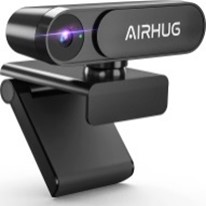
3. AIRHUG 2K Webcam No Mic:
Check on Amazon | Check on Newegg

AIRHUG significantly focuses on your privacy and fully protects it. This HD webcam can effectively and easily protect your personal and family privacy. Hence, your digital online journey stays safe.

Its design shows an adjustable universal clip with a USB power cable (5 feet) that fits desktops, computers, laptops, PC, Macs, and LCD monitors. Moreover, the 360° mounting clip rotatable axis allows the webcam to capture images and videos from any angle easily. You can also opt for a webcam tripod clip to fulfill multi-angle needs. The foldable design lets you easily carry it anywhere.

Features:

  • The field of view is 78° wide.
  • The high-speed 1/4-inch 5 MP image sensor displays a 100% color signal for each frame. So, you get excellent color accuracy and brightness that shows the raw image quality.
  • The privacy shutter cap helps you to snap the cover over the lens easily and protects it while not in use. You can record online and offline videos, even in dim light environments.

Specifications:

Photo sensor technology CMOS
Video capture resolution 1080p, 1920p
Screen size 2.7 inches
Special feature Lightweight, low light
Other display features Home Theater
Flash memory type Micro SD
Dimensions and weight 2.8 x 1.9 x 1.5 inches; 2.47 ounces
Included components Privacy cover, USB cable

Pros:

  • Easy plug & play interface
  • Works well in different lighting conditions.
  • Affordable price

Cons:

  • Privacy shutters may not work smoothly.

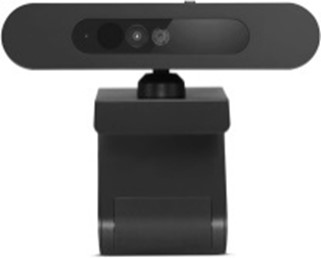
2. Lenovo 500 USB Webcam:
Check on Amazon | Check on Newegg

This USB Video Class (UVC) compliant video camera is suitable for teleconferencing applications on laptops or desktops. It can transfer video data in HD quality via a high-speed USB interface (in Full HD mode). It’s simple to operate, and the functional mechanical system provides an outstanding user experience.

Features:

  • It streams or feeds its image in real-time via a computer to a computer network. Moreover, it quickly and securely performs facial recognition for Windows Hello.
  • It supports Zoom and Microsoft Teams meetings.
  • It comes with a manual lens cover for privacy. Slide it on if you want to cover up the camera.

Specifications:

Video capture resolution 1080p
Minimum focal length 1 mm
Maximum frame rate 30 fps
Digital zoom 4x
Connectivity technology USB
Host interface USB 2.0
Flash memory type Micro SD
Camcorder type Video Camera
Special feature Low light
Dimensions and weight ‎4.21 x 2.48 x 1.97 inches; 4.3 ounces

Pros:

  • Solid mounting mechanism
  • It quickly recognizes your face and unlocks.

Cons:

  • Your face must be closer to it.

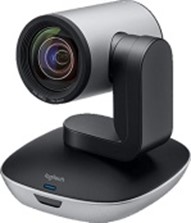
1. Logitech PTZ Pro 2 video camera:
Check on Amazon| Check on Newegg

This Logitech webcam is perfect for training environments, conference rooms, huge events, and other professional video applications. It provides premium optical and a natural video call experience. You can use it to record professional videos with sharp image resolution, excellent color reproduction, high visual accuracy, and an excellent 10X HD zoom system.

Features:

  • Advanced camera technology saves bandwidth by processing video in the webcam. It leads to smooth video streaming in applications like Microsoft Skype for business.
  • It records videos at 1920x1080p. So, the webcam is useful for sharing during webinars and online meetings.
  • The video recording occurs at 30 fps.
  • The zoom capability is up to 10X.
  • Its remote control has a range of up to 8.5 m.
  • The wide field of view displays everyone.
  • The improved pan/tilt and zoom motor performance smoothen the movement from preset to preset.

Specifications:

Photo sensor technology CCD
Optical zoom 10x
Screen size 2 inches
Special feature Low light
Flash memory type Micro SD
Included components power adapter, quick start guide, USB cable
Dimensions and weight 3 x 6 x 12 inches; 1.28 pounds

Pros:

  • Automatic adjustable lighting
  • High picture clarity
  • No buffering

Cons:

  • Blueshift when used over 5 feet.

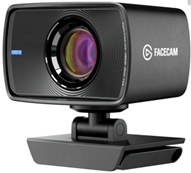
Elgato Facecam Full HD Webcam:
Check on Amazon

The Facecam Pro can produce a high res 4K image and output a 4K stream @ 60 fps. The Elgato Face Cam Pro is the first and only webcam that supports 4K/60fps streaming. You can use it for video calls, live streaming, and gaming.

Features:

  • The f/2.4 24 mm all-glass Elgato Prime lens offers studio-quality optics.
  • The focus range is 30 – 120 cm.
  • The advanced image engine offers uncompressed videos free from artifacts. So, it processes maximum data at high speed.
  • The video resolution is 1080p, and the frame rate is 60 fps.
  • The USB 3.0 interface transfers image with minimum latency.
  • The field of view is 82° offering a wide angle and full frame view.
  • A fixed focus range keeps the subject in focus.
  • Autofocus works for up to four inches far from the lens.

Specifications:

Form factor ‎DSLR
Photo sensor technology CMOS
Sensor type Sony STARVIS CMOS
Lens type ‎Prime
Optical sensor resolution ‎2 MP
Optical zoom 3 x
Min focal length ‎24 mm
Minimum diaphragm opening ‎22 f
Connector type USB
Screen size 2.3 Inches
Flash memory type SD
Special feature Low Light
Batteries required ‎No
Connector type ‎USB
Device interface Primary buttons
System requirements Windows 10( 64-bit), Intel/AMD CPU; macOS 11.0, Intel/Apple CPU
Compatible software Zoom, OBS, Teams, and more (for PC/ Mac)
Other features DSLR Style Control, Advanced Light Correction
Dimensions and weight ‎5.8 x 8 x 4.8 cm; 103 grams
Included components Mounting hardware, face cam, mount with 1/4″ thread, privacy cap, detachable USB-C cable, and quick start guide

Pros:

  • Outstanding image quality
  • Large housing offers protection.
  • Quick and easy setup

Cons:

  • Flickering issues
  • Expensive

Concluding Note:

You can consider any of these webcams for professional uses and projects involving complicated audio recording. They ensure high-quality audio, video, and image output. Besides, they are compatible with the latest operating systems and leading video conferencing software.

What is a Dual conversion gain (DCG)? Which Sensors support it?

What is a Dual conversion gain (DCG)? Which Sensors support it?

Dual conversion gain (DCG) is a technology used in CMOS image sensors to improve image quality in low-light conditions. It converts the light that hits the sensor into two signals, one with a high gain and one with a low gain. The high-gain signal is used to capture more light in low-light conditions, while the low-gain signal is used to capture more detail in high-light conditions. The two signals are combined to create a single image with improved quality.

DCG is a relatively new technology but has quickly become a standard feature in many high-end camera sensors. It is one of the most effective ways to improve image quality in low-light conditions, and it is a key factor in the ability of modern cameras to take stunning photos in even the darkest of environments.

Here are some of the benefits of dual conversion gain:

  • Improved image quality in low-light conditions
  • Reduced noise
  • Increased dynamic range
  • Improved color reproduction
  • Reduced read noise
  • Improved signal-to-noise ratio

Dual conversion gain (DCG) is a technology many modern CMOS image sensors support. Some of the sensors that support DCG include:

  • Sony IMX686
  • Samsung GW1
  • OmniVision OV64B
  • Samsung ISOCELL GN1
  • Sony IMX766
  • Sony IMX789
  • OmniVision OV50A
  • Samsung ISOCELL JN1
  • Sony IMX586
  • OmniVision OV48C

DCG is also supported by some hardware platforms, such as the Qualcomm Snapdragon 8 Gen 1 mobile platform. This platform includes a built-in image signal processor (ISP) that supports DCG, which allows smartphones that use the Snapdragon 8 Gen 1 platform to take better photos in low-light conditions.

Dual conversion gain is a powerful technology that can significantly improve the image quality of CMOS image sensors. It is a key factor in the ability of modern cameras to take stunning photos in even the darkest of environments.

Conclusion:

As DCG technology continues to advance, its widespread adoption is inevitable. This will allow a broader audience to capture stunning photos in low-light conditions, enriching visual storytelling.

Omnivision OV64b vs Samsung GW1 vs Sony IMX686 – Specs & Sensor Size

We are comparing Omnivision OV64b vs Samsung GW1 vs Sony IMX686 in this article.

The OmniVision OV64B, Samsung GW1, and Sony IMX686 are all 64MP camera sensors that are used in smartphones and other devices. They all have their strengths and weaknesses, so choosing the right sensor for your needs is important.

The OmniVision OV64B is the smallest of the three sensors, with a pixel size of 0.7 µm. This means that it can capture less light than the other two sensors, which could lead to lower image quality in low-light conditions. However, the OV64B also has a smaller physical size, which could make it more suitable for use in smaller devices.

The Samsung GW1 is the largest of the three sensors, with a pixel size of 0.8 µm. This means it can capture more light than the other two sensors, giving it an advantage in low-light conditions. However, the GW1 also has a larger physical size, which could make it less suitable for use in smaller devices.

The Sony IMX686 is a middle-of-the-road sensor with a pixel size of 0.8 µm. It is not as small as the OV64B but not as large as the GW1. This makes it a good choice for devices that need a balance of size and image quality.

Ultimately, the best sensor for you will depend on your specific needs and budget. If you want the best image quality in low-light conditions, the Samsung GW1 is the better choice. However, if you’re looking for a smaller sensor or a lower price, then the OmniVision OV64B or Sony IMX686 are good options.

Omnivision OV64b vs Samsung GW1 vs Sony IMX686:

Feature OmniVision OV64B Samsung GW1 Sony IMX686
Sensor size 1/1.7″ 1/1.7″ 1/1.7″
Pixel size 0.7 µm 0.8 µm 0.8 µm
Megapixels 64MP 64MP 64MP
BSI (Backside Illumination) Yes Yes Yes
Dual Conversion Gain (DCG) Yes Yes Yes
Phase Detection Autofocus (PDAF) Yes Yes Yes
OIS (Optical Image Stabilization) Optional Optional Optional
Video recording 8K@30fps 4K@60fps 4K@60fps
Price Varies Varies Varies


As you can see, the three sensors are very similar in their specifications. The main difference is the pixel size, with the OmniVision OV64B having the smallest pixels at 0.7 µm.

This means that it will capture less light than the other two sensors, which could lead to lower image quality in low-light conditions. However, the OV64B also has a smaller physical size, which could make it more suitable for use in smaller devices.

Ultimately, the best sensor for you will depend on your specific needs and budget. If you want the best possible image quality in low-light conditions, then the Samsung GW1 or Sony IMX686 are the better choices.

However, if you’re looking for a smaller sensor or a lower price, then the OmniVision OV64B is a good option.

Conclusion

The OmniVision OV64B, Samsung GW1, and Sony IMX686 are all excellent camera sensors. They are all capable of producing high-quality images in a variety of conditions. The Samsung GW1 and Sony IMX686 have a slight edge regarding low-light performance and dynamic range, but the OmniVision OV64B is a good option if you are looking for a smaller sensor or a lower price.

Ultimately, the best sensor for you will depend on your specific needs and budget. If you are looking for the best possible image quality in all conditions, then the Samsung GW1 or Sony IMX686 are the better choices. However, if you are looking for a smaller sensor or a lower price, then the OmniVision OV64B is a good option.

You will surely be happy with the results no matter which sensor you choose. These are all top-of-the-line sensors that can produce stunning images.

Comparing DOL-HDR vs HDR vs Dolby Vision – Specs & Features

DOL-HDR, HDR, and Dolby Vision are high-dynamic range (HDR) imaging types. HDR imaging captures and displays images with a broader range of brightness and colors than standard dynamic range (SDR) imaging. This can make images look more realistic and immersive.

Comparison table of SDR, HDR, and Dolby Vision:

Feature SDR HDR Dolby Vision
Dynamic range Limited Wide Wider
Color gamut sRGB DCI-P3 Rec. 2020
Bit depth 8-bit 10-bit 12-bit
Metadata Static Static or dynamic Dynamic
Compatibility Widespread Limited Widening
Price Affordable More expensive Most expensive


SDR stands for Standard Dynamic Range. It is the most common type of video format, and it is what most people are used to seeing. HDR stands for High Dynamic Range. It offers a broader range of colors and brightness than SDR, making images look more realistic and immersive. Dolby Vision is a type of HDR that offers an even wider color gamut and brightness than HDR. It is also more dynamic, which can adjust the image’s brightness and contrast scene by scene.

HDR and Dolby Vision offer several benefits over SDR, including:

  • More realistic and immersive images
  • Greater detail in both bright and dark areas of the image
  • Improved contrast and color
  • Reduced glare and blooming

However, HDR and Dolby Vision also require more powerful hardware to display correctly. Most TVs and monitors do not support HDR or Dolby Vision, and even those that do may be unable to display it at its full potential.

  • DOL-HDR stands for Digital Overlap High Dynamic Range. It is a type of HDR imaging that captures multiple exposures of an image simultaneously rather than one at a time. This allows smoother transitions between bright and dark areas in the image and can help reduce noise and artifacts.
  • HDR stands for High Dynamic Range. It is a type of imaging that captures a broader range of brightness and colors than standard dynamic range (SDR) imaging. This can make images look more realistic and immersive.
  • Dolby Vision is a type of HDR imaging developed by Dolby Laboratories. It is a proprietary tech licensed by Dolby that offers a broader range of colors and brightness than HDR, and it is also more dynamic, meaning that it can adjust the image’s brightness and contrast scene by scene.

These three technologies offer improved image quality over standard dynamic range (SDR) imaging. However, there are some key differences between them.

  • DOL-HDR is the most affordable option but offers the narrowest range of colors and brightness.
  • HDR is a good middle ground between DOL-HDR and Dolby Vision and is more widely compatible.
  • Dolby Vision offers the broadest range of colors and brightness and is more dynamic than HDR. However, it is also the most expensive option.

The best type of HDR imaging for you will depend on your budget and needs. Dolby Vision is the way to go if you want the best image quality.

However, if you are on a budget or your hardware does not support Dolby Vision, then HDR is a good option. And if you are on a tight budget and your hardware does not support HDR, then DOL-HDR is a good choice.

Some of the most popular DOL-HDR hardware sensors include:

These sensors offer a wide range of features and benefits, including:

  • High resolution
  • Wide dynamic range
  • Fast autofocus
  • Low-light performance

Here are some additional information about these technologies:

  • DOL-HDR is a relatively new technology quickly becoming more common in smartphones and other consumer cameras. It is a powerful tool that can help improve your image quality, regardless of the lighting conditions.
  • HDR has been around for a few years now, and it is becoming more widely supported by TVs and other devices. It offers a noticeable improvement in image quality over SDR, and it is a good option for those who want to improve the look of their movies and TV shows.
  • Dolby Vision is the newest and most advanced HDR technology. It offers the broadest range of colors and brightness and is more dynamic than HDR. However, it is also the most expensive option and is not as widely supported as HDR.

Dolby Vision is the way to go if you want the best image quality. However, if you are on a budget or your hardware does not support Dolby Vision, then HDR is a good option. And if you are on a tight budget and your hardware does not support HDR, then DOL-HDR is a good choice.

Comparison: DOL-HDR vs HDR vs Dolby Vision

Here is a comparison of DOL-HDR, HDR, and Dolby Vision:

Feature DOL-HDR HDR Dolby Vision
Dynamic range Wide Wider Widest
Color gamut Wide Wider Widest
Bit depth 10-bit 10-bit 12-bit
Metadata Static Static or dynamic Dynamic
Compatibility Limited Widespread Widening
Price Affordable More expensive Most expensive

Conclusion

DOL-HDR, HDR, and Dolby Vision are all types of HDR imaging that can offer improved image quality over standard dynamic range (SDR) imaging. Dolby Vision offers the widest range of colors and brightness and is more dynamic than HDR. However, it is also the most expensive option. HDR is a good middle ground between DOL-HDR and Dolby Vision and is more widely compatible. DOL-HDR is the most affordable option but offers the narrowest range of colors and brightness.

The best type of HDR imaging for you will depend on your budget and needs. Dolby Vision is the way to go if you want the best image quality. However, if you are on a budget or your hardware does not support Dolby Vision, then HDR is a good option. And if you are on a tight budget and your hardware does not support HDR, then DOL-HDR is a good choice.

Compare Sony IMX 766 and IMX 890 with Limitations and Phones

Introducing the Sony IMX 766 and IMX 890 camera sensors: These cutting-edge sensors are packed with features that will take your photography and videography to the next level. With a larger sensor size, more megapixels, and improved low-light performance, the IMX 766 and IMX 890 sensors will surely deliver stunning images in any lighting condition.

Here are just a few of the features that make the IMX 766 vs. IMX 890 sensors unique:

  • Large sensor size: The IMX 766 and IMX 890 sensors have a larger sensor size than previous generations, which means they can capture more light and detail. This is especially beneficial for low-light photography and videography.
  • More megapixels: The IMX 766 and IMX 890 sensors have more megapixels than previous generations, so you can crop your images more and still get great results. This is also beneficial for printing large photos.
  • Improved low-light performance: The IMX 766 and IMX 890 sensors have improved low-light performance, so you can take sharper and more detailed photos in low-light conditions. This is perfect for shooting at night or in dimly lit environments.
  • Fast autofocus: The IMX 766 and IMX 890 sensors have fast autofocus, so you can easily capture moving subjects. This is perfect for shooting sports, action, or wildlife photography.
  • Video recording: The IMX 766 and IMX 890 sensors can record video in 4K resolution at 60 frames per second, perfect for creating high-quality videos.

Related: IMX989 vs IMX903 vs IMX907

Comparison Table: Sony IMX 766 vs IMX 890 camera sensors:

Feature IMX 766 IMX 890
Sensor size 1/1.56 inches 1/1.3 inches
Pixel size 1.0μm 1.22μm
Megapixels 50MP 50MP
ISO range 100-51200 100-102400
Dynamic range 12.5 stops 15 stops
Autofocus Phase detection and contrast detection Phase detection and contrast detection
Image stabilization OIS OIS
Video recording 8K@30fps, 4K@120fps, 1080p@240fps 8K@30fps, 4K@120fps, 1080p@240fps
Other features DOL-HDR, Eye AF, Real-time tracking DOL-HDR, Eye AF, Real-time tracking
Price $15-$20 $25-$30


As you can see, the IMX 890 has a slightly larger sensor size, larger pixel size, higher dynamic range, and a more comprehensive range of video recording features. It also costs slightly more than the IMX 766.

Ultimately, the best camera sensor for you will depend on your needs and budget. If you are looking for the best possible image quality, the IMX 890 is the better choice. However, the IMX 766 is still a great option if you are on a budget.

Sensor size

The IMX 890 has a slightly larger sensor size than the IMX 766. This means it can capture more light, improving image quality in low-light conditions.

Pixel size

The IMX 890 also has a larger pixel size than the IMX 766. Each pixel can capture more light, improving image quality in low-light conditions.

Dynamic range

The IMX 890 has a higher dynamic range than the IMX 766. This means it can capture a broader range of brightness levels in a single image, improving image quality in scenes with much contrast.

Autofocus

The IMX 766 and IMX 890 have phase and contrast detection autofocus. This means they can quickly and accurately focus on subjects, even in low-light conditions.

Image stabilization

The IMX 766 and IMX 890 have optical image stabilization (OIS). This helps to reduce camera shake, which can lead to sharper images.

Video recording

The IMX 766 and IMX 890 can record 8K video at 30fps. However, the IMX 890 can also record 4K video at 120fps, while the IMX 766 is limited to 4K video at 60fps.

Other features

The IMX 766 and IMX 890 have several other features, such as DOL-HDR, Eye AF, and Real-time tracking. These features can help to improve the quality of your images and videos.

Overall

The IMX 890 is a slightly better camera sensor than the IMX 766. It has a larger sensor size, pixel size, higher dynamic range, and broader video recording features. However, it is also slightly more expensive.

Ultimately, the best camera sensor for you will depend on your needs and budget. If you are looking for the best possible image quality, the IMX 890 is the better choice. However, the IMX 766 is still a great option if you are on a budget.

Here are some phones that use the Sony IMX 766 and IMX 890 camera sensors:

Phones with Sony IMX 766

  • OnePlus 10 Pro
  • Realme GT Neo 3
  • Oppo Reno 7 Pro
  • Xiaomi 12 Pro
  • Poco F4 GT
  • Motorola Edge 30 Pro
  • iQOO 9 Pro
  • Vivo X70 Pro+
  • OnePlus 9RT
  • Realme GT 2 Pro

Phones with Sony IMX 890

  • Realme GT Neo 3T
  • Oppo Reno 9 Pro+
  • Xiaomi 12S Pro
  • Redmi K50 Pro
  • Motorola Edge 30 Ultra

These are just a few phones that use the Sony IMX 766 and IMX 890 camera sensors. If you are looking for a phone with a great camera, these are some of the best options.

Conclusion

The Sony IMX 766 and IMX 890 sensors are the perfect choice for photographers and videographers who demand the best image quality. With their large sensor size, more megapixels, and improved low-light performance, these sensors will surely deliver stunning images in any lighting condition.

If you are looking for a camera sensor that can take your photography and videography to the next level, then the Sony IMX 766 and IMX 890 sensors are the perfect choice.

Related Articles:

List of Sigma 30 mm f/1.4 DC DN Contemporary Lens alternatives

The Sigma 30 mm f/1.4 DC DN Contemporary Lens is a great all-around lens for APS-C mirrorless cameras. However, several other great lenses are available that offer similar features and performance.

These alternatives include the Sony 35 mm f/1.8 OSS Lens, the Tamron 30 mm f/1.4 Di III OSD M1:2 Lens, and the Zeiss Touit 32 mm f/1.8 Lens. Each of these lenses has its strengths and weaknesses, so choosing the one best suited for your needs is essential.

Here are a few alternatives:

  • Sony FE 35mm f/1.8

Sony FE 35mm F1.8 Large Aperture Prime Lens (SEL35F18F)

Check on Amazon

The Sony FE 35mm f/1.8 is an excellent option for those who want a slightly wider field of view. It’s also slightly sharper than the Sigma lens and weather-sealed.

  • Panasonic Lumix S 35mm f/1.8

Check on Amazon

The Panasonic Lumix S 35mm f/1.8 is another excellent option for those who want a slightly wider field of view. It’s also slightly sharper than the Sigma lens and has a focus clutch for quick and easy manual focus.

  • Samyang AF 35mm f/1.8 FE

Check on Amazon

The Samyang AF 35mm f/1.8 FE is an excellent option for those who want a more affordable lens. It’s not as sharp as the Sigma lens, but it’s still a good option for those on a budget.

  • Meike 35mm f/1.7 II

Check on Amazon

The Meike 35mm f/1.7 II is another excellent option for those on a budget. It’s not as sharp as the Sigma lens, but it’s still a good option for those who want a wide-aperture lens for a low price.

Ultimately, the best lens for you will depend on your individual needs and budget. If you want the best possible image quality and don’t mind spending more, the Sigma 30mm f/1.4 DC DN Contemporary Lens is a great option. If you’re on a budget, the Sony FE 35mm f/1.8, Panasonic Lumix S 35mm f/1.8, Samyang AF 35mm f/1.8 FE, or Meike 35mm f/1.7 II are all great choices.

Tabular comparison of the above lenses: Sigma 30 mm f/1.4 DC DN Contemporary Lens alternatives:

Feature Sigma 30mm f/1.4 DC DN Contemporary Lens

Sony FE 35mm F1.8 Large Aperture Prime Lens (SEL35F18F)

Check on Amazon

Sony FE 35mm f/1.8

Sony FE 35mm F1.8 Large Aperture Prime Lens (SEL35F18F)

Check on Amazon

Panasonic Lumix S 35mm f/1.8

Check on Amazon

Samyang AF 35mm f/1.8 FE

Check on Amazon

Meike 35mm f/1.7 II

Check on Amazon

Price Check on marketplace Check on marketplace Check on marketplace Check on marketplace Check on marketplace
Aperture f/1.4 f/1.8 f/1.8 f/1.8 f/1.7
Focal length 30mm 35mm 35mm 35mm 35mm
Mount Sony E, Micro Four Thirds Sony E L mount Sony E Micro Four Thirds
Image stabilization No No Yes No No
Autofocus Yes Yes Yes Yes Yes
Weather sealing No Yes No No No
Weight 156g 186g 255g 184g 186g
Dimensions 67.4 x 73.2 x 45.5mm 67.4 x 73.2 x 45.5mm 67.4 x 73.2 x 45.5mm 67.4 x 73.2 x 45.5mm 67.4 x 73.2 x 45.5mm


As you can see, there are a few different factors to consider when choosing a lens. The most important factor is probably the price. The Meike 35mm f/1.7 II is an excellent option if you’re on a budget.

If you can afford to spend a little more, the Sigma 30mm f/1.4 DC DN Contemporary Lens is an excellent choice for those who want the best image quality. The Sony FE 35mm f/1.8 is a perfect option for weather-sealed lenses. And if you want a lens with a focus clutch, the Panasonic Lumix S 35mm f/1.8 is a great choice.

Ultimately, the best lens for you will depend on your individual needs and budget.

Conclusion

When choosing a lens, there are a few factors to consider, such as price, image quality, weather-sealing, and focus features. The best lens for you will depend on your individual needs and budget.

The Meike 35mm f/1.7 II is an excellent option if you are on a budget. It is a sharp and affordable lens that is perfect for everyday photography.

If you can afford to spend a little more, the Sigma 30mm f/1.4 DC DN Contemporary Lens is an excellent choice for those who want the best image quality. It is a fast and sharp lens that is perfect for low-light photography.

The Sony FE 35mm f/1.8 is an excellent option for weather-sealed lenses. It is a well-built lens that is perfect for shooting in all weather conditions.

And if you want a lens with a focus clutch, the Panasonic Lumix S 35mm f/1.8 is a great choice. It is a fast and precise lens that is perfect for videography.

Ultimately, the best lens for you will depend on your individual needs and budget. By considering the factors above, you can choose the right lens for you.

Comparing Atomos Nina V vs Shogun Connect vs Ninja V+ Limitations

Atomos Ninja V, Shogun Connect, and Ninja V+ are powerful monitor recorders that can record high-quality video from your camera. However, some key differences may make one a better choice for you than the others.

Here is a tabular comparison of Atomos Nina V vs Shogun Connect vs Ninja V+:

Feature Atomos Ninja V

Check on Amazon

Atomos Shogun Connect

Check on Amazon

Atomos Ninja V+

Check on Amazon

Price Check marketplace Check marketplace Check marketplace
Display 5-inch touchscreen 7-inch touchscreen 5.5-inch touchscreen
Video resolution Up to 4K UHD at 60fps Up to 8K ProRes RAW at 30fps Up to 8K ProRes RAW at 60fps
Codecs ProRes, DNxHR ProRes, DNxHR, Blackmagic RAW, REDCODE RAW ProRes, DNxHR, Blackmagic RAW, REDCODE RAW
Audio 2-channel, 24-bit/48kHz 12-channel, 24-bit/48kHz 12-channel, 24-bit/48kHz
Battery life 2 hours 2 hours 2 hours
Dimensions 5.9 x 3.6 x 1.2 inches 7.8 x 5.2 x 1.6 inches 5.9 x 3.6 x 1.2 inches
Weight 12.7 ounces 1.6 pounds 12.7 ounces
Interfaces HDMI, SDI, USB-C HDMI, SDI, two USB-C HDMI, SDI, two USB-C
Other features 3.5mm headphone jack, built-in speaker, Wi-Fi, Bluetooth 3.5mm headphone jack, built-in speaker, Wi-Fi, Bluetooth, Ethernet 3.5mm headphone jack, built-in speaker, Wi-Fi, Bluetooth, Ethernet


As you can see, the Atomos Ninja V, Shogun Connect, and Ninja V+ are all powerful monitor recorders that offer a variety of features and capabilities. The best choice for you will depend on your needs and budget.

Atomos Ninja V

Check on Amazon

The Atomos Ninja V is the most affordable of the three options, and it’s an excellent choice for beginners or those who don’t need all the bells and whistles. It can record up to 4K UHD video at 60fps and has a built-in 5-inch touchscreen display. It also supports a variety of codecs, including ProRes and DNxHR.

Atomos Shogun Connect

Check on Amazon

The Atomos Shogun Connect is a more powerful option than the Ninja V and is a good choice for intermediate or advanced users. It can record up to 8K ProRes RAW video at 30fps and has a built-in 7-inch touchscreen display. It also supports a broader range of codecs than the Ninja V, including Blackmagic RAW and REDCODE RAW.

Atomos Ninja V+

Check on Amazon

The Atomos Ninja V+ is the most powerful of the three options, and it’s a good choice for professionals or those who need the absolute best image quality. It can record up to 8K ProRes RAW video at 60fps and has a built-in 5.5-inch touchscreen display. It also supports a broader range of codecs than the Ninja V, including Blackmagic RAW and REDCODE RAW.

List of compatible devices for the Atomos Ninja V, Shogun Connect, and Ninja V+:

Atomos Ninja V

  • Canon

    • EOS C70
    • EOS C500 Mark II
    • EOS C300 Mark III
    • EOS R5
    • EOS R6
    • EOS 1DX Mark III
    • EOS 5D Mark IV
    • EOS 90D
    • EOS RP
    • EOS M6 Mark II
  • Nikon

    • Z 9
    • Z 7 II
    • Z 6 II
    • D780
    • D500
    • D7500
    • D5600
    • D3500
  • Sony

    • FX6
    • FX9
    • α7S III
    • α7R III
    • α7 IV
    • α1
    • FS7 II
    • FS5 II
    • XDCAM PXW-FX9
    • XDCAM PXW-FS7 II
  • Panasonic

    • GH6
    • S1H
    • S1
    • BGH1
    • GH5S
    • GH5
    • GH4
  • Blackmagic Design
    • URSA Broadcast G2
    • URSA Mini Pro 12K
    • URSA Mini Pro 4K
    • Pocket Cinema Camera 6K Pro
    • Pocket Cinema Camera 4K

Atomos Shogun Connect

  • All cameras compatible with the Atomos Ninja V
  • Additional cameras:
    • Canon EOS C50
    • Canon EOS C100 Mark II
    • Canon EOS C200
    • Canon XF705
    • Sony FS7
    • Sony FS5
    • Sony α7S II
    • Sony α7R II
    • Sony α7 III
    • Panasonic GH5
    • Panasonic GH4

Atomos Ninja V+

  • All cameras compatible with the Atomos Ninja V
  • Additional cameras:
    • RED Komodo
    • RED V-Raptor
    • ARRI Alexa Mini LF
    • ARRI ALEXA Mini
    • ARRI ALEXA SXT
    • ARRI AMIRA
    • Blackmagic Ursa Mini Pro 12K G2
    • Blackmagic Ursa Mini Pro 4K G2
    • Blackmagic Pocket Cinema Camera 6K Pro
    • Blackmagic Pocket Cinema Camera 4K

This is just a list of some of the compatible devices. For a complete list, please visit the Atomos website.

Limitations: Atomos Nina V vs Shogun Connect vs Ninja V+

Atomos Ninja V

  • Can only record up to 4K UHD video at 60fps
  • It does not support Blackmagic RAW or REDCODE RAW
  • It does not have as many features as the Shogun Connect or Ninja V+

Atomos Shogun Connect

  • More expensive than the Ninja V
  • Larger and heavier than the Ninja V
  • Requires an external battery to operate

Atomos Ninja V+

  • Most expensive of the three options
  • It does not have as many features as the Shogun Connect
  • Requires an external battery to operate

As you can see, each Atomos monitor recorder has its limitations. The best choice for you will depend on your needs and budget.

Which one should you choose?

The Atomos Ninja V, Shogun Connect, and Ninja V+ are all high-end external recorders that can be used to record high-quality videos from various sources. The Ninja V is the most affordable option, but it has fewer features than the other two recorders. The Shogun Connect is the most expensive option but has the most features. The Ninja V+ is a good middle-ground between the Ninja V and Shogun Connect. It has more features than the Ninja V but is not as expensive as the Shogun Connect.

The best Atomos monitor-recorder for you will depend on your needs and budget. If you’re a beginner or don’t need all the bells and whistles, the Atomos Ninja V is a great option. If you’re an intermediate or advanced user who needs more power and features, the Atomos Shogun Connect is a good choice. And if you’re a professional or need the absolute best image quality, the Atomos Ninja V+ is the best option.

Can Advances in CMOS Replace sCMOS Sensors? We Compare

0

CMOS technology is equipped with cutting-edge imaging abilities that are useful for several applications. The question is whether it can substitute the more costly sCMOS (Scientific CMOS) sensors.

CMOS and sCMOS sensors have set the yardstick for value and performance in machine vision in different industries. With this article, you will be familiar with the costs and advantages of each technology for demanding imaging applications.

Related: Comparing sCMOS vs qCMOS Sensors

CMOS vs. sCMOS Sensors:

An sCMOS sensor is usually considered a “next-generation” CMOS sensor. The idea behind implementing the sCMOS technology is to reduce the gap between the latest CMOS sensors and obsolete CCD (Charge Coupling Device) sensors through the initial phases of CMOS development. Initially, several applications couldn’t use the CMOS sensors because of the negotiation in frame rates, resolution, dynamic range, and read noise.

During the introduction of sCMOS cameras, they utilized identical fabrication methods and design principles as the CMOS sensors. However, they incorporated various features that assisted them in tackling the early CMOS defects.

Consequently, sCMOS sensors became perfectly suitable for scientific applications where broad dynamic range, low light performance, and high fidelity were significant.

Since the sCMOS cameras were introduced till now, there has been a noteworthy improvement in the conventional CMOS sensors in the context of their competence to decrease their internal noise and high quantum efficiency. Therefore, CMOS cameras have become worthwhile options for lots of cutting-edge applications.

The majority of CMOS cameras are considerably less expensive than sCMOS cameras. Due to this aspect, many researchers and engineers are encouraged to assess the newest CMOS sensor. This assessment is helpful to them when they want to choose a microscopy camera, cytology/cytogenetics camera, pifluorescence camera, or histology camera for their application.

Also Read: Comparing CCD vs CMOS Sensor

Which one to use -a CMOS or an sCMOS Sensor?

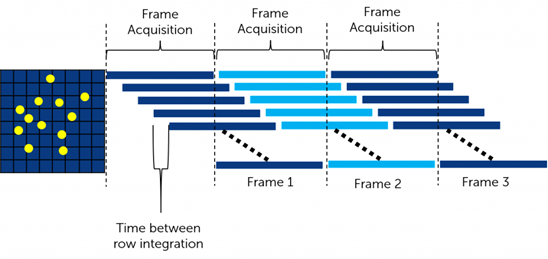
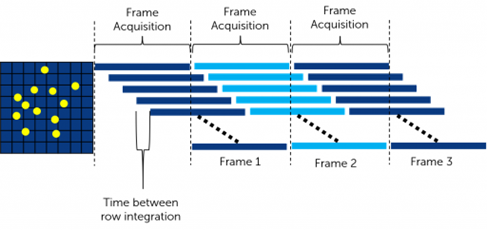
Schematic indicating how the acquisition of a frame can overlap with the readout of the previous frame. This allows the sCMOS to acquire and readout at a fast speed. Source: https://www.princetoninstruments.com/learn/camera-fundamentals/scmos-the-basics

The choice among a CMOS or sCMOS sensor relies on various factors. When comparing the two, you probably use the epifluorescence illumination since the white light is vivid enough to not depend on an sCMOS sensor.

The choice between the two simplifies when considering the amount of light approaching the camera or a blend of performance parameters exceptional to a particular application. Irrespective of sCMOS or CMOS, you must prioritize a monochrome sensor over the color equivalent sensor. This is because a monochrome sensor offers high quantum efficiency.

Two essential characteristics of sCMOS sensor include backside illumination and big pixels that help decrease the overall noise. Furthermore, sCMOS cameras typically incorporate a Peltier cooling mechanism to reduce thermal noise over extended exposures.

Those cameras equipped with sCMOS sensors also require a high bandwidth interface like CoaXpress or CameraLink with a frame grabber board, making these vision systems more complicated and, therefore, more expensive.

To counteract this, CMOS manufacturers have brought noteworthy enhancements in quantum efficiency, decreasing read noise and employing backside illumination.

The high quantum efficiency improves the incoming photon gathering ability. The reduced read noise guarantees that even the low levels of incoming photos are not lost in this noise.

Peltier cooling is also an alternative in a few CMOS sensors. But the boost in quantum efficiency and decreased noise has made cooling needless for several biomedical imaging applications.

CMOS sensors have been combined with interfaces like GigE, 10 GigE, and USB3. This is one of the ways to keep costs down. Such interfaces don’t need a frame grabber that decreases the cost and complexity of the system. Forthcoming interfaces like CXPX, USB4, and 25/100GigE will help to solve this problem by offering considerably higher bandwidths.

CMOS Sensors are an Affordable Alternative:

The affordable cost is one of the key factors encouraging many system designers and engineers to consider assessing the cutting-edge CMOS sensors over an sCMOS-based system.

In many instances, vision system designers are stunned to get a relevant CMOS camera for a price below $1,000 when a classic sCMOS setup with similar performance metrics could cost up to $10,000.

Irrespective of CMOS or sCMOS type, several camera manufacturers don’t use a single standard when comparing cameras. Therefore, it cannot be easy to compare cameras irrespective of the sensor type.

In the machine vision domain, EMVA1288 is the accepted standard for specifications and measurement of the cameras in America (AIA – American Automated Imaging Association), Japan (JIIA – Japan Industrial Imaging Association), and Europe.

Summing up, sCMOS cameras may be a requisite for cases requiring high-performance levels. However, it would be worthwhile to recognize the crucial performance metrics for a particular application. Moreover, it is essential to establish an unbiased comparison between CMOS and sCMOS cameras before making a choice.

There is continuous advancement in CMOS sensors. Moreover, the price-to-performance ratio between these two camera types is quickly narrowing. If a conventional CMOS sensor can meet your application requirements, it may be a cost-effective alternative.

Comparing JPEG RAW and NEF – What’s the difference?

0

When you are opting to shoot your images using a DSLR or phone camera, one of the most critical aspects that you need to focus on is choosing the correct image format. Most cameras or even smartphones make use of either JPG and RAW formats. What if you are a newbie and want to check the differences between the RAW and JPG images? We will also check out the features of NEF files.

What is a JPG file?

As you might have understood, a JPG or JPEG file – pronounced as jay-peg is an image file. In contrast, a few JPG files come with .jpg or .jpeg extensions. However, the difference lies only in the wing; they are the same file formats and do not have any difference.

The JPG files are used quite widely due to the compression algorithm that the file uses. This can be effective in helping you in reducing the size of the file. This can make it a great choice to work with a wide range of application areas, such as sharing, storing, and displaying them on blogs and websites. It may, however, be noticed that the compression also considerably reduces the image’s quality. If the image is compressed to a vast extent, it can be visible in many cases.

The JPG image format is one of the most common formats used in digital cameras. You would find supporting apps on multiple operating systems and on the internet. The JPG images generally employ a compression ratio of 10:1. Which will ensure that you will not lose any significant details. The degree of compression in the JPG files is much adjustable. The JPG images can be an excellent choice for photographs and realistic illustrations. They can also be a great option for the basic editing pursuits.

JPG files are also known to be a universal image format. The image format is identified and recognized by almost all internet browsers. It is the raster image format, and you would find it not the right one to use with the text.

The JPG files are pretty flexible. The invasive compression is what would make it a little disturbing. It is a great choice to help you with the best printing solution.

What is a RAW file?

RAW files are yet another image format captured on digital cameras. These image formats are known to provide lossless image quality, ideal for post-processing. The image format is used for capturing the image with all the details captured by your camera. The format saves your pictures in an unprocessed and uncompressed format.

Any image with the image sensor can shoot a picture in RAW. It can either be through the camera sensor or a host of image scanners. The RAW format takes the details from the sensor and produces a file with no processing whatsoever. The RAW files offer you a 14-bit color channel. That would mean the info on the image is sorted in much greater detail.

Unlike the JPG files, which most programs and software tools can open, you would be able to open them only with a few specialized software tools. When an image is shot on a digital camera, it is in the form of raw data. If the default format is set to JPEG, the raw data is processed, and the file is saved as a JPG or JPEG image.

If you set the image format to RAW, no processing is applied, so the file is saved with more tonal and color data. The RAW form is the one that is digitally tied and decided by a camera model.

A RAW image file typically consists of three essential components – the actual RAW data from the image sensor, a camera-processed full-size JPEG preview + thumbnail, and all relevant header and metadata information. One of the primary advantages you stand to gain with the RAW images as opposed to the JPG images is that the RAW file comes with a more comprehensive dynamic range and color gamut options.

What is a NEF file?

A NEF file is a RAW file created by Nikon cameras. In essence, a NEF file is a Nikon RAW file. It refers to the Nikon Electronic Format. This file format is solely used for and by the Nikon cameras. If you want to use software to open a NEF file, you can do it only with a tool compatible with the Nikon cameras.

Like a RAW file, the NEF file also captures all the data associated with your image. It takes into account all the data that your camera captures. It retains all the information in the picture captured by the camera. The details include the metadata in the camera and the lens model.

NEF is a lossless format, and you would find it one of the excellent options that you would find quite impressive. It can be a perfect option to help you get the best results from your Nikon camera. The NEF files are based on the TIFF format. They support 12-bit or 14-bit data, largely depending on the camera model that took the image. The NEF files store all the data related to the image and the camera it was shot on. This would include the details such as the settings like white balance, hue, tone, and sharpening.

How do RAW, JPG, and NEF file formats differ?

In a way, both RAW and NEF file formats belong to the same category. The only difference being the RAW format is a generalized format, and NEF is a specific RAW format used by the Nikon cameras. So, we will undertake the differences and details of a RAW vs. JPG format in finer detail.

RAW Format

The Advantages

  • It offers you more shadows of color
  • You can get a more comprehensive dynamic range and color gamut
  • An option for more refined control and adjustment options
  • You can adjust color space even after the image capture
  • It can be used to convert to other RAW formats
  • It provides you with a better degree of performance in ownership and authenticity.

The Disadvantages

  • It needs to go through the post-processing
  • It would require more storage
  • Issues with sharing
  • It can also need more file management options
  • Backups will take longer

JPG Format

The Advantages

  • It is also already processed, so it does not need further processing
  • A smaller size
  • No issues with the camera slowing down
  • It offers you multiple choices for compression
  • Faster backup capability

The Disadvantages

  • A lossy compression
  • It is just an 8-bit format
  • Recovery options are pretty limited
  • Camera settings can impact the image quality

Should you go with JPG or RAW image format?

The advantages of shooting RAW images can be a great option over using JPG. Since storage has gone relatively cheap these days, the storage issues that we once faced with the RAW images should not be a concern now.

In case you have been shooting a massive list of images and tend to get a poorly exposed photo, JPG can be the wrong choice. With a JPG, you will not have much to edit the idea to make it usable. On the contrary, shooting a photo in RAW will help you edit it much to your needs if you have rare and memorable moments to shoot. Doing so with the RAW format would be a great option. That way, you would always have an opportunity to improve your image even when it was shot with lousy exposure or other issues.

In Conclusion

That was a complete review of the differences between the NEF, JPG, and RAW images. Of course, each has its advantages, and it is always a good idea to check for the best benefits each image format offers. We would find each of them offering you one of excellent option in the long run.

Comparing sCMOS vs qCMOS Sensors Specifications and Differences

If you are comparing sCMOS vs qCMOS sensors to understand their differences better, we have an article for you.

Two of the latest CMOS sensors prevalent today are sCMOS and qCMOS sensors. They significantly contribute to the advancement of CMOS technology.

sCMOS stands for Scientific complementary metal-oxide-semiconductor. It is a type of CMOS image sensor (CIS) with strict noise specifications. It entered its 4th generation era last year. These sensors are commonly used in applications associated with astronomy or biomedical imaging. But owing to its outstanding resolution capability, it is also now implemented in alternative vision applications.

BAE Systems’ latest sCMOS Hawkeye claims to be the foremost CMOS image sensor (CIS) to capture imagery in dull nighttime conditions. The HWK1411 is designed for unmanned platforms, battery-operated soldier systems, and targeting and surveillance applications.

During the start of 2021, Hamamatsu released details on a next-gen CIS known as quantitative CMOS (qCMOS). Developed on the ORCA-Quest camera system, qCMOS is believed to be competent in determining photon count using the industry-leading readout noise of 0.27 electrons RMS.

Suppose you want to understand why sCMOS and qCMOS technologies are significant to the military or scientific community. In that case, you should be familiar with an overview of the image sensor technology that evolved during the last couple of decades.

Overview of History of Image Sensor Technology:

For more than ten years, charge-coupled device (CCD) technology was the top choice for advanced scientific imaging technology. But, since 2009, the development in scientific CMOS image sensor technology has principally pushed CCD devices unpopular. Generally, sCMOS technology provides higher speed frame rates, lower noise, and a giant field of view.

Image Sensor type Largest use period Pixels Frame rate (fps) Readout noise (electrons RMS) Multiplication noise Peak QE (%)
CCD The 1990s to 2000s 1344 x 1024 16.2 6 No 70
EM-CCD From the 2000s to 2010s 512 x 512 32 <1 Yes 97
Gen II sCMOS 2011to 2020 2048 x 2048 100 1.4 No 82
Gen III sCMOS 2018 till today 2304 x 2304 89.1 0.7 No 95

The advancement of the CMOS image sensors began to accelerate during the 1990s. However, the first generations of CMOS technology didn’t compete with CCD on quantum efficiency (QE).

It was the year 2011 when a newer generation of sCMOS enhanced QE up to 72% – 82% and decreased the read noise to the level where sCMOS will surpass CCD in several applications. The latest technology, known as the Gen III sCMOS, has entirely overlooked the potential of CCD/EM-CCD image sensors.

In 2021, the general CMOS sensor image technology depicted better quantum efficiency and reduced read noise. Therefore, the technology above may be an appropriate alternative to sCMOS. The cost factor among the two image sensors can be 10x, so this aspect makes CMOS a clear winner from a cost perspective, especially in the most demanding biomedical image applications.

To have a clear understanding, let’s get the basic details of sCMOS and qCMOS sensors:

What is sCMOS sensor?

sCMOS is technology dependent on the next-generation CMOS Image Sensor (CIS) design and fabrication techniques. The sCMOS image sensors provide fast frame rates, low noise, broad dynamic range, high resolution, high quantum efficiency, and a giant field of view concurrently in one image.
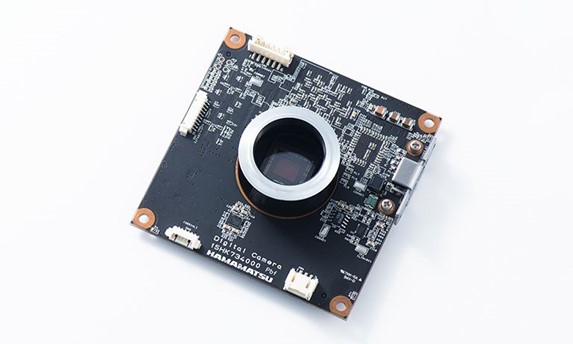
In the preliminary phases of CMOS development, the sCMOS technology was invented to eliminate the gap between the latest CMOS sensors and traditional CCD (Charge Coupling Device) sensors.

Initially, biomedical applications were inefficient in using CMOS sensors owing to the compromises in dynamic range, read noise, resolutions, and frame rates.

But when sCMOS cameras were initially invented, they used identical design principles and fabrication techniques to CMOS sensors. Also, it included various features that assisted them in tackling the preliminary shortcomings of CMOS. Consequently, sCMOS sensors are perfect for those scientific applications where low light performance, broad dynamic range, and high fidelity are inevitable.

Image acquisition starts at the top of the sensor and reaches down, row by row. Consequently, the sensor can capture images at higher framerates with lower read noise. Note that the speed of an sCMOS camera is directly related to the number of rows and the row time (the time between capturing one row and another).

What is a qCMOS sensor?

The qCMOS sensor will attain outstanding readout noise performance through cutting-edge CMOS technologies. The detection limit under ultra-low light conditions can be enhanced using a qCMOS sensor. qCMOS image sensor technology employs three measures to guarantee maximum sensitivity. These measures are BSI (back-side illumination), DTI (profound trench illumination), and Microlens. To restrict the effects of spatial crosstalk, the qCMOS sensor camera uses a DTI structure.

The number of pixels in traditional scientific cameras is, for instance, 4.2 MP with 6.5 μm pixel size or 1 MP with 13 μm pixel size. But with 9.4 MP, the qCMOS camera offers more than double the pixel count of a high-performance Gen II sCMOS camera.

The qCMOS camera realizes the particular photon number resolving apart from the temporal photon number resolving. Moreover, these cameras are also equipped with a special mode known as ‘photon number resolving mode.’ It can output the digital data as a photon number by calculating the digital output data from the AD converter to the photon number through real-time photography.

Note that the qCMOS sensor camera is the first cutting-edge camera implemented with photon number resolving capability.

Now let’s go through Bae Systems’ latest sCMOS.

Bae Systems’ Hawkeye Enables Superior Night Vision:

The Hawkeye sCMOS features a resolution of 1.6 MP (1440 x 1104) and operates at a maximum frame rate of 120 fps. This system has an ADC resolution of 11 bits and a programmable gain of 8x, 16x, and 32x.

The pixel size is 8.0 µm x 8.0 µm. The big pixel size reduces noise, an essential requirement for sCMOS technology.

The interface includes a 4-lane MIPI CSI-2 output interface, working at 1.5 Gbps/lane, with a control interface of SPI 40 MHz. Moreover, Hawkeye consumes power of less than 750 mW @ 120 fps with the operating temperature range from -40 ℃ to +85 ℃.

To improve CMOS technology, Hamamatsu achieves a milestone with its qCMOS sensor.

Hamamatsu’s qCMOS Claims 0.27e- Read Noise:

Notwithstanding the developments of sCMOS 3.0 in 2018, which featured a readout noise of 0.7 electrons RMS, still more work needs to be done. Hamamatsu has released the ORCA-Quest, the primary scientific camera in its line-up to implement the latest qCMOS image sensor technology.

The ORCA-Quest features a readout noise of 0.43 electrons RMS (Typ.) along with an ultra-quiet scan of 0.27 electrons RMS. When it comes to the quantization of discrete photoelectrons, the readout noise is a critical parameter.

Hamamatsu invented the term “qCMOS” to express the potential of “photon number resolving.” It implies measuring light by calculating photoelectrons.

As seen from the below graph, the ability to detect individual photoelectrons vanished for a readout noise of 0.5 electrons and higher.

Hamamatsu keeps driving innovation and development for the CMOS technology by introducing the qCMOS architecture. In the meantime, Bae Systems is working on adopting sCMOS technology in many fields apart from scientific imaging.

Afar sCMOS, the industry has perceived advancements in image sensor technology for various applications in 2021.