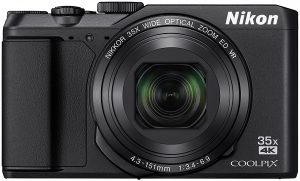
Nikon Coolpix P1000 vs. Nikon Coolpix P900 Specifications Comparison

Nikon has been one of the prominent players when it comes to cameras. If you are looking for the fixed lens cameras from the manufacturer, Nikon Coolpix P1000 vs. Nikon Coolpix P900 have been the two best models that have been quite popular in the genre. Launched three years apart, how do these two siblings perform against each other? We will check out the features, specifications, and differences between the two capable models from the manufacturer.

What is a Fixed Lens Camera?

Well, the definition should be quite evident from the name of the genre itself. The fixed lens cameras are the ones that do look almost like a DSLR. The only major differentiating factor between a fixed lens camera and a DSLR should be the lack of support for the interchangeable lenses on the former. By description, a fixed lens camera is the one that does not use interchangeable lenses. From that perspective, the definition can range to include large zoom cameras to the point and shoot models that we have used in the past. In fact, the smartphone camera too can be one of the best fixed-lens cameras for that matter. However, in the technical language of photography, a fixed lens camera is the one that has a large zoom lens and looks like the DSLRs. The term is ides mainly to let you know the difference between a DSLR and the fixed large zoom lens cameras.

Nikon Coolpix P1000 vs. Nikon Coolpix P900 – The Comparison

Having understood what a fixed lens camera is and how it differs from the DSLRs, let us now check how the Nikon Coolpix P1000 and Nikon Coolpix P900 compare with each other. We will make a comparison based on a few critical features for a clear understanding.

Physical Features

Features/ Particulars Nikon Coolpix P900 Top Superzoom Bridge Cameras Nikon Coolpix P1000
Physical Dimensions 140 x 103 x 137 mm 146 x 119 x 181 mm
Weight 899 grams 1415 grams
  By comparison, both Coolpix P1000 and Coolpix P900 do seem to have the same compact structure and do not differ much. However, weight can be a differentiating factor considerably. Given the fact that portability can be a huge factor, the Coolpix P900 offers you a little lighter option. It should be noted that neither of the two cameras comes with any weather sealing. You need to take care while handling them in severe weather conditions.

Sensor Comparison

Features/ Particulars Nikon Coolpix P900 Top Superzoom Bridge Cameras Nikon Coolpix P1000
Sensor Type CMOS CMOS
Sensor Size 1/2.3” 1/2.3”
Sensor Resolution 4608 x 3456 4608 x 3456
The sensor features for both the cameras are completely identical in almost all respects. Even the megapixel count remains same at 16 MP on both of them.  Given the fact that the recent sensors have been found to be more developed than the older ones, we would prefer opting for the Coolpix P1000.

Lens Comparison

Features/ Particulars Nikon Coolpix P900 Top Superzoom Bridge Cameras Nikon Coolpix P1000
Wide Coverage 24 mm 24 mm
Telezoom 2000 mm 3000 mm
Max aperture at Tele-zoom F 6.5  F 8.0
Max Wide aperture F 2.80 F 2.80
As you can easily find out the lens capabilities of the Coolpix P1000, tend to be considerably higher in comparison to the Coolpix P900. The Tele-zoom capabilities and the maximum aperture are the two features that would go in favor of the Coolpix P1000.

Other Features

Apart from the lens and the sensor information that we discussed in detail above, here are the tabulated comparisons between the two cameras for the rest of the features. This will help us get a clear picture of the capabilities of either of the products.
Features/ Particulars Nikon Coolpix P900 Top Superzoom Bridge Cameras Nikon Coolpix P1000
Optical Zoom 83 X 123 X
Digital Zoom Yes, available – 133X Yes, available – 250X
ISO Sensitivity 100 to 6400 100 to 6400
Normal focal range 50 cm 30.48 cm
Macro Focal range 1 cm 1 cm
Focal length 24 to 2000 mm 24 to 3000 mm
Max aperture F2.8 – f8.0 F2.8 – f6.5
Max Shutter speed 1/4000 sec 1/4000 sec 1/8000 sec for the movie mode
Built-in Flash Yes Yes
Microphone support No Yes
Screen 3”- 921,000 dots 3.2”- 921,000 dots
Screen articulation Yes, swivel Yes, swivel
Max video resolution 3840×2160 at 25p and 30p 1920×1080 at 60p and 30p
Storage type SD, SDHC and SDXC SD, SDHC and SDXC
HDMI connectivity Yes Yes
Wireless Connectivity Yes- Bluetooth and WiFi Yes – Bluetooth and WiFi
Battery Life  360 shots per charge 250 shots per charge
  Except for the battery life, the Coolpix P1000 takes the lead in almost all the aspects to be the preferred camera among the two options.

Features that would make the Coolpix P1000 a good option

Well, the elements that would make Coolpix P1000 can be summed up as
  • It offers you a better video performance. You can capture 4K videos at 30p as compared to full HD at 60p.
  • Larger screen at 3.2 inches as opposed to the 3 inches screen
  • Better telephoto reach
  • Support for the RAW format – a delight for the professional photographers
  • The microphone support offers you a better audio recording
  • Higher optical zoom at 123 X compared to 83 X.

Features That Go in Favour of the Coolpix P900

Not to be left behind, the P900 has a few features in its favor. A few of them can be summarised as
  • It is more compact than the Coolpix P1000
  • The camera is comparatively lighter than the P1000
  • It provides you with better battery life than the P1000. You will have access to 360 shots per charge in comparison to the 250 shots on the P1000.
  • NFC connectivity available on the P900 can be an added advantage.

The Concluding Thoughts

The decision is clear if you have closely followed the comparison chart outlined above. The Coolpix P1000 provides you with excellent functionality and features that outweigh a few feature advantages offered by the Coolpix P900. In essence, if you are looking for a compact camera with affordable pricing, you can go for the Coolpix P900, else the Coolpix P1000 should be your ideal choice.

Sony IMX519 vs. IMX486 vs. IMX386 vs. IMX586 vs. IMX377 Specifications Comparison

Before we look into the Sony IMX519 vs. IMX486 vs. IMX386 vs. IMX586 vs. IMX377, let us first understand the basics. Exmor is an industry leading technology brand from Sony when it comes to phone cameras systems. Sony implemented this sensor technology in many of their CMOS sensors from their bigger DSLR siblings. So far, there are 4 sensor families produced by Sony, which utilize this Exmor technology. They are as follows:

  • Exmor Sensors
  • Exmor R sensors
  • Exmor RS sensors (Applicable to the current list)
  • Exmor imaging modules (For different OEM devices)

What is Exmor?

It is a proprietary technology designed and developed by Sony for on-chip analog to digital signal conversion with many step noise reduction which runs parallel on each column of the Exmor CMOS imaging sensor. Exmor R comes with an illuminated back and is one of the first to implement this tech. Exmor RS, on the other hand, comes with a stacked CMOS image processing sensor first introduced in August of 2012.
Quad Bayer array system on IMX586 48 MP Sensor, Image Source: Sony
As the title implies, we will be talking about Sony IMX519, IMX486, IMX386, IMX586, and the IMX377 camera sensors. Besides comparing various technical details about these sensors, we will also list out and discuss smartphones which utilize these camera sensors. Note that all of these sensors belong to Exmor RS sensor family designed and manufactured by Sony. All Exmor RS family sensors are fundamentally stacked CMOS image sensors.
Sony IMX519 vs. IMX486 vs. IMX386 vs. IMX586 vs. IMX377 – Comparison Table

Specification Sony Exmor RS IMX 519  

Sony Exmor RS IMX 486


IMX386

 IMX 586  IMX377

Effective Pixels / Video 16 MP 12 MP (4032 x 3016) 12 MP (3968 x 2976) @ 4:3 9.03 MP @ 17:9 48 MP (8000 (H) × 6000 (V)) 4K(4096×2160) @ 90fps 1080p @ 240fps 720p, 480p 12.2 MP (4032 x 3024) 35 FPS @12 Bit 40 FPS @ 10 Bit  
Sensor Size 6.828 mm (1/2.6”) 6.2 mm (1/2.9”) 6.2 mm(1/2.9”) 8.0 mm diagonal (1/2-type) 7.81 mm (1/2.3″)
Unit Cell Size 1.22 um 1.25 um 1.25 Microns 1.6 μm pixels 1.55 μm
Sensitivity 133-LSB
Sensor Saturation Signal 4500e
Video Output   MIPI C-PHY1.0 (3 trio) / D-PHY 1.2 (4 lane)
Subpixel Layout RGB RGB RGB RGB RGB (On-chip mosaic filters)
Phase Detection Autofocus Yes Yes Yes Yes Yes
Gyro Image Stabilization
Built-in DRAM Memory
Release Date February 2018 February 2018 Jul 2016 Jul 2018 April 2015
Utilizing Devices Oppo R15 OnePlus 6 Xiaomi Redmi Note 5 Pro Xiaomi Mi 6X

Huawei Mate 10 Pro

LG Nexus 5X Huawei Nexus 6P HTC 10 Xiaomi – Yi 4K Action Camera DJI Mavic Pro (Drone)

Conclusion:

We hope the article helped you to understand how IMX519 vs. IMX486 vs. IMX386 vs. IMX586 vs. IMX377 differs from each other in the RS product portfolio. For now, there are only limited smartphones featuring the IMX586 sensor. We will keep updating this comparison list as there are new smartphones announced and more details are available. If you have some discussion points or suggestions, feel free to use the comment box below, or contact us directly. Thank You!

Nikon Coolpix S3700 vs Coolpix S7000 Compact Zoom Specifications Comparison

0
Not all cameras come with the same features. That is precisely what may make it a little tougher to choose the best camera for your requirements. That would indeed be the case especially when you are a newbie in the realm of cameras. Nikon has been one of the clear leaders in the arena of offering a few world class cameras. Two of the best options among the cameras offered by Nikon are Coolpix S3700 and Coolpix S7000. How do they compare against each other? Coolpix S3700 vs Coolpix S7000? We will check out the features and compare them together.

Nikon Coolpix S3700 and Coolpix S7000 – What do they Have in Common?

Well, the cameras do share a few standard features between themselves. It would be interesting to find the exact characteristics of the camera before indulging in understanding the differences. Both of them come with an excellent Optical Image Stabilization and continuous shooting options. The built-in WiFi connectivity is yet another feature that may make it an excellent choice in its own right. A couple of other features that the siblings share between themselves are the NFC support and internal flash.

Coolpix S3700 vs Coolpix S7000 – How do they differ?

The Coolpix S7000 has been receiving a few rare reviews thanks to a few excellent features that it packs in. However, that should not be something that will put Coolpix S3700 in any inferior segment as such. It has its plus points and competes quite well with the sibling. The significant difference between the S7000 and S3700 is the megapixel count. The Coolpix S7000 comes with a 16 MP functionality while that on S3700 is 20 MP. Battery backup is yet another feature that S3700 excels in comparison with S7000. It offers 240 shots per charge as compared to the 180 shots provided by the latter. The S7000 scores over the S3700 regarding optical zoom capabilities as it gives you 20x zoom as compared to 8x.

The Comparison Chart

Features/ Particulars Coolpix S3700 [amazon_link asins=’B00T85PUJY’ template=’PriceLink’ store=’foi04-20′ marketplace=’US’ link_id=’f7e519c5-8b3e-11e8-9be6-3775a3f1d04d’] Coolpix S7000 [amazon_link asins=’B00T85PH2Y’ template=’PriceLink’ store=’foi04-20′ marketplace=’US’ link_id=’ee752d78-8b3e-11e8-8a6f-79f3a11bcd88′]
Image resolution in Megapixels 20 MP 16 MP
Sensor size 1/2.3 inches 1/2.3 inches
Video Recording HD Full HD
Optical Zoom  20 x 8 x
Image stabilizer Yes Yes
Minimum ISO 80 120
Maximum ISO 3200 6400
Shutter speed in 1/sec 1500 4000
Burst speed 1.1 photos per sec 9.2 photos per sec
Built-in flash Yes Yes
Screen size 2.7 inches  3.0 inches
WiFi Connectivity Yes Yes
Video resolution 1280 x 720 1920 x 1080
Physical Dimensions 96 x 58 x 20 mm 99 x 60 x 27 mm
Battery life 240 shots 180 shots
HDMI Out No Yes
Screen dots 230k dots 461k dots
Intelligent Auto Focus No Yes
Scene modes and scene selector Yes No

What makes Coolpix S3700 an Excellent Option?

The Nikon Coolpix S3700 is available in a host of colors. The higher image resolution should be one of the features that should make it an ideally an excellent option in its own right. It also offers a lowest ISO range for better performance. The image stabilization and built-in WiFi are the other two options that would put it ahead of the competition in comparison to the Coolpix S7000. Are you into nature photography? If you are someone who has been involved in shooting the flowers and other surprising aspects of nature from close quarters, the Coolpix S3700 should be your prime choice by all standards. A few other features that would make us choose it for our photography needs is the compact size with a sturdy metal build. The Optical image stabilization ideally makes it one of the excellent options.

What puts Coolpix S7000 ahead of the competition?

The camera packs in a few excellent features that would make the Nikon Coolpix S7000 an attractive option. A better video recording functionality in full HD can turn your videography a superb art in itself. A great deal of video recording and sound recording functionality should be what would make it an excellent choice. A higher burst speed will offer you faster images. It can be your best option for the faster continuous shooting. 20x optical zoom is ideally best suited for the long-range photography. The S7000 also comes with in-camera panorama options for a higher capability in stitching together multiple photos. It also offers you a brighter shot in the daylight due to the faster shutter speed. A higher extended ISO value should translate into better low light photography performance.

Which One To For?

Well, as we can see from the comparison chart and the discussion we have had above, it is evident that both the Coolpix S7000 and Coolpix S3700 share their strengths and weaknesses. Writing off one in favor of the other may not be easy as both of them do have their exceptional features. Both the Coolpix S7000 and Coolpix S3700 are indeed great cameras in their own right. They can be worth it in their sphere of performance. If you are someone who often takes close up shots as part of your job or photography assignments, the Coolpix S3700 can be an ideal choice. This can be your best bet in case you are into nature photography. On the other hand, if you have been looking for the best performance regarding focus and resolution in your shots, the Coolpix S7000 can be the best option. Of course, you may need t sacrifice the high resolution and excellent zoom performance.

The Concluding Thoughts

Well, that was all we have concerning the comparison between the two excellent cameras from Nikon. In fact, there is nothing that would make it any one of the competing siblings good or bad in contrast. The cameras have been made available to cater to the specific requirements, and they do function in the same manner as they are intended to. We would consider both the cameras excellent performers when it comes to their usability. Your choice should entirely be dependent upon the exact requirements that you may have.

Nikon Coolpix P900 vs P900s Specifications Comparison & Differences

The Nikon is an excellent provider with the world-class cameras under its Coolpix brand. The Coolpix sub-brand is one of the great options if you are looking to check out the bridge cameras. Two most popular cameras in this sub-brand from Nikon are Coolpix P900 and Coolpix P900S. How do they (Coolpix P900 vs P900s) compare with each other? We will find out the differences and similarities in today’s post.

Nikon Coolpix P900 – An Introduction

One of the latest ultra-zoom cameras from Nikon, it features the longest optical zoom lens in the world. Some of the advanced features that the camera offers you include a built-in EVF with an eye sensor, a variable angle tilt screen, and a few advanced features. You also have access to a few much in-demand connectivity features like WiFi, GPS, and NFC. The unique feature that would make it an excellent option is the 83x optical zoom. You have access to the f/2.8 aperture at 24 mm and f/6.5 aperture at 2000 mm. The camera offers you a 5 stop image stabilization. This should be quite ideal for shooting sharper images with the 83x zoom options. The sensor available on the camera is of 16 MP backlit CMOS capability. The rapid Auto Focus provides you with quicker shooting speeds. It can record full HD videos. The built-in WiFi and NFC options simplify the process of transferring your photos and videos a straightforward affair. The camera does offer a host of scene modes. We liked the moon scene mode that can work wonders for the night shots and the bird watching scene mode. Another feature that makes it a great option is the Movie Creation mode that aids you in creating videos from the images shot in sequence. The superior features include
  • 16 MP CMOS sensor
  • 3-inch vari-angle screen
  • 83x optical zoom
  • GPS, WiFi, and NFC connectivity
  • Multiple scene modes to suit your individual shooting needs.
  • Macro mode for close-ups

Nikon Coolpix P900S – An Overview

This is an upgrade to Nikon Coolpix P900, and it offers you 24 to 2000 mm ultra high power optical zoom options. Just as you would find on your Coolpix P900, you have access to the 5 stops dual detect optical VR. It offers you an excellent video shooting performance. The VR functionality on the camera is quite unique enough. The manual focus is best suited for you if you are into bird watching. The camera has almost all the features you may have found on the big brother Coolpix P900. The only missing feature is the lack of GPS. The Birdie mode should ideally be the best bird watchers. The major features include
  • 16 MP CMOS Sensor
  • 3-inch vari-angle screen
  • 83x optical zoom
  • WiFi and NFC connectivity options
  • Macro mode
In essence, both Nikon Coolpix P900 and P900S come with the same features in its entirety. The only difference between the two cameras is the availability of GPS connectivity on the P900 and the lack of it on P900S.

Coolpix P900 vs P900s – Specifications and Comparison Chart 

Features/Particulars

Coolpix P900

[amazon_link asins=’B00U2W4JEY’ template=’PriceLink’ store=’foi04-20′ marketplace=’US’ link_id=’144847bd-8b17-11e8-96d9-b7c078e6006e’]

Coolpix P900S

Effective Pixels 16 MP CMOS Sensor 16 MP CMOS Sensor
Image Sensor 1/2.3 inch CMOS Type 1/2.3 inch CMOS Type
Lens High-end NIKKOR Lens High-end NIKKOR Lens
Optical Zoom 83X 83X
Focal Length 4.3 to 357 mm 4.3 to 357 mm
Maximum Aperture f/2.8 to f/6.5 f/2.8 to f/6.5
Lens Construction 16 elements in 12 groups 16 elements in 12 groups
Digital Zoom 4x 4x
Vibration reduction (stills) Lens shift VR Lens Shift VR
Vibration reduction – Videos Combination of lens shift and electronic VR Combination of lens shift and electronic VR
Autofocus system Contrast detect system Contrast detect system
Macro Closeup 1 cm 1 cm
Focus Modes Target finding AF, face priority, manual (spot), manual (normal), manual (wide), subject tracking Target finding AF, face priority, manual (spot), manual (normal), manual (wide), subject tracking
Viewfinder 0.5 cm 921k-dot LCD with the diopter adjustment function 0.5 cm 921k-dot LCD with the diopter adjustment function
Display screen 921k-dot (RGBW) 3 inch 921k-dot (RGBW) 3 inch
Screen features Wide angle, TFT LCD, 6 level brightness adjustment, Vari-angle Wide angle, TFT LCD, 6 level brightness adjustment, Vari-angle
Media support SD, SDHC, SDXC SD, SDHC, SDXC
File System supported DCF and Exif 2.3 compliant DCF and Exif 2.3 compliant
File Formats supported JPG for images MOV for videos JPG for images MOV for videos
ISO Range ISO 100 to 1600 under standard conditions ISO 3200 and 6400 for P, S, A and M modes Hi1 (ISO 12800) for High ISO ISO 100 to 1600 under standard conditions ISO 3200 and 6400 for P, S, A and M modes Hi1 (ISO 12800) for High ISO
Shutter Mode Mechanical and CMOS electronic shutter Mechanical and CMOS electronic shutter
Shutter speed 1/4000 * -1 s 1/4000 * -15 s (for ISO 100 in M mode) 1/4000 * -1 s 1/4000 * -15 s (for ISO 100 in M mode)
USB Connectivity Micro USB Connector Micro USB Connector
HDMI Output Connector Type D Micro Connector Type D Micro Connector
WiFi connectivity standards IEEE 802.11b/g/n (standard wireless LAN protocol) IEEE 802.11b/g/n (standard wireless LAN protocol)
WiFi Range  10 meters 10 meters
Location Data GPS and GLONASS Not available
Battery life 360 shots 360 shots
Battery life for shooting 1 hour 20 min 1 hour 20 min
Battery charge time 3 hour 40 min 3 hr 40 min
  The above chart should make it clear that the Nikon Coolpix P900 and Coolpix P900S come with same features regarding all the options and functionalities. The only exception you would observe between Coolpix P900 and Coolpix P900S is the GPS connectivity between the two cameras.

The Concluding Thoughts

That was all we have concerning the two competing cameras from Nikon under its Coolpix brand. As you have already found through the comparison charts above, it should be evident to you that the two siblings are precisely equal except for the lack of GPS connectivity on the P900S. So, it should not ideally be an issue in making a choice. If you want GPS tagging on your shots and videos, go with the P900 and if the feature does not make any difference to you – go with the P900S.

What Is A Polarizer Filter? When Not To Use One? For Portraits or Landscapes

If you are a photographer, you would have to know what is a Polarizer Filter. It has been considered to be one of the best and essential tools for the landscape photography.  However, some rules govern the use of a Polarizing Filters. In fact, using it in some conditions may end up producing awful results in your photographs unexpectedly. If you are confused about the how and where to use Polarizing Filter (and yes, where not to use it), we are here to provide you with a few inputs on the right usage of Polarising Filters.

What Is A Polarizer Filter?

If you are new to the world of photography, it could be possible that you are not aware of what a Polarising Filter is. Well, if you have been shooting landscapes, you should be mindful of the kind of havoc that direct light can play with your images. Polarizing Filter is an accessory that reduces the effect.
Related Reading: Best Polarising Filters for Canon and Nikon DSLRs
Technically speaking, a Polarizing Filter is a glass that has been specially adapted. When you turn at an angle to a light source, it will help you minimize the glare from the surfaces reflected. Most of the filters are available in the circular form so that you can fit it on any lens. These filters can address the sharpness and variance between the different objects. Removal of reflection and improving the contrast are a couple of features that would necessitate the need for a Polarizing Filter. In fact, they can go a long way in reducing the post-production efforts you may need to go through if you have not used a Polarizing Filter.

How Does The Filter Works?

The Polarizing Filters are available in different shapes and sizes. In fact, the circular filters are the most preferred ones – thanks to the ease with which they can be fitted onto any lens. The filters are available in multiple sizes so that it can be used on different types of lenses. The working principle is quite simple enough. You can rotate the polarizing filter as per your requirements. This would be helpful in blocking specific wavelengths of the light. These wavelengths will thus be blocked and will not be able to reach the sensor. You can achieve the results of your preference by rotating the filter until you get the effect that you are looking for. The exact manipulation should be dependent upon the source of the light and your subject.

What are the Conditions that you Should not Use Polarizing Filters?

Well, that should have let you understand what Polarizing Filters are and how they work. They are indeed quite useful and practical for enhancing the shots you take. In fact, they reduce the glare of the reflected light. But, there are a few conditions that you may not want to use a Polarizing Filter. There are some occasions that the reflected light can produce remarkable results. Let us check out a few scenarios that you would want the reflective light in a better way.

Scenario 1 – Waterfalls

When you are shooting the wet rocks and waterfalls, using the polarizing filter can make the image a little dull. How about the scene when you would want a great damp look on the rocks? Using a polarizing filter can reduce the effect of the reflected light that would, in fact, enhance the quality of your image. It would be advisable in such situations to take two snaps – one with no filter and one with the filter. We assure you that you will like the look without the filter. Of course, wetness on the surface can be quite reflective, but in some cases eliminating it can be destructive. If the humidity provides you with a slight reflection, it can be something that you would want in your shots.

Scenario 2 – If the Reflected Light has a Unique Color

Yes, we are talking about that ever beautiful sunrise and sunset views. If those views have the light being reflected on the rocks or any other object, it would advisable to avoid using a polarizing filter. Especially the light coming from the sun has a different color, it will indeed have a tremendous reflecting effect. If the reflected light produces a different color than in the ideal conditions, not using the polarizing filter will provide a more dramatic effect to your shots.

Scenario 3 – If the object has a shallow light

Shaded areas should be a big No No for the polarizing filters. You can indeed follow a rule- when the sun has set, and the surroundings are getting dark, you should avoid using a polarizing filter. That should be quite self-explanatory, we would guess. The Polarizing filter is used to reduce the intensity of reflected light. When you do not have light reflection, we see no point in using the filter at all. Some such examples can include heavy and dense forests, canyons, shooting at dawn or dusk can be a few prime situations you should go without the polarizing filter.

Scenario 4 –  Rainbows

Using a polariser filter while shooting a rainbow can have a devastating effect on the intensity. In fact, ideally – a rainbow is a reflected light in itself and thus using a polarizing filter can reduce the impact of the view you are expecting in your shot.

The Concluding Thoughts

Well, those should be a few ideal situations where you would not want to use the Polarizing Filter. Of course, Polarizing filters can be used in several locations and use them is bound to improve your performance as a photographer. However, having a good knowledge of when to use them and when to turn them off goes a long way in enhancing the quality of your masterpieces. We assume the few selects scenarios that we have outlined in the above discussion should aid you in learning the right way to use polarizing filters. Not that this list is exhaustive in any case. The best idea you can opt for would be to shoot two images with and without the filter when in doubt. You can analyze the pictures, later on, to find out what suits which situation.

Is There A 6D Mark ii 4K Magic Lantern? Options or Features Available?

0
Canon has indeed been the best alternative to Nikon when it comes to the development of DSLR cameras. The EOS 6D Mark II is a capable device that has been one of the preferred budget full-frame cameras by any standard. If you are wondering what we mean by the Magic Lantern, possibly you are not aware of the development regarding the software tweaks. Let us find more details on 6D Mark ii 4K Magic Lantern in the following paragraphs.

Canon EOS 6D Mark II – An Overview

Designed as an upgrade to the EOS 6D, the EOS 6D Mark II is indeed one of the cameras with modern specifications. It is indeed the best cameras for those entering into full-frame photography for the very first time. Some of the features that would make it an excellent option are
  • It offers you an excellent live view focusing functionality.
  • You have access to a very comfortable grip.
  • The display screen offers you the best in class touchscreen control options.
  • The connectivity options offered by the camera should make it an ideal device in every right.
However, the camera buffs are rebuffed because of the lack of a few features. In spite of being a great device in most of the aspects, it does not offer 4K shooting capability. That is precisely one of the features that the tweaked ROM in the form of Magic Lantern plans is expected to take care of.

Why Does Canon 6D Mark II does not Offer 4K?

Yes, one of the latest entrants among the entry-level full-frame cameras from Canon, the 6D Mark II the full frame DSLR does not come with a 4K shooting compatibility. There is no specific reason for the lack of feature, but it has indeed been causing for huge outrage amongst Canon enthusiasts or the camera buffs out there. Why would have they left out the feature? Maybe they have their reasons. The camera is indeed not for the Pros. The camera is specially designed for the sake of beginners or semi-pro market, someone who is taking the plunge into the full-frame ecosystem. This is, in fact, the message being given out by Canon through its online board discussions. The focus seems to be on documentaries and other works in the similar genre. Now that beginners usually do not indulge in high-end videography or movies, and their basic needs are likely to be video sharing services like YouTube or Vimeo – they would probably need no access to 4K. Moreover, 4K is what a filmmaker will need. The EOS 6D Mark II is a camera designed for the photographers, not filmmakers. That is possibly yet another reason that Canon decided to opt out of 4K shooting capability on the mark II.

Check on Amazon

6D Mark ii 4K Magic Lantern: Are there any Hopes?

Magic Lantern is one of the influential ‘MOD’ communities involved in creating MODs or custom ROMs for cameras. They work, especially for Canon Cameras. If you are a photographer yourself and have been using a host of cameras, you might already have heard about Magic Lantern. If you are a Canon DSLR user, Magic Lantern should not be new to you. Aiding the Canon Camera users since the year 2009, it has been helping out millions of Camera users in addressing the shortfalls in their software. Magic Lantern is an add-on or software tweak that lets you add a few features that may not be available on the official firmware preloaded on the cameras. They work correctly in the arena of Canon EOS cameras. In sharp contrast to the custom ROMs used on smartphones, the Magic Lantern firmware does not replace the official firmware but runs along with the software. The community has already developed custom ROMs for 5D and 5D Mark II full-frame DSLRs. They have also come up with the options for the predecessor of 6D Mark II – the Canon EOS 6D.

Is the 4K Hack Available for Canon EOS 6D Mark II?

Well, as things stand as of now – No. You do not have any actual build available for the camera. But, you have a build for Canon EOS 6D. That would possibly indicate the possibility of the arrival of custom firmware for the 6D Mark II quite soon. And yet another point that made us believe that the Magic Lantern 6D Mark II hack would be available soon is the fact that the ROM Dumpers are already available for the model. That has probably given a hope that the 4K compatibility will be launched soon by the magic lantern.

What Features Does Magic lantern Introduce?

There is no development as of now for the Canon EOS 6D Mark II. But, when it comes, you can expect a host of features that would be introduced along with the base firmware already available on your camera. Magic Zoom is a feature commonly found on Magic lantern firmware. It lets you focus on the best possible to achieve the best sharpness levels. If you are into time-lapse photography, the Intervalometer option available on the device should provide additional functionality.

The Concluding Thoughts

Well, the Canon EOS 6D Mark II should be one of the best options when it comes to budget cameras for the beginners. However, it lacks a few features that you may be looking ahead to. Magic Lantern is the best tool for adding those missing features. Lack of 4K shooting mode is one of the features that Canon EOS 6D Mark II users are disappointed about. Magic Lantern has been considering the device for the development of their add-on the firmware. That should ideally be good news for the 6D Mark II users out there. The fact that Magic Lantern has already added the 4K on the sibling Canon 5D and 5D Mark II should hold hope for the Canon lovers. We would look ahead for the development soon. However, as things stand as of now – there is no active development as long as 6D Mark II is concerned. The ROM Dumpers have been indicating the future, and we would like to expect some announcements soon. Till that time, you may need to live with the lack of 4K shooting mode.

Canon 24mm Vs. 50mm Lenses For Video and Photography with Samples

0
Photography is not only about what kind of camera you have been opting for. It also involves choosing for the best lenses that would let you shoot better images and videos. How would the lenses differentiate the functionality of your camera? What are the differences that a Canon 24mm Vs. 50mm Lenses would have on the proper shots and videos on your camera?

Canon 24mm Vs. 50mm Lenses – The Differences

Well, there would be a complete difference between the shots and videos you take from a 24 mm and a 50 mm camera lenses. We will find the inherent differences between the two types of glasses for a clear understanding of the differences you will be facing concerning the clarity and other aspects of your shots.

The Suitability

The 50mm lenses are best suited for the portraits. You will be able to get better head to shoulder snaps better on a 50 mm lens as compared to the 24 mm lens. In case if you want to shoot clear images with an emphasis on the faces while blurring the background, the 50mm is ideal. Bookeh! On the other hand, if you are looking for the details in the backdrop – a 24 mm lens would make a better sense.

The Details Expected

The exact choice of your requirements is what would decide your choice of lenses. If you are looking for details in the background and want the image to be readily convertible to black and white, a 24 mm lens should be the one that is most preferred. A 50mm lens would be the best choice when you are looking for the expressions on the faces of the subjects.

How Do Canon 24mm and 50mm lenses with f/1.4 compare with each other?

Well, the fundamental differentiation between the two types of lenses should be ideally available through the discussion we already have in the above discussion. We thought of opting for a tabular comparison for a better understanding of the concept.

Physical Dimensions

Features/ Particulars

Canon 24 mm f 1.4

[amazon_link asins=’B001GNCWCE’ template=’PriceLink’ store=’foi04-20′ marketplace=’US’ link_id=’bb832459-77e5-11e8-9c39-95944077b2d0′]

Canon 50 mm f 1.4

[amazon_link asins=’B00009XVCZ’ template=’PriceLink’ store=’foi04-20′ marketplace=’US’ link_id=’c6df2974-77e5-11e8-b758-7125e6e1291b’]

Front filter thread 77 mm 58 mm
Dimensions 3.29 x 3.42″ (83.5 x 86.9 mm) 2.91 x 1.99″ (73.8 x 50.5 mm)
Weight 650 grams 290 grams
Warranty One year One year

Performance Statistics

Features/ Particulars Canon 24 mm f 1.4 Canon 50 mm f 1.4
Focal Length 24 mm 50 mm
Apertures Max f/1.4 and Min f/22 Max f/1.4 and Min f/22
The angle of view 84 degrees 46 degrees
Minimum focus distance 25 cm 45 cm
Magnification available 0.17x 0.15x
Maximum Reproduction Ratio 1:5.88 1:6.7
Optical Design 13 elements in 10 groups 7 elements in 6 groups
Diaphragm blades 8 8, rounded
Format 35mm Film / Full-Frame Digital Sensor 35mm Film / Full-Frame Digital Sensor

The Features

Features/ Particulars Canon 24 mm f 1.4 Canon 50 mm f 1.4
Autofocus functionality Yes, available Yes, available
Built-in focus meter Yes Yes
Wide Angle Functionality Yes No
Inbuilt optical image stabilization No No
Focus motor availability Yes Yes
Weather sealing Yes No
Optical Zoom Yes, 1X Yes, 1X
Built-in lens hood Yes No
Infinity focus Yes Yes
Full-time manual focus Yes Yes
 

The Inferences from the Comparison

Well, based on the details that we discussed through the comparison Tables for the specific features in the above comparison features – you would find that both 24 mm and 50 mm lenses from Canon have almost identical features. Aperture – Both 24 mm and 50 mm lenses come with the same more full aperture of f/1.4. It goes a long way in enhancing the absorption of light and thus avoiding blur. In fact, it would allow you to create your own bluer effects by adjusting focus. Minimum Focus Distance –The minimum focus distance is the closest distance you can shoot with. A lower minimum focus distance can be the best if you are looking to shoot macro photography. You can find from above table that 24 mm lens works best for macro photography. Wide-Angle Photography –If you are looking to shoot your videos and photos with a lot of areas in the background, a lens with a broader angle should be your best choice. 24 mm lens can work as the best option for those needs. Taking care of out of focus areas – Rounded aperture blades can be much helpful in addressing the concern of out of focus conditions. Again, the 24 mm lens will take the lead in this aspect. Focussing on smaller objects–A higher focal length will ensure that you would be able to take better snaps. Concentrating on a minor part of the screen is made easy with at the highest focal length. 50 mm lens can focus on objects in a better way so that you would be able to get more explicit pictures. That would indicate that you can choose any of the lenses between them depending upon what type of composition you have been looking ahead to. We would hope that the descriptions provided against each of the features should help you make a learned choice of your lens.

Samples of Canon 50mm F/1.4: Source – Flickr

Samples of Canon 24mm F/1.4: Source – Flickr

The Concluding Thoughts

Well, that was the complete comparison between the Canon 24 mm and 50 mm lens with f/1.4 aperture. We assume the details we shared here would have helped you take a perfect call on the exact nature of your glasses. It should be noted that both the lenses have their practical features making them an excellent choice in their own right. What it would boil down are the exact requirements you may have concerning your shooting schedule. That is precisely why we have listed out the differentiating features and their usability in the practical conditions. We think this can be of best help in zeroing on the perfect lens that meets your needs. Which of those two equally capable lenses are you using for your photography needs? Do share your thoughts and experiences with either of those lenses. This would guide us further in choosing a perfect option for our needs.

Rebel T7i Canon 1500D vs. Nikon D3400 – Specifications Comparison

0
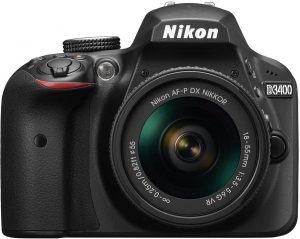
Are you looking for an excellent DSLR for your requirements? Well, Canon and Nikon have been the two popular manufacturers you would find coming up with world-class cameras that have focussed on providing you many practical use cases. In today’s post, we will focus on comparing the two best cameras from them and decide as to which one should you buy among the two. Now that we are aware of the popularity enjoyed by Canon and Nikon cameras, we thought of picking the two best devices from each of these two brands and comparing them. We will compare Canon 1500D vs. Nikon D3400 in this post.

The Canon 1500D – An Overview

Canon 1500D is an excellent camera for the beginners. The 24.1 MP MP sensor with APS –C size. Some of the features worth mentioning concerning the 1500D are its upgraded autofocus system and offers a better grip on the camera that helps you handle it with ease. Notably, it also comes with a WiFi and NFC connectivity options to help you share your photos and images almost instantly. Availability of 5 creative filters would serve to provide better shooting experience that suits the ambiance. The Live View mode should be your best bet against an assured fine-tuning of your composition.

The Nikon D3400 – An Overview

In case you are taking your first step towards the direction of DSLR photography, D3400 should be your best option. The SmartBridge technology that helps you connect to several devices right away. The 24.2 MP sensor has an 11 point autofocus system. The D3400 comes with a full HD video shooting capability at 1080p at 60 fps. The lightweight camera fits every situation quite well and works as your reliable companion to shoot your dream moments right away.

Which one should you Go With? Canon 1500D vs. Nikon D3400

Well, let us compare the two cameras based on separate parameters. That would help you transparently understand the two competitors so that you would be able to make a well-informed decision.

The Summary

Features/Particulars

Canon 1500D

[amazon_link asins=’B06VT2NQD8′ template=’PriceLink’ store=’foi04-20′ marketplace=’US’ link_id=’7b529769-77e0-11e8-b8bc-4f566888d218′]

Nikon D3400

[amazon_link asins=’B01KITZKDE’ template=’PriceLink’ store=’foi04-20′ marketplace=’US’ link_id=’843119fa-77e0-11e8-af0f-67e12828909d’]

Connectivity Options WiFi, HDMI, NFC WiFi, HDMI, SmartBridge
Sensor CMOS CMOS
Resolution 24.1 MP 24.2 MP
Flash Sync speed 200 200
Storage 1 Slot, SD/SDHC/SDXC 1 Slot, SD/SDHC/SDXC

Video Performances

Features/Particulars 1500D D3400
Resolutions available 1080p, 720p, VGA 1080p, 720p
FPS 1080p at 24,25 and 30 fps 720p at 60 fps VGA at 30 fps 1080p at 24, 25 and 30 fps 720p at 60fps
Video file format MOV MOV
Image Stabilisation Yes Yes

The Lens Capacity

Features/Particulars 1500D D3400
Auto Focus points 9 11
Shutter speed 30- 1/4000 30- 1/4000
ISO 100-12800 100-25600
Auto Focus system Contrast detect, phase detect, traditional autofocus Contrast detect, phase detect, traditional autofocus

Dimensions

Features/Particulars 1500D D3400
Physical Dimensions 101.3 x 129 x 77.6 mm 124 x 98 x 75.5 mm
Weight 475 grams 395 grams
Rugged build No No
Color Options Black Black
 

Sensor Details

Features/Particulars 1500D D3400
Model DIGIC 4+ Processor Expeed 4 Processor
Type CMOS sensor Digital SLR
Sensor size 22.3 x 14.9 mm, APS-C inch 23.5 x 15.6 mm, APS-C inch
Effective resolution 24.1 MP 24.2 MP
 

Image Preview

Features/Particulars 1500D D3400
Display Time LCD LCD
Display Resolution 920000 dots 921000 dots
Supported Languages 25 36
Display Size 3.0 inch 3.0 inch
Viewfinder Penta Mirror Penta Mirror
Brightness Adjustment Yes Yes
 

Flash Details

Features/Particulars 1500D D3400
Hot shoe support Yes Yes
Built-in Flash Yes Yes
Features External flash, Flash exposure compensation External flash, Flash exposure compensation
Flash Range 17 metre 12 metre
Viewfinder Penta Mirror Penta Mirror
Brightness Adjustment Yes Yes

Reasons in favor of Nikon D3400

Features/Particulars 1500D D3400
Sensor size for Image CMOS, APS-C – 22.30 x 14.90 mm CMOS, APS-C – 23.50 x 15.60 mm
Native ISO 6400 12800
Continuous shooting 3 fps 5 fps
Battery life 500 shots 1200 shots
Weight 425 grams 395 grams
Metering Method Center-weighted, Metrix, Spot Evaluative metering (linked to all AF points), Partial metering (approx. 10% of viewfinder at center), Center-weighted average metering
Audio Recording format PCM Linear PCM
USB Micro USB 2.0 Micro USB

What would we suggest?

Well, the comparison above should give you a definite idea about the differences between the Canon 1500 D and Nikon D3400. Ideally, the Nikon D3400 should be a good choice among the two for the obvious reasons as is evident from the comparison tables based on different aspects of the cameras. The Nikon D3400 should be your best option if you are looking for the better low light performance. The sensor on Nikon D3400 has a better sensor with more responsive to the light. Another feature you would love with the Nikon D3400 is the improved autofocus functionality. D3400 offers you an 11 point autofocus system as opposed to the 9 points available on Canon 1500D. Finally, impressive continuous shooting speed and better performance regarding video recording should make you opt for the Nikon alternative. One of the issues we came across while using the Nikon D3400 is, however, the slower wireless connectivity. We do not think it should have any bearing on your decision as the primary concern would be to get better pictures and videos.

The Parting Thoughts

That would conclude our comparison between the two ably popular and capable digital cameras based on the key features. We have sourced our information from the official sites and product descriptions. The hands-on experience with both the cameras has let us differentiate the features and functions of both the competitors in more exquisite detail. In fact, when you buy a camera, it depends upon the individual preferences you may have. That is precisely why we have opted for a tabular comparison. This should go a long way in pinpointing the exact feature you are interested in and choose a camera that best meets your expectations. Do let us know which camera you opted for among the two competing devices as featured in the above discussion. Your feedback can be helpful for us in making a learned choice for the best camera for your requirements.

Fujifilm X100T vs. Leica M9: Specifications Review and Comparison

A photo is better than thousand words, and a video is, even more, to portray something to the audience. To capture or record something marvelous, you need an excellent camera to freeze the moment. Generally speaking, it is not that easy to find a camera in your price point that takes fantastic stills and video. Fuji and Leica are two well-known names in the field of the camera. Fujifilm X100T and Leica M9 come under the not so same category and users are often confused which one will be better for them. Today’s post topic is the comparison of Fujifilm X100T vs. Leica M9. Both these cameras have been on the market for quite a long time. FujiFilm is the newest one among the two, but Leica M9 is a high-end still in demand among the camera enthusiasts.

Fujifilm X100T vs. Leica M9 – The Comparison

Fujifilm X100T vs Leica M9
Features

Fujifilm X100T

[amazon_link asins=’B00NF6ZGY6′ template=’PriceLink’ store=’foi04-20′ marketplace=’US’ link_id=’af80e268-760a-11e8-aae1-fd282d8414a1′]

Leica M9

[amazon_link asins=’B002NX13LC’ template=’PriceLink’ store=’foi04-20′ marketplace=’US’ link_id=’ba2a6123-760a-11e8-b2b0-47a68518428a’]

Number of effective pixels 16.3 MP 18.1 MP
Image sensor APS-C Full frame sensor
Body Type Fixed lens compact Rangefinder-style mirrorless
Supported Memory Cards Internal memory (approx.55MB) SD memory card / SDHC memory card / SDXC (UHS-I) memory card No inbuilt storage SD Memory Card, SDHC Memory Card
Display 3 inches LCD 2.5 inches LCD
File Format Still image: JPEG (Exif Ver 2.3) RAW (RAF format), RAW+JPEGMovie: MOV (H.264, Audio: Linear PCM / stereo sound) 1080p at 60fps Still image: DNG (RAW), JPEGMovie: Does not support
Exposure Compensation -3 EV to +3 EV range, in 1/3 EV steps -3 EV to +3 EV range, in 1/3 EV steps
Self-Timer Delay 10 sec. / 2 sec. Delay 12 sec, 2 sec
Continuous Shooting Speed 6 frames per second 2 frames per second
Image Sensor Size 23.6mm x 15.6mm 24 x 36 mm
Wireless connectivity WiFi IEEE 802.11b / g / n No
Wireless function Image transfer, Remote camera shooting, Instax printer print, PC Autosave No
Connectivity USB 2.0, HDMI Micro connector (Type D),2.5 mm audio input stereo mini connector USB 2.0 No HDMI
Battery NP-95 Li-ion battery (included) Lithium-Ion rechargeable battery
Dimension 126.5mm x 52.4mm x  31.0mm 139 x 80 x 37 mm
Weight 440 grams 585 grams
FujiFilm X100T is a fixed lens compact camera while the Leica M9 is a rangefinder style mirrorless camera. Now, starting with the camera dimension and weight. If we see both the cameras from the front, it is the Leica M9 which is longer and broader than the X100T. But the FujiFilm X100T has more depth that is because of the built-in lens. The Leica M9 is also heavier of the two with a weight of 585 grams as compared to 440 grams weight of the FujiFilm X100T. I found handling and ergonomics better on the FujiFilm X100T. You can easily access all the buttons without dropping it. But the Leica M9 is not bad either it has just more weight and slightly bigger size that creates a bit issue for some users. But the flexibility to change the lenses is excellent that the X100T mises.

Check out the X100T Pictures available on Flickr,

Now, its Leica M9s turn: Source: Flickr

Fujifilm X100T vs. Leica M9: Sensor Comparison

The sensor is the core of the digital cameras. The size and quality of the sensor being used play an important role in deciding the image quality. A large sensor is better for low-light sensitivity and rich color depth. It will offer users a wide dynamic range and better control over depth of field and objects. Out of the two cameras, the Leica M9 has a full frame sensor whereas the FujiFilm features an APS-C sensor. The M9 wins here with a 135% bigger sensor. Also, with the 18.1 MP, the M9 offers high resolution over the X100T 16 MP camera. The Leica M9 has a larger pixel pitch of 6.91 μm. Here again, the FujiFilm X100T loses with its 4.80μm pixel pitch. But the X100T is a much more recent model. It was launched back in 2014 five years after the M9. Its sensor has more technological advances over the Leica M9 which bridges the gap between the two cameras. But neither of the two cameras has an anti-alias filter. Leica M9 being the older one among the two does not offer movie recording capabilities. But you can do same with the FujiFilm X100T with the highest resolution of 1080p at 60 fps. If you are buying the camera for still photography, Leica M9 could be a better option for you. But for movie recording, M9 is not even in race and X100T is a clear winner here.

 Fujifilm X100T vs. Leica M: Features comparison

Apart from the dimension and sensors, few other features in a camera also hold importance in the overall performance of a camera. The FujiFilm X100T has an electronic viewfinder while the Lecia M9 comes with an optical one. Every technology has its advantages and disadvantages. While the optical viewfinder delivers lag-free viewing and clear image framing, the electronic viewfinder allows projecting supplementary shooting information. Overall few more things are in favor of FujiFilm X100T. The FujiFilm X100T has a relatively large 3 inches LCD as compared to the 2.5 inches in the Lecia M9. A large display is always better as it allows easy image review and settings control. The X100T also got faster burst time with 6 fps vs. 2 fps/sec in the M9. The FujiFilm also got a built-in lens which makes it ready to shoot out of the box. But you have to buy a compatible lens for the M9, as it does come with any in the box. Also, the X100T is more compact and easy to carry around. If you see above, as we have already stated, Leica M9 is not a wrong choice by any means. It has more megapixels, brighter framing. It is more flexible with the interchangeable lenses. You can use different lenses for different optics requirement. It still performs well but only with still images. It does not support video recording which is a significant drawback of this camera when we are in 2018. Overall, both the FujiFilm X100T and Leica M9 has their pros and cons. In some cases, M9 proves better whereas sometimes X100T comes out as a better choice. But if I have to choose one, I will surely pick the FujiFilm X100T. It is more technologically advanced and ahead of the Leica M9. There are a lot of other things that are in favor of X100T over the M9 which we have discussed above. Moreover, the FujiFilm X100T is cheaper. Thus it would not make any sense to choose the Leica M9 over the FujiFilm X100T.

Best Panasonic G7 Cine-Like D Settings for 4K Video Shooting

Panasonic Lumix G7 is one of the excellent cameras out there has been getting a few best rave reviews. In fact, what makes it one of the excellent choices is the host of settings that it packs in. One of them is Cine-Like D (Panasonic G7 Cine-Like d Settings). What precisely these settings are and how would you get the best video shooting for the excellent output? We will discuss the concept in more exquisite detail. Best Panasonic G7 Cine-Like D Settings for 4K Video Shooting

Check on Amazon

Panasonic Lumix G7 – An Introduction Well, the Panasonic G7 is one of the prominent cameras you can depend upon for an excellent performance regarding video shooting. It offers you a 16 MP resolution. That should be at par with the slightly higher 18 MP resolution found in most of the DSLRs out there. You cannot expect the best 4K or similar kind of shooting at that price range, but that should not be something you would need to worry about. Of course, you can rely on a few tips and tricks to achieve the best functionality as long as video quality is concerned. The camera comes with a host of preset settings. One of them is Cinelike D. This, along with another shooting mode referred to as Cinelike V have been specifically designed for video shooting. How to get the best settings for those modes and how to get the best cinematic level of video shooting? Let us check it out.

Panasonic G7 Cine-Like d Settings

Best Panasonic G7 Cine-Like D Settings for 4K Video Shooting
Source: Panasonic

What is Cinelike D Mode?

The Cinelike D on Panasonic G7 is one of the excellent features that would help you get the best settings for your videos. You can check out your subject and arrive at the best settings for your Cinelike D mode. The Cinelike D mode is specifically meant for those if you are someone who wants to do the color correction in the post-production. The mode would help you retain a lot of color and contrast while dealing with the post-production. The Cinelike V mode, on the other hand, would handle all the color corrections on the camera itself. We will be focussing on the Cinelike D mode for video shooting and check out which settings would work the best for a complete (or at least, almost) cinematic video shooting experience.

How to set up Cinelike D Mode on your Panasonic G7?

There are multiple videos available over the internet that suggest the best Cinelike D settings for Panasonic G7. In fact, the settings should be dependent completely upon your subject and the ambient conditions. Here is how you can set up the Cinelike D Mode on your Panasonic G7 –
  • Press the button for You need to press the middle button for the purpose. Consult your instruction manual for a better understanding of the buttons and controls.
  • Go to Photo Style
  • Press the left or right buttons until you find the Cinelike D
  • Confirm the action with the middle button.
That should do it. You have successfully activated the Cinelike D mode on your camera.

What are the Best Settings to be used with Cinelike D Mode?

As we stated before, that should ideally be dependent upon the ambient conditions to a better extent. Apart from choosing the shooting mode as Cinelike D, you would also need to complement it with a few other settings so that you would be able to shoot videos with a perfect and truly cinematic quality in your videos. The exact settings would be dependent upon your personal preferences. In fact, photography and videography are creative arts and that would emphasize the importance of the creative angle of the person who is shooting the videos. However, let us suggest a few settings that may be helpful so that you can experiment further. Most users suggest opting for as much natural or standard settings when you are shooting in Cinelike D mode. The LUT settings may not have any bearing on the quality you would get as far as our knowledge ( and even that of experts) goes. Combining the suggestions from a host of experts and common users, we would suggest the following settings for better and lively color settings –
  • Opt for a Natural Profile along with Cinelike D mode.
  • Customise it with these settings
Set Contrast to 0 Set Sharpness to 0 Set Saturation to 0
  • You can slightly alter the settings to match your perception of the color grading.
However, we have also come across a few users who have claimed that the following settings would work great.
  • Standard Profile
  • Set NR to -5
  • All other settings to 0
One other setting that would probably work great for an excellent color grading can be opting for Natural Profile along with Cinelike D mode and use it with a good Conversion LUT. You may need to look for a good Conversion LUT from reliable sources in combination with the Cinelike D mode. Ensure that the Conversion LUT you are using is compatible with your Panasonic G7.

The Concluding Thoughts

Cinelike D Mode on the Panasonic G7 has been touted as the best one for shooting cinematic quality videos on your camera. However, the feature does not seem to have received any good reviews from the users and experts alike. In any case, we would assume that a couple of settings that we have listed here should work towards offering you the best performance as long as the color grading is concerned. Use them in different combinations and check which settings provide you the best results. When it comes to quality videos, a trial and error option should indeed be the best you can opt for. Which among the above settings have you been using on your Panasonic G7 for a truly cinematic video shooting performance? Do share your inputs on the settings that we have shared. In case you are a professional photographer or someone who has a better experience in the field of videography, please chip in with your share of settings so that we and our readers would stand to gain from your expertise.