Nikon D810a vs D810 – Specifications Comparison and Key Differences

0
When we think of DSLRs Nikon is perhaps one of the names that should come to your mind. However, with a massive number of camera options available from Nikon, it may be a difficult task to understand each offerings. That is precisely why we thought of comparing two of the popular FX format DSLRs from Nikon and exploring them to find out the best among the two cameras. Yes, we are talking about Nikon D810a vs D810. If this interests you, read along to know more on the subject.

Nikon D810 – An Introduction

Check on Amazon

The Nikon D810 has been a camera designed to replace the ageing Nikon D800 and the D800E. It introduces a lot of improvements and updates over the original Nikon D800 series. It was one of the best devices at the time. The 36.3 MP full frame camera Nikon D810 comes with four special features –
  • Superior Image Quality – There are a few features that provide you with excellent functionality when it comes to image quality. You have a wide range of FX lens options and an excellent ISO range on the camera. Coupled with it is the powerful Expeed 4 image processing engine that offers you an enhanced noise reduction, support for 1080p videos at 60 fps and an improved picture control options.
  • Reliability – Nikon D810 comes with 51 autofocus points. It also has a front curtain shutter to capture the images with the minimum blur. There is an enhanced option for superior dust protection and weather resistance.
  • Proper handling – The enhanced exterior design and rubberized body cover and an improved adjustable color balance are a few features that make professional photography and handling a great option.
  • Movie Recording – The enhanced ISO recording with ISO 64 to 51200 and a 1080p recording at both 50 fps and 60 fps are the two factors that would improve the movie recording functionality further ahead.
As for handling, it feels great in hand. You have access to weather sealed body and good hand grip functionality. There is an added i button that is used to change the settings right from the rear comfortably. The shutter is quieter and should be a great option when compared to the Nikon D800. The camera comes with an optical viewfinder that is larger coverage, enough to shares a lot of information right away. The battery life is rated at 1200 shots per charge. You should be able to improve it further using a Nikon battery grip if you need to. The shutter speed is impressive enough. Almost everything is just great – speed after shot after shot, focussing and consistency. The camera provides you access to some configurations and settings. It can shoot videos in full HD in 1080p at 60p, 50p, 30p, 25p and 24p. There are microphone and headphone jacks for an enhanced stereo recording. ISO range can be set between ISO 64 to 12800 and can extend to up to 51200 as well.

The Pros

  • An enhanced continuous shooting at 5 fps
  • Improved quality for video recording at 60 fps
  • You have access to multiple image color options
  • Weather sealed body
  • Two years warranty

The Cons

  • No 4K video recording
  • Slightly higher price
  • The image quality depends upon the more costly FX lenses.
  • The live view focus is a little slower.

Nikon D810A – An Overview

Check on Amazon

The Nikon D810A shares most of the features with the D810. The 36.3 MP sensor makes it an excellent option for enhanced functionality. There is a special IR cut filter to take care of red tones. The camera comes with no optical low pass filter. The Nikon D810A is an excellent choice if you are interested in astrophotography. Astrophotography for the uninitiated is capturing the objects (invisible to the human eye) in the sky at night. You can also use the downloadable Capture NX-D software for Astro Noise Reduction. The camera shares almost all the other specifications with the Nikon D810. However, the camera is specifically designed for the astrophotography. It comes with the same physical design and controls as on the Nikon D810. Once again, the camera does offer you a good grip and offers weather sealed body. The camera feels well built and offers you a high degree of handling. As on the Nikon D810, you have access to the i button for the quick change of settings. The shutter is quieter to a greater extent. It comes with the 51 focus points for enhanced performance. There is an optical viewfinder that is large and bright enough. The battery life is marked at 1200 shots per charge. You can even extend it further with the battery grip. This camera is an excellent option for providing you access to infrared photography. This can help shoot the night sky. As for video performance, you will have access to a full HD video recording in 1080p at 60p, 50p, 30p, 25p, and 24p. To assist your audio enabled video recording, you have access to headphone and microphone jacks as well. This can help you in a stereo recording.

The Pros

  • 5 fps continuous shooting performance
  • A great image quality
  • Several image color options to improve your shots
  • Best suited for astrophotography.
  • Great battery life
  • An excellent noise performance.
  • Infrared photography compatibility

The Cons

  • You will need better lenses for a good image quality
  • Higher sensitivity for red tones. This can be an issue for regular photography.
  • No illumination of buttons at night. This can be an issue while shooting the night sky

The Comparison Chart – Nikon D810a vs D810

Having gone through the detailed description into the best features offered by both Nikon D810 and Nikon D810A, how about comparing the two DSLR cameras in a head to head comparison chart? This side by side comparison can help you check out the exact features you want to focus on. Go through the following chart and make the right choice for the best cameras for your exact needs.
Features / Particulars Nikon D810

Nikon D810A

Camera Type Full frame CMOS DSLR Full frame CMOS DSLR
Lens Mount Type Nikon FX Nikon FX
Camera Format Full-Frame (1.0x Crop Factor) Full-Frame (1.0x Crop Factor)
Resolution 36.3 MP 36.3 MP
Maximum Resolution 7360 x 4912 pixels 7360 x 4912 pixels
Aspect ratio 3:2 3:2
File formats supported Still Images: JPEG, RAW, TIFF Movies: MOV, Audio: Linear PCM Still Images: JPEG, RAW, TIFF Movies: MOV, Audio: Linear PCM
Weather sealing Yes Yes
Memory cards supported CompactFlash SD SDHC SDXC CompactFlash SD SDHC SDXC
Autofocus points 51 (15 Cross-Type) 51 (15 Cross-Type)
Screen 3.2″ Rear Screen LCD 3.2″ Rear Screen LCD
Diagonal angle of view 170 degrees 170 degrees
ISO sensitivity 64 to 12800 Extended 32 to 51200 200 to 12800 Extended 32 to 51200
Video recording Yes, NTSC Yes, NTSC
Video formats supported 1920 x 1080p (Full HD) 1280 x 720p (HD) 1920 x 1080p (Full HD) 1280 x 720p (HD)
Frame rates supported @ 1920 x 1080: 60 fps, 30 fps, 24 fps, 50 fps, 25 fps @ 1280 x 720: 60 fps, 50 fps @ 1920 x 1080: 60 fps, 30 fps, 24 fps, 50 fps, 25 fps @ 1280 x 720: 60 fps, 50 fps
Battery Type EN-EL15 Rechargeable Lithium-Ion Battery Pack, 7.0 VDC, 1900 mAh EN-EL15 Rechargeable Lithium-Ion Battery Pack, 7.0 VDC, 1900 mAh
Battery Backup 1200 shots per charge 1200 shots per charge
Physical Dimensions 5.7 x 4.8 x 3.2″ / 146.0 x 123.0 x 81.5 mm 5.7 x 4.8 x 3.2″ / 146.0 x 123.0 x 81.5 mm
Weight 880 grams 880 grams
Connectivity options WiFi and HDMI WiFi and HDMI
Bluetooth Not available Not available
Continuous shooting Yes, up to 5 fps Yes, 5 fps
Self-timer 10 seconds, 2 seconds 10 seconds, 2 seconds
Image stabilization Not available Not available
Processor Expeed 4 Expeed 4
  You would have noticed that there is practically no difference between the two cameras in any manner. They are identical in almost every way. The only difference that these two cameras come with would be the astrophotography functionality offered by the Nikon D810A. It features a red tone filter to assist in this arena.

The Concluding Thoughts

Nikon understands the needs of astrophotography and the need for those involved in the genre. That is precisely what would be indicated through the introduction of a camera for the special photography needs – the Nikon D810A. That should make one thing clear. If you are confused between the Nikon D810 and D810A and unable to choose the right one between the two, the choice should be clear. If you are into general photography, go for the Nikon D810. If you are also into astrophotography, check out the Nikon D810A. Except for this one single differentiating factor, the rest of the features remain the same across the two competing devices. We hope you like our article. Feedbacks and suggestions are welcome in the comments section below. Thanks for visiting and have an excellent day!

Yi Home Camera vs Yi Dome Camera Specifications Comparison

Security is of utmost importance these days. Every home these days should ideally have a security camera for even the safest neighborhoods. There are several options available in the market, but if you are looking for relatively affordable security cameras that have access to a few great features, here are a few excellent cameras you can check out. In this article, we will discuss two capable options like Yi Home Camera vs Yi Dome camera and compare the features that they offer you.
Related: Amazon Cloud Cam vs Ring Stick Up

Yi Home Camera – An Overview

Check on Amazon

The Yi Home camera comes with simple and compact packaging. The plastic construction and thin looks make it appear as if it is cheaply made, but you can be assured of the enhanced features available on the device. The noon slip gasket at the bottom should be one of the options that makes it perfectly stable. You can opt for an all-black construction or choose the one with a black and white combination. The back of the camera module features a speaker. You should be able to have two-way communication with someone nearby easily. The microSD card can be used discretely for recording audio and video activities. There is a blue LED that indicates the presence of a camera. However, you can switch it off with the help of the companion app to opt for a stealthy operation. The cord accompanying the camera is long enough, to place it at awkward places. This is a welcome option from the short cables we have generally found with the other cameras. The setup is not a difficult task. It is quite simple to set it up even for non-techies. The camera guides you with the installation process through the voice prompts. You will need to install the app on your phone, creating a WiFi password and then point it to the QR code displayed by the app. That completes the task of setting your camera up. You can access the camera at any time through the app, no matter where you are and check out the camera feed on it. You can check out both SD and HD video quality options. You can use the speaker icon on the camera to talk to the person on the other side of the camera. The camera supports both continuous recording and motion based recording. You can control the motion sensitivity through the camera settings on your app. You can configure the movement to low, medium or high depending upon your exact requirements. Night recording is enabled through the built-in IR lights. These are enabled by default and will come into action when the camera sensor detects that it is getting darker. However, you can disable them through the camera settings. There is a cloud subscription available for saving your footage. The service comes with a free 30-day trial. There are paid options available for the services you opt for on a monthly or yearly basis.

Yi Dome Camera – A Sneak Peek

Check on Amazon

The Yi range of cameras is trying to take on the big players in the realm of action and security cameras. The camera comes with 360-degree coverage and provides almost unlimited storage options under its cloud service on a subscription basis. The Yi Dome camera offers you access to 360-degree access, but nothing here is exactly 360 degree. It has a 112-degree field of angle, and the cam rotates both horizontally and vertically. The camera attempts to track the items in motion. This may not be something you would witness in most of the home security cameras. It can handle video recordings at 1080p. You can either save the records on the SD card or the cloud as per your preferences. The Yi Dome camera can also handle audio detection along with video detection. This can be an excellent option if you have a tiny toddler or an infant at your home and you need to pay particular attention to the baby. Yi claims that the Yi Dome camera can intelligently differentiate between a baby cry from any other sounds. The camera offers you a two-way audio functionality and thus can work as an intercom. The camera offers you access to the option of storing the footage on the cloud. The free trial, as in the case of Yi Home camera comes with a 30-day limitation. The subscription plan comes with support for up to 5 cameras.

The Comparison Chart: Yi Home Camera vs Yi Dome

After checking out the two cameras and their features in finer detail, a side by side comparison between the two devices can be helpful enough in arriving at the right buying decision. Check out the table below for comparing the exact features that you are looking ahead to.
Features / Particulars Yi Home Camera [amazon_link asins=’B01CW4AR9K’ template=’PriceLink’ store=’foi04-20′ marketplace=’US’ link_id=’586b9108-96b0-48d6-8e89-2e8d5b1c13ab’] Check on Aliexpress Yi Dome Camera [amazon_link asins=’B01CW4BG4K’ template=’PriceLink’ store=’foi04-20′ marketplace=’US’ link_id=’57b5af11-1199-40c3-a790-c274c26c0900′] Check on Aliexpress
Video resolution 1080p 1080p
Frames per second 15 fps 15 fps
Video format supported H.264 H.264
On-demand live view Yes Yes
Record live view Yes Yes
Field of view 112 degree diagonal 112 degree diagonal 360 degree with horizontal and vertical movements
Zoom 4x digital zoom 4x digital zoom
Audio Yes, two way Yes, two way
Motion zones Yes Yes
Person detection No No
Facial recognition No No
Sound detection Yes, baby cries Yes, baby cries
Night vision 8 Infrared LEDs 940 nm LEDs 8 Infrared LEDs 940 nm LEDs
WiFi Yes, 2.4 GHz Yes, 2.4 GHz
Local storage Yes Yes
Cloud Storage Yes, Yi Storage Yes, Yi Storage
Instant app alerts Yes Yes
Personal assistant Not supported Not supported
Lens resolution 2 MP 2 MP
Physical dimensions 3.1 x 1.3 x 4.5 inches4 0.3 x 5.9 x 4.3 inches
Weight 4.8 Oz 8 Oz

Things common to Yi Home Camera vs Yi Dome cameras

The above chart indicates that technically the two cameras almost equal in most aspects. Here are the major design and functional aspects that are common across the two cameras are
  • Live view feature – Both of them provide you access to the on-demand live view. The high-quality video feed is available on your phone through the app.
  • Two-way audio – You will be able to communicate with the guests and intruders from the two-way communication options.
  • Night Vision – With the eight 940 nm LEDs, your camera will continue offering you the best recording experience ever. It can illuminate into 25 meters distance in the dark.
  • Local storage – Both the cameras offer you access to the local storage through SD cards up to 32 GB and cloud storage. Class 10 cards will provide access to a good quality of video performance.

The Difference: Yi Home Camera vs Yi Dome cameras

Having gone through the similarities between the two competing siblings, we will now compare the differences between them.
  • Image Quality – Yi Dome comes with a 1 /4” 1MP CMOS sensor as compared to the 1 /2.7” 2MP CMOS sensor on the Yi Home. Obvious enough, you will get better results on the Yi Home in comparison.
  • Field of view – Yi Home security camera offers you 112 degree of field of angle. The Yi Dome in comparison can provide access to the 360-degree field of view option. The design provided by Yi Dome will make it a great choice to begin with.
  • Motion Detection – The motion detection offered by Yi Dome is an excellent option when compared to the similar feature on the Yi Home. Yi Home will provide access to you a standard motion detection compatibility, while with the Yi Dome, you can be assured of an option to configure motion detection sensitivity to meet your exact needs.

The Concluding Thoughts

So, which one among them is a good option for securing your homes? The choice may not be that easy. Both cameras share the same degree of performance and features. They share more common traits than the differences between them. Except for the dome design and the 360-degree field of view offered by the Yi Dome security camera, we would find both of them being equal contributors. You can choose the one that appeals to you. We hope you like our article. Your valuable suggestions and feedbacks are welcome in the comments section below. Thanks for visiting!

Nikon B600 vs A1000 4K Superzoom Compact cameras specs comparison

Nikon is indeed one of the most popular options when it comes to the cameras. It has recently announced two new cameras viz Nikon Coolpix B600 and Nikon Coolpix A1000. So, how do the two cameras compare between themselves? We will check out the two cameras and their features (Nikon B600 vs A1000) in today’s post.
Related: Nikon Coolpix A900 vs Canon Powershot SX730

Nikon Coolpix A1000 – An overview

Check on Amazon

Nikon Coolpix A1000 is one of the best options when it comes to stylish, portable and robust functionality. You have access to a compact and comfortable design that is comfortable with your pocket as well. Best suited for the current generation who looks ahead for a fast-paced lifestyle and an on the go features, the camera comes with a 35x optical zoom functionality. In essence, it should be the go-to camera for all your needs in handling everything right from your day to day events to once in lifestyle situations. Some of the primary features that the Nikon Coolpix A1000 offers you include the following:
  • An excellent 35x optical zoom capability. It helps you shoot anything right from landscapes to objects that are quite far away.
  • The dynamic Fine Zoom compatibility ensures that sharpness of your images is taken care of.
  • Exceptional macro close-ups that allow you are shooting as close as 1 cm.
  • 16 MP sensor with ISO ranges up to 6400.
  • The viewfinder offers you an eye-level functionality provides you excellent framing options.
  • Compatibility with RAW images
  • Recording capacity to up to 4K ultra HD.
  • The camera comes with Nikon’s Active D-Lighting function for an enhanced photo quality
  • It offers you five pre-set creative modes.

Nikon Coolpix B600 – A Complete introduction

Check on Amazon

The Coolpix B600 offers you a compact functionality and a whopping 60x zoom compatibility. You also have access to an excellent focal length range. You should be able to capture wide-angle landscapes and superior telephoto zoom features. Like Coolpix, A1000 is one of the best options for everyday photographers. The camera looks impressive and simple, but packed inside is the excellent zoom and a wide range of features and functionalities. Some salient features offered by the camera can be summed up as
  • A 16 MP sensor coupled with EXPEED image processing engine.
  • Get access to the 60x optical zoom.
  • The macro mode lets you focus on the close ups with shooting distances as close as 1 cm
  • The built-in vibration reduction mechanism that ensures sharp images and more explicit videos.
  • It comes with 19 scene modes that optimize your shooting experiences.
  • You also have access to 36 different creative effects to choose from
  • You have access to several extra features like Snap Back zoom and side zoom features.
  • Seamless sharing functionalities.

Nikon B600 vs A1000 – A Complete Comparison

Having gone through a few salient features of both the cameras, let us now check out a few similar functionalities that each of the two cameras do offer you. We will compare the two siblings based on a few key features.

The Physical Features

Physical properties of a camera can be a deciding factor when you are looking to buy a camera with a portability factor. Here is a comparison between the two devices.
Features

Nikon Coolpix A1000

Coolpix B600
Physical dimensions 114 x 72 x 41 mm 122 x 82 x 99 mm
Weight 330 grams – 0.73 pounds 500 grams – 1.10 pounds
  The A1000 is undoubtedly smaller among the two options. You will also find it lighter when compared to the other camera. Thus, the A1000 should be a preferred choice when it comes to carrying it anywhere you want to.

The Sensor Comparison

The sensor forms an essential and core feature for a digital camera. It should be one of the deciding factors for image quality.
Features Nikon Coolpix A1000 Coolpix B600
Sensor class 1/ 2.3 1/ 2.3
Sensor resolution 15.9 MP 15.9 MP
Sensor Type CMOS CMOS
  Both the cameras come with similar features among the sensor compatibility. Moreover, the cameras were released during the same period and thus offered you the sensors that belong to the same technological generation as well. Both the sensors come with no anti-alias filters.

The Features

While the sensors and a few features do match, the two cameras come with a few differences. One such huge difference is the Coolpix A1000 comes with an electronic viewfinder, while the B600 offers a simple LCD screen. Some of the features worth mentioning can be
Features Nikon Coolpix A1000 Coolpix B600
Electronic Viewfinder Yes No
Control panel No No
LCD size 3.0 inch 3.0 inch
LCD resolution 1036 k dots 921 k dots
LCD attachment Tilting Fixed
Touch screen compatibility Yes No
Shutter speed 1/4000 sec 1/4000 sec
Shutter flap 1/7.0 sec 1/7.4 sec
Built-in flash Yes Yes
Built-in image stabilization Yes Yes
  The A1000 comes with the touchscreen, while the B600 does offer you a conventional panel. The touch panel is helpful enough for setting up your focus point. The articulation for the LCD as provided by the A1000 can be a useful feature for video bloggers.

Connectivity

Connectivity, when it comes to the cameras is not necessarily limited to the option to connect with your camera with other devices. The connectivity options offered by the two cameras can be lifted out through the following comparison table.
Features Nikon Coolpix A1000 Coolpix B600
Hotshoe port No No
Internal microphone Stereo microphone Stereo microphone
Internal speaker Mono Mono
Microphone port No No
Headphone port No No
HDMI Yes Yes
USB Yes, v 2.0 Yes, v 2.0
WiFi connectivity Yes Yes
NFC support No No
Bluetooth Yes Yes
 

The Head to head comparison: Nikon B600 vs A1000

Here is the complete correlation between the two siblings in a side by side comparison
Features Nikon Coolpix A1000 Nikon B600 vs A1000 Coolpix B600 Nikon B600 vs A1000
Camera type Fixed lens Compact camera Fixed lens compact camera
Camera lens 24-840mm f/3.4-6.9 24-1440mm f/3.3-6.5
Sensor size 6.17 x 4.55 mm 6.17 x 4.55 mm
Sensor Area 28.0735 mm2 28.0735 mm2
Image resolution 4608 x 3456 pixels 4608 x 3456 pixels
ISO setting 100-6400 ISO 125-6400 ISO
Autofocus Contrast-detect AF Contrast-detect AF
Storage medium SDXC cards SDXC cards
Battery type EN-EL12 power pack EN-EL12 power pack
Battery backup 250 shots per charge 280 shots per charge
Optical Zoom 35 x 60x
Focal length 840 mm 1440 mm
Maximum wide aperture 3.4 3.3
Maximum Tele aperture 6.9 6.5
RAW support Yes No
Weather sealing No No
  Please note that the above comparison table does not include the other features we have already discussed in a few comparison charts we have already in a few sections we have previously discussed.

What are the advantages offered by Coolpix A1000 over B600?

Here are the advantages that the A1000 offers you over the B600 –
  • Better video functionality. It provides you video capture options in 4K at 30 fps when compared to 1080p at 30 fps on the B600
  • It has an electronic viewfinder and offers you better control over more natural image framing and setting control
  • The resolution of the LCD screen is at a higher resolution at 1036k in comparison to 921k dots.
  • The LCD offers you a tilting mechanism and thus provides you flexible functionality
  • The screen is touch sensitive and therefore does have only a few buttons

The advantages in favor of the Nikon B600

In contrast, here are the features offered to you if you are looking to buy a Nikon B600 –
  • The camera comes with a better lens aperture which stands at f/3.3 when compared to f/3.4 for the A1000
  • The camera can reach more distant objects with improved perspective compression and subject magnification.
  • Battery life is one of the best at 280 shots per single charge when compared to the 250 shots per charge on the A1000.

The Concluding Thoughts

That was a complete comparison between the two camera siblings and how do they fare against one another. We assume we have answered all the queries that the users may have had in their mind. Both the cameras have been released in quick succession and come with a few similar features. You can choose the one that meets your needs based on the requirements you may have.

Best Canon RP Accessories and Drop-In Filter Mount Adapters EF-EOS R

Canon has recently launched a new breed of camera christened Canon EOS RP. Being a new camera with a few new features at the entry level, finding the right kind of accessories for it may not be quite easy. From that perspective, we thought it would be a great idea to check out a few best Canon RP accessories, which should be helpful for existing EF lens owners.
Related: Panasonic Lumix S1R vs Canon EOS R

Canon EOS RP – An Overview

Check on Amazon

Canon EOS RP is the populist version of its full-frame mirrorless camera, Canon EOS R. The P in the name suggests to Popular. It is what would be focussing on advanced amateur (Enthusiasts) photographers who have been looking for full-frame features on the Canon EOS R but were not willing to spend or opt for the specialist features offered on it and the massive bulk of the big brother, the 5D MK IV. The new camera is powered by Digic 8 processor and comes with a 26.2 MP sensor. Equipped with the ISO configuration of ISO100-40,000 and Dual Pixel CMOS AF, the camera is said to have the world’s fastest Autofocus performance. The camera can support 4K at up to 25 fps while offering 1080p shooting at 50 fps.
You do not have many of the killer features on the Canon EOS R as it is aimed at the entry-level version of its bigger brother, the 6D MK II. There isn’t in body image stabilization available.

The Best Canon RP Accessories

Well, that was a little information on the new Camera EOS RP. Having gone through the high-level details of the camera, we will now move ahead checking out a few Canon EOS RP accessories. The adapters here are best suited for those who are using the Canon EOS RP camera along with other EOS cameras and want to use the old EF (& EF-S) lenses with the new camera.

Canon EF – EOS R Mount Adapter

Canon Control Ring Mount Adapter EF-EOS R

Check on Amazon

The Canon EOS RP comes with the new R mount. If you have the older EF lenses, the mount adapter coming straight from Canon would indeed be an added advantage. The adapter lets you use the EF-S and EF with your new EOS RP camera. Some of the features offered by the adapter included
  • It is compatible with almost all EF and EF-S lenses.
  • The adapter comes with an exterior design perfectly matching the EF lenses.
  • You have dust and water resistance properties built in.
  • It has the metal mount on the lens and mount side. This will improve ruggedness and enhance the durability
In case you think the adapter is worth your expectations, you may give it a try at this link on Amazon.

Control Ring Mount Adapter EF-EOS R

Canon Control Ring Mount Adapter EF-EOS R

Check on Amazon

The adapter is designed to offer the same functionality as the Canon EF – EOS R mount adapter we just checked, but it comes with the Control Ring. The ring provides you additional customization. Moreover, handling your control ring is an easy task. Some salient features you would love are
  • The package comes with four accessories – Canon EF-EOS R Control Ring Mount Adapter, PD Neoprene Sling Strap, PD 6pc Complete Cleaning Kit and Lenspen FilterKlear Lens Pen
  • Control ring offers you a high degree of customization offered by the RF lenses onto your EF lenses. You can use it to control parameters like aperture, shutter speed, ISO sensitivity, and exposure compensation.
  • You also get the six-piece cleaning kit as part of the pack.
  • The control ring also comes with a clicking mechanism.
In case you find the features impressive enough, it may be a good idea to opt for it here on Amazon.

Drop-In Filter Mount Adapter EF-EOS R

Check on Amazon

The Drop-In Filter Mount Adapter EF-EOS R offers you an excellent functionality of the Canon EF EOS R mount adapter but brings in the additional features for using the drop in filters. You no longer need to fit the filters in front of the lens. A few salient features worth mentioning can be
  • It offers you easy compatibility to use the EF/EF-S lenses on the Canon EOS R camera.
  • You can use the variable ND filters in front of the sensor.
  • The adapter offers you a dust and water resistant functionality
  • Metal mount on both lens and mount side is a means for durability.
Did you find it interesting and impressive? In that case, you can check more details on Amazon.

The filters for the Drop-In Filter Mount Adapter EF-EOS R

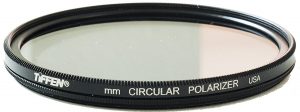
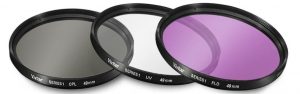
As we already stated above, the Drop-In filter adapter EF-EOS R helps you add up the drop in ND filters. Canon offers you three filters that work with the adapter stated above. CL-Filter for Drop-In Filter Mount Adapter EF-EOS R The clear filter is for those users who have brought the new drop in the filter but do not want to use any filters. This will help you avoid the issues you may be facing without the filters. PL-Filter for Drop-In Filter Mount Adapter EF-EOS R This is the polarising filter used on the Canon Drop-In filter mount adapter EF EOS R. The polarising filter assists you in removing the unwanted reflection effects. You can use it to boost the color, contrast, and saturation. The filter reduces the glare and haze and reduces the amount of light reflecting from glass surfaces. ND-Filter for Drop-In Filter Mount Adapter EF-EOS R The ND or Neutral Density filter is used for controlling the exposure in your videos. It is also helpful in enhancing the shutter speeds. The ND filter controls the light entering the camera and thus can be an excellent option for the filmmakers who shoot with a wide aperture or slower shutter. The filter can also be an attractive option for landscape photography.

In Conclusion

Those were the prominent accessories currently available for Canon EOS RP camera. Please note that the accessories featured in this compilation are also compatible with the Canon EOS R. Since both the cameras share almost the same features, you can use the accessories outlined here on either of the cameras. Have you used the Canon EOS RP  camera or the accessories featured here for your photography needs? If yes, do share your thoughts, experiences, and opinions about the camera and its accessories with us through the comments section here below.

Lumix FZ1000 vs Lumix FZ1000 II Bridge Cam Specifications Comparison

Wondering what would be the differences between the Lumix FZ1000 vs Lumix FZ1000 II since they almost look the same from the product images? Read along to find out! The photographers around the world have been witnessing launch after launch events and have found it hard to find the right camera. Panasonic has recently under the shadow of the S1, launched a new camera in the form of Lumix FZ1000 II. Yes, it is designed as the upgrade or sequel to the existing Lumix FZ1000. How does it compare with the already existing device? We will check out the two cameras in more detail.

Lumix FZ1000 II – An Overview

Check on Amazon

The FZ1000 II is designed for the photographers, video bloggers and other camera users who want to upgrade from the smartphone camera experience. When comparing the device to its predecessor, we came to know that the two cameras are almost equivalent to one another in terms of sensor size and the lens system. The massive changes are in the realm of shooting functionality and the user interface.

The Image sensor

The FZ1000 and FZ1000 II have the same sensors – 1″ 20.1 MP MOS sensor and Leica 25-400mm f/2.8-4 lens. Panasonic has stuck with the same Sony sensor because the predecessor has had the best performance in terms of the functionality and picture quality.

Post Focus Mode

This is the new functionality added to the successor. The Post Focus functionality lets you focus the image after it has been taken. We have all experienced an issue where we have shot a picture and find that the image has not been focussed well enough at the right spot. The post focus mode lets you focus on the intended subject even after you have finished shooting. This can be an excellent option for an enhanced shooting experience, especially in situations like macro photography or portraits in low-light conditions.

4K Photo Mode

Well, this has nothing to do with the 4K resolution that we use while shooting videos. The 4K Photo Mode takes multiple shots of the same subject. The camera comes with one of the best frames per second performance with 30 fps functionality. Once these multiple shots are taken, they are analyzed, and the best among them is chosen as the primary photo and saved. This feature can be one of the best options for shooting moving objects. If you are a sports photographer, you will find it quite interesting and useful.

Focus Tracking

This is a feature that is equivalent to 4K photo functionality. The difference lies in the fact that the older functionality chooses the best photo from among the multiple shots. The focus tracking feature takes various images at different focal lengths and combines them. This can help you improve the depth of field in the final image. This additional functionality in the shooting features helps you in macro photography or any other shooting modes.

User Interface (UI)

This is yet another area that has found a few improvements when compared to the Lumix FZ1000. The touch screen interface has been a welcome gesture. Given the fact that it has been one of the most common features on DSLRs and digital cameras, it should indeed make a lot of sense. The screen has received a bump in terms of the resolution. It has now been upped from 921k-dot to 1,240k. The screen tilts at a 270-degree angle and thus should be an excellent option. You can take photos from virtually any perspective.

A few other changes

Apart from the significant differences that have been outlined above, there have been a few subtle differences. A new Zoom Compose Assist feature now comes built-in along with 4K Photo and Video. Some of the best features that the camera offers you include a new minimum aperture of f/11, 5-axis Hybrid O.I.S.+, high-speed burst shooting, wi-fi, and various photo styles. The camera is now Bluetooth compatible and offers you the options of sharing your content right away to a smartphone or laptop without having to connect the devices through wired connectivity.

The Comparison Chart: Lumix FZ1000 vs Lumix FZ1000 II

Having understood the minor tweaks that Panasonic has introduced on the new Lumix FZ1000 II, it may be a good idea to compare them in a side by side comparison chart. Such a head to head comparison will help you compare the features of the two cameras at one place.
Features / particulars

Lumix FZ1000

[amazon_link asins=’B00KOUIBZW’ template=’PriceLink’ store=’foi04-20′ marketplace=’US’ link_id=’de94ccfb-5f17-4bd8-b4ee-e4f7f7569355′]

Lumix FZ1000 II

[amazon_link asins=’B07NQDGBPN’ template=’PriceLink’ store=’foi04-20′ marketplace=’US’ link_id=’4b975cdf-3030-44d8-9721-aedd2987fa2a’]

Sensor Size 1″ 20.1 MP MOS sensor 1″ 20.1 MP MOS sensor
Lens construction 25-400mm f/2.8-4 25-400mm f/2.8-4
Lens Type Leica DC Vario-Elmarit Leica DC Vario-Elmarit
Video resolution 4K at 30 fps 4K at 30 fps
Zoom functionality 16x optical zoom 16x optical zoom
Viewfinder 2,359K-dot OLED 2,360k-dot OLED
Screen size 3.0 inches 3.0 inches
Screen type and resolution LCD at 921k dots LCD at 1240k dots
The frame rate for continuous shooting 12 fps at 8 MP 30 fps at 8 MP
Touchscreen No Yes
Image stabilization Yes, HYBRID O.I.S. 5-Axis Image Stabilization Yes, HYBRID O.I.S. 5-Axis Image Stabilization
Flash Yes, built in Yes, built in
Post-focus functionality No Yes
Image auto marking feature No Yes
Phot presets Yes Yes
WiFi Yes Yes
Bluetooth No Yes
Focus Stacking No Yes
4K Photo Yes Yes
Zoom Assist No Yes
  The above comparison should provide you a useful input into the features and functionality offered by each of the two competing cameras. So, which among them should you go with? Well, the decision should be dependent upon what you own right now. If you already are a proud owner of Panasonic Lumix FZ1000, it may not be a great idea to upgrade to the new Lumix FZ1000 II. The two cameras do not differ too much, and it may ideally not be an upgrade in the real sense. However, if you are considering buying a new camera, the Lumix FZ1000 II should be one of the prime choices for your needs.

The Concluding Thoughts

The Lumix FZ1000 II brings in a few new changes to the Lumix FZ1000 launched a few years ago. However, the changes are not so massive that you can dump your FZ1000 and lay your hands on the new FZ1000 II. These are minor tweaks as we have discussed in the above comparison, and as such may not be the right upgrade. But yes, if you are buying a new camera and confused between the Lumix FZ1000 and Lumix FZ1000 II, it would be a great idea to go with the new FZ1000 II for obvious reasons.

Samsung Isocell GM1 vs IMX586 Imaging Sensor Specs Comparison

Smartphone photography has grown by better standards aided by excellent camera sensors. The megapixel count has gone through a significant upgrade over the years. Gone are the days we are satisfied with a Megapixel count of just 3 MP. Moving beyond the 12 MP or 24 MP count, we have now come to a day where we have been witnessing a whopping Megapixel count of 48 MP. Recently we have seen the launch of two excellent 48 MP sensors. We will make a comparison between the two outstanding options in this sphere – Samsung Isocell GM1 and Sony IMX586. How do they compare against one another (Isocell GM1 vs IMX586) and how are they similar to one another? Check it out in this discussion.
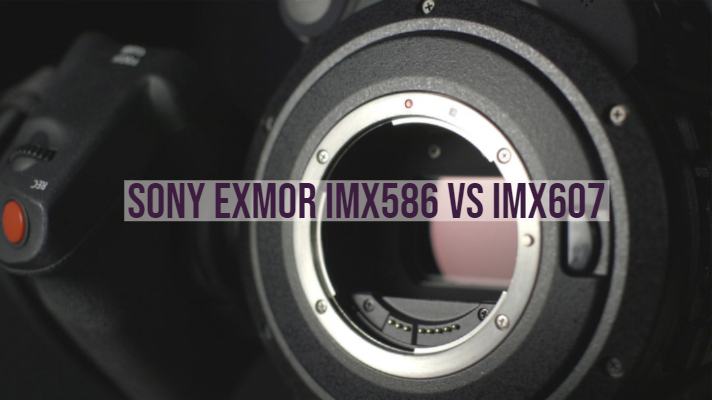
Related: Sony IMX519 vs. IMX486 vs. IMX386 vs. IMX586 vs. IMX377

Isocell GM1 vs. IMX486 vs. IMX386 vs. IMX586 vs. IMX377 – Comparison Table

Specification Isocell GM1    

Sony Exmor RS IMX 486


IMX386

 IMX 586  IMX377

Effective Pixels / Video 48 MP 12 MP (4032 x 3016) 12 MP (3968 x 2976) @ 4:3 9.03 MP @ 17:9 48 MP (8000 (H) × 6000 (V)) 4K(4096×2160) @ 90fps 1080p @ 240fps 720p, 480p 12.2 MP (4032 x 3024) 35 FPS @12 Bit 40 FPS @ 10 Bit  
Sensor Size 6.4 * 4.8 mm or 1/2″ 6.2 mm (1/2.9”) 6.2 mm(1/2.9”) 8.0 mm diagonal (1/2-type) 7.81 mm (1/2.3″)
Unit Cell Size 0.8 um 1.25 um 1.25 Microns 1.6 μm pixels 1.55 μm
Sensitivity 133-LSB
Sensor Saturation Signal 4500e
Video Output   MIPI C-PHY1.0 (3 trio) / D-PHY 1.2 (4 lane)
Subpixel Layout RGB RGB RGB RGB RGB (On-chip mosaic filters)
Phase Detection Autofocus Yes Yes Yes Yes Yes
Gyro Image Stabilization
Built-in DRAM Memory
Release Date October 2018 February 2018 Jul 2016 Jul 2018 April 2015
Utilizing Devices Redmi Note 7 Xiaomi Redmi Note 5 Pro Xiaomi Mi 6X

Huawei Mate 10 Pro

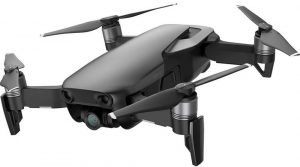
Huawei Nova 4 LG Nexus 5X Huawei Nexus 6P HTC 10 Xiaomi – Yi 4K Action Camera DJI Mavic Pro (Drone)

Samsung ISOCELL GM1 – An Overview

One of the significant performance improvement observed on the Samsung ISOCELL GM1 is the smallest pixels so far at 0.8-micrometer. This should be an excellent option in terms of the smaller camera modules. This aids in greater flexibility in improving the image quality of your smartphone cameras. The Samsung ISOCELL GM1 will offer you a 48 MP sensor. To put it in the words of Ben K. Hur, vice president of System LSI marketing at Samsung Electronics, “ Demand for ultra-small, high-resolution image sensors are growing as smartphones evolve…we are committed to driving innovation in image sensor technologies.” The sensor is based on the latest Samsung technology ISOCELL Plus. The improved pixel isolation technology from Samsung has been capable of optimizing the performance of smaller-dimension pixels. This has been helpful in the high-resolution cameras that have become one of the essential options. The new sensor from Samsung is have gone into large scale production from the fourth quarter in 2018. We expect the camera modules are coming up with the Samsung S10, and S10+ devices planned to launch next year.

Sony IMX586 – A Sneak Peek

That brings to the competitor to Samsung ISOCELL GM1 from none other than Sony. Sony has been a fierce competitor to Samsung in terms of camera modules. The Sony IMX586 is a strong competitor to the Samsung offering and has been introduced with the pixel count of, yes – what else, 48 MP. Once again, the camera module comes with the same 0.8 micrometers and has been offered to the smartphones launched from the later part of 2018. The press release has stated that the high pixel count will provide high-quality photos. And to think you would get an excellent performance even when you are using a digital zoom. The sensor comes with a Quad Bayer 2×2 pixel array. This will ensure that you have access to bright low light imagery. It will also help you shoot better videos even at night. In effect, you will be getting a high resolution 48 MP shots in the daylight or a well-lit environment. For shooting the images and videos at night, you will be shooting in a classic 12 MP standard for better performance. You have access to the 4K recording at 90 fps and 1080p at 240 fps. The specifications of the Sony IMX586 as available on the official website read –

Features

Sony IMX586

Effective Pixels 6000 x 8000
Unit cell size 0.8μm(H)×0.8μm(V)
Full frame rate 30 fps
Video recording 4K at 90 fps 1080p at 240 fps 720p at 480 fps
Functions image plane phase-difference AF, HDR imaging
Color filter array Quad Bayer array

How do the two sensors differ from one another? (Isocell GM1 vs IMX586)

As we have already been observed, both the Samsung ISOCELL GM1 vs Sony IMX586 come with the same functionality and features. However, the Sony IMX586 comes with an added advantage. The Samsung sensor offers you 48 MP resolution, but in effect – you get only 12 MP resolution. Of course, the camera module can output a 48 MP image, but it would be an extrapolated result. The Sony IMX586 indeed offers you a 48 MP resolution and delivers excellent performance in brightly lit situations. Samsung has not come forward with any specific specifications as such. We scraped through their website for the relevant information, but it only focusses on the smaller sensor size and the 48 MP resolution, but there is no further information available about other specifications. Samsung has been quite secretive with the details about the features and specifications.

The 48 MP Count – It isn’t a new technology

The story of 48 MP sensors is not exactly something new. While it has been making heads turn, it didn’t matter when Nokia launched the Nokia Pureview 808 with the 48 MP sensor and a few added advantages. The technology was way ahead of its time. Sadly enough, the tech world could not understand the importance back then. It wasn’t only the megapixel count mattered back then, but there were excellent optics and usage of Carl Optics lens for enhanced performance.

The Competition

The rivalry (or should we say healthy competition because of the presence of the sensors from both the manufacturers on the same phone – a classic example can be Redmi Y2 from Xiaomi) between Samsung and Sony has been offering excellent performance improvements for the consumers. The two new sensors are entirely identical in terms of performance. The functionality of these cameras is entirely similar. The spec sheet is almost identical in most of the aspects. In any case, except for the significant difference we outlined in the above discussion, the two sensors offer you nearly similar features and functions.

The Concluding Thoughts

That was a fair competition between the Samsung ISOCELL GM1 vs Sony IMX586. You would find that the two sensors come with most of the identical features and functions. The real test between the two competing camera module manufacturers would be evident only when the two are put to the actual performance. With the Samsung ISOCELL GM1 available on the Remi Note 7 and the Sony IMX586 coming on the new Huawei devices, we may be able to arrive at the real performance test after the consumer reviews coming up from the respective users. Have you checked the sensor performance on any of the smartphones? Do share your inputs with us.

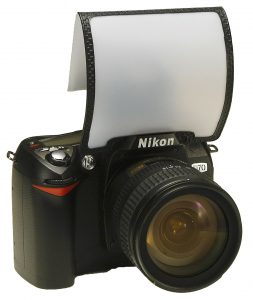
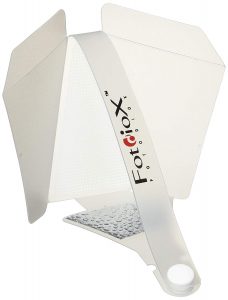
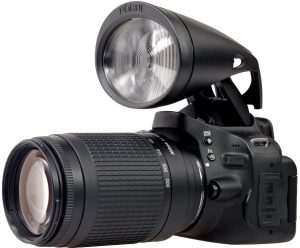
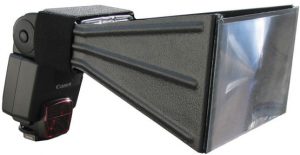
What is a Flash Diffuser? Which ones? Lightsphere Magmod or Lambency

0
Most of the entry-level DSLR cameras these days come with pop-up flash. You can even use an external flash if your lighting requirements differ for your particular shooting needs. However, flash or the light emitting from it can cause major disruptions in some of your shots. This is where you would want to make use of flash diffusers while shooting with your flash activated. What exactly is a flash diffuser and why do we need to use it? We will check out the advantages that flash diffusers bring to you and also share a few tips on how to use flash diffusers.
Also Read: Speedlite vs Strobe – Whats the Difference?

What is a Flash Diffuser?

Gary Fong Collapsible Speed-Mount LightSphere
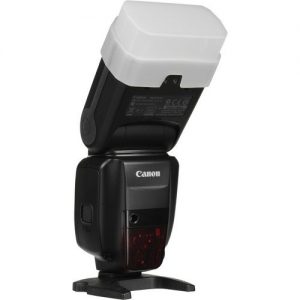
A flash diffuser is what its name suggests. It helps you diffuse the flash or rather the intensity of it. It is a type of light modifier and is generally placed on the upper part of the flash, generally on the external flash system. It is used for softening the hard light emitted by the flash. The flash emits the concentrated light, and a flash diffuser will help you create more flattering and more evenly distributed light as compared to the direct light from the flash. There are flash diffusers explicitly designed for specific conditions and scenarios.
Related: Best Flash Trigger Kit for Canon and Nikon DSLRs

Why do you need to use a Flash Diffuser?

Well, the camera flash can produce undesirable results in many cases. Some of the issues you may face include harsh shadows that lack details, colors washed out and even a few other adverse effects that make your shots unusable. This kind of lighting can result in unnatural pictures and non-flattering lighting and thus damage your shots. That is precisely why you would be advised not to use flash in certain circumstances. However, what if you are needed to shoot your images in ultra low light scenarios? What if there is little or no light available where you get access to no natural or artificial light of any nature? Of course, the modern cameras tend to offer you excellent low light photography and even night photography with the built-in flash. However, in some situations, an external flash can be an issue and create the undesirable effects we just mentioned. That is precisely where a flash diffuser can come quite handy enough and address your concerns to a great extent. The diffuser will help you take care of the light conditions and soften it to meet your requirements.

How does the Flash Diffuser work?

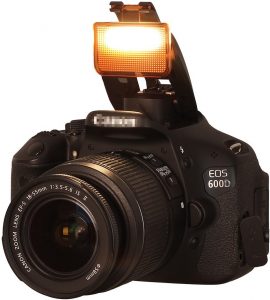
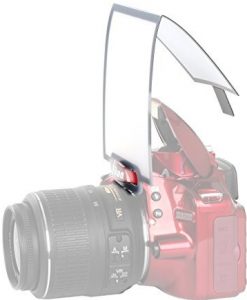
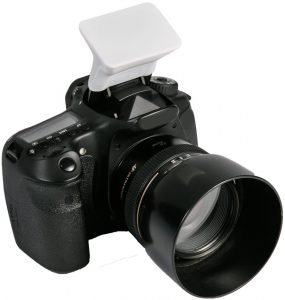
Most conventional flash diffusers available are made of plastic and come a rectangular snap on a dome box type construction. The material used usually is white and has a semi-transparent build. This type of diffuser can create a softened light effect and remove the harshness of the flash. However, the actual flash diffusers you would be opting for will be dependent upon the exact requirements you may have and are available in multiple shapes and sizes. You need to analyze your exact requirements before choosing the flash diffuser you want to buy. Some professional photographers even consider opting for some “Do It Yourself” or DIY options as well. White coffee filters and plastic food containers can also do the trick if you are aware of how to do it.
Related: Best budget Speedlight Compatible Flash for Canon DSLRs

How to use a Flash Diffuser?

The flashes – external or built-in – emit a sharp and unidirectional burst of light. It will illuminate whatever it is pointed at. A Flash Diffuser can help you spread the cone-shaped light rays and thereby soften it for enhanced performance. This will help you illuminate more part of the scene that you are photographing and thus produce an even light effect that will help you do away the shadows and other undesirable effects of the flashlight. However, if you are planning to use a flash diffuser with a horseshoe mount flash, it may not be easy to find the exact effects you are trying to get with your shots. Of course, the diffuser will help you diffuse the light and make it less concentrated, but still, it will still be harsh and pointed in one direction. If you want to use a flash diffuser, it should be practical to go with the external flash unit. One of the best results you would be able to achieve would be to try different angles and directions for the light. This will help get a better effect. Bouncing the light from the flash onto the ceiling or a wall can produce a few good results.

A Few Tips for using a Flash Diffuser

A plastic flash diffuser can be one of the best alternatives than opting for other expensive options. These diffusers can help you achieve the results in a few regular days to day scenarios where you want to use the flash diffuser and avoid the issues you may be facing with the harsh light emitted from the flash. One of the other options you can check out would be to use a Flash Light Shaper. It is also referred to as Flash Bounce. This accessory lets you bounce the light from the ceiling or the wall. This method can be used for converting any of the surfaces into a diffused light source. This can also provide a professional look to your business if you are opting for photography as a business. You can also get creative with your flash diffusers and provide a new look and appearance to your photography. You will be limited only by your creativity and come up with as many multiple ideas as would be feasible. One such example will involve using colored flash diffusers. This can help you achieve a dramatic appearance to your shots.

The Concluding Thoughts

Well, if you are looking for gathering the information on how diffusers can be helpful and how are they used for improving the light performance of your photographs, we assume we have been able to provide enough information on the concept. Of course, the flash diffusers can help you achieve the best results for enhanced performance in terms of your flash photography, but the study of these options can be a separate subject and needs to be learned professionally. However, this article should be one of the best alternatives to understand the basic concepts of flash diffusers and choosing the right option for your requirements.

Speedlite vs Strobe – Whats the Difference? A Quick Spec Comparison

0
How to choose Speedlite vs Strobe in a studio setup? We help you decide! Photography is often referred to as “Painting with lights.” When it comes to photography, one of the major requirements you are expected to take attention of is to arrange proper lighting, especially in studio settings where you are entirely in control. You need to master the light, and you use multiple options for the purpose. Two most widely used options for regulating lights are Strobes and Speed lights. How do they differ from one another and which among them would be a better option to go with. Let’s find out!
Also Read: Best Flash Trigger Kit for Canon and Nikon DSLRs

What is Speedlight?

A Speedlight is a portable flash that can either be flashed on the hot shoe of a camera or fired separately on the cold shoe (passively) through wireless radio communication. They are also referred to as Flashgun. A Speedlight is quite portable and affordable. They usually run on standard AA batteries and thus can be carried easily in your camera bag without the need for a separate, dedicated power source. It is an add-on flash in additions to the built-in flash that your camera comes with. While the high-end Speedlights have the wireless compatibility built-in and offer you to use them as off-camera flash or OFC, however, if you are using the affordable Speedlights, you will need to have a separate transmitter for use with your Speedlight. These Speedlights emit a short burst of light, and you should be able to control it through specialized lighting modifiers. Speed lights frequently make use of TTL or the Through the Lens functionality. This will be helpful as an auto mode for flash. You can also have Speedlights with a tilting head that will help bounce the flashlight for providing a softer light effect.
Also Read: Best budget Speedlight Compatible Flash for Canon DSLRs

What is Strobe?

A Strobe is a short form for the Studio Strobe. The term Strobe used in the regular context means just the flash. We will be referring the Studio Strobes in the context of a comparison with the Speedlights in this post. A Studio Strobe is a more powerful source of light and works more effectively than the Speed light. It works on a dedicated AC power source and needs a particular arrangement, typically not easily movable. You will either need to have access to a battery pack or need to power it into a wall outlet. They offer you faster recycle times. This will make them the best ones to use when you cannot wait for the flash to get ready for the next shot. Studio Strobes are the ideal options for use in a studio or any indoor environment. Strobe photography helps you go with many options for modification of the light. A strobe comes with a built-in modeling light option. This can help you to get a continuous light and decide where you would want to place the light for the effect that you are looking for. Since the Strobes provides more extensive options for the lighting in your shots, they cannot be fixed on the camera directly. That would mean you will need to depend upon other possibilities to make the strobe and camera communicate with each other. Most of the strobe lights come with the option to connect it wirelessly with the camera. You can even check the possibilities of attaching the strobe with the camera through a wired connectivity option. Some strobes are designed to catch the flash of light and flash themselves. This can help make your camera flash trigger the strobe light work remotely.

How is a Strobe different from a Speedlight? Speedlite vs Strobe

In terms of the functionality, both the studio strobe and Speedlights have a similar purpose. However, the way they work and the scenarios that they work with are different. That would mean there is no specific area that each lighting type will work for each of the shots. The studio strobe lights are more powerful than the speed lights. However, that should not mean you will be using the complete power of a strobe light in your photography. If you come to that – you will not even use a speed light to its fullest capability. There are areas where a strobe light may be necessary. A studio strobe light can easily overpower sunlight or brightly lit conditions, whereas a Speedlight option will not be able to achieve it. Moreover, the studio strobe lights will be quite a good option if you are looking to continuous and faster flash recycle times. Since they have a larger battery ( and work on the AC power whenever possible), they tend to offer you speedier flash recycles. A Speedlight will need a gap of a few seconds between two consecutive flashes. However, if you are opting for a high-end Speedlight, you will find the same functionality on both studio strobes and Speedlights. If you are going on an outdoor shoot or event shooting in the open, you may not be able to use studio strobes. They need more power options and may not be portable. Speedlights are quite compact and thus will offer you an excellent choice for portability. This can be beneficial when your photography schedule needs you to move around the venue quite frequently. The Speedlights are more flexible when you compare them to the studio strobe lights. You can even use it as on-camera flash so that you do not also need to carry your Speedlight separately. There is one more difference between the studio strobe light and Speedlights. The power of these two light sources is not measured through the same units. For a Speedlight, the power consumption is measured in terms of GN or Guide Number. The Strobes are measured in terms of Watt Seconds or W/s.

Which one Should you go For?

Well, that would be dependent on multiple factors. Like we have already found out from the discussion above, it should be clear enough that there is an apparent overlap between the use of a studio strobe and a Speedlight. The exact choice will be dependent upon the exact requirements you want to photograph. If you are looking for portability as a significant advantage, you may need to think of Speedlights as one of the best options to go with. They do not require additional power requirements as in the case of studio strobes. However, what if your requirements are not only limited to portability, but there are other requirements as well? If your shooting location and the shooting schedule needs you to overpower the sun, studio strobes should be the only option you can go with. A Speedlight, no matter how high end, will not be able to achieve this requirement. Are you planning to shoot moving objects? In those circumstances, a strobe light is once again a winner and the best option. A moving object requires a faster flash recycle time. Since a Speedlight will not be able to provide you with the option, you will find the studio strobes an excellent choice for the purpose. Another important feature you need to give a thought to would be your budget. Of course, if you want to get the best, you would not be worrying about the price. Even then, if you are not into the kind of photography that a strobe light will demand, you may not need to spend money unnecessarily on them. The strobe lights are expensive and also come with heavy paraphernalia. Go for them only if they are required.

The Concluding Thoughts

The essence of the discussion so far has been able to provide a considerably good deal of information on Speedlights and studio strobes. The strobe lights offer you lighter, give a faster flash recycle time and a modeling light built within for enhanced performance. The Speedlights provide you with the advantages in the form of portability, versatility and offers you the same photographic effects as on the studio strobes. If you are into traditional photography and are not using a studio environment or any such professional level photography as yet, you can invest in a good quality Speedlight kit. However, if you have been working in a studio or into sports photography (or for that matter, any photography that involves moving objects), it would be advisable to go with the studio strobes. Ultimately, the final decision should rest on you depending upon your budget, exact requirements and the kind of photography you are into. Choose the best option you want to go with and share your reasons for opting for it with us the comments section here.

Sony A6300 vs Sony A6400 – Mirrorless Camera Compare Specifications

0
If you are searching for a Sony A6300 vs Sony A6400 camera comparison, chances are high that you are a mirrorless camera fan. Sony, one of the pioneer manufacturers of mirrorless cameras, has recently announced the launch of a new iterative update for their entry-level mirrorless camera – the Sony A6400. It is the latest addition to the camera series with APS-C mirrorless genre already available in the form of A6000, A6300, and A6500. How do the Sony A6300 and Sony A6400 compare with one another? Let us check out the two and find the differences between the two competing siblings.
Related: Best In Body Mirrorless Cameras With Built-in Image Stabilization

The Sony A6400 – What special features does it bring along?

Check on Amazon

Well, one of the most valuable additions that the Sony A6400 come with is the LCD touchscreen that it offers you along with a 180-degree rotation. This can be one of the excellent features that the camera packs in, and it should definitely be a feature most useful for those YouTubers who can shoot a video standing in front of the camera and yet check how does the video take shape. The new Eye Autofocus feature should be one of the features you would indeed love. This feature helps you focus on the eye of the subject for an enhanced image. The feature works both with humans and animals alike. There is also an HLG picture profile to assist you to shoot and stream the HDR content on the compatible televisions.

The Sony A6300 vs Sony A6400 – The differences

We will not go into the complete details of how the two cameras are made and what features do they offer individually. Instead, we will focus on the differences that these two cameras come with. That would perhaps help you make the right choice between the two offerings from Sony.

Autofocus

The A6400, as we have already mentioned, offers you a unique concept in terms of the focusing technology used in the camera. The Eye autofocus is a unique feature, and we expect it to be a standard feature in the future devices from the manufacturer. To begin with, the Sony A6400 has a faster autofocus functionality. It can lock into focus in just 0.02 sec, while the Sony A6300 is a little slower than the A6400 to offer you an autofocus speed of around 0.05 sec. If you are watching the phase detection points, both the camera models do have the same number of points i.e., 425. However, the Sony A6300 comes with a lower number of contrast detection points which read 169 compared to 425 on the A6400. The Sony A6400 will offer you a new algorithm and provides you with a faster and efficient motion tracking compatibility. The minimum sensitivity in low light is -2V in case of A6400 compared to -1V on the Sony A6300. The A6300 shares the Eye Autofocus along with the Sony A6400, but the A6400 does not need a custom button as in the case of the A6300 model.

In Body Stabilisation

Well, both Sony A6300 and A6400 do not come with any in body stabilization. That would make both of them similar in terms of the features of stabilization. On both the cameras, you will need to be reliant on the specific lenses to provide optical stabilization.

The LCD screen

Well, this is again an area where the Sony A6400 takes the lead over the A6300. The LCD screen on the A6300 is not touch enabled and comes with a standard up and down movement and no tilting mechanism beyond that. The Sony A6400, on the other hand, is equipped with enhanced touch functionalities. Moreover, you also have access to the 180-degree screen rotation feature making it one of the preferred options for the selfies and video blogging tasks. Who said selfies are possible only on a smartphone camera? The feature is now available on the conventional camera as well, thanks to the innovative thinking by Sony. The LCD features remain the same on both the models – you get a 3-inch screen with 921k dots resolution.

Continuous Shooting performance

Both the cameras are capable of shooting at 11 fps with the mechanical shutter. However, if you are shooting with an electronic shutter, the A6400 provides you up to 8 fps performance while the A6300 offers you the maximum performance at 3 fps. When it comes to the buffer depth, the Sony A6400 is capable of shooting 99 JPG files and 46 RAW frames at full speed. For the A6300, these numbers are quite low in comparison at just 44 and 23 respectively.

ISO Sensitivity

This is yet another area that the Sony A6300 and A6400 differ from one another. Both the cameras come with the 24.2MP APS-C Exmor CMOS sensor and thus share the same features. However, the A6300 does not come with the LSI chip as the A6400. This results in offering an increased processing capability on the A6400 in contrast to the A6300. Having said that, the ISO range offered on the Sony A6300 is 100 to 25600. If you are looking for extended values, they reach up to 51200. In the case of the A6400, you have a slightly enhanced range up to 32000 that can be extended up to 102400.

Video Compatibilities

Both A6300 and A6400 come with the 4K recording capabilities up to 30 fps. The recording works the entire width of the sensor and offers a full pixel readout. For the 1080p recording, you can have both them record at 120 fps. Slow motion videos on the Sony A6300 can be recorded directly on the A6300. For Sony A6400, you can go with the Quick and Slow functionality with the frame rates ranging from 1 fps to 120 fps as per your preferences. The inclusion of SLog2, SLog3, and HLG modes on the Sony A6400 makes it an exceptional choice.

Time lapse video recording

The Sony A6300 lets you record Time-lapse videos using the PlayMemories Camera Apps. These apps offer you additional features as well, but sadly enough – these features come with a cost. These apps are not available for free. The Sony A6400 comes with the time lapse functions in camera, and the feature is available built in by default.

The Comparison Chart: Sony A6300 vs Sony A6400

Having understood the differences between the two cameras in the above description, how about checking out the features that the two cameras offer in a head to head comparison? In fact, the comparison chart in a side by side comparison will help you choose the perfect camera based on the exact features you are looking for.
Features / Particulars

Sony A6300

Sony A6400

Camera Format Mirrorless camera Mirrorless camera
Mounts supported Sony E Mount Sony E Mount
Sensor 24 MP APS-C sensor 24 MP APS-C sensor
Weather sealing Yes No
Sensor type CMOS CMOS
Image resolution 6000 x 4000 pixels 6000 x 4000 pixels
Autofocus points 425 phase detection/169 contrast detection 425/425 phase detection and contrast detection
Continuous shooting speed 11 fps 11 fps (Hi+) 8 fps (Hi continuous mode)
Image processor BIONZ X BIONZ X
Maximum Shutter speed 1/4000s 1/4000s
Connectivity options USB 2.0, micro HDMI, WiFi, and NFC USB 2.0, micro HDMI, WiFi, and NFC, Bluetooth
Storage media MS and SDXC cards MS and SDXC cards
Video resolution 4K 4K
ISO Range 100 – 25600 Extended 51200 100 to 32000 Extended 102400
Image stabilization Not available Not available
Viewfinder 3 inches – 921k dots 3 inches – 921k dots
Viewfinder type Touchscreen Touchscreen
Screen articulation Standard up and down movement 180-degree rotation
Battery backup 400 shots per single charge 410 shots per single charge
Physical dimensions 120 x 67 x 49 mm 120 x 67 x 50 mm
Weight 404 grams 403 grams
  The comparison, as shown above, should be enough to provide your input about the best choice between the two cameras. From the outline of the above comparison, it should be clear enough that both A6300 and A6400 offer you almost similar features with the latter taking the lead in a few features.

How do they compare with one another? Sony A6300 vs Sony A6400?

What conclusion can we draw based on those comparisons? So, which among the Sony A6400 and Sony a6300 should you opt for? Here is the summary of the review comparison between the two capable mirrorless cameras coming from the house of Sony. Advantages offered by the Sony A6400 can be summarised as
  • It comes with a few numbers of buttons. Touch sensitive screen makes the tasks easier.
  • The camera is best suited for the selfies on a conventional camera.
  • The camera lets you transfer your files seamlessly over Bluetooth connectivity
What are the advantages that the Sony A6300 offers you? Here are the features
  • The camera comes with weather sealing in sharp contrast to the A6400
  • The camera is less expensive than the A6400
You would find the Sony A6400 better equipped for enhanced performance. Not that the Sony A6300 lacks in many features, but the comparisons offered above should provide you a complete summary of the two competing siblings and offer you a good option to choose the best among the two. Go through the comparison above and choose the best camera that meets your exact needs. Do not forget sharing your experiences and opinions of your choice and the reasons thereof. Also Read:

Best Nikkor Z Lenses & Primes For NIKON Z6 VS Z7 MIRRORLESS

0
Are you looking for the best Nikkor Z Lenses? Nikon’s Z series cameras have been a significant changeover for the company’s strategy concerning full-frame mirrorless cameras. One of the significant changes that have come across would be the Z Mount introduced with the new cameras. So, are there any compatible lenses for the Z mount? Let us check out the options currently available for the Z Lenses in this post.
Related: Best Budget Nikon F to Z Mount Adapters

What is Nikkor Z Lens?

Well, Nikon changed one of the most common aspects of their cameras – the mounting system for the lenses which have been used for over 60 years, the Nikon F mount has now given way to the Nikon Z mount. The Nikon Z mount is specially created to work with the new Z series cameras – Nikon Z6 and Z7. The new mount has been designed for improving the performance of image quality and focusses on reliability and performance. Of course, there are not many lenses currently available that will comply with the new Z mount. However, Nikon has released a few great options in the form of the Nikkor Z Lenses. We will check them out one by one.
Also Read: Nikon Z6 vs Z7 Mirrorless

Best Nikkor Z Lenses

As of now, Nikon has announced three lenses compatible with the Nikon Z mount. Before you may get confused with the concept of Z mount and the lenses thereof, here is a little background information that may prove to help understand them. Nikon will do away all the nomenclatures currently in use and stick to only one in the form of S. All the lenses that have been launched so far and the subsequent launches in the year ahead will come with the suffix S to indicate that they belong to the new generation of the mount. Almost all the lenses under the Nikkor Z category will come with nanocrystal coating and offer you freedom from glare and reflection issues to a significant extent. The glasses have also been designed to make use of the new stepping motor and thus let you experience the best in class autofocus functionality that tends to be noiseless.
Nikon Z 24-70 F4 S

Check on Amazon

Nikon Nikkor Z 50mm F1.8 S

Check on Amazon

Nikon Nikkor Z 35mm F1.8 S

Check on Amazon

Nikon Nikkor 58mm F0.95 Noct

Check on Amazon

Nikon Nikkor Z 14-30mm F4 S

Check on Amazon

Nikon Nikkor Z 24-70 F2.8 S

Check on Amazon

Nikon Nikkor Z 14-30mm F4 S

Check on Amazon

Nikon Nikkor Z 24-70 F2.8 S

Check on Amazon

Nikkor Z 24-70 F4 S

Check on Amazon

This forms part of the standard lens kit that comes with the Nikon Z6 and Z7 cameras. The lens is lightweight and comes with a buttonless retractable design. The constant aperture lens is made of 14 elements in 11 groups. In addition to the nano-coating we just mentioned, you will also find the fluorine coating that should make it easier for cleaning the moisture and fingerprints. While the autofocus functionality is offered through the stepping motor, the manual focus option is also available. You can also make use of the control ring to allow the control over aperture or for exposure compensation depending upon your exact needs. The features that the lens offers include
  • Lightweight, but a well-made design
  • A minimum focus distance of 30 cm
  • Filter thread value of 72 mm
  • Weight – 500 grams

Nikkor Z 50mm F1.8 S

Check on Amazon

It is one of the standard prime lenses and one of the best from Nikon for the Z mount. The company claims that the lens is one of the best with virtually zero aberrations. It comes with a nine-blade design and is made of 12 elements in 9 groups. This Nikkor Z lens also comes with the nano-coating along with the fluorine coating for enhanced performance. The autofocus system seems in tune with the other non-Z mount Nikkor lenses we have come to find. The lens offers you a minimum focus distance of 40 cm. One of the best additions to the nifty fifty lenses, it comes with the following features –
  • Weight – 415 grams
  • Minimum aperture – f/16
  • Maximum aperture – f/1.8
  • Nine-blade construction.

Nikkor Z 35mm F1.8 S

Check on Amazon

The medium prime wide lens, the Nikkor Z 35mm F1.8 S, is almost similar to the 50 mm lens we just checked out. It is made from 11 elements in 9 groups – This lens is an excellent option for sharper photography. The optical construction of the lens has a nano-coating and fluorine coating for the apparent benefits that we have already covered. The minimum focus distance offered by the glass is 25 cm. Featuring a nine-blade aperture, it has the same 62 mm filter thread. This is the lightest lens among the Nikkor Z lenses launched so far. The bokeh effects are impressive enough. Some of the features worth mentioning:
  • Weight – 370 grams
  • Diaphragm – nine rounded blades
  • Minimum aperture – f/16
  • Maximum Aperture – f/1.8

Nikkor 58mm F0.95 Noct

Check on Amazon

The lens has not yet been launched and is likely to make its appearance in early 2019. As per the company updates, the lens will be designed as the best lens for excellent rendering performance. It has been stated to be one of the best options for transitioning between the in focus and out of focus areas. The lens is also expected to come with a new ARNEO coating for the best anti-reflective performance. The lens will also offer an LCD panel for displaying aperture, depth-of-field, and focal length.

Nikkor Z 14-30mm F4 S

Check on Amazon

One of the prominent wide-angle zoom lens, the Nikkor Z 14-30mm F4 S is highly compact and portable in every aspect. It offers you a constant aperture for better results. The lens is constructed with 14 elements in 12 groups, and four of them are extra-low dispersion glass. Four other elements have aspherical surfaces. The lens has a flat front and thus is capable of handling a standard 82 mm screw-in filters. You also have access to a quiet stepping motor and an internal focusing system. The minimum focus distance reads 28 cm. The lens also has the option to reduce the focus of breathing and its effects.

Nikkor Z 24-70 F2.8 S

Check on Amazon

The lens comes with a standard zoom performance. This has been considered as the faster cousin of the Nikkor Z 24-70 mm F 4S. The lens is supposed to be the best option for use with the professional and dedicated professional enthusiasts. It can be the right choice for those looking for a restricted depth of filed. The lens construction is made of 17 elements in 15 groups. This includes two ED low dispersion elements and four aspherical elements. The focusing is internal, and this will be helpful enough in assuring that the lens does not change the length when it is focussing. You also have access to a weather sealing and also offers you access to a small LED screen.

<Update> Best Nikkor Z Lenses:

Nikkor Z 14-30mm F4 S

Check on Amazon

One of the prominent wide-angle zoom lens, the Nikkor Z 14-30mm F4 S is highly compact and portable in every aspect. It offers you a constant aperture for better results. The lens is constructed with 14 elements in 12 groups, and four of them are extra-low dispersion glass. Four other parts have aspherical surfaces. The lens has a flat front and thus is capable of handling a standard 82 mm screw-in filters. You also have access to a quiet stepping motor and an internal focusing system. The minimum focus distance reads 28 cm. The lens also has the option to reduce the focus of breathing and its effects.

Nikkor Z 24-70 F2.8 S

Check on Amazon

The lens comes with a standard zoom performance. This has been considered as the faster cousin of the Nikkor Z 24-70 mm F 4S. The lens is supposed to be the best option for use with the professional and dedicated professional enthusiasts. It can be the right choice for those looking for a restricted depth of filed. The lens construction is made of 17 elements in 15 groups. This includes two ED low dispersion elements and four aspherical elements. The focusing is internal, and this will be helpful enough in assuring that lens does not change the length when it is targeting. You also have access to a weather sealing and also offers you access to a small LED screen.

How do Nikkor Z Lenses differ from the Nikkor Z Lenses?

There are a few unique features that make the Z lenses an excellent option for your photography requirements. Some of the subtle options that the glasses offer you can be summed up as
  • The Z lenses come with a stepping motor. This will help you focus through the electrical means and thus provide access to silent autofocus.
  • The Z lenses have an 11 point contact functionality as compared to the 8 point contact observed on the traditional glasses. This will translate into an improved shooting experience.
  • Using and managing the buttons and aperture controls would be better and smoother on the Z lenses.

Any more Nikkor Z Lenses?

Well, Nikon has a streamlined roadmap planned for the Nikkor Z lenses. The scheduled launch of the lenses is spread over three years. Initially, Nikon has already started with the launch of three lenses so far. Here is the roadmap for the Nikkor Z lenses going forward –

Lenses Lined for 2019

Lenses Planned for 2020

There are further plans that run through to 2021, but Nikon has not yet revealed them as yet.

The Concluding Thoughts

That was the list of the currently available Nikkor Z Prime lenses so far. However, if you find the number of lenses presently available is not enough, you may opt for the Nikon FTZ adapter that lets you use any of your existing lenses with the F mount with your new Z series cameras. We will keep updating the post as and when we find new launches for the Nikkor Z lenses. Meanwhile, you may keep referring to the roadmap cited above and share with us whenever you notice any of the new lenses are launched.