back to top

List of Cameras using XQD Cards and Card Readers For Nikon DSLRs

The photography arena today has gone through tremendous innovations. The latest in the line up is XQD Cards. Designed to offer excellent read and write speeds and enhanced storage options. But which cameras do support the XQD cards? Let us check out the Cameras using XQD Cards.

XQD Card Format – The History

The need for the new version of the memory card was necessitated because of the focus on high-resolution photography and faster cameras. A considerably higher degree of reading and write speeds along with increased storage was what necessitated the launch of high-efficiency cards. The new format was first announced by Sony, Nikon, and SanDisk in 2010. However, it remained a possibility on paper for quite an extended period. The final draft on the specifications was announced in 2011. The first XQD card was finally made available in 2012 by Sony. It came with a whopping 1 Gbps of reading and write speeds. As the development of the XQD cards progressed, there were several new cards launched and offered a read and write speeds of around 400 MB per sec and storage capacity extended to 2 TB.

Cameras using XQD Cards – The List

Well, it was Nikon that brought ahead of the concept of XQD cards. It has already released a good range of cameras that record on an XQD card. Not to be left behind, Sony has announced that its broadcast cameras – XDCAM and XDCAM EX will feature the option for XQD cards. Some of the best cameras that support the XQD format can be summed as here below –

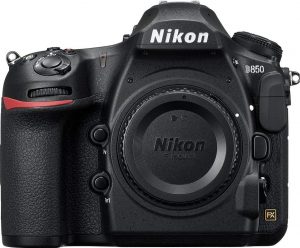
Nikon D850 (FX)

Check on Amazon

The full frame camera from Nikon is a high-resolution beast in whatever it performs in. At a time when it is much difficult to find a camera that can offer a high resolution along with a faster speed, Nikon D850 outperforms with the best of both worlds. Some features that should sweep you off can be –
  • FX format, 45.7 MP (46.89 million Pixels) full-frame sensor that can capture every detail of your subject
  • Nikon’s F mount
  • A speedier 153 point autofocus system (55/15 are available for selection)
  • It supports 4K, 1080p, and slow-motion recording
  • You have access to a seven fps continuous shoot. You can scale it up to 9 fps with a battery grip
  • No optical “low-pass” filter
  • Weather sealed design makes it an excellent option for any terrain & climatic conditions.
From the connectivity point of view, the camera comes with Bluetooth Low Energy (BLE) and WiFi options. The Bluetooth connectivity can help you transfer 2 MP JPG versions of your images as you keep shooting. You can even control your camera remotely. Even with such a high resolution, you will not come across much noise in your shots. The camera has a backside illuminated sensor that improves the light sensitivity considerably.

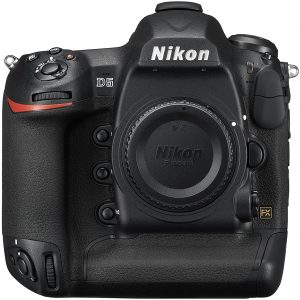
Nikon D5

Check on Amazon

One of the flagship cameras from Nikon in the full frame category, it boasts of several features. Launched in 2016, the camera supports the XQD card format for a high-speed functionality. A few features would include
  • 21.3 MP CMOS FX-Format sensor is capable of excellent low-light performance.
  • The 153 point autofocus system ensures better and faster performance.
  • An unprecedented local ISO sensitivity (ISO 100 to Hi 5) should make it a great option by almost all standards.
  • A staggering ISO range for 50 to 3280000 (Native ISO @ 102400) should make it best suited for all lighting conditions.
  • You can choose either of the two options – the XQD version for accepting the XQD cards and the one with dual CF card compatibility.
With an instant Auto Focus mode, it should be an exceptional option for your needs for highly professional photographs. It offers an improved alternative for a high degree of customization for shooting at faster speeds. Ideally, the camera is best suited for those who usually shoot faster action like those in sports photography or for those who need the right kind of light compensation. If you are regularly shooting in the adverse conditions, you can indeed go with the Nikon D5.

Phase One XF IQ4

With a whopping 151 MP resolution, it should be the unparalleled resolution and detail in every respect. Best suited for producing the RAW images beyond what the competitors were able to achieve, the camera should aptly be referred to as World’s first camera with that kind of resolution. Some of the best features that the camera comes with include
  • Support for both XQD and SD card offers you’re the flexibility to choose the format that meets your workflow.
  • The backside illumination ensures that you can be assured of a better light sensitivity for your shots.
  • It comes with multiple tethering options that include Wireless, Ethernet and USB Type C.
  • The expandable and modular design lets you add the additional functionalities to meet your needs.
The camera system is indeed a beast in terms of performance and functions that it offers, and possibly an unmatched one n most respects.

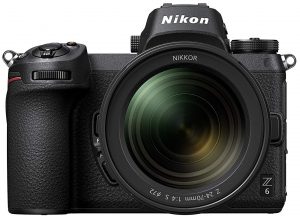
Nikon Z6 – Mirrorless

Check on Amazon

One of the recently launched Nikon Z6 also comes with support for the XQD format along with its bigger sibling, the Nikon Z7. Of course, both of them started at the same time, and the Nikon Z7 has been somewhat overshadowing the Nikon Z6. A few specific features include
  • An excellent 12 fps burst mode for the best experience.
  • 24.5MP BSI Sensor (Backside Illuminated sensor)
  • Superior ISO range of 51,200 (Expandable by up to 204,800)
  • 273 phase detection AutoFocus system
  • It comes with an excellent range of Z mount lenses.
  • It comes with in-body stabilization and 4K video compatibility.

To Summarize:

Nikon has indeed been on the forefront of making the XQD card format a popular option for your storage requirements. While their Nikon D850 has been a camera that specially designed for the format, even the previous flagships introduced by the brand have been sporting the compatibility with XQD storage format. A few prime examples can be Nikon D4. Nikon D4S and Nikon D500. The format is still evolving, and we would foresee a bright future for the file format. With the launch of the cards by several manufacturers has been instrumental in bringing in more awareness about the size. Let us wait and see how does the game unfold in terms an excellent storage option for our cameras. At this stage, you might have you heard of XQD card format. As we mentioned, it is the new design of the memory cards and is designed to be the existing standards of CompactFlash memory cards. What exactly are these cards and which cards do support the XQD card specifications? Let us check out the details of the new standard in the expandable memory and storage and understand the intricate details involved.

How the XQD Card Evolved?

The major card formats we are used to till now are CompactFlash or CF and Secure Digital or SD. The conglomerate of the memory card manufacturers like SanDisk, Sony, and Nikon, make announcements that they were developing a card format that can support speeds of 500 MB per sec. The cards were supposed to have a storage upwards of 2 terabytes. The higher resolutions like 4K have been resulting in the need for cards with more memory capacity and data rates. The CompactFlash cards were limited with the speeds peeking out at 167 Mbps. Moreover, CG+F cards tend to consume much space. The camera manufacturers noticed this like Nikon and Sony, and the result was the development of XQD cards that would offer higher transfer speeds and more storage options. Nikon identified the concept of XQD, and they are the first camera manufacturers to come with the support for XQD cards.

The XQD Advantage

The XQD cards offer advantages ranging across three major areas – the storage space, the read speed and write speed. The theoretical write speeds offered by the XQD speeds would be around 1 GB per second. Of course, the possible speeds have not yet reached those levels, but have reached speeds up to 350 MB per second. Why should you use the XQD memory cards? That would be a valid question. There are not many cameras that come with support for the XQD cards. As things stand of now, it is only Nikon that supports the technology. Even on Nikon – the functionality is available only on the flagship models. However, there is a possibility of using an XQD card reader and other options to introduce the XQD support on the older models as well. What does an XQD card mean to you? What advantages doe it offer you? If you want to know the technology in a nutshell, here is an excellent compilation of the benefits –
  • They can keep up with the shooting speeds of the camera. Thus they can help to clear the buffer in a faster manner
  • The increased storage amounts would be helpful enough in storing a host of RAW images that can be processed later on.
  • We do not expect any more instances of disruptions in shooting to change the cards when you are into video shooting.
  • Faster transfer rates when you are moving the data to your computer so that you can resume your shoots faster
  • The cards tend to be durable with their robust design.

Best XQD Memory Cards – Our Recommendations

If you are looking for the best and faster performance in terms of shooting and take full advantage of the excellent features of the Nikon cameras. But, the technology is still nascent, and there are not many options currently available. Let us check out a few options available if you are checking out the best XQD memory cards.

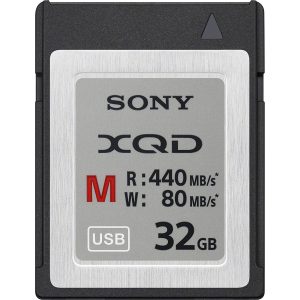
Sony M Series XQD Card

Check on Amazon

The card features excellent read and writes speeds of 440 MB per sec and 400 MB per sec respectively. This can be one of the unique options for an efficient 4K video recording. The functionality is designed to avoid the speed degradation to a greater extent. These cards are designed to be shockproof and antistatic. They also come with unique properties like magnet proof and resistant to breakage. They can even perform at the extreme temperatures. The card is available in 64 GB storage capacity.

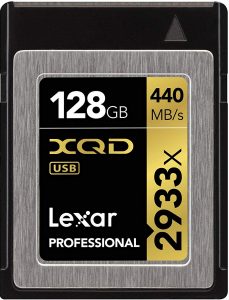
Lexar 2933x XQD 2.0 Memory Card

Check on Amazon

The only XQD memory card from Lexar, the card is available in storage options of 32, 64 and 128 GB capacity. The cards are available with the maximum read capacity of up to 440 MB per sec. The rugged design ensures you that it will perform under for extreme conditions. The cards come with a write speed of up to 400 MB per sec. The card comes with support for the PCI Express Gen 2 and USB 3.0 interfaces for connectivity. The memory card is resistant to water, temperature, and shock/vibration. The cards come with a lifetime downloadable Image Rescue software to assist you to recover your photo.

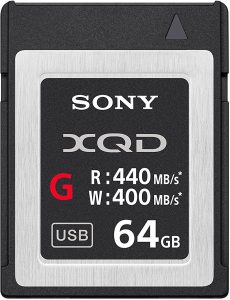
Sony Professional XQD G Series Memory Card

Check on Amazon

Compatible with both PCI Express Gen2 Interface and USB 3.0 interfaces, the Sony Professional XQD G series memory card is best suited for high-speed burst shooting. The card comes with the recessed pins for protection against damage, dust, and electrostatic shock. The card comes with the Image Rescue software included. Equipped with a five year warranty period, it offers you a read speed of 440 MB per sec and a write speed of up to 400 MB per sec. The cards are designed for reliable and durable use with the robust construction. The G series XQD card from Sony is available in multiple storage options like 32, 64 and 128 GB. Those were a few memory cards with the XQD technology and offered you excellent performance with the faster performance of the cameras like Nikon 850. The technology is still not in vogue, and it may take a while till the cards are made available in abundance.

Best XQD card Readers in 2018

What if you want to transfer the files from your XQD cards to your computer easily so that you can resume your workflow easily and faster? That is where the memory card readers may come in handy. Let us find a few best XQD card readers.

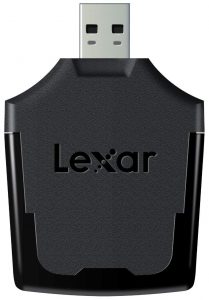
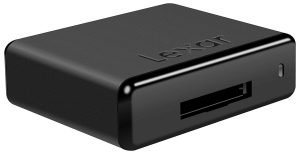
Lexar Professional XQD Reader USB 3.0

Check on Amazon

Providing an excellent workflow, the memory card readers let you get back to your task real quicker. It is designed to offer a superb transfer speed at USB 3.0 levels to ensure that you can transfer the files from your XQD card to your computer rather easily. It can help you transfer your files without any hiccups even when you have loads of RAW images and 4K videos. The card reader is specifically designed for working with XQD 2.0 cards. The convenient and compact design makes it an excellent option for portability. The simple plug and play functionality and the USB 3.0 functionality make it a great choice for almost all your needs. What’s more, the memory card reader is backward compatible and supports the USB 2.0 speeds.

Lexar Professional Workflow XR2 XQD 2.0 USB 3.0 Reader

Check on Amazon

The memory card can work with effectively with multiple memory cards and thus operates as a versatile card in every respect. The cards support both Thunderbolt 2 and USB 3.0 compatibility. The Lexar Professional Workflow reader suits all your needs in RAW images, high-res photos, and videos captured in HD, 3D, and 4K video formats. Apart from the XQD cards, the memory card reader can also work with other regular cards like SDHC/SDXC UHS I and UHS-II, CompactFlash UDMA 7, XQD 2.0, CFast and CFast 2.0. It also comes with a two-port USB hub that can be used to plug in USB flash drives, readers, or charge devices. One of the features that would make it a great choice would include the innovative and modular design.

Sony MRW-E90/BC2 XQD USB 3.0 Reader

Check on Amazon

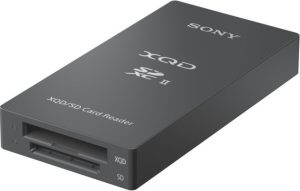
The card reader is compatible with both XQD series and UHS-II SD memory cards. The interface supports a super speed USB 3.1 Gen 1 standards. You have access to XQD high-speed driver and XQD drive letter recognition through the Sony official website. It should be one of the excellent choices for all your needs in the high-speed data transfers for providing faster and unhindered workflow requirements. Small and portable to the core, the card reader is useful for a wide range of cards. It is one of those card readers that can read both on XQD cards as well.

The Concluding Thoughts

Well, given the fact that the XQD cards are the future, especially with the focus on the RAW images and 4K resolution. We expect more camera manufacturers following the footsteps of the Nikon 850. If that happens, the XQD memory cards will be in vogue and so would be the need for the card readers used for the purpose. Have you used any of the XQD memory cards featured in the above compilation? If you have, do share your thoughts, experiences, and opinions concerning these cards with us. Also, share your inputs on the memory card readers used for a streamlined workflow with your XQD cards. If you are aware of any of the XQD memory cards and card readers that support XQD cards, you may share them with us as well.

Best Microsoft Teams Certified Webcams For Web Conferencing Rooms

0
In this article, we are going to list out Microsoft Teams Certified Webcams. We have picked up the ones that we liked amongst the officially supported list. So, what are the features that a modern webcam should support? In our opinion, the following are some of the must-have:
  • 4K Video Resolution @ 30 or 60 FPS
  • Wide-Angle View
  • Windows Hello Compatibility
  • High-Resolution still images
  • Automatic exposure and contrast control to compensate for glares and office backlighting.
In the era of high-resolution front-facing cameras on smartphones and laptops, the webcam isn’t dead yet. Instead, we are thankful for the competition that compelled the manufacturers to pack more features and better online experiences.
Also Read: Top Windows Hello Webcams
When we looked for shortlisting webcams, we also need to ensure that they are Enterprise-ready and support popular Unified Communications platforms such as Skype for Business, Cisco Webex, GoToMeeting, etc. However, in this post, we will focus on Microsoft’s unified communications platforms such as Teams & Skype for Business. So, let’s get started.

Microsoft Teams Certified Webcams – Our Recommendations
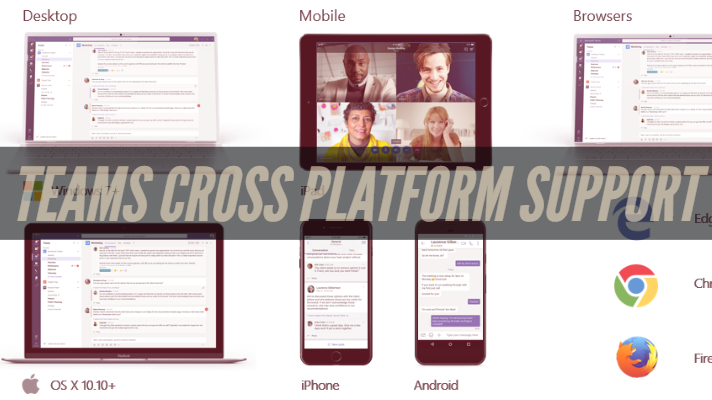
Microsoft Teams still runs the Skype infrastructure as the backbone for enterprise voice and video, so fundamentally, no changes. Teams and Skype for Business leverage a standard set of media technologies and capability for hosting online meetings.
Note: Skype for Business (SfB) certified peripherals and devices will work with Microsoft Teams, but Microsoft will not give Teams certification until they meet new requirements with notifications and integrations.
Overall, when it comes to video conferencing, we will technically be using the same platform underneath. With that being said, let us list out the best Webcams that we feel are suitable for hosting the online Microsoft Teams meetings.
Logitech C930e Full-HD Webcam

Check on Amazon Microsoft Store

Logitech ConferenceCam Connect

Check on Amazon

Logitech Brio

Check on Amazon

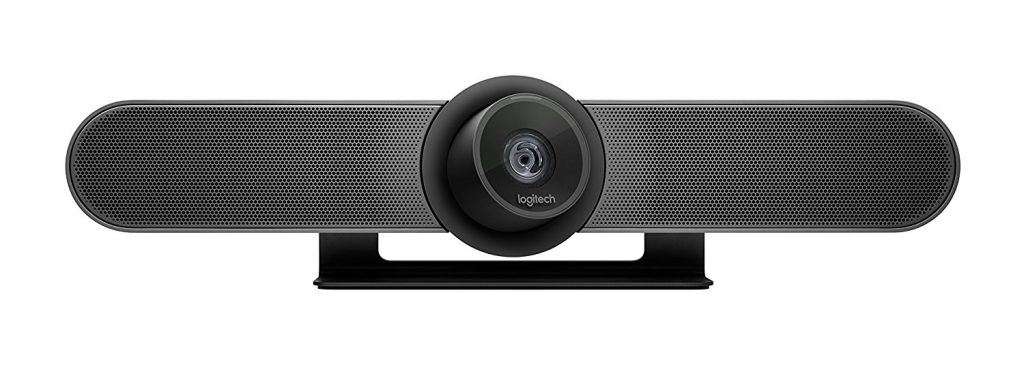
Logitech MeetUp for Small Meeting Rooms

Check on Amazon

Polycom EagleEye IV USB

Check on Amazon

Logitech PTZ Pro 2

Check on Amazon

Yealink

UVC30 Room by Yealink

Check on Amazon

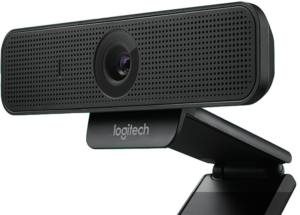
Logitech  C925E business webcam
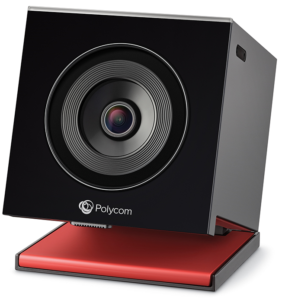
Polycom (Poly) EagleEye Cube USB

Check on Amazon

Polycom EagleEye Director II

Check on Amazon

Jabra Panacast

Check on Amazon

Logitech Rally Camera

Check on Amazon

Microsoft LifeCam Studio for Business

Check on Amazon Microsoft Store

 
Owl Labs Meeting Owl

Check on Amazon

Poly Studio

Check on Amazon

Logitech Conference Cam (BCC950) For Content Creation

Check on Amazon

Meeting Owl Pro For Interviews Owl Pro For Interviews

Check on Amazon

Logitech C920s

Check on Amazon

1. Logitech C930e Full-HD Webcam

Check on Amazon

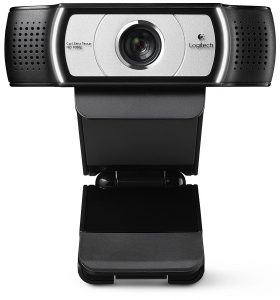
The C930e is a business-grade Webcam that offers 30 fps of high-resolution videos and is ideal for hosting web conferences. It also happens to be one of the least expensive devices on our list. The camera comes with a 90-degree wide field of view with support for Pan & Tilt. It also comes with a software-controlled 4x optical zoom. The videos are captured with the standard H.264 Encoding for optimal compression and bandwidth savings. You can download and use the Logitech Webcam Software if you want more control over the device. However, Logitech assumes that you are already using professional-grade software to control the device and not include them as a bundle. The only negative that we found with the C930e is the jumpy autofocus under low-light scenarios, which should not be a deal-breaker since it’s meant to be used in conference rooms. Here are some of its high-level specifications:
  • Full-HD 1080p video at 30fps
  • 90-degree (diagonal) field of view
  • Dual Omni-directional noise & echo canceling microphones.
  • Digital Pan & Tilt function
  • External Privacy shutter
  • Plug n Play support for Windows 10 and Mac OS.

2. ConferenceCam Connect from Logitech – Full HD Video Collaboration Solution

Check on Amazon

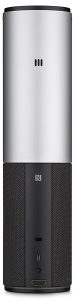
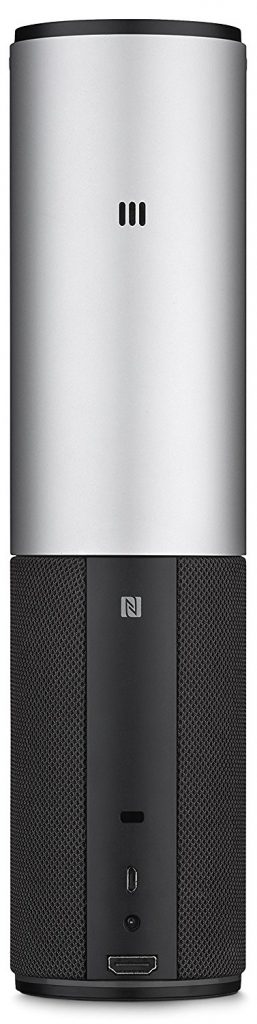
The Logitech ConferenceCam Connect is a bit different from a traditional webcam. Just like an AIO (All-in-One) printer, this is an all in one Web-conferencing solution for smaller teams over Skype or Teams. The key selling point is its portability and features rich functionality. It is compatible with most UC (Unified Communications) and web conferencing solutions. It comes with a wide 90-degree field of view and in-built 360-degree speakers for audio output. The full-duplex Omni-directional microphones do the job of noise cancellation pretty well. It comes with an easy to use USB connectivity that enables you to connect a TV screen from a tablet or even your smartphone. Here are some of its high-level specifications:
  • Full HD Video @ 30 FPS
  • Full 90-degrees wide FOV, digital pan & tilt function with mechanical tilt wheel
  • Up to 3 hrs. battery  backup for videoconferencing (15 hours of audio playback)
  • External IR remote with a range of up to 10 Feet.
  • Integrated Bluetooth, NFC & USB plug n play.

3. Logitech Brio Webcam (Windows Hello Support)

Check on Amazon

One of the most advanced webcams, the Logitech Brio Webcam, is quality personified in terms of image quality that it offers you. An astonishing 2160p resolution and HDR compatibility would make it an excellent choice in every right. Some of the features we would focus on include.
  • A stunning 4K compatibility
  • The lightweight three-light correction technology for quality video quality, streaming, and recording.
  • Assured true to life HD video with autofocus and premium glass lens.
  • Support for multiple connectivity options including USB 2.0 Type-A and USB 3.0 Type A and C connections
  • Certified for Skype for Business and Cisco, it offers you excellent enterprise functionality.
Equipped with an easy to use stand, that is the best you can opt for. You have access to a 5X zoom compatibility.

4. Logitech MeetUp for Small Meeting Rooms

Check on Amazon

The MeetUp from Logitech is the priciest device on our list. The webcam is tailored for business-grade audio and video meetings, especially for small huddle rooms and conference rooms. The most extensive field of view comes at 120 degrees that provide sufficient coverage for everyone in a small-sized conference room. The In-built audio system also features a triple microphone setup and custom-tuned speakers specifically optimized for conversations in huddle rooms. The speakers also double up as a speakerphone, thanks to the Bluetooth connectivity. The device also offers you the option of integrating a mic expansion pod if you want more coverage. Here are some of the specifications below:
  • 4K Ultra-HD video (3840 x 2160 pixels @ 30 fps)
  • 120-degree FOV
  • Triple-microphone setup
  • Motorized pan & tilt functions
  • Integrated Bluetooth and RF Remote controls
  • Powerful “rare-earth” magnet speakers.

Polycom EagleEye IV USB
Check on Amazon

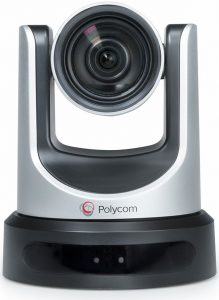
Offering natural colors and high-end details in full 1080p, the Polycom EagleEye IV USB has been one of the highly recommended cameras for Microsoft Skype Room Systems. It has been certified as the Skype Room System camera peripheral and provides you access to a premium HD video experience. The pan, tilt, and 12x optical zoom functionalities provide you with an excellent option for medium to large meeting rooms. The camera can cover a wider field of view. You should be able to control it with a simple handheld remote. The Home preset function is yet another worthy feature that lets the camera quickly recalled to the Home position. You have access to a broader field of view to up to 72.5 degrees. Some of the features offered by the web camera include
  • 5° Diagonal field of view camera with +/-170° pan
  • 1-year return to factory parts and labor warranty
  • Wired connectivity with USB
  • +90/-30° tilt
  • 12x optical zoom
  • Low light sensitivity
  • 1920 x 1080 sensor resolution

Logitech PTZ Pro 2
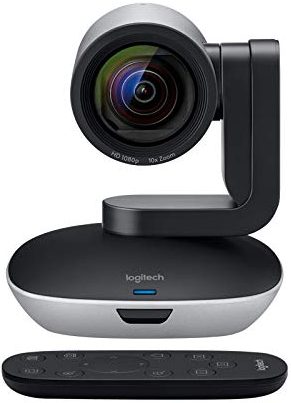
Check on Amazon

If premium optics and lifelike images are what you are looking ahead to, the Logitech PTZ Pro 2 should meet almost every one of your needs. An optical accuracy par excellence and a true to life color reproduction are a few features that should make it one of the preferred choices. It is quite easy and simple to install and does not need any specific technical expertise. The easy USB connectivity would make it breezy enough to get, set, and go. The camera works efficiently for use in cases of video conferencing applications on Windows and Mac. The handheld remote provides a completely simple and easy to use pan, tilt, and zoom. You can also control the camera with downloadable software as well. It is an excellent option for the classroom and larger meeting rooms. The premium lens offers you a broader view of angle and excellent autofocus functionality. High-end flexibility and a great zoom are a couple of features that should ideally make it one of the most preferred options you would want to work with. The camera provides you with a better and easy to use set up. A few features offered by the camera offers you would include
  • Wired connectivity through USB
  • 90° Diagonal field of view
  • 10x HD zoom
  • Easy functionality with pan and tilt
  • The 1080p resolution
  • 2 Year limited manufacturer hardware warranty
  • A 10-foot USB cable with power adapter connection

UVC30 Room by Yealink
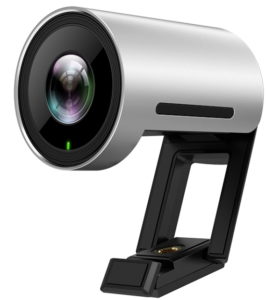
Check on Amazon

It is a premium USB camera designed for focus and small meeting rooms. Offering a sharp image and accurate color reproduction and dynamic range. It rewards you with a bright face-to-face video meeting experience in ultra HD 4K resolution and higher frame rates. A wide field of view ensures every participant can be seen. It supports auto framing features to accomplish a much more exceptional meeting experience based on AI facial detection. An included flexible clip gives many options to mount the camera.
Camera: 120° Diagonal field of view front of the room with 4K resolution, automatic people framing
Wired connectivity: USB 2.0
Product weight: 6.3 Ounces (180 grams)
Dimensions: 59 x 45 Millimeters
Cable length: 9.8 Feet (3 meter) USB 2.0 cable
Warranty: 2 Year limited manufacturer hardware warranty
What’s included in the box:
  • UVC30 Room camera
  • USB 2.0 cable (3 meters/9.8 feet)
  • Flexible clip
  • Camera lens privacy cover
  • Documentation

Logitech – C925E business webcam

Jabra Panacast
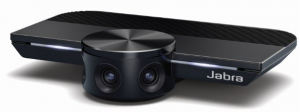
Check on Amazon

The plug and play compatible camera come with improvement options for the huddle rooms. The Jabra Panacast comes with three cameras with 13 MP resolution. The patented real-time video stitching is yet another excellent option. The 180-degree angle would make it one of the much-preferred options ever for a natural experience. The camera comes with an intuitive technology that enhances the optimization of the field of view. It can detect the individual participants and includes every participant in its field of view. Resolution and video quality are continually optimized by offering consistent and automatic optimization. It adjusts to the varying light conditions. This can go a long way in promoting a better viewing experience. The panoramic view in 4K offered by the three 13 MP cameras is wonderful. It can be an excellent partner option for use with the Jabra Speak Audio performance. Instant installation and collaboration are the two features you would find impressive.

Polycom EagleEye Director II
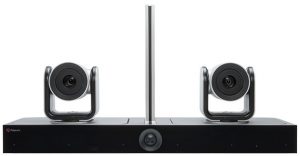
Check on Amazon

The Polycom webcam is an excellent option with a wide range of functions and features. The camera can automatically zoom in on the active speaker without the need for any sort of remote control. You do not need to worry or be concerned about whether you are in the camera viewpoint. It comes with an efficient facial recognition technology to make your video conferences special in more ways than one. The automatic people tracking technology is one of the innovative features offered by the webcam recognized by Microsoft Teams. Get access to improved performance with an intimate and highly productive video conferencing experience. This will bring up the best possible natural meeting experience ever. You can be in for the best possible TV production level of performance—no need to adjust the camera angles or zoom in.

Logitech Rally Camera
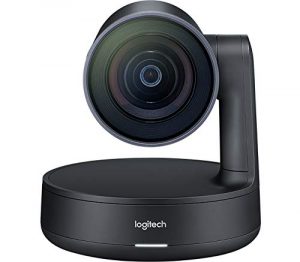
Check on Amazon

Logitech has impressed us with a huge list of cameras certified by Microsoft Teams. The new Rally camera from Logitech should ideally be the best and perfect option in many ways than one. The mechanical pan, tilt, zoom functionality offered by the camera makes it extremely efficient enough for almost every one of your requirements. The 90-degree field of view would bring the next level of natural meeting feel in a virtual world. The camera offers you an industrial level and a high definition video conference quality for all your meetings. The 4K sensor on the webcam is yet another added advantage. The camera can shoot 4 K ultra HD video quality with 30 frames per second. You can be assured of excellent and enhanced video performance, with a sharp video and an exceptional color reproduction. You can even go with a high degree of accuracy in your shots. The camera should be the right option for almost every one of your needs through training facilities, boardrooms, and lecture halls.

Microsoft LifeCam Studio for Business
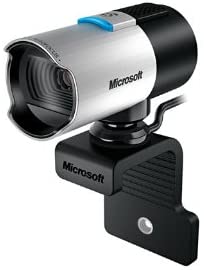
Check on Amazon

The camera comes with a 1080p HD widescreen sensor that should ideally be one of the exciting options for both businesses, gaming, or streaming. It provides you access to a very high degree of superior sharpness and excellent image quality. The camera is equipped with an advanced degree of high precision optics to offer you access to improved performance. The camera offers you an outstanding set of features and functions that would include plug and play compatibility and an enhanced picture and video clarity. The high precision glass lens is one of the features that provide it with improved image sharpness features. A few features worthy of mentioning would include
  • It provides you with a 75 degree of field of view.
  • An excellent 720p video resolution at 30 fps.
  • The 360-degree rotation will provide you with an enhanced option.
  • You also get access to face-tracking and TrueColor Technology.
  • An extremely rugged build quality
  • Easy to set up and work with
The 1080p compatibility is available only through third-party software. The camera, by default, provides you access to 720p resolution alone.

Owl Labs Meeting Owl
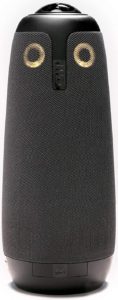
Check on Amazon

The Original 360-degree webcam from Owl Labs should be yet another excellent that would prove to be one of the unique options. It has been designed as a quick 360-degree video conferencing camera ever. The camera works seamlessly with Microsoft Teams, Zoom, and Skype. It provides you access to a space-saving and features packed construction. The plug and play compatibility would make it one of the best options ever for every requirement you may have. It can be the best option for all your meeting needs. The 360° lens and eight built-in noise-canceling mics provide you with a truly 360-degree experience. A few features that it provides you would include –
  • An attractive and space-saving design
  • Speakers automatically track and highlight the surroundings.
  • Plug and play compatibility
  • A perfect option for compact space applications.
  • The pick-up range is almost 12 feet.
  • An extremely portable design
They may not be the right options for the larger rooms. It may show a short lag when connecting in a more significant place. The 720p quality may not live up to the expectation.

Logitech Brio 4K Webcam
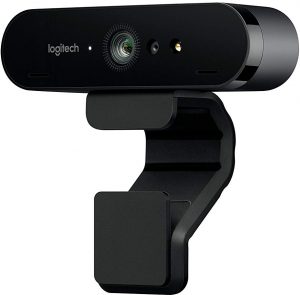
Check on Amazon

The webcam provides you access to a wonderful performance for a wide conferencing with excellent performance. It can be used for a wide range of applications across multiple video requirements. Some notable mentions would include video conferencing, streaming, or recording. The camera comes with the 4K Ultra HD performance standard that provides you access to a 5 X digital zoom option. A few of the excellent options would include higher frame rates and superior low light performance as well. It also provides you access to HDR and RightLight 3. The autofocus provides you access to a perfect option for delivering wonderful true to life videos. Certified for Skype for Business, it is quite compatible with a host of other UC solutions. A few notable names that the camera supports would include Zoom, WebEx, BlueJeans, and Facebook Messenger. The high-end security options would make it a great performer.

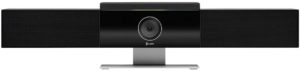
Poly Studio
Check on Amazon

A pure performer with a perfect Audio and video performance would be an excellent option for home office use every day. It is one of the top choices for the USB video bar for small rooms or huddle spaces. You will find the plug and play compatibility with popular operating systems to make it one of the compelling opportunities. The camera comes with audio that fills up your room and provides you access to an improved, accurate unidirectional microphone. The built-in mic gives you access to enhanced and improved pinpoint microphones. The features such as Poly Acoustic Fence and NoiseBlock would make it one of the best options you would find quite impressive. The Poly Studio camera is capable of removing unwanted audio and background noise automatically. Get access to a notably exceptional business-class video performance with UC platforms such as Microsoft Teams, Gotomeeting, Zoom, etc. The automatic group farming is one of the prominent options we found appealing. The camera is straightforward to manage and provides you with an exceptional experience.

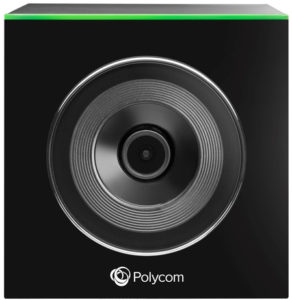
EagleEye Cube USB
Check on Amazon

The camera is known for a wide field of view and an intelligent group framing. You can be assured of everyone being able to be visible in the frame. The HD resolution and a 5X zoom are the two features you would find practical and useful in the long run. The camera is one of the excellent options for your needs in a very productive collaboration. The 4K sensor would ideally deliver a new and enhanced performance standard. The Horizontal field of view 110° and Automatic exposure and white balance are a couple of features that would offer you a new performance standard.

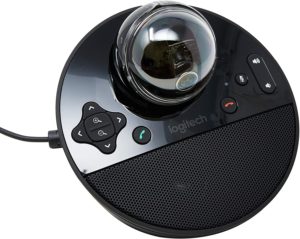
Logitech Conference Cam (BCC950) For Content Creation
Check on Amazon

If you are looking for the best webcam for content creation, the Logitech Conference Cam For Content Creation can be your best bet for most of your expectations. The improved features and high-end functionality are a few features that would make it stand out from the rest. Despite the high-end features, you would find it offering a reasonable price. It can double up as an excellent option for small spaces. The 78-degree field of view and HD video quality further enhance your experience. The ultra-wide lens and pan- tilt – zoom functionality are a few features that would help you get the best possible experience. The Echo cancellation is yet another worthy option that would make it one of the best options to go with. The easy noise cancellation and a more comfortable setup option are a few of the options you would find quite rewarding. Amazon

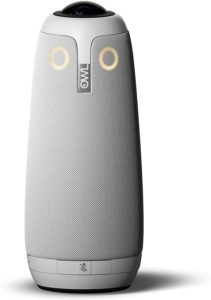
Meeting Owl Pro For Interviews
Check on Amazon

You can get access to the best team meeting experience with the Meeting Owl Pro webcam. The top-end 1080p recoding and 360° smart video conferencing features would further make it one of the thoughtful options for all your needs in an enhanced degree of experience ever. The new version has 2X louder sound and 2X sharper video quality than the previous generation of the webcam. A quicker and easier setup can make it a blessing for the urgent meetings called up at short notice. An essential tool for smart video conferencing, the webcam comes with a huge number of useful features. The built-in Owl intelligence system is designed to bring you more enhanced functionality and improved productivity. The webcam can be an excellent option for huddle spaces. Automatic speaker focus is one of the huge options. Amazon

Logitech C920s
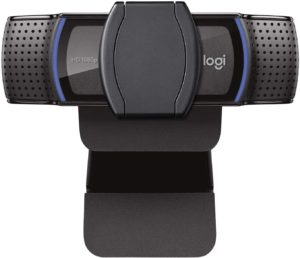
Check on Amazon

Logitech C920S has been rated to be one of the most professional cameras for working with Microsoft Teams. A couple of the features that we loved the most with the webcam include a high-quality image and a useful privacy shutter. The webcam provides you access to advanced image tweaking features that further enhance your experience. The high end 1080p video recording capability further improves your experience and delivers a sharper video clarity. The stereo audio with mics has been designed to capture the natural sounds. Affordable pricing is yet another worthy factor we found interesting enough. However, you may face image stuttering issues in low light conditions. It does not need you to use any software for use with the webcam. Amazon
Sr. No. Image Product Name Manufacturer Buy Now
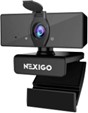
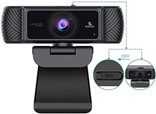
1 NexiGo 1080P Business Webcam NexiGo Check on Amazon
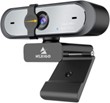
2 NexiGo N660P Pro HD USB webcam NexiGo Check on Amazon
3 Lenovo ThinkSmart View webcam Lenovo Check on Amazon
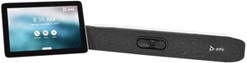
4 Poly Studio X30 Conferencing System Poly Check on Amazon
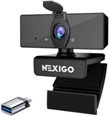
5 NexiGo FHD 1080P USB Webcam NexiGo Check on Amazon
6 NexiGo AutoFocus 1080P Webcam 2021 NexiGo Check on Amazon
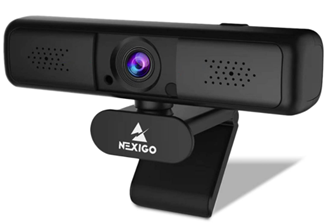
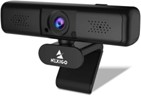
7 NexiGo 2K QHD Webcam NexiGo Check on Amazon

7. NexiGo 2K QHD Webcam:

Nexigo 2k WebcamCheck on Amazon

Conduct your online class or Skype calls or Teams meetings, or Zoom meetings with this 2K webcam. It offers outstanding video quality with true-to-life color images. You smoothly rotate it 360° both left and right. It is possible to move the device to any angle you want. There is a universal clip with a scope of adjustability. Use the clip properly to mount the webcam on a PC or Mac, or LCD monitor. The instant you plug this webcam into your device, it becomes ready to use. Your device must have a USB 2.0/3.0 interface—no need to set up drivers on Windows 10. Moreover, digital zoom functions without the need for any software.

Features:

  • The resolution for video recording is 2560 x 1440 pixels.
  • With the 3X digital zoom, you can vary the viewing distance as per the needs. The available levels for zoom are 1x, 2x, and 3x.
  • For exceptional video clarity, even in low lights, there is an automatic low light correction.
  • The latest H.264 encoding technology leads to stable streaming. The transmission rate is fast.
  • Various encoding formats supported are YUV, MJPG, and H.264.
  • The snug fit cover defends the lens.
  • A shutter is included for privacy.
  • Compatible software/apps are Skype, Zoom, Facetime, YouTube, and Facebook.
  • It is optimized for and XSplit and OBS.

6. NexiGo AutoFocus 1080P Webcam 2021:
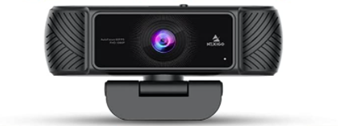
NexiGo AutoFocus 1080P WebcamCheck on Amazon

Whether it is an online training or Microsoft Teams meeting or streaming, etc., autofocus may be your prime need. NexiGo designs this 1080p webcam with the ability to precisely and accurately focus on the subject. You can connect it with a PC or Mac or desktop or laptop. In any light condition, the image and video outputs appear clear. You can swivel the webcam 360° left and right. Also, you can rotate it 180° up and down. The incorporated cover defends the lens. It also deters web hackers from spying on your communication. You can accomplish the setup very quickly right out of the box. Just plug it into the USB interface of a PC. Now, wait for a minute for installation.

Features:

  • The video recording at 30fps leads to a stable and smooth video output.
  • The autofocus feature offers clear and sharp images.
  • With the 90° field of view, you can observe more details. When there are more persons at a conference, this feature helps.
  • The contained stereo microphone receives your voice. Simultaneously, it filters out unwanted background noise.
  • The automatic noise reduction ensures zero distortion and noise.
  • Cutting-edge features like HDR technology and automatic light correction are implemented.
  • The above features allow the webcam to adjust color and brightness automatically. Hence, you appear natural and bright even in low-light conditions.
  • Platform compatibility includes Skype, Facebook, WhatsApp, Twitter, YouTube, Hangouts, FaceTime, Zoom, Twitch, MSN, Yahoo, etc.

5. NexiGo FHD 1080P USB Webcam:
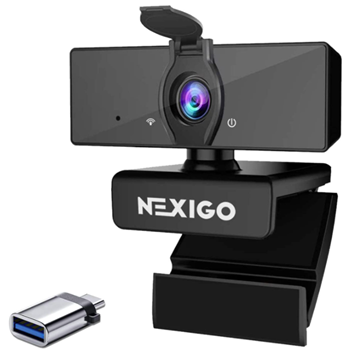
NexiGo FHD 1080P USB WebcamCheck on Amazon

It is better for live streaming, video calling, and video recording if the video output is in Full HD. This USB webcam supports this resolution to provide excellent video quality. For adding enough sharpness, there is the inclusion of a 3.6 mm glass lens. The full HD resolution also benefits you for gaming. There is a 2 mm wide joint available along with the slim Type-C connector. This connector can fit the Type-C interface of any device—no need to take out the cover of your laptop or smartphone. The plug & play system removes the need for extra setup. So, the webcam is compatible with most recording and streaming apps.

Features:

  • The Full HD 2MP CMOS sensor provides outstanding video quality. The frame rate is 30fps.
  • Maximum data rate up to 5 Gbps is achieved with the SuperSpeed USB 3.0. This speed is 10 times more than that of USB 2.0.
  • The 4K HD movies get transferred in seconds.
  • The lens stays protected with the privacy cover. It deters web hackers from spying on your communication.

4. Poly Studio X30 Conferencing System:
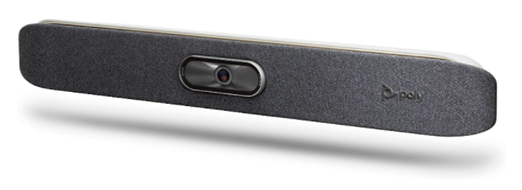
Check on Amazon

An all-in-one video bar from Poly, this webcam comes is Microsoft Teams certified. Irrespective of the size of your room, this webcam can connect wirelessly and seamlessly. Even in a huge conference room, both its audio and video outputs are of decent quality. It works with most video collaboration software. With this device, you get outstanding quality audio and cutting-edge camera capabilities. Moreover, it comes with the ability to share content wirelessly. Due to the touch interface, there is no need to use a computer. With the built-in cloud service platform support, this webcam eliminates the need for using a PC or Mac. All the features are packed into a compact bar. The lightweight, compact design lets it accommodate below or above a display. Owing to comprehensive design and easy setup process, you can easily turn any small room into a conference room.

Features:

  • The Poly Studio X30 is best suitable for a room of up to 6 participants.
  • It delivers professional-quality audio and production-quality video output.
  • The NoiseBlockAI blocks out machine learning.
  • The content sharing can be wired or wireless.
  • It comes with the native support for Video-as-a-Service (Vaas) platforms like Microsoft Teams and Zoom. No need to connect a PC.
  • The SIP and H.323 lets you connect this webcam to any VaaS gateway or standards-based video solutions.

3. Lenovo ThinkSmart View webcam:
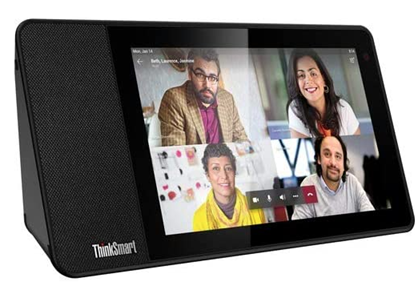
Check on Amazon

Enhance the multitasking potential of your PC with this Lenovo webcam. The ThinkSmart View is Microsoft Team certified. It can deal with administrative and shared aspects. The meticulous design incorporates the implementation of advanced features that are helpful for conferences. The touchscreen interface is intuitive. With a simple touch, you can access Microsoft Teams. No need to wait, unlike the dials found in traditional webcams. Furthermore, the device is well-known for freeing up the resources of your PC. The flexibility is great for use at phone booths and several other collaborative places. You can access video conference features, files, calendars, and more in a hands-free manner. For any home office, workspace, or conference room, this device is beneficial.

Features:

  • This video conference equipment can handle calls, chats, videoconferencing, voicemail, scheduling, and more.
  • The mute button on the mic and the camera shutter offers privacy.
  • When you don’t use the display, it remains locked through a 4-digit PIN. When it is paired with your system through Bluetooth, it locks in synchronization with your PC.
  • The touchscreen comes with a Cortana* smart assistant that activates through your voice.
  • Its 8-inch display has a resolution of 1280 x 800 pixels. The display includes a 10-point multi-touch IPS touchscreen.
  • The built-in processor is a Qualcomm Snapdragon 624 running at a base speed of 1.8 GHz.
  • The GPU contains Qualcomm Adreno 506 GPU.
  • The chipset is the Qualcomm SoC platform.
  • The built-in storage space is 8GB eMMC, and the memory is 2 GB LPDDR3.
  • There is a 10W speaker and 2 microphones in the array.
  • The resolution of the front camera is 5 MP.
  • For wireless connectivity, it supports Bluetooth 4.2, WiFi 802.11ac, and WLAN.

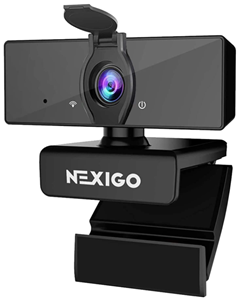
2. NexiGo N660P Pro HD USB webcam:
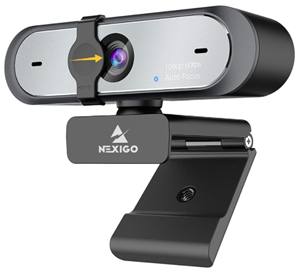
Check on Amazon

There are plenty of applications where you can use the N660P Pro HD webcam. Use it for online teaching, video calling, video conferencing, live streaming, and social gaming. No worries about the deterioration of video output due to noise and echo. This is since the dual stereo microphone captures natural audio-only. Even if you are located far from the camera, your voice will still be heard. The video experience is excellent though the environment is noisy. The USB cord is 6.5 feet long. Use it to instantly plug the webcam into a device—no need for downloading or installing any complex driver software. In addition to Microsoft Teams, you can also use this USB webcam for Zoom, Skype, and Facetime.

Features:

  • The resolution and frame rate are respectively 1920 x 1080 pixels and 60fps.
  • The auto white balance and auto-exposure are available. They provide the best quality output even in dim light conditions.
  • The omnidirectional microphone filters out background noise.
  • For your security and privacy, a privacy shutter is present. It avoids anyone spying on you while using the webcam. When not in use, you can shut down the cover.
  1. NexiGo 1080P Business Webcam:

Check on Amazon

Now it possible to record videos in any alignment you want. This business webcam supports 360° rotation in left and right directions. So, record the surrounding at any angle you want. Generally, the device is found perfect for video conferencing, webinars, and live streaming. Apart from Microsoft Teams, it can also be used for Zoom meetings, and Skype calls. The picture output is sharp and clear every time. Even when there are more people in a conference room, it can clearly capture the entire scene. You can mount it on a tripod and can access it from the front of a monitor. For security purposes, a privacy cover is available. It wraps up the lens when not in use. No more worries of anybody spying on you. Just clip it on over your desktop or monitor or laptop or Macbook. The outstanding video clarity makes the webcam pertinent for video conferencing, callings, recording, streaming, and gaming.

Features:

  • There is a 2MP CMOS sensor built inside. It supports 1920 x 1080 pixels resolution and a 30fps frame rate.
  • The glass lens has a 3.6 mm focal length. It provides sharp and clear images.
  • The included USB connector follows standard UVC/UVA protocol. It can connect with almost any device having a USB port.
  • With the noise-canceling microphone, there is a significant reduction in ambient noise. So, the sound quality in the videos is superb, even in a noisy environment.
  • Plug & play setup removes the need for extra software or driver.

Best webcams for professional usage:

Sr. No. Image Product Name Manufacturer Buy Now
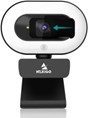
1 NexiGo StreamCam N930E NexiGo Check on Amazon
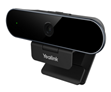
2 Yealink UVC20 Webcam Yealink Check on Yealink.com
3 Logitech StreamCam Logitech Check on Amazon
4 Vitade 960A USB Pro Web Camera Vitade Check on Amazon

4. Vitade 960A USB Pro Web Camera:

Check on Amazon

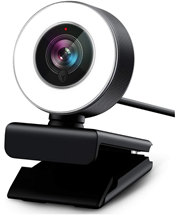
Both for professional usages and gaming, you can use this Vitade web camera. It can be connected to a laptop, Mac, or PC. Since it comes with a long cable and universal clip, it becomes easy to mount it on a laptop, tripod, desktop, LCD, or monitor. Compared to other standard webcams, the quality of images and videos is far better. Moreover, it is easy to adjust the position for the appropriate angle. The audio output from the microphone is clear and audible to everyone in the room. With the hassle-free plug & play setup, you can start using the device in 5 minutes. You will relish impressive HD video performance and fast transmission speed.

Features:

  • The 80° wide-angle lens can capture HD images and videos in 1080p resolution at 30fps.
  • The advanced H.264 encoding efficiently compresses a digital video file. Compared to the MPEG format, the videos in this webcam occupy half the same. Still, there is no compromise in video quality.
  • The autofocus and automatic low-light correction offer realistic video output in any light conditions.
  • With real-time autofocus, the device can capture more details of the subject.
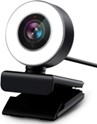
  • Through the touch interface on the ring light, you can vary the brightness in 3 levels.
  • The facial enhancement technology automatically optimizes images. Also, it lets your videos appear more professional.
  • The OS compatibility includes Windows 7/8/10, Mac OS 10.6 and higher, Android 5.0 and higher, and Chrome OS.

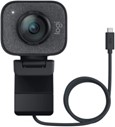
3. Logitech StreamCam:
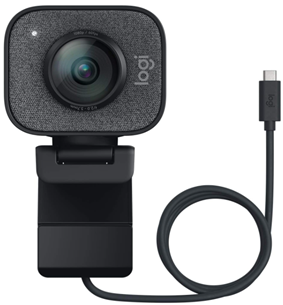
Check on Amazon

When it comes to videoconferencing or broadcasting, or streaming, you can use StreamCam. Use it to stream rapidly on Twitch, YouTube, and Instagram stories, etc. In case you demand high-quality streaming, you can use Logitech capture. It is an efficient streaming app that turns content creation intuitive and fast. This app allows you to customize settings and recordings. Moreover, this app provides the webcam with features like stabilization, framing, and automatic exposure. Henceforth, you can focus on creating the best content. Another famous aspect is it comes with flexible mounting options. These options help you attain the perfect angle for video recording and streaming. For ease of mounting, a tripod mount and a monitor mount are included. The streaming output shows precise and smooth motion. It is helpful for the audience and content creators.

Features:

  • The Logitech StreamCam records video in full HD 1080P resolution at 60 fps.
  • It allows you to connect with devices compatible with USB-C. With this connection, the video transfer becomes speedy.
  • The Logitech capture app supports AI-enabled facial tracking. It provides precise auto-focus and smart exposure irrespective of your position.
  • The webcam can be turned 90° to change into portrait mode.
  • No more shaky effect in the output due to the built-in electronic image stabilization.
  • The white LED lights work as live indicators.
  • The OS compatibility is Mac OS 10/14 or above and Windows 10.
  • It is optimized for and XSplit and open broadcaster software (OBS).

2. Yealink UVC20 Webcam:
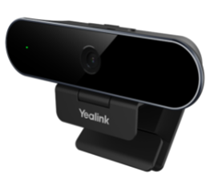
Check on Vendor Website

Are you looking for a professional webcam at a cost-effective price? You can go for this Yealink webcam. It is a full HD webcam suitable for videoconferencing, live streaming, distance education, open meetings, working remotely, and more. Its plug & play interface is convenient for diverse video conferencing platforms and apps. With the UVC20 webcam, you can access the device info, supervise usage, perform diagnoses and firmware updates. Therefore, the device saves you a lot of time and effort. The lens cap fully protects the camera lens. For security and privacy during the conference, this lens cap helps you. Moreover, UVC20 is compatible with almost all video conferencing software. The setup process is easy and quick. Whenever you use it, you obtain premium quality audio and video with exceptional clarity.

Features:

  • The 5MP glass lens provides lifelike clarity and 1080p HD video output.
  • This lens is rotatable and comes with auto-focus ability.
  • The built-in microphone can accurately pick up voice within 4.9 feet of distance.
  • Even in dim light conditions, the Smart light optimizes the video and image outputs.
  • The UVC20 allows you to focus on any subject without any manual adjustment. This is possible with its rotatable lens having auto-focus and EPTZ control capabilities.
  1. NexiGo StreamCam N930E:

Check on Amazon

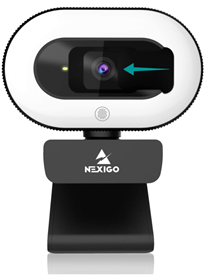
For Skype calls, Zoom meetings, online learning, streaming, video recording, conferencing, gaming, etc., you can set up this NexiGo webcam. Connect it to a PC or Mac or desktop or laptop. For proper illumination, there are 12 white LEDs available. The corresponding illumination is brighter than other webcams equipped with lights. The soft, milky white light is free from glare. During live streaming, facial enhancement technology gives you a professional look. It is a plug & play webcam that can work with a USB 2.0 interface—no need to download additional drivers. Within 1 minute, you can set it up and start using it. The included mounting clip offers ease of mounting. It lets you set up the webcam on a desktop, laptop, monitor, PC, tripod, smart TV, and Chromebook.

Features:

  • The 75° wide-angle lens can capture lifelike videos and images in 1080p resolution at 30fps.
  • Built-in lens has autofocus ability to provide the optimal focus position—no need to adjust the focal length manually.
  • The included noise-canceling mic decreases ambient noise. It improves the audio quality.
  • The audio quality is uncompromised even in a noisy environment.
  • Automatic low-light correction offers outstanding video quality even in low lighting conditions.
  • The ring light provides you with 3 levels of lighting compensation. Choose any level with the touch control.
  • Though the environment is dim, you can get enough brightness by fine-tuning the ring light.
  • Names of software and apps it can work with are FaceTime, Zoom, Facebook, YouTube, and Twitch.
  • It is optimized for open broadcaster software (OBS).
  • The included privacy cover helps you during personal video conferencing sessions.

Conclusion

Logitech is currently manufacturing almost all the webcam range that is Microsoft Teams certified. Some devices from Polycom, such as Eagle Eye IV USB, are essentially a conference room system and do not strictly come under the Webcam category. We hope to see more manufacturers offering competitive products for Microsoft Teams in the future. We hope you like our article. Please do provide us suggestions and feedback in the comment section below. Thanks for visiting!

Panasonic Lumix S1R vs Canon EOS R Mirrorless Specifications Comparison

Full frame mirrorless cameras have been one of the most prominent genres when it comes to the quality services in the realm of photography and allied services. Panasonic and Canon, two of the most popular camera manufacturers have come up with their specialized offerings – the Panasonic Lumix S1R vs Canon EOS R. How do they compare against one another? We will check out for a clear understanding of the two competing devices.
Panasonic Lumix S1R vs Canon EOS R – How do they compare?
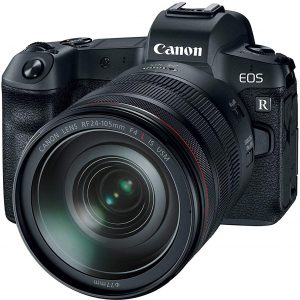
Well, both Panasonic and Canon are the two capable manufacturers when it comes to outstanding cameras. Canon recently jumped into the bandwagon of full-frame mirrorless cameras with the Canon EOS R. Not to be left behind, Panasonic has decided to move ahead with the genre and has come up with the Lumix S1R. Before we can continue discussing the two competing cameras, it should be noted that the Panasonic S1R is yet to be made available. With the launch expected in March 2019, we would expect you to take the specifications and features here with a pinch of salt. Let us compare the two cameras based on a few key features –
Features/Particulars

Canon EOS R


Panasonic Lumix S1R

 
Optical Zoom EF Lens Dependent L mount – Lens Dependent
Megapixels 31.7 47
ISO Sensitivity Auto 100-40000 (in 1/3-stop or whole stop increments) ** Note: Can be expanded to L:50, H1: 51200, H2: 102400 ?
Pixel Size 5.4µm ?
Image Processor DIGIC 8 Venus processor engine
Autofocus Dual Pixel CMOS AF Contrast-detect AF with DFD
Max aperture f/8.6 ?
Max Shutter speed 30-1/8000 sec ?
Built-in Flash No No
Presets for white balance 5 ?
Screen 3.15″ – 2.10 Million Dots ?
Screen articulation Yes No
Max video resolution 4K @ 30 FPS 4K @ 60 FPS
Storage type SD, SDHC and SDXC SD, SDHC and SDXC
HDMI connectivity Yes Yes
Wireless Connectivity Yes- Bluetooth and WiFi Yes – Bluetooth and WiFi
Battery Life LP-E6N (Approx. 370 shots) ?

1. The Sensor

The Canon EOS R comes equipped with a 30 MP CMOS sensor. You have the new age DIGIC 8 image processor on the device. Canon claims that the new processor offers an extended performance regarding image performance. The Panasonic S1R, on the other hand, comes with a whopping 47 MP sensor. Equipped with the all-new Venus processor engine, we would expect an excellent video performance. The Panasonic camera is more focused on images. However, the video performance is not an issue though.

2. Autofocus

Panasonic has packed in a host of features and functionalities in the S1R but has not come up with many details. The camera makes use of contrast-detect AF with DFD technology. However, there is no on-sensor phase-detect pixels option available. Canon, like on most of its EOS R cameras, employs the Dual Pixel CMOS AF focusing system. However, you would find the focusing system quite improved when compared to the previous models. The camera comes with 5,655 points with 88% horizontal and 100% vertical coverage. There is information available as of now about the autofocus points on Panasonic Lumix S1R.

3. The Design

If you have used Canon’s range of cameras before, you will find Canon EOS R to pack in the features practically similar to the earlier devices. It is compact and sports a familiar design. Of course, the compact size would translate into the lesser room for the buttons. You have a touchscreen display and a tilting mechanism at that. The Panasonic Lumix SR, on the other hand, offers you a better comfortable grip. In fact, in sharp contrast to the Canon EOS R, the Lumix S1R has enough room for the buttons and other controls. Panasonic claims that the camera is 100 percent sealed, but there is no mention of whether it has the waterproof properties being available. The Canon EOS R comes with weather and dust resistance properties.

4. Video Performance

Well, Panasonic has always been a more peerless performer when it comes to the videos. The Panasonic Lumix S1R would offer you 4K shooting performance at 60 fps. There is no information currently available on whether 10 bits recording and high frame rates will be made available. However, from what we would see from the history of the Panasonic cameras, we would expect the features to be made available. Canon EOS R, on the other hand, comes with 4K recording capacity at 30 fps. The RW shooting mode will let you shoot at 8 fps.

5. The Mount

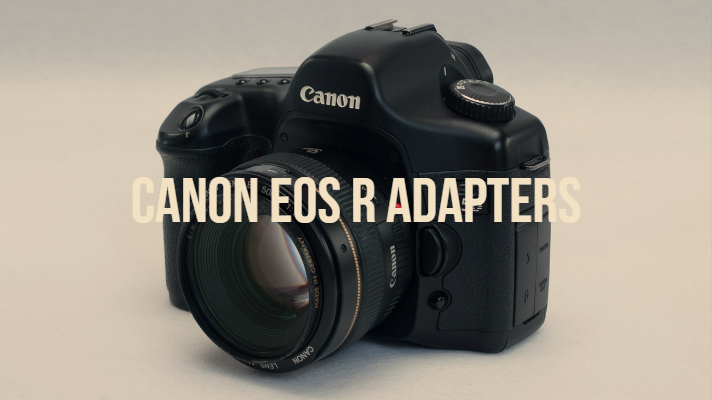
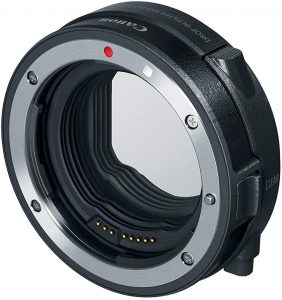
The Canon EOS R comes with the RF lens mount. The mount is characterized by the shorter flange distance and a shorter back focus distance. It also offers you adapters for EF and EF lenses as well; In fact, Canon has already launched three system adapters. We would consider it an intellectual endeavor on the part of Canon so that users who already have EF and EF-S lenses and want to opt for the EOS R camera can make use of their existing collection of lenses on the EOS R or any of the future cameras with the RF mount. Panasonic, on the other hand, comes with the L mount. If you have been following the photography world intently, you would have been aware of the Panasonic, Leica and Sigma have come together to form the L Mount Alliance and possibly the Panasonic Lumix S1R is the first camera to feature the Leica registered design. The alliance claims that the L mount offers limitless compatibility with a wide range of existing lenses and help the photographers to mix and match any of the lenses manufactured by the three major manufacturers. There are currently 39 different lenses that use the L mount – either existing currently or planned for launch by 2019 and 2020.

The Parting Thoughts

Well, the Canon EOS R has already been launched and is widely available. However, the Panasonic Lumix S1R is still under development. It was announced at the run-up to the Photokina 2018. The camera is expected to be made available by March 2019. That would possibly explain the lack of information currently available on the features and functionalities of the new device from Panasonic. As things stand now, Canon EOS R is a clear leader in the mirrorless full frame cameras. Until the time Panasonic launches its Lumix Sr, a lot of water would have been flown under the bridge. From that perspective, it may be too early to make any claim concerning how will the new full frame camera from Panasonic compete with the Canon EOS. As things stand as of now, we would consider Canon EOS R to be a clear winner.

List of Cameras With Variable Low Pass Filter (AA) – Mirrorless Options

The low pass filters or the OLPF as it is called in technical terms is one of the essential elements that would make a camera. One of the consistent features that we have observed in the Digital cameras of the days gone by – recent innovations from camera manufacturers has been opting for no low pass filters. Aimed at professional photographers who want the absolute sharpness in their masterpieces, the lack of low pass filters has been fast catching up. However, a few manufacturers have been moving towards variable low pass filters. Let us check out what is a variable low pass filter and which cameras are currently available with the feature enabled.
Also Read: List of Sony Cameras Without Anti-Aliasing Filters

Low Pass Filter – What does it Do?

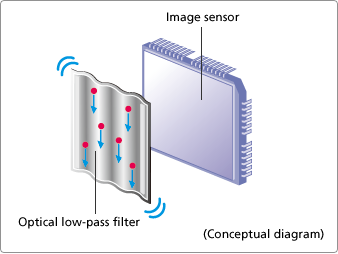
Before we can move on to understand what is a variable low pass filter, it would be practical enough to give a shot ar knowing more about the actual use of a low pass filter. If you are a pro/enthusiast in photography, you are already aware of what is a low pass filter, but this introduction is for those who are still newbies in the concept. A low pass filter, also referred to as Anti Aliasing filter is a technique that focusses on removing the Moire effect in your images. This happens typically in case of pictures where you have regular patterns. The patterns get superimposed on one another and produce a messed up look. You may observe the phenomenon when you are watching your TV presenter with checked dresses. The checks on his clothes tend to overlap on one another. This happens because the sensor can see only red, blue and green pixels, and any of the other colors are interpolated concerning the adjoining pixels. Low pass filters are used with the aim of minimizing the effect of these Moire effects and artifacts.

What is a Low Pass Filter?

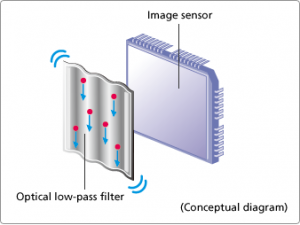
The low pass filter comes with three layers. The top layer displaces the image in a horizontal direction slightly. The middle layer acts as a means to remove the unwanted infrared radiations from your picture. The third layer displaces the image somewhat in the vertical direction. This will eliminate the Moire effect, but n turn slightly blur the image. However, with the recent launch of cameras that come with high-resolution sensors, you would not need low pass filters as they do not produce noticeable Moire effects. Moreover, the professional photographers who are into landscapes and similar genres want a better sharpness in their images. In fact, landscapes have irregular patterns and as such would not be affected by Moire effects or artifacts.

The Cameras with Variable Low pass Filters

Well, we have seen cameras with low pass filters, a few without the low pass filters and now the trend changes with innovation in the arena of low pass filters. We have seen why professional photographers detest anti-aliasing filters and have a keen eye on the sharpness of their images. However, there are a few who typically work in studio environments and need a low pass filter. From that perspective, a few manufacturers have been into opting for two models when launching new models – one with the low pass filter and the other without the filter. However, Sony seems to have understood the futility of such exercises and has been trying to incorporate the two options within a single model with a variable low pass filter.

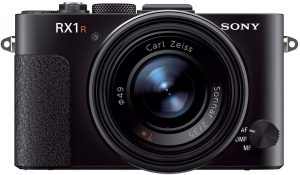
The Sony RX1R II – The first to Introduce Variable Low pass filter

Check on Amazon

As things stand now, the Sony RX1R II is the only digital camera to feature a variable low pass filter. The camera features the low pass filter as required for those working with regular patterns and studio environments, it provides the control of whether they want the low pass filter or not depending upon their subject. This is the first time that the variable low pass filter has been introduced on a digital camera. You would be able to adjust the balance for image resolution manually and takes care of the Moire effects. The Low pass filter comes with the three standards – High, Standard and Off. Understandably enough, the off position would be equivalent to having no low pass filter. This should be the best for the situations where resolution is a priority. The Standard option will help you strike the right balance between the resolution and the Moire effect if any. Finally, the high mode will emphasize the reduction of Moire effect and would be equivalent to having a full-fledged Low pass filter.

Other Features in Sony RX1R II

Apart from the variable low pass filter, the Sony RX1R II does come with a host of other features as well. Joining the family of full-frame compact digital cameras along with the Sony RX1 and RX1R, the Sony RX1R II comes with a high resolution at 42.4 MP. Moreover, you also have a 30 percent improvement in autofocus functionality. There are several optimizations seen in response to autofocus speeds. The camera offers ISO sensitivity of 100 to 25600 that can be expanded too up to 50 to 102400. A few salient features that the camera offers you include
  • 35 mm F2.0 ZEISS Sonnar T* lens with macro capability
  • Faster hybrid autofocus with 399 AAF points.
  • The XGA OLED Tru-Finder EVF with 2.4 million dots
  • The 3 inch LCD that has tilt functionality for an easier maneuver
  • Smartphone connectivity through NFC and WiFi.

The Parting Thoughts

The debate on whether you need a low pass filter on your digital camera or not is a never-ending battle. There are equally strong arguments in favor of either of the options. In any case, a new concept in the form of a variable low pass filter should indeed be the best you can go with. In essence, we would suppose this will put an end to the arguments.

List of Sony Cameras Without Anti-Aliasing Filters (Low Pass Pros & Cons)

0
The low pass filters have long been used on DSLR cameras. As photography professionals may be aware of, the primary purpose of using a low pass filter is avoiding the Moire effect. However, recent launches from prominent camera manufacturers like Nikon have been found to have no low pass filters. If you are a Sony fan and looking forward to a Sony camera with no low pass filter, we will help you find the best options currently available. The Ultimate Guide to Sony Cameras Without Anti-Aliasing Filters | LensXP.com

A Definitive Analysis of Sony Cameras Without Anti-Aliasing Filters

Updated to August 2025 | The ultimate guide to sharpness, moiré, and making the right choice.

The Optical Low-Pass Filter: A Primer

The pursuit of ultimate image fidelity in digital photography is a complex endeavor. Central to this is the optical low-pass filter (OLPF), also known as an anti-aliasing (AA) filter. Understanding its function is critical to appreciating why its inclusion or omission is a defining characteristic of a modern digital camera's design philosophy.

Infographic: How an Anti-Aliasing Filter Works

The filter introduces a minute, controlled blur to prevent digital artifacts like moiré.

Without AA Filter (Max Sharpness)

Lens Sensor Crisp, single point of light

With AA Filter (Moiré Prevention)

Lens AA Filter Sensor Light is slightly diffused

Digital Aliasing and Moiré

Digital camera sensors are composed of a finite grid of pixels. Aliasing occurs when a fine, repeating pattern in the scene exceeds the sensor's ability to resolve it accurately. The most common visual manifestations are moiré (distracting, wavy patterns) and false color. These artifacts are embedded into the raw data, making them exceedingly difficult to remove in post-production.

The Shift to Filterless: A Brief History

In the early days of digital photography, sensors had low resolutions (3-6 megapixels). Their large pixels made them highly susceptible to aliasing, so a strong AA filter was essential. The trend towards removing these filters was driven by two key advancements:

Soaring Sensor Resolutions

As sensor resolutions jumped from 24MP to over 60MP, the distance between pixels (pixel pitch) shrank. This allows the sensor to resolve finer patterns natively, reducing the fundamental need for an OLPF to prevent aliasing.

Smarter Image Processors

Modern processors like Sony's BIONZ XR can execute sophisticated algorithms to reconstruct a full-color image. This enhanced processing helps interpret fine details and suppress artifacts, further lessening the reliance on a physical filter.

This shift reflects a calculated decision: to trade the guaranteed safety of a physical filter for the potential of capturing the absolute maximum detail the lens and sensor are capable of resolving.

The Pursuit of Ultimate Sharpness: Analyzing the Trade-Off

Omitting the anti-aliasing filter is a deliberate engineering choice that prioritizes ultimate image sharpness above all else. This choice presents photographers with a distinct trade-off: unparalleled detail rendering in exchange for an increased risk of specific digital artifacts.

The Benefit: Maximizing Sharpness

By removing the optical element responsible for introducing a slight blur, the sensor captures the full, unfiltered information projected by the lens. This results in images that exhibit superior micro-contrast and resolve finer textures, appearing crisper and more detailed. This is invaluable for landscape and architectural photography.

The Risk: Moiré and False Color

Without the filter, a sensor is more susceptible to generating moiré and false color when encountering problematic subjects, like certain fabrics or architectural grilles. These artifacts are written into the raw file and can be very difficult to correct in post-production, especially in video.

Infographic: How Sensor Resolution Mitigates Moiré

Higher resolution sensors have a higher sampling frequency, allowing them to resolve fine patterns that would cause moiré on lower resolution sensors.

Lower Resolution Sensor

Fewer pixels can't accurately sample the fine pattern, causing interference (moiré).

${Array(25).fill(0).map(() => `
`).join('')}
MOIRÉ

Higher Resolution Sensor

More, smaller pixels can accurately sample the fine pattern, resolving it correctly.

${Array(100).fill(0).map(() => `
`).join('')}
SHARP

The Comprehensive Guide to Sony's Filterless Camera Lineup

Sony's approach to implementing filterless sensor designs is strategic, tied to the camera's intended purpose, sensor resolution, and target audience. Here is the definitive list, updated to August 2025.

Chart: Resolution of Filterless Sony Cameras

Filter by:
Sensor Type
Release Status
Camera Model Resolution AA Filter Status Release Status Purchase
Full-Frame
Sony α1 II 50.1 MP None Current
Sony α1 50.1 MP None Current
Sony α7R V 61 MP None Current
Sony α7R IV 61 MP None Current
Sony α7R III 42 MP None Current
Sony α7CR 61 MP None Current
Sony α7R II 42 MP None Discontinued
Sony α7R 36 MP None Discontinued
Sony α7 IV 33 MP Debated (Present) Current
Sony α7 III 24 MP Debated (Weak Present) Current
APS-C
Sony ZV-E10 II 26 MP None Current
Compact
Sony RX1R III 61 MP None Announced
Sony RX1R 24.3 MP None Discontinued

Note: Table shows a curated list. Models with confirmed strong AA filters (e.g., α7S series) are omitted for clarity.

Chart: Release Timeline of Key Models

The Ambiguous Cases: An Expert Analysis

While many Sony models have a clear-cut filter status, a few popular cameras have been the subject of considerable debate. This confusion arises from Sony's nuanced approach in its mainstream models, balancing sharpness with artifact suppression.

The Sony α7 III: Weak Filter by Design

The 24MP α7 III is one of the best-selling full-frame cameras ever. While incredibly sharp for its resolution, detailed analysis and user reports confirm it has an intentionally weak anti-aliasing filter. This was a calculated compromise by Sony to enhance perceptual sharpness for its most popular all-around camera while retaining a degree of protection against the most severe moiré.

The Sony α7 IV: The Center of the Debate

The 33MP α7 IV generated even more confusion. Its higher resolution puts it in a "borderline" category. However, authoritative technical reviews and direct comparative tests conclude that the Sony α7 IV does have an optical low-pass filter. The confusion is a testament to the filter's optimized, weak design and the camera's excellent sharpness. Sony's decision indicates a strategic choice to prioritize reliability for the broadest user base, including wedding and event shooters who cannot risk moiré.

Contextual Analysis: Why Some Sony Cameras Still Have Filters

Understanding which cameras lack a filter is only half the story. Sony's decision to include a filter in other models is equally deliberate and reveals a clear, use-case-driven strategy. For certain applications, preventing moiré is a higher priority than absolute sharpness.

The 'S' (Sensitivity) Series

Models like the α7S III are designed for low-light and video. Their 12MP sensors have large pixels, making them prone to aliasing. To produce clean, artifact-free video, these cameras are equipped with a strong and effective AA filter.

The Cinema Line (FX Series)

For professional filmmaking with cameras like the FX3 and FX2, reliability is non-negotiable. Moiré in a moving clip can render a shot unusable. Consequently, these cameras are designed with AA filters as a standard feature to meet the rigorous demands of production environments.

Practical Application: Genre-Specific Recommendations

The choice between a camera with or without an anti-aliasing filter has significant implications for different photographic and videographic disciplines. The optimal choice depends entirely on your primary subjects and final output requirements.

Landscape & Architectural Photography

Recommendation: Filterless (e.g., α7R V, α7CR). These genres are the primary beneficiaries of filterless designs. The ability to capture maximum detail is crucial for large prints and rendering fine textures. However, be mindful of moiré on architectural elements like brickwork and grilles.

Portrait, Fashion & Wedding Photography

Recommendation: High-Risk, High-Reward (e.g., α1, α7R V). The increased sharpness can be breathtaking on skin texture and fabrics. However, the risk of moiré on clothing (tweed, herringbone, fine patterns) is a significant concern. A filterless camera demands more careful composition and readiness to manage artifacts.

Videography & Filmmaking

Recommendation: Use a camera WITH a filter (e.g., α7S III, FX series). For professional video work, reliability is paramount. Moiré in a moving shot is highly distracting and can ruin a take. It is nearly impossible to fix in post. A camera with a confirmed AA filter is the safer, more professional choice.

A Practitioner's Guide to Moiré Mitigation

For those who choose the exceptional sharpness of a filterless camera, managing the risk of moiré is an essential skill. Prevention is always better than a cure, and the most effective way to deal with moiré is to prevent it from being recorded in the first place.

In-Camera Prevention Techniques

  • Adjust Aperture: Stopping down the lens to a smaller aperture, such as f/8 or f/11, introduces a natural softening effect known as diffraction. This can function as a weak OLPF, often reducing or eliminating moiré at the expense of a marginal loss in critical sharpness.
  • Change Distance: Moiré is highly dependent on how a pattern is projected onto the sensor. Simply moving slightly closer to or farther from the subject changes this projection, which can often break the interference and resolve the issue.
  • Alter the Shooting Angle: A small change in perspective can be highly effective. Instead of shooting a patterned surface straight-on, try tilting the camera slightly. This changes the angle of the intersecting patterns and can eliminate the moiré effect.
  • Use Burst Mode or Adjust Focus Minutely: Since moiré is sensitive to the exact point of focus, capturing a burst of frames while making tiny adjustments to the focus can yield some images where the artifact is less pronounced or absent entirely.

Post-Production Removal Workflows

When moiré is unavoidable, tools in Adobe Lightroom and Photoshop can help. The Adjustment Brush in Lightroom has a dedicated Moiré slider that can desaturate the false color patterns. In Photoshop, more advanced techniques like localized blurring or Frequency Separation offer greater control, but all post-production fixes are a compromise.

Conclusion: A Deliberate and Segmented Strategy

Sony's strategic use of the anti-aliasing filter across its camera lineup reveals a sophisticated, multi-tiered approach to product design tailored to specific user needs. The analysis up to August 2025 demonstrates a clear and consistent philosophy: the omission of the AA filter is reserved for cameras where the pursuit of maximum still image resolution is the paramount objective.

This is most evident in the high-resolution "R" series (α7R, α7CR) and the flagship "1" series (α1, α1 II), where the filterless design is a core feature. The "R" moniker in a Sony camera's name has become a reliable shorthand for this design choice. Conversely, Sony's decision to retain the AA filter is equally deliberate, particularly for cameras with a primary focus on video, such as the "S" series and the professional Cinema Line, where artifact-free reliability is non-negotiable.

For the consumer, this segmentation provides a clear, albeit nuanced, choice. Photographers in disciplines like landscape and architecture are well-served by the filterless models. Videographers and hybrid shooters who prioritize reliability should gravitate towards models with a confirmed AA filter. Ultimately, the choice rests on a clear understanding of the trade-off between absolute detail and digital purity.

LensXP.com

© 2025 LensXP.com. All Rights Reserved. Your expert source for lens and camera analysis.

Also Read: Optical Low Pass Filter vs No Low Pass Filter – What’s The Difference?

What is Low Pass Filter?

The Low pass filter is also known as Anti Aliasing filter or AA filter in the photography circles. The filter is known technically as OPLF or Optical Low Pass Filter. It is placed over the sensor and helps you control the aliasing. What exactly is aliasing?  The artifacts or the Moire effects that you observe when shooting fine grid of pixels. This should be evident when you are photo shooting a person wearing fabric that has fine textured clothe. This would happen because each pixel on your sensor would see only red, blue or green colors. Rest of the colors are interpolated with the data from the neighboring pixels. This phenomenon of demosaicing introduces what is known as Moir effect. The AA filter or low pass filter as it is generally known as typically consists of three layers. The top layer displaces the image slightly horizontally, the second layer filters out the unneeded infrared radiation and the bottom layer displaces the image slightly vertically. Thus the high frequencies in the picture are blurred, and the Moire effect is reduced. However, the use of AA filter also has an adverse impact as well – it reduces the sharpness of your image.

Why are Low Pass Filters are Done Away With?

Well, the low pass filters are quite helpful in reducing the Moire effect, but your images tend to blur. This would reduce the sharpness of your pictures to a considerable extent. Professional photographers consider the lack of sharpness a substantial issue. If you are a landscape photographer, you would be unimpressed with the high degree of loss in sharpness. The landscapes come with irregular patterns; there are lesser chances of aliasing or Moire effect affecting them. That would necessarily make the filter fewer cameras the best option for the landscape photographers. They would help bring out the better landscape details and a more elegant definition of the objects. Moreover, higher pixel density would mean you would experience low or no Moire effects or artifacts. Today’s DSLR cameras come with a higher megapixels count and thus would not ideally be affected by the Moire effect.

Are There any Sony cameras without Anti Aliasing filter?

Well, the trend of opting for no anti-aliasing filter started with Nikon’s D800E. Realizing the success of the camera and the benefits offered by the lack of AA filters, Nikon came up with a portfolio of cameras without the low pass filters. Following suit, even other camera manufacturers followed the trend and launched cameras with higher pixel density and no low pass filter. Sony is not an exception either. It can be considered to be a late entrant in the no anti-aliasing arena with its A7 mirrorless range of cameras. The first Sony camera to offer no low pass filter is the Sony A7R II. The manufacturer followed it up with the latest launch of the company – the Sony RX1R.

1. Sony A7R II

Check on Amazon

The Sony A7R II is probably the world’s first full-frame back-illuminated camera with CMOS sensor. The camera comes with the 35 mm Exmor sensor and a sensor resolution of 42.4 MP. Some of the features worthy of mentioning would include
  • An excellent image quality
  • Faster burst shooting speeds
  • A high-quality 4K shooting mode
  • High-end customization options

The Pros

  • Proven quality of 42.4 MP sensor
  • Dual card slot functionality to improve storage requirements
  • 10 fps image capturing capability

The Cons

  • Lack of built-in flash
  • No choice for XQD card slot

2. Sony RX1R

Check on Amazon

Interestingly Sony has launched two versions of the new full frame camera – the RX1 comes with the low pass filter, while the Sony Rx1R comes with no low pass filter. Sony does not want to disappoint either of its customer bases. Some of the excellent features packed in include
  • A complete resolution without the anti-aliasing filter
  • Incredible image quality from the compact camera.
  • A wider sensitivity range of ISO 100 to 25600. This ensures the best low light performance
  • The ergonomic design to make handling your camera a great experience.
  • Options for 14-bit RAW format shooting.

The Pros

  • Shooting options in silent mode
  • Sharper and detailed images
  • Fastest ever autofocus functionality
  • Amazing picture quality.

The Cons

  • Low pass filter would cause Moire effect
  • The fixed length may limit shooting flexibility
  • Expensive compared to similar options from other manufacturers.

The Concluding Thoughts

Well, those were a few options available among the Sony cameras with the lack of anti-aliasing functionality. Sony is one of the latest entrants in the realm enthusiast focussed cameras without the low pass filters or anti-aliasing filters and possibly testing the waters with these two launches. However, we would expect the future generations of Sony cameras to come with no anti-aliasing feature. If they do not entirely ditch the AA filter, we may see dual launches, at least on some major products, as has already been witnessed with the Sony RX1 and RX1R. Have you used any of those two Sony products without the low pass filter option? In case you have checked out either of them, do share your opinions with us. Also, share your views on the positive or negative effects of ditching the low pass filter or the anti-aliasing filter.

List of Canon EOS R Adapters From Canon For Lens Compatibility

Canon has been a well-known manufacturer when it comes to digital cameras and their associated lense ecosystem. The company recently launched the Canon EOS R camera with a few excellent features packed in. However, there is a catch here. The Canon EOS R camera comes with an RF mount for the lenses. If you have an existing Canon DSLR, or more so a Canon EOS R range of mirrorless DSLRs, you would find that the lens mounts on the EOS DSLRs would primarily be using EF mount design. What would you do with your current field of lenses that you bought for your Canon EOS DSLR? Do not fret – along with the Canon EOS R; the company has also launched a range of Canon EOS R adapters. The adapter range should help you make use of your existing lenses with your all new Canon EOS R.

The Canon EOS R Adapters

If you have been using the Canon EOS DSLRs before, you will find them to have the EF-S mount for the cropped sensors. The EF-S lenses were designed specifically for the Canon DSLRs with the APS-C sensors. The Canon EOS R, on the other hand, offers an RF mount. However, Canon has not left the 150 million users who have adapted themselves to the EF and EF-S lenses in the lurk. Along with the Canon EOS R, a full frame mirrorless camera with the RF mount, they have also released a set of three RF to EF mount adapters. You should be able to use your existing EF and EF-S lenses with your Canon EOS R or any other upcoming camera with the RF mount.

The Features that The EOS R adapters Come with

Well, the Canon EOS R System adapters have been designed for use on any of the existing Canon EF and EF-S lenses. They are fully compatible with the lenses and the newly announced EOS R camera system and should offer you an excellent service concerning the functionality. In essence, these Canon EOS R System adapters should let you use your existing compatible Canon lenses easily with your new camera. The adapters would also help you use them with any camera that would be launched in future with the RF mount. A few features that we liked with these adapters would be

Excellent Compatibility

The EOS R System adapters should be completely compatible with a range of Canon lenses. They should work with almost all major EF and EF-S lenses. So, if you have a Canon EOS DSLRs, or the compatible lenses, you would be able to use all of them can be used with your new camera. The lenses compatible with the Canon EOS R system adapters include If you have a look at those numbers (we will not go into the detailed list, as it would constitute another separate article), you will find that quite a vast range of lenses are supported.

Durability

The EOS R adapters from Canon have been designed with a ruggedized design for you to put to use. Built for effective professional usage, they come with a metal mount on front and back. The fact that they are designed for all weather conditions as they come with weather sealing.

Excellent Engineering technology

You can be assured of excellent build quality with the Canon EOS R system adapters. They are aesthetic, easy to use and offer you a great deal of compatibility. You can experience a great deal of engineering excellence with the Canon EOS R adapters.

The List of Canon EOS R Adapters

Mirrorless cameras have been blessed with the mount adapters since long. However, it is quite heartening to find that Canon has been thinking about its existing users and launched the mount adapters for the current range of lenses (of course, the number of those lenses is indeed overwhelming as you have already found out above). Canon has come up with three EOS R System adapters for use with your existing range of Canon EF and EF-S lenses. Let us examine each of them in finer detail.

1. Drop-In Filter Mount Adapter EF-EOS R

For Circular Polarizing Filter Check on Amazon

One of the best options to use with your EOS R camera or any future RF mount camera, this should be one of the best to use drop-in filters. The adapter is available in two alternative options. You can either opt for the adapter with the circular polarising filter or a variable ND filter. You would no longer need to fit the filters to the front of the lens anymore. And yes, you can also opt for clear filters if you are looking to shoot without the use of filters. The variable ND functionality will be helpful in controlling the light entering the sensor. If you are a landscape photographer, you would indeed love the feature. If you are into shooting colorful imagery, the adapter with the circular polarising filter should work best for your needs. A few features include
  • Compatibility with EOS camera so that you can use any EF and EF-S lens with your camera.
  • Complete weather sealing functionality with dust and water resistance
  • Metal mounts on either side will offer you the high-end flexibility.
  • Choose the right filter option to suit your photography style. Go with the circular filter for those colorful images and the variable ND filter for the best landscape shots.
If you are looking for mounts with a variable filter – Check on Amazon

2. Mount Adapter EF-EOS R

For Standard Adapter: Check on Amazon

The standard adapter for EOS R camera RF mount, it has a simple functionality and works towards providing an optimum solution for the best experience regarding allowing your EF lenses to your new Canon EOS R camera. You can be confident of your existing EF lenses working seamlessly with the Canon EOS R. Since the EOS R camera does not come with a mirror box, you may need to move the EF lenses away from the sensor. There are no additional elements included within the mount adapter. So, you can be confident of better image quality without having to worry about the degradation of any nature. A few features that the mount adapter offers you include
  • A perfect exterior design matching the EF lenses
  • Weather sealing that provides excellent protection against the dust and water.
  • High-end flexibility with the metal mount on both front and back.
  • It is a necessary adapter, and if you are looking for basic functionality, this should be your best bet

3. Control Ring Mount Adapter EF-EOS R

Canon Control Ring Mount Adapter EF-EOS R

Check on Amazon

This is yet another option provided by Canon for the best compatibility of your Canon EF and EF-S lenses on your Canon EOS R cameras. The mount will offer you a choice for a customizable user functionality for EF Lenses and its compatibility with the EOS R camera. The presence of the control ring would help you have access to a host of customizations options on the go. You can assign a host of functionalities to your control ring. Some of those functions include exposure compensation, ISO, aperture or shutter speed. In essence, the adapter system would help you opt for the control ring functionality on the EF lenses as well, just the way you would be using the feature on your RF lenses. You need not take your eye off from the camera for accessing the control ring. The ergonomic placement of the ring will help you get the most out of your adapter. The tactile feedback available on the control ring should be quite intuitive enough.

A few features that the adapter comes with can be summed up as

  • An excellent control ring functionality
  • High-end customization options for your EF lenses.
  • The external design matches the EF lenses
  • Weather sealing with dust and water protection helping you use the adapter in any conditions.
  • A rugged flexibility option for years of trouble-free operation.

The Concluding Thoughts

Those were the three (Plus one!) capable and compatible EOS R adapters for your Canon EOS R camera. You can expect a few other third-party adapters being available in the days to come, but for the time being, we have focussed on the system adapters coming from Canon themselves. They understand their products well, and we thought you would end up with the best performance with the in-house mount adapters from Canon. Have you used any of these adapters for your Canon EOS R camera? If you have, do share your thoughts and experiences with us.

Optical Low Pass Filter vs No Low Pass Filter – What’s The Difference?

0
If you are a professional photographer, you would understand the effects and trade-offs involved in opting for a low pass filter. However, if you are still confused, let us check out whether you need low pass filter or choose for lack of it. Let us understand the reason for opting for an Optical Low Pass Filter vs No Low Pass Filter and what issues does it solve.
Also Read: Best Nikon DSLRs without Low Pass Filter

The Moire Effect

Source: Wikipedia
A host of digital camera sensors opt for “Bayer pattern.” These sensors employ a 2×2 pattern in a mosaic pattern. These contain one red, one blue and two green sensors. The same pattern is repeated for creating multiple sensors of different shapes, sizes and megapixel counts. While producing images, the sensor makes use of what is called demosaicing. This creates a Moire effect and digital artifacts. What exactly is the Impact of Moire? Well, it is something you may have noticed when watching your older TV. When your presenter on your TV is wearing a striped dress, you will see that there would be a mismatch or overlapping of the colors. If you have been toiling on a tar road on the hot sunny afternoon, you will notice the same kind of effect when you look at the far away portion of the line of sight. To understand it still better, take a snap of your laptop or PC screen using your smartphone camera. Did you notice those colored lines? That is precisely what we technically refer to as Moire effect. The effect is also referred to as Aliasing. It is necessarily a phenomenon where the reproduced image produces false colors.

An Optical low Pass filter – A Solution to Moire Effect

The Optical low pass filter is the perfect answer to the Moire effect. The low pass filter or Anti-aliasing filter would reduce the impact of false colors. How does it work? Well, it works through a simple procedure. Camera manufacturers employ an optical filter for the purpose. The filter is used on top of the sensor and comes with three layers. The first layer would displace the image slightly in a horizontal direction. The second layer used in the filter would be used for filtering the infrared radiation. The third layer replaces the sample image slightly vertically. All these effects together would remove the effects of aliasing and Moire effects. However, do note that these changes can affect the image resolution. Your image will be blurred, and as we are well aware of, no one likes blurred images – right?
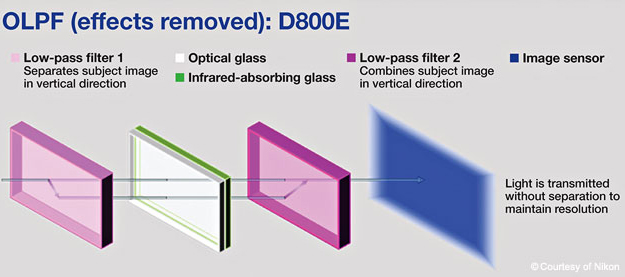
The No Low Pass Filter revolution

Camera manufacturers have been using the anti-aliasing filters or the blur filters since long to do away the false colors. However, the lack of details is what would make it an unwanted evil in most cases. That is precisely what would explain the decision of a few camera manufacturers to opt for no low pass filters. On the forefront of this revolution is Nikon, which introduced the concept of no low pass filter way back in 2004. How and why would they do it? While anti-aliasing is one of the features that would appear to be an excellent option under a few conditions, it remains an evil by no means. Why? Because the pictures get blurred and there is a considerable loss of resolution. The functionality is quite an efficient one, but if you are someone involved in the landscape photography – you will find that the lack of sharpness is a significant concern. You are not affected by the Moire effect or the false colors, but with the option available by default on your camera you will end up with the lack of details. Nikon introduced the Nikon D800E with no low pass filter keeping the landscape photographers in mind.
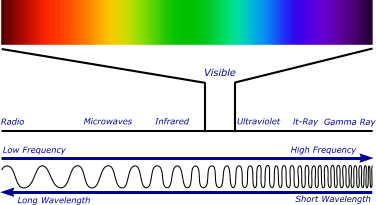
How Does No Low Pass Filter work?

Source: aegis-elec
As you would think a no low pass filter camera does not have the filter and that does it – you are wrong. A no low pass filter cannot be done away within a camera. At least, Nikon does not follow it. Whether a camera manufacturer is opting for anti-aliasing or not, they need to choose for filtering the infrared radiation. That is where Nikon makes use of a particular filter just the way the low pass filters are used in conventional camera sensors. Again, it offers you a filter with three layers. The first layer would displace the image vertically by a slight margin as in the case of AA filters, the second layer filters the infrared radiation, and the third layer would cause a vertical displacement. But since the third layer is reversed, it would negate the effect of the first layer. You will end up with no loss of sharpness.

Which One Should You opt for?

Well, that is a debate that has been around for over a decade now. Some purists do not want any loss of resolution. For them, the lack of clarity due to a low pass filter is a definite no go. However, some people would support both the camps. They have their reasons for going in for the low pass filter or against it. Lack of resolutions and sharpness can be considerable concern in advertising and landscapes. Of course, you would face a few issues like Moire and false colors. But, they can be corrected through the post-production processing. If you are a medium level shooter, a high degree of post-production may be a big issue. The perfect choice would be dependent upon what exactly you are looking ahead to and which genre of photographers do you belong to. The new breed of camera users has, however, been focussing on opting for a better resolution than worrying about the Moire effect. Access to more natural photo processing tools and high-resolution sensors have considerably addressed and minimized the issue of false colors and Moire issues.

The Parting Thoughts

The focus is shifting towards no low pass filters, and though the numbers are quite little as of now, we would indeed expect a vast amount of people supporting the higher resolution. However, the right choice for you would be utterly dependent upon your preferences. Choose the camera that offers you the right feature for your taste and style of photography.

List of Nikon DSLR Cameras Without Low Pass Filter (Anti-aliasing Filter)

0
Before we dive into Nikon DSLR Cameras Without Low Pass Filter, let us understand why it is important, before making the final decision. If you have an older DSLR camera, you would be aware of the issues with Moire effect or interference. If you were to take a photograph with those cameras you would often encounter regular patterns – you would notice the interference. This is precisely what Low Pass Filters would be able to address. What is the Low pass filter and how does it work? Let us check out in today’s post.

What is the Moire Effect?

Source: Wikipedia
To understand the Moire effect, you need to remember those images you used to get on those older TV sets. Whenever you had a presenter with a striped dress, you would find odd stripes and patterns as if they are overlapping. Something akin to the mirage effect you would see on the roads in hot weather. You would also be able to find the same patterns when you take snaps of your laptop or computer screen with your mobile phone camera. This kind of effect is typically caused when the subtle patterns on your subject mesh well with the model on your imaging chip on your camera. This will create a separate profile in addition to the original pattern.

What Causes the Moire effect?

Well, one of the reasons that would cause Moire effect would be the one we specified here – the rectangular grids and patterns. However, that alone may not be the sole cause of the problem. The color filter arrays placed on the lenses can also cause the Moire effect in many cases. It can happen if you are using a super sharp lens as well. The conventional sensor can detect only three kinds of pixels – red, green and blue. Rest of the colors are obtained with an interpolation of the neighboring colors. Generally referred to as demosaicing, this process adds more color Moire to the images. Camera manufacturers began using the low pass filters to handle this issue. However, of late, most of the cameras have stopped opting for low pass filters. More on that later.

What is a Low Pass Filter?

A Low Pass Filter is also known as an anti-aliasing filter. In some contexts, it also referred to as a blur filter. This is specifically designed for eliminating the effects of the Moire effect. This is done to blur the images that reach the sensor. Of course, it may result in a loss of details – but works effectively in eliminating the Moire effects. It was one of the most commonly used options on cameras designed for day to day photography users. The OLPF or Optical low pass filter is placed on top of the image sensor, and this reduces aliasing effects. The AA or Anti Aliasing filter comes with three layers. The top layer displaces the image a little horizontally. The middle layer has an infrared filter and is used to remove the unwanted infrared radiation. The bottom layer would replace the model slightly vertically. The effect of the Optical low pass filter would be to blur the high frequencies of the image while allowing the low frequencies. This would be helpful to remove the Moire and artifacts effectively. However, it will introduce blur in your pictures.

Why Is Low Pass Filter Done Away With?

Well, aliasing is a huge problem. That is precisely why camera manufacturers opt for anti-aliasing or low pass filters. However, what about the landscape photographers? They do not suffer from issues like Moire effect or other problems. But, unnecessarily, they would need to suffer from the blurring introduced by low pass filters. That is why camera manufacturers started removing the low pass filter. Of course, these cameras do produce Moire effect, but it would be up to the photographers to decide how would they want to deal with it. They can opt for any alternative options or correct the issue in post-processing. Nikon started the trend of no low pass filter with its Nikon D800E. Later on, they launched a host of cameras with the lack of low pass filters. As of now, the trend has taken off, and lack of no pass filter has become a decisive factor in a DSLR camera.

How Is Low Pass Filter removed?

In a traditional low pass filter, the light rays are moved through the three layers of the filter as indicated in the above description of low pass filter. Thus it is split thrice and removes the Moire effect, but introduces blur effects. In case of Nikon’s D800E, it takes a slightly different approach. There is no option to remove the complete low pass filter as the camera would need to reflect infrared radiation. Of course, they would have been able to make use of only one layer, but to avoid moving the focal plane – Nikon employed the same three-layer strategy, but the first and last layers cancel each other. The light passes through the first layer (the vertical low pass filter) and splits into two. Then it moves through the infrared filter and finally steps through the next vertical low pass filter. Since the last filter is a reversed vertical low pass filter, you would find it converging back into one line. Instead of blurred images as in the case of a low pass filter, you would not get such issues with the new technology.
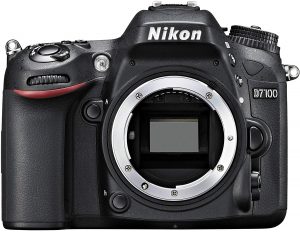
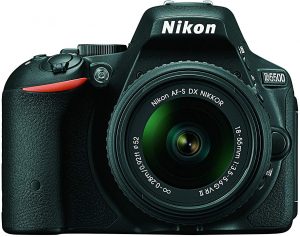
How does it Negate aliasing?

Opting for the lack of optical low pass filter can result in Moire effects. However, you can choose for post-processing to address the concern. In any case, the modern day cameras come with quite high-resolution sensors. The high resolution would translate into a smaller pixel pitch. This can go a long way in reducing the effect of Moire or false colors. The high-resolution cameras would indeed need no optical low pass filter. They offer the advantage of increased image sharpness coupled with the lack of aliasing.

The Concluding Thoughts

Well, those were the complete details about the optical low pass filter used in cameras and the effects that they would produce. If you are using a modern camera with a high-resolution sensor, you can be okay with the lack of a low pass filter. If you wanted to share your thoughts with us on the low pass filter and its possible usage patterns, it would go a long way in helping us know more about the technology. The Low pass filters have long been used on digital cameras. The primary function of the filter would be the removal of interference caused while shooting finer and regular patterns. However, with the current breed of new age sensors, most of the situations do not produce this Moire effect. That is precisely why recent camera launches do not have the low pass filter options included.

What is a Low Pass Filter from Nikon’s Perspective

The Optical Low Pass Filter (or OLPF) is also referred to as Anti-Aliasing filter (generally applies to as AA filter). This covers the image sensor and helps avoid the Moire effect observed with the regular patterns. The filter would essentially allow the lower frequencies while blocking the high frequencies to pass through. In essence, the low pass filter will blur the image slightly to remove the Moire or interference. The camera software later applies an extra sharpening to mask this slight blurring. A low-class filter would come with a top layer that displaces the image slightly in the horizontal plane, an infrared layer that filters out the infrared radiation and a bottom layer that replaces the image slightly vertically. What is their significance? Well, for years together – the low pass filters have been a constant phenomenon among the cameras. However, Nikon changed all that with its D800E which came with no low pass filter. The images were finer regarding details. Nikon claimed that the sensors an excellent pixel pitch so that there would be practically no Moire effect. This began the trend for the launch of cameras without the low pass filter making it one of the prominent features NOT to have a low pass filter.

Nikon DSLR Cameras Without Low Pass Filter

It was Nikon that began the trend of no low pass filter cameras with the launch of Nikon D800E. They currently have a good deal of cameras without the low pass filters. Let us check out a few of them in today’s post.
Also Read: Nikon D3500 vs D3400 DSLR

1. Nikon D7200

Check on Amazon

A series that takes the tradition of the older D70 launched back in 2004. One of the excellent mid-range cameras, it boasts of a few outstanding features including but not limited to a superior autofocus system, a weather sealed body and high-end image quality. Some of the features apart from the lack of low pass filter can be summed up as
  • A robust autofocus functionality that would lock in fast moving objects quicker. The 51 point autofocus system would cover an entire sensor.
  • Dual SD card slots would provide you with a great deal of storage. This can be used for multiple purposes. Save RAW and JPG images in their respective cards, use it as a clone card for backup purposes, or as an overflow card
  • An excellent battery backup that would provide you with a whopping 1100 images per charge should make it best for all occasions.
  • Excellent connectivity with the Nikon’s app through your mobile data.
Price – [amazon_link asins=’B01DKT9Y5O’ template=’PriceLink’ store=’foi04-20′ marketplace=’US’ link_id=’a8c05527-c24c-11e8-b9b8-7d654cefd6ee’]

2. Nikon D5500

Check on Amazon

Opting for a decent entry-level DSLR may not be an easy task. There are practically hundreds of options that may be offering you the best of the features. Possibly, the Nikon D5500 should ideally quench your thirst for the best. An excellent noise reduction capability and a decent 24.2 MP sensor should make it an ideal option for the photographer inside you. A few salient features of the camera would include
  • The touchscreen display would make it best suited for use in the new digital age photography.
  • A most capable WiFi and smartphone compatibility.
  • Quite small and lightweight, the camera is designed to stay with you always. One of the best options for the rough weather and rougher handling
  • Autofocus functionality that is quicker and accurate helps you shoot your moving objects quite easily
  • One of the best opportunities for cinematic storytelling.
Price – [amazon_link asins=’B00RUBJKU8′ template=’PriceLink’ store=’foi04-20′ marketplace=’US’ link_id=’edcf2a54-c24c-11e8-938f-597ab96d6fc1′]

3. Nikon D5300

DSLR Cameras with Built In HDR

Check on Amazon

Labeled Advanced DSLR for beginners by Nikon, the D5300 is one of the prominent in the APS-C line up from the company. Compared to the other two options we have already discussed, this could be one of the devices without much to say regarding autofocus functionality. It offers an improved video mode in comparison to the predecessor Nikon D5200; it provides a battery backup of up to 600 shots per charge. It can indeed be considered to be a fully loaded camera with its feature set but lacks a touchscreen. A few features worthy of mentioning can be
  • Capture and share your memories instantly with the WiFi-enabled design
  • Best in class ergonomics for comfortable operation.
  • 180-degree swivel for the vari-angle display screen
  • A capable 39 point autofocus functionality.
  • Continuous shooting at 5 frames per second for capturing the right moment.
Price – [amazon_link asins=’B00I1CPA0O’ template=’PriceLink’ store=’foi04-20′ marketplace=’US’ link_id=’fc56f3fd-c24c-11e8-971b-658b79ee96fe’]

Conclusion

Well, it was Nikon that brought in the trend for the cameras with no low pass filter options. Until the launch of Nikon D800E, the low pass filter on a DSLR was considered to be an essential element of design and something that would not be possible to get rid of. The increased sharpness levels and an enhanced functionality made it possible for the technology to prosper further. Lack of low pass filter has now been considered to be a plus point for a camera compared to the earlier days where it was entirely necessary to have a low pass filter on your camera. We assume the list of Nikon cameras that offer no low pass filter as in this compilation, should meet almost all your needs. If you are using any of them, do share your thoughts with us. Also check Sony’s innovation in this regard: https://www.youtube.com/watch?v=ZKoWrkEj1qo

Best Windows Hello Compatible Webcams for Windows 10 Within Budget

0
If you are looking to use “Facial Recognition” to unlock your Windows 10 PC, you would need Windows Hello Compatible Webcams. Windows 10 is a unique ecosystem in itself. It offers you a host of new features, and the regular updates have been adding in extra features over the years. From the security point of view, we would consider it one of the excellent operating systems – thanks to a host of security elements included in the package. One such classic security feature is Windows Hello. Which webcams should you opt for if you are looking to find the best for your facial recognition option?
Also Read: Windows 11 Windows Hello Webcams

Windows Hello Compatible Webcams – An Overview

Have you updated your device to Windows 10 recently have been on the latest version of the operating system? In that case, you should invariably be using Windows Hello as an added security. Setting it up may not be an issue as such, but you would need a compatible webcam for the feature to work. Before we would consider webcams worth their salt, let us check out what exactly Windows Hello is.

What is Windows Hello?

How To Fix Windows Hello Isnt Available On This Device on Windows 10 Some PCs and laptops with fingerprint readers can work with Windows Hello. However, our post is specific to the Windows Hello Facial recognition feature, where some devices can recognize your face and fingerprint to log you in. Moreover, you can also sign in to your Windows PC using Windows Hello companion devices, such as the Microsoft Band and some Windows 10 smartphones. Windows Hello provides you a password-free, cognitive facial recognition-based login functionality available on Windows 10. In effect, you would use it for logging into your Windows without having to type in the password. Since Windows Hello lets you log in to Windows 10 through face unlocking methods, you need supported devices. A few options for biometric functionality include iris scanning, fingerprint scanning, and facial recognition. The feature will require you to have access to accessories like a fingerprint scanner or webcam.
Related: Microsoft Teams Certified Webcams
Apart from logging in to your Windows 10, Windows Hello would also help you sign in to a few Windows 10 apps. Dropbox and One Drive are a couple of examples in that regard. However, not all apps are supported, and that can be something disappointing for techies out there. Having understood those basic concepts, here are a few compatible webcams you can give a try:

Best Windows Hello Compatible Webcams

Logitech Brio Webcam

Check on Amazon

Microsoft Store   Amazon India
Creative Labs Senz3D Check on Amazon
Razer Stargazer Depth-Sensing HD Webcam Check on Amazon
Mouse Facial Recognition Web-Camera for Windows Hello Check on Amazon
LilBit Face Recognition USB IR Camera Check on Amazon
Mouse Facial Recognition Anti-Spoofing CM02-A Check on Amazon
Kaysuda Windows Hello IR Camera Check on Amazon
Moomax EC-X1 IR Camera Check on Amazon
CA20 by Kaysuda – USB IR Camera for Windows Hello  

Check on Amazon

MouseComputer – CM02A Facial Recognition

Check on Amazon
Kiss Fish Webcam 1080p Web Camera Check on Amazon
Kaysuda RGB 720P Webcam Check on Amazon
ATOPNUC 1080p Check on Amazon
Dell Dell UltraSharp HDR 4K Webcam Check on Amazon
We also do have some webcams which we do not highly recommend. But they are out there and it is something you can buy. See below:

Microsoft Kinect V2

Check on Amazon

Lenovo 500 Full HD USB Webcam

Check on Amazon

Intel D435 RealSense Depth Camera

Check on Amazon

Azure Kinect DK 

Developer focussed and designed for custom AI Vision and Cognitive Services. Not for consumer use!

wo-we

Check on Amazon

Yealink UVC30

Check on Amazon

Dell UltraSharp HDR 4K Webcam

Check on Amazon
  The RealSense camera is more developer focussed and less of a Windows Hello fit. There is an open-source Realsense SDK works that work on both Windows and Linux. If you are a dev and plan to incorporate 3d point clouds or similar use cases, this camera is for you. Now, let us go through the individual devices in more detail to know them better.

1. Logitech Brio Webcam

Check on Amazon Microsoft Store Amazon India

One of the most advanced webcams, the Logitech Brio Webcam, is quality personified regarding the image quality that it offers you. An astonishing 2160p resolution and HDR compatibility would make it an excellent choice in every right. Some of the features we would focus on include.
  • A stunning 4K + HDR compatibility
  • The RightLight 3 light correction technology for quality video quality, streaming, and recording.
  • Assured true-to-life HD video with autofocus and premium glass lens.
  • Support for multiple connectivity options, including USB 2.0 Type-A and USB 3.0 Type A and C connections
  • Certified for Skype for Business and Cisco, it offers you excellent enterprise functionality.
Equipped with an easy-to-use stand, that is the best you can opt for. You have access to a 5X zoom compatibility. Here are some of the technical specifications of the device:
Specifications Logitech Brio 4K
4K Ultra HD video calling (up to 4096 x 2160 pixels @ 30 fps) 1080p Full HD video calling (up to 1920 x 1080 pixels @ 30 or 60 fps) 720p HD video calling (up to 1280 x 720 pixels @ 30, 60, or 90 fps) Plug-and-play USB connectivity Field of View:
  • Diagonal: 90°
  • Horizontal: 82.1°
  • Vertical: 52.2°
 
Zoom 5x digital zoom in Full HD RightLight3 with HDR
Autofocus Yes,
Lens Glass Optics
Microphone 2 Omni-directional mics
Compatibility Windows Hello Plug and play USB connectivity Certified for Skype for Business and ready for Teams
Weight 63 grams
Cable Length 2.2 meters
DIMENSIONS 27 mm x 102 mm x 27 mm

2. Creative Labs Senz3D

Check on Amazon

Creative is a manufacturer well known for audio accessories for your laptops and PCs. However, they also have a name carved for itself in the webcam segment as well. It comes with almost all features that you would look ahead to in a capable webcam. Here are some of its high-level specifications:
RGB Video Resolution Full HD 1080p (1920 x 1080)
IR Depth Resolution VGA (640×480)
RGB Frame Rate:
  • 60 fps @ 720p,
  • 30 fps @ 1080p
IR Frame Rate 60 fps @ 640×480
FOV (Field-of-View) 77° (RGB), 85° (IR depth)
Range 0.2m ~ 1.5m
Microphones Dual Mic:
  • CrystalVoice Noise Reduction,
  • Beam Forming,
  • Echo Cancellation and
  • Voice Morph Omni-directional
Frequency Response 20Hz – 20kHz
Sensitivity (1kHz) 37�3 dB
Signal-to-noise Ratio (SNR) 65dB
Power USB 3.0 Interface
Projector Type Class 1 IR Laser Projector
Dimensions (H x W x D) 44 x 100 x 157mm
Weight 350g
A few features we loved with the webcam include.
  • Utterly futuristic in its appearance and functionality.
  • It incorporates high-end 3D scanning and facial recognition technology.
  • Best suited for both AR functionality and gaming.
  • It offers you practically unlimited possibilities.
  • Communicate in a crystal clear voice with Cortana and get things done.
It may be a little expensive, yet it can be the best you can go with if you look to the future.

3. Razer Stargazer Depth-Sensing HD Webcam

Check on Amazon

Have you ever given a thought to opting for the affordable version of the webcam? The Razer Stargazer Depth-Sensing HD Webcam should be one of the best options in that case. It offers you a high capture rate and provides you with lifelike video capability. The webcam also comes with 3D scan compatibility for faces and objects. Get ready for advanced facial and gesture recognition for the best experience regarding camera performance. A couple of features that we would consider a good option for your webcam requirements can be
  • The USB 3.0 compatible camera supports Windows Hello functionality and offers you a high-end 60 fps shooting capability.
  • The dynamic background removal feature lets you have the best gaming experience ever.
  • Enjoy lifelike streaming with the best quality camera functionality.
  • It lets you enjoy multiplayer games in a purely new way.
  • Unique depth-sensing capability.
Refer to the specs table below:
  • Ultra-high 60 frames per second capture optimized for streaming capped at 720p Max 1080p HD video capture
  • Automatic noise-canceling dual array mic
  • Dynamic Background Removal
  • 3D scanning
  • Facial & gesture recognition
  • Flexible clip for laptops and desktop monitors

4. Mouse Facial Recognition Web-Camera for Windows Hello (Cm01-A)

Check on Amazon

“Mouse” is a lesser-known brand when it comes to webcams, but the camera is designed specifically for the Windows 10 operating system. The device is compatible with any Windows 10 installation, including a small footprint PC, laptop, or desktop. A few features that we loved the most include
  • Fully compatible with Windows 10
  • It can unlock your PC through facial recognition in just under 1 second.
  • It uses 3D identification, and thus masquerading through the use of photographs can easily be avoided.
  • If your PC is a multi-user device, you can easily add a family member for perfect usability.
  • Easy to set up and configure
  • You can use it for Skype and similar other web conferencing tools.

5. LilBit Face Recognition USB IR Camera

Check on Amazon

Another affordable option, the LilBit Face Recognition USB IR Camera, should be your best bet for Windows Hello compatibility. The multi-user functionality should allow you to configure it for your family members as well. Some of the features you would include.
  • It comes with dual microphone support.
  • Works exceptionally well with USB 3.0
  • You have access to HD 720p resolution, which should be ideal enough for Skype.
  • Masquerade detection, along with depth-sensing functionality.
Features Specs
IR Camera resolution: 640×480 pixels
IR Camera Max Image Transfer Rate: Max Image Transfer Rate 100fps @ 640×480
RGB Camera resolution: 1280×720 1280×720 HD
RGB Camera Max Image Transfer Rate: Max Image Transfer Rate 30fps@1280×720
Camera resolution (max): 1280×720/30fps (around 920,000 pixels) 1280×720/30fps (around 920,000 pixels)
IR LED Emission Wavelength: Centroid wavelength 850nm
Digital microphone: Digital microphone*2
I/O Port: USB2.0 or USB 3.0(recommended)
Operating Temperature:  -30℃ to +70℃ (-22F to +158F)
Stable Image Temperature: 0℃ to +50℃ (32F to +122F)
Distance Range: 30cm-100cm
Product Dimension(LxWxH): 135mm*22mm*53mm (5.31×0.87×2.09 inch)
Net Weight: 115g (0.253 Ibs)
USB cable length: 4.92ft (1.5 m)

Mouse Facial Recognition Anti-Spoofing CM02-A

Check on Amazon

Specially designed for Windows Hello integration on Windows 10, the CM02-A is also adaptive for multiple users. It also supports masquerade detection utilizing an InfraRed camera. The high-speed recognition within one second makes it an exceptional choice by many standards. A few features that should make it one of the excellent choices would include
  • A perfect hands-free solution for your needs.
  • It can capture 3D identification of all the facial features.
  • Easy to set up and use.
  • Works effectively with even the latest version of Windows 10 viz 1903
  • An excellent video quality.
You can check out the webcam at this link on Amazon.

Kaysuda Windows Hello IR Camera

Check on Amazon

It is one of the cheaper options in this list and is quite fast in IR facial detection, especially using Windows Hello. It comes with dual noise cancellation mics and a 720p RGB webcam for your usual video calls. It also enables you to use it on a shared computer with the primary focus on facial detection. The IR camera comes with a resolution of 640×480, and the on-board RGB camera comes with a video resolution of 1280×720 and a max frame rate of 30fps (around 920,000 pixels). It supports USB 2.0 or USB 3.0, with the higher version recommended if you have one available.

Moomax EC-X1 IR Camera

Check on Amazon

The EC-X1 is a Windows Hello, IR Camera. It comes with a 720p resolution webcam with Dual Mic for ultra-sharp streaming, webcasting, or recording video. The specs are in line with most of the other budget Windows Hello cameras on this list. The IR Camera allows you to authenticate and login or unlock the windows10 system. The RGB part will enable you to operate it as a regular webcam. The webcam also supports Windows 7, 32/64 bit OS, but only as a WebCam.

CA20 by Kaysuda – USB IR Camera for Windows Hello

Check on Amazon

Like its older sibling, who is also featured in this list, this webcam also supports Windows 10’s hello feature. However, the native resolution of the webcam gets bumped to Full HD (1920X1080). The IR camera module still supports 640 x360, which does the job just fine. Here are the specification highlights were given in the table below:
RGB Camera resolution
  • 1920X1080 (default)
  • 30fps@1920X1080 (Max Image Transfer Rate)
IR Camera resolution 640 x360
Video decoding format YUY2 / MJPG
Capture File Format Avi & Asf
I/O Port USB2.0 or USB 3.0(recommended)
Operating Distance Range 30cm-100cm (1ft-3.3ft)
USB cable length 4.92ft (1.5 m)
Field of view: Horizontal 72.4°, Vertical: 44.7°, Diagonal: 80.0°
Power Consumption 5V/500mA
Weight 140 grams
OS Requirements
  • Windows 10
  • Windows 8.1,32/64 bit OS, Windows 7, 32/64 bit OS only support WebCam.

MouseComputer – CM02A Facial Recognition

Check on Amazon

The MouseComputer CM02A is marketed as a work from home ready, windows hello compatible webcam designed for home office use. Most of the features are identical to their predecessor, with minor tweaks here and there. Overall, it does the job as advertised at an affordable price point. It offers good competition to the Kaysuda facial recognition camera, which is also a top seller in this category.

Specifications:

  • Supported OS: Windows 10
  • Camera: IR Camera Resolution 640 × 480
  • Web Camera Resolution (max) 1280 × 720 30fps (around 920,000pixels)
  • Focus Distance Range: 30cm – 100cm
  • Mic: Dual Array Microphones
  • Power Source: Standard USB Bus Power
  • I/O Interface: USB2.0
  • USB Cable Length: 1.5m / 4.92ft

Kiss Fish – Windows Hello Webcam

Check on Amazon

Unlike most of the webcams that we have on the list, this one comes with a 1080p native resolution. It meets the IR security requirements to be ‘Windows Hello’ capable and offers the same cost-effectively. The only downside is the cable length. If you do not have a desktop that sits on the table, this webcam is not recommended. For Laptops, the cable length works out to be just fine. Also, USB Hubs are not supported if you are planning to extend the cable length. Here are the specs sheet below:
Webcam Resolution 1080p
Windows Hello Yes, Facial Recognition IR camera
Viewing Angle: 88.6° ±3°
Pixel: 2 million
USB Cable Length: 1m / 39.37”
Dimensions  76 x 15 x 8mm / 2.99” x 0.59” x 0.31”
Weight 0.02 KG

Dell UltraSharp HDR 4K Webcam

Check on Amazon

The webcam comes with 4K native resolution with AI auto framing 3D/2D video noise reduction to avoid motion blurring. More importantly, it comes with Dell ExpressSign-in that detects your presence and authenticates using Windows Hello to automatically log you in. When you walk away, it locks your system for increased security. One important thing to note here is that it works seamlessly with macOS. However, the Dell Peripheral Manager Software is supported only on Windows 10 64 Bit OS. The software helps you manage the webcam settings and elements like HDR, AI Auto Framing and Changing Field of View among others.

The Parting Thoughts

Well, those are a few best options for webcams compatible with Windows Hello functionality. If your built-in camera does not support Windows Hello, opt for the featured webcams’ best features. Relieve yourself from the shackles of having to enter a password every time, and as Dell aptly puts it, become “YOU ARE THE PASSWORD”!

Also Read:

Fujifilm X-H1 vs Fujifilm X-T3 Mirrorless Camera Specs Comparison

0
Fujifilm has been one of the prominent players in the realm of offering the best cameras for the photography buffs. With the launch of the capable Fujifilm XH-1, the company has entered the much-needed area of 5 Axis in body stabilization options. We will compare the two strong contenders from Fujifilm (Fujifilm X-H1 vs Fujifilm X-T3) and see how they are positioned against one another.

Fujifilm X-H1 vs Fujifilm X-T3 – How Do They Compare?

The X–T3 is possibly the best and the most advanced camera from Fujifilm in recent times. However, the launch of Fujifilm X-H1 can be seen a step ahead of the functionality whether you consider it from its X series or the mirrorless cameras as a whole. If you are looking to know more about the differentiation that these two cameras come with, here are our detailed comparison report based on a few key parameters.

Sensor Stabilisation

Like we mentioned already, the Fujifilm X-H1 is the first option in the X series to offer the in-body sensor stabilization. It provides you a 5 axis in body stabilization. You should be able to work with it either using the non-stabilized lenses or with stabilized ones in conjunction. Though the X-T3 was launched much after the X-H1, it does not offer you in body sensor stabilization. The technology seems to limited and exclusive to the Fujifilm X-H1 as of now among all the Fujifilm cameras currently available. If you are looking for the stabilization options on your Fujifilm X-T3, you will need to depend upon the stabilized lenses for the purpose.

Autofocus

This is possibly the area where the XH 1 falls short of the X-T3. The latter comes with the hybrid autofocus system developed by Fujifilm. The X-T3 offers you 117 phase detection points. That’s what you would get if you are opting for the 13 x 9 grid. If you are opting for a 17 x 25 grid, you can get 425 autofocus points. The numbers would be 91 for a 13 x 7 grid and 325 points on a 13 x 25 grid. The X-T3 offers 4x number of phase detection pixels in comparison to the X-H1. Moreover, the X-T3 provides you full coverage of the sensor for the autofocus covering 99 percent of the width and height. The X-H1 comes with coverage for only the central part of the sensor. The low light autofocus functionality is again better placed on the X-T3 than the X-H1. The numbers are -3V opposed to the -1V. You would also be blessed with a better face and eye detection performance on the newer X-T3 than that on the X-H1.

The Physical Properties

The flagship model Fujifilm X-H1 offers a better-enlarged grip option. This can be helpful in handling the larger telephoto lenses. The physical dimensions of the Fujifilm X- T3 read 132.5 x 92.8 x 58.8mm, and that of X-H1 are 139.8 x 97.3 x 85.5mm. The weight of the two competing siblings is 539 grams and 673 grams. The body on the X-H1 is more robust and offers durability. You also have access to the scratch resistant surface.

Video Shooting Capabilities

In spite of being the flagship model, the X-H1 once again falls short of expectations in comparison to the X- T3. The latter offers a higher frame rate for 4K video shooting. It also comes with faster bitrate as well. The customization options available on the X- T3 are indeed far better than those on the X-H1. The camera is indeed the first when you are looking for 4K recording at 60p at 10 bit. The cropping in 4K recording on the Fujifilm HX 1 is 1.17X while the same on the X-T3 is slightly better at 1.18X. That would put both of them on the same level. For the 1080p recording, either of them can record at 60 fps or 120 fps. However, you would find a higher bit rate at 200 Mbps on the X-T3 compared to the 100 Mbps on the X-H1. The specifications for video recording are as follows:

Fujifilm XH 1

Fujifilm X- T3

4K up to 30 fps 4K up to 60 fps
4K at 200 Mbps 4K at 400 Mbps
External recording in 4:2:2 8-bit External recording in 4:2:2 10-bit
Internal recording in 4:2:0 8-bit Internal recording in 4:2:0 10-bit
H.264 codec H.264 and H.265 codecs

Battery Performance

Both of them use the same battery pack – the NP-126S. However, the battery backup on both of them differs considerably. The Fujifilm X-T3 provides you with up to 390 shots per single charge. The X-H1 falls considerably lower end with 310 shots on a single charge. If you are shooting in 4K, you will get around 35 minutes on the X-H1, while the X-T3 can squeeze in up to 40 minutes. Attaching a vertical battery grip can improve the performance though. Please note that the ratings available are the only representative and may not be the actual results. You would be able to get a better option than those specified.

What are The Benefits of Fujifilm XH-1 over Fujifilm X- T3?

Well, we would prefer the following features on the X-H1 in comparison to the X–T3 –
  • You can check the shooting parameters with the control panel.
  • The LCD offers a fully flexible design for those shoots where you need to place the camera at odd angles.
  • You have access to better burst performance.
  • The stabilization technology will ensure sharper images.
  • Better grip will make it best suited for larger telephoto lenses

What Advantages Does The X-T3 offer over XH 1?

Well, in contrast, the X-T3 comes with the following advantages –
  • Better video shooting capabilities.
  • Better battery backup
  • The screen is more significantly larger at 3.2 inches compared to 3 inches of the XH 1
  • It is of more recent origin.
  • Affordable pricing.

The Concluding Thoughts

Well, one thing is sure. The Fujifilm has presented the X-H1 as the flagship model, but all the accolades go with the newly launched Fujifilm X-T3. It introduces a host of new concepts and features including  4K recording at 60 fps, enhanced autofocus and burst shooting capabilities and new sensor technology. We would consider the X- T3 to be one of the best options for your video shooting and other photography requirements. It indeed beats the flagship model in almost every respect. Check it out once, and you will find out the truth.