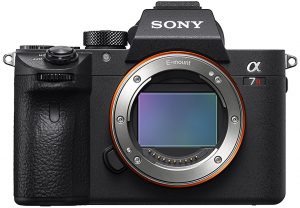
Optical Low Pass Filter vs No Low Pass Filter – What’s The Difference?

0
If you are a professional photographer, you would understand the effects and trade-offs involved in opting for a low pass filter. However, if you are still confused, let us check out whether you need low pass filter or choose for lack of it. Let us understand the reason for opting for an Optical Low Pass Filter vs No Low Pass Filter and what issues does it solve.
Also Read: Best Nikon DSLRs without Low Pass Filter

Table of Contents

The Moire Effect

Source: Wikipedia
A host of digital camera sensors opt for “Bayer pattern.” These sensors employ a 2×2 pattern in a mosaic pattern. These contain one red, one blue and two green sensors. The same pattern is repeated for creating multiple sensors of different shapes, sizes and megapixel counts. While producing images, the sensor makes use of what is called demosaicing. This creates a Moire effect and digital artifacts. What exactly is the Impact of Moire? Well, it is something you may have noticed when watching your older TV. When your presenter on your TV is wearing a striped dress, you will see that there would be a mismatch or overlapping of the colors. If you have been toiling on a tar road on the hot sunny afternoon, you will notice the same kind of effect when you look at the far away portion of the line of sight. To understand it still better, take a snap of your laptop or PC screen using your smartphone camera. Did you notice those colored lines? That is precisely what we technically refer to as Moire effect. The effect is also referred to as Aliasing. It is necessarily a phenomenon where the reproduced image produces false colors.

An Optical low Pass filter – A Solution to Moire Effect

The Optical low pass filter is the perfect answer to the Moire effect. The low pass filter or Anti-aliasing filter would reduce the impact of false colors. How does it work? Well, it works through a simple procedure. Camera manufacturers employ an optical filter for the purpose. The filter is used on top of the sensor and comes with three layers. The first layer would displace the image slightly in a horizontal direction. The second layer used in the filter would be used for filtering the infrared radiation. The third layer replaces the sample image slightly vertically. All these effects together would remove the effects of aliasing and Moire effects. However, do note that these changes can affect the image resolution. Your image will be blurred, and as we are well aware of, no one likes blurred images – right?

The No Low Pass Filter revolution

Camera manufacturers have been using the anti-aliasing filters or the blur filters since long to do away the false colors. However, the lack of details is what would make it an unwanted evil in most cases. That is precisely what would explain the decision of a few camera manufacturers to opt for no low pass filters. On the forefront of this revolution is Nikon, which introduced the concept of no low pass filter way back in 2004. How and why would they do it? While anti-aliasing is one of the features that would appear to be an excellent option under a few conditions, it remains an evil by no means. Why? Because the pictures get blurred and there is a considerable loss of resolution. The functionality is quite an efficient one, but if you are someone involved in the landscape photography – you will find that the lack of sharpness is a significant concern. You are not affected by the Moire effect or the false colors, but with the option available by default on your camera you will end up with the lack of details. Nikon introduced the Nikon D800E with no low pass filter keeping the landscape photographers in mind.

How Does No Low Pass Filter work?

Source: aegis-elec
As you would think a no low pass filter camera does not have the filter and that does it – you are wrong. A no low pass filter cannot be done away within a camera. At least, Nikon does not follow it. Whether a camera manufacturer is opting for anti-aliasing or not, they need to choose for filtering the infrared radiation. That is where Nikon makes use of a particular filter just the way the low pass filters are used in conventional camera sensors. Again, it offers you a filter with three layers. The first layer would displace the image vertically by a slight margin as in the case of AA filters, the second layer filters the infrared radiation, and the third layer would cause a vertical displacement. But since the third layer is reversed, it would negate the effect of the first layer. You will end up with no loss of sharpness.

Which One Should You opt for?

Well, that is a debate that has been around for over a decade now. Some purists do not want any loss of resolution. For them, the lack of clarity due to a low pass filter is a definite no go. However, some people would support both the camps. They have their reasons for going in for the low pass filter or against it. Lack of resolutions and sharpness can be considerable concern in advertising and landscapes. Of course, you would face a few issues like Moire and false colors. But, they can be corrected through the post-production processing. If you are a medium level shooter, a high degree of post-production may be a big issue. The perfect choice would be dependent upon what exactly you are looking ahead to and which genre of photographers do you belong to. The new breed of camera users has, however, been focussing on opting for a better resolution than worrying about the Moire effect. Access to more natural photo processing tools and high-resolution sensors have considerably addressed and minimized the issue of false colors and Moire issues.

The Parting Thoughts

The focus is shifting towards no low pass filters, and though the numbers are quite little as of now, we would indeed expect a vast amount of people supporting the higher resolution. However, the right choice for you would be utterly dependent upon your preferences. Choose the camera that offers you the right feature for your taste and style of photography.

List of Nikon DSLR Cameras Without Low Pass Filter (Anti-aliasing Filter)

0
Before we dive into Nikon DSLR Cameras Without Low Pass Filter, let us understand why it is important, before making the final decision. If you have an older DSLR camera, you would be aware of the issues with Moire effect or interference. If you were to take a photograph with those cameras you would often encounter regular patterns – you would notice the interference. This is precisely what Low Pass Filters would be able to address. What is the Low pass filter and how does it work? Let us check out in today’s post.

What is the Moire Effect?

Source: Wikipedia
To understand the Moire effect, you need to remember those images you used to get on those older TV sets. Whenever you had a presenter with a striped dress, you would find odd stripes and patterns as if they are overlapping. Something akin to the mirage effect you would see on the roads in hot weather. You would also be able to find the same patterns when you take snaps of your laptop or computer screen with your mobile phone camera. This kind of effect is typically caused when the subtle patterns on your subject mesh well with the model on your imaging chip on your camera. This will create a separate profile in addition to the original pattern.

What Causes the Moire effect?

Well, one of the reasons that would cause Moire effect would be the one we specified here – the rectangular grids and patterns. However, that alone may not be the sole cause of the problem. The color filter arrays placed on the lenses can also cause the Moire effect in many cases. It can happen if you are using a super sharp lens as well. The conventional sensor can detect only three kinds of pixels – red, green and blue. Rest of the colors are obtained with an interpolation of the neighboring colors. Generally referred to as demosaicing, this process adds more color Moire to the images. Camera manufacturers began using the low pass filters to handle this issue. However, of late, most of the cameras have stopped opting for low pass filters. More on that later.

What is a Low Pass Filter?

A Low Pass Filter is also known as an anti-aliasing filter. In some contexts, it also referred to as a blur filter. This is specifically designed for eliminating the effects of the Moire effect. This is done to blur the images that reach the sensor. Of course, it may result in a loss of details – but works effectively in eliminating the Moire effects. It was one of the most commonly used options on cameras designed for day to day photography users. The OLPF or Optical low pass filter is placed on top of the image sensor, and this reduces aliasing effects. The AA or Anti Aliasing filter comes with three layers. The top layer displaces the image a little horizontally. The middle layer has an infrared filter and is used to remove the unwanted infrared radiation. The bottom layer would replace the model slightly vertically. The effect of the Optical low pass filter would be to blur the high frequencies of the image while allowing the low frequencies. This would be helpful to remove the Moire and artifacts effectively. However, it will introduce blur in your pictures.

Why Is Low Pass Filter Done Away With?

Well, aliasing is a huge problem. That is precisely why camera manufacturers opt for anti-aliasing or low pass filters. However, what about the landscape photographers? They do not suffer from issues like Moire effect or other problems. But, unnecessarily, they would need to suffer from the blurring introduced by low pass filters. That is why camera manufacturers started removing the low pass filter. Of course, these cameras do produce Moire effect, but it would be up to the photographers to decide how would they want to deal with it. They can opt for any alternative options or correct the issue in post-processing. Nikon started the trend of no low pass filter with its Nikon D800E. Later on, they launched a host of cameras with the lack of low pass filters. As of now, the trend has taken off, and lack of no pass filter has become a decisive factor in a DSLR camera.

How Is Low Pass Filter removed?

In a traditional low pass filter, the light rays are moved through the three layers of the filter as indicated in the above description of low pass filter. Thus it is split thrice and removes the Moire effect, but introduces blur effects. In case of Nikon’s D800E, it takes a slightly different approach. There is no option to remove the complete low pass filter as the camera would need to reflect infrared radiation. Of course, they would have been able to make use of only one layer, but to avoid moving the focal plane – Nikon employed the same three-layer strategy, but the first and last layers cancel each other. The light passes through the first layer (the vertical low pass filter) and splits into two. Then it moves through the infrared filter and finally steps through the next vertical low pass filter. Since the last filter is a reversed vertical low pass filter, you would find it converging back into one line. Instead of blurred images as in the case of a low pass filter, you would not get such issues with the new technology.

How does it Negate aliasing?

Opting for the lack of optical low pass filter can result in Moire effects. However, you can choose for post-processing to address the concern. In any case, the modern day cameras come with quite high-resolution sensors. The high resolution would translate into a smaller pixel pitch. This can go a long way in reducing the effect of Moire or false colors. The high-resolution cameras would indeed need no optical low pass filter. They offer the advantage of increased image sharpness coupled with the lack of aliasing.

The Concluding Thoughts

Well, those were the complete details about the optical low pass filter used in cameras and the effects that they would produce. If you are using a modern camera with a high-resolution sensor, you can be okay with the lack of a low pass filter. If you wanted to share your thoughts with us on the low pass filter and its possible usage patterns, it would go a long way in helping us know more about the technology. The Low pass filters have long been used on digital cameras. The primary function of the filter would be the removal of interference caused while shooting finer and regular patterns. However, with the current breed of new age sensors, most of the situations do not produce this Moire effect. That is precisely why recent camera launches do not have the low pass filter options included.

What is a Low Pass Filter from Nikon’s Perspective

The Optical Low Pass Filter (or OLPF) is also referred to as Anti-Aliasing filter (generally applies to as AA filter). This covers the image sensor and helps avoid the Moire effect observed with the regular patterns. The filter would essentially allow the lower frequencies while blocking the high frequencies to pass through. In essence, the low pass filter will blur the image slightly to remove the Moire or interference. The camera software later applies an extra sharpening to mask this slight blurring. A low-class filter would come with a top layer that displaces the image slightly in the horizontal plane, an infrared layer that filters out the infrared radiation and a bottom layer that replaces the image slightly vertically. What is their significance? Well, for years together – the low pass filters have been a constant phenomenon among the cameras. However, Nikon changed all that with its D800E which came with no low pass filter. The images were finer regarding details. Nikon claimed that the sensors an excellent pixel pitch so that there would be practically no Moire effect. This began the trend for the launch of cameras without the low pass filter making it one of the prominent features NOT to have a low pass filter.

Nikon DSLR Cameras Without Low Pass Filter

It was Nikon that began the trend of no low pass filter cameras with the launch of Nikon D800E. They currently have a good deal of cameras without the low pass filters. Let us check out a few of them in today’s post.
Also Read: Nikon D3500 vs D3400 DSLR

1. Nikon D7200

Check on Amazon

A series that takes the tradition of the older D70 launched back in 2004. One of the excellent mid-range cameras, it boasts of a few outstanding features including but not limited to a superior autofocus system, a weather sealed body and high-end image quality. Some of the features apart from the lack of low pass filter can be summed up as
  • A robust autofocus functionality that would lock in fast moving objects quicker. The 51 point autofocus system would cover an entire sensor.
  • Dual SD card slots would provide you with a great deal of storage. This can be used for multiple purposes. Save RAW and JPG images in their respective cards, use it as a clone card for backup purposes, or as an overflow card
  • An excellent battery backup that would provide you with a whopping 1100 images per charge should make it best for all occasions.
  • Excellent connectivity with the Nikon’s app through your mobile data.
Price – [amazon_link asins=’B01DKT9Y5O’ template=’PriceLink’ store=’foi04-20′ marketplace=’US’ link_id=’a8c05527-c24c-11e8-b9b8-7d654cefd6ee’]

2. Nikon D5500

Check on Amazon

Opting for a decent entry-level DSLR may not be an easy task. There are practically hundreds of options that may be offering you the best of the features. Possibly, the Nikon D5500 should ideally quench your thirst for the best. An excellent noise reduction capability and a decent 24.2 MP sensor should make it an ideal option for the photographer inside you. A few salient features of the camera would include
  • The touchscreen display would make it best suited for use in the new digital age photography.
  • A most capable WiFi and smartphone compatibility.
  • Quite small and lightweight, the camera is designed to stay with you always. One of the best options for the rough weather and rougher handling
  • Autofocus functionality that is quicker and accurate helps you shoot your moving objects quite easily
  • One of the best opportunities for cinematic storytelling.
Price – [amazon_link asins=’B00RUBJKU8′ template=’PriceLink’ store=’foi04-20′ marketplace=’US’ link_id=’edcf2a54-c24c-11e8-938f-597ab96d6fc1′]
3. Nikon D5300

DSLR Cameras with Built In HDR

Check on Amazon

Labeled Advanced DSLR for beginners by Nikon, the D5300 is one of the prominent in the APS-C line up from the company. Compared to the other two options we have already discussed, this could be one of the devices without much to say regarding autofocus functionality. It offers an improved video mode in comparison to the predecessor Nikon D5200; it provides a battery backup of up to 600 shots per charge. It can indeed be considered to be a fully loaded camera with its feature set but lacks a touchscreen. A few features worthy of mentioning can be
  • Capture and share your memories instantly with the WiFi-enabled design
  • Best in class ergonomics for comfortable operation.
  • 180-degree swivel for the vari-angle display screen
  • A capable 39 point autofocus functionality.
  • Continuous shooting at 5 frames per second for capturing the right moment.
Price – [amazon_link asins=’B00I1CPA0O’ template=’PriceLink’ store=’foi04-20′ marketplace=’US’ link_id=’fc56f3fd-c24c-11e8-971b-658b79ee96fe’]

Conclusion

Well, it was Nikon that brought in the trend for the cameras with no low pass filter options. Until the launch of Nikon D800E, the low pass filter on a DSLR was considered to be an essential element of design and something that would not be possible to get rid of. The increased sharpness levels and an enhanced functionality made it possible for the technology to prosper further. Lack of low pass filter has now been considered to be a plus point for a camera compared to the earlier days where it was entirely necessary to have a low pass filter on your camera. We assume the list of Nikon cameras that offer no low pass filter as in this compilation, should meet almost all your needs. If you are using any of them, do share your thoughts with us. Also check Sony’s innovation in this regard: https://www.youtube.com/watch?v=ZKoWrkEj1qo

Best Windows Hello Compatible Webcams for Windows 10 Within Budget

0
If you are looking to use “Facial Recognition” to unlock your Windows 10 PC, you would need Windows Hello Compatible Webcams. Windows 10 is a unique ecosystem in itself. It offers you a host of new features, and the regular updates have been adding in extra features over the years. From the security point of view, we would consider it one of the excellent operating systems – thanks to a host of security elements included in the package. One such classic security feature is Windows Hello. Which webcams should you opt for if you are looking to find the best for your facial recognition option?
Also Read: Windows 11 Windows Hello Webcams

Windows Hello Compatible Webcams – An Overview

Have you updated your device to Windows 10 recently have been on the latest version of the operating system? In that case, you should invariably be using Windows Hello as an added security. Setting it up may not be an issue as such, but you would need a compatible webcam for the feature to work. Before we would consider webcams worth their salt, let us check out what exactly Windows Hello is.

What is Windows Hello?

How To Fix Windows Hello Isnt Available On This Device on Windows 10 Some PCs and laptops with fingerprint readers can work with Windows Hello. However, our post is specific to the Windows Hello Facial recognition feature, where some devices can recognize your face and fingerprint to log you in. Moreover, you can also sign in to your Windows PC using Windows Hello companion devices, such as the Microsoft Band and some Windows 10 smartphones. Windows Hello provides you a password-free, cognitive facial recognition-based login functionality available on Windows 10. In effect, you would use it for logging into your Windows without having to type in the password. Since Windows Hello lets you log in to Windows 10 through face unlocking methods, you need supported devices. A few options for biometric functionality include iris scanning, fingerprint scanning, and facial recognition. The feature will require you to have access to accessories like a fingerprint scanner or webcam.
Related: Microsoft Teams Certified Webcams
Apart from logging in to your Windows 10, Windows Hello would also help you sign in to a few Windows 10 apps. Dropbox and One Drive are a couple of examples in that regard. However, not all apps are supported, and that can be something disappointing for techies out there. Having understood those basic concepts, here are a few compatible webcams you can give a try:

Best Windows Hello Compatible Webcams

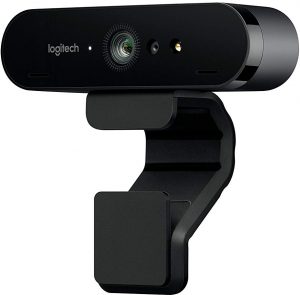
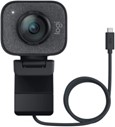
Logitech Brio Webcam

Check on Amazon

Microsoft Store   Amazon India
Creative Labs Senz3D Check on Amazon
Razer Stargazer Depth-Sensing HD Webcam Check on Amazon
Mouse Facial Recognition Web-Camera for Windows Hello Check on Amazon
LilBit Face Recognition USB IR Camera Check on Amazon
Mouse Facial Recognition Anti-Spoofing CM02-A Check on Amazon
Kaysuda Windows Hello IR Camera Check on Amazon
Moomax EC-X1 IR Camera Check on Amazon
CA20 by Kaysuda – USB IR Camera for Windows Hello  

Check on Amazon

MouseComputer – CM02A Facial Recognition

Check on Amazon
Kiss Fish Webcam 1080p Web Camera Check on Amazon
Kaysuda RGB 720P Webcam Check on Amazon
ATOPNUC 1080p Check on Amazon
Dell Dell UltraSharp HDR 4K Webcam Check on Amazon
We also do have some webcams which we do not highly recommend. But they are out there and it is something you can buy. See below:

Microsoft Kinect V2

Check on Amazon

Lenovo 500 Full HD USB Webcam

Check on Amazon

Intel D435 RealSense Depth Camera

Check on Amazon

Azure Kinect DK 

Developer focussed and designed for custom AI Vision and Cognitive Services. Not for consumer use!

wo-we

Check on Amazon

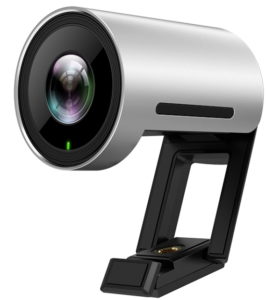
Yealink UVC30

Check on Amazon

Dell UltraSharp HDR 4K Webcam

Check on Amazon
  The RealSense camera is more developer focussed and less of a Windows Hello fit. There is an open-source Realsense SDK works that work on both Windows and Linux. If you are a dev and plan to incorporate 3d point clouds or similar use cases, this camera is for you. Now, let us go through the individual devices in more detail to know them better.

1. Logitech Brio Webcam

Check on Amazon Microsoft Store Amazon India

One of the most advanced webcams, the Logitech Brio Webcam, is quality personified regarding the image quality that it offers you. An astonishing 2160p resolution and HDR compatibility would make it an excellent choice in every right. Some of the features we would focus on include.
  • A stunning 4K + HDR compatibility
  • The RightLight 3 light correction technology for quality video quality, streaming, and recording.
  • Assured true-to-life HD video with autofocus and premium glass lens.
  • Support for multiple connectivity options, including USB 2.0 Type-A and USB 3.0 Type A and C connections
  • Certified for Skype for Business and Cisco, it offers you excellent enterprise functionality.
Equipped with an easy-to-use stand, that is the best you can opt for. You have access to a 5X zoom compatibility. Here are some of the technical specifications of the device:
Specifications Logitech Brio 4K
4K Ultra HD video calling (up to 4096 x 2160 pixels @ 30 fps) 1080p Full HD video calling (up to 1920 x 1080 pixels @ 30 or 60 fps) 720p HD video calling (up to 1280 x 720 pixels @ 30, 60, or 90 fps) Plug-and-play USB connectivity Field of View:
  • Diagonal: 90°
  • Horizontal: 82.1°
  • Vertical: 52.2°
 
Zoom 5x digital zoom in Full HD RightLight3 with HDR
Autofocus Yes,
Lens Glass Optics
Microphone 2 Omni-directional mics
Compatibility Windows Hello Plug and play USB connectivity Certified for Skype for Business and ready for Teams
Weight 63 grams
Cable Length 2.2 meters
DIMENSIONS 27 mm x 102 mm x 27 mm

2. Creative Labs Senz3D

Check on Amazon

Creative is a manufacturer well known for audio accessories for your laptops and PCs. However, they also have a name carved for itself in the webcam segment as well. It comes with almost all features that you would look ahead to in a capable webcam. Here are some of its high-level specifications:
RGB Video Resolution Full HD 1080p (1920 x 1080)
IR Depth Resolution VGA (640×480)
RGB Frame Rate:
  • 60 fps @ 720p,
  • 30 fps @ 1080p
IR Frame Rate 60 fps @ 640×480
FOV (Field-of-View) 77° (RGB), 85° (IR depth)
Range 0.2m ~ 1.5m
Microphones Dual Mic:
  • CrystalVoice Noise Reduction,
  • Beam Forming,
  • Echo Cancellation and
  • Voice Morph Omni-directional
Frequency Response 20Hz – 20kHz
Sensitivity (1kHz) 37�3 dB
Signal-to-noise Ratio (SNR) 65dB
Power USB 3.0 Interface
Projector Type Class 1 IR Laser Projector
Dimensions (H x W x D) 44 x 100 x 157mm
Weight 350g
A few features we loved with the webcam include.
  • Utterly futuristic in its appearance and functionality.
  • It incorporates high-end 3D scanning and facial recognition technology.
  • Best suited for both AR functionality and gaming.
  • It offers you practically unlimited possibilities.
  • Communicate in a crystal clear voice with Cortana and get things done.
It may be a little expensive, yet it can be the best you can go with if you look to the future.

3. Razer Stargazer Depth-Sensing HD Webcam

Check on Amazon

Have you ever given a thought to opting for the affordable version of the webcam? The Razer Stargazer Depth-Sensing HD Webcam should be one of the best options in that case. It offers you a high capture rate and provides you with lifelike video capability. The webcam also comes with 3D scan compatibility for faces and objects. Get ready for advanced facial and gesture recognition for the best experience regarding camera performance. A couple of features that we would consider a good option for your webcam requirements can be
  • The USB 3.0 compatible camera supports Windows Hello functionality and offers you a high-end 60 fps shooting capability.
  • The dynamic background removal feature lets you have the best gaming experience ever.
  • Enjoy lifelike streaming with the best quality camera functionality.
  • It lets you enjoy multiplayer games in a purely new way.
  • Unique depth-sensing capability.
Refer to the specs table below:
  • Ultra-high 60 frames per second capture optimized for streaming capped at 720p Max 1080p HD video capture
  • Automatic noise-canceling dual array mic
  • Dynamic Background Removal
  • 3D scanning
  • Facial & gesture recognition
  • Flexible clip for laptops and desktop monitors

4. Mouse Facial Recognition Web-Camera for Windows Hello (Cm01-A)

Check on Amazon

“Mouse” is a lesser-known brand when it comes to webcams, but the camera is designed specifically for the Windows 10 operating system. The device is compatible with any Windows 10 installation, including a small footprint PC, laptop, or desktop. A few features that we loved the most include
  • Fully compatible with Windows 10
  • It can unlock your PC through facial recognition in just under 1 second.
  • It uses 3D identification, and thus masquerading through the use of photographs can easily be avoided.
  • If your PC is a multi-user device, you can easily add a family member for perfect usability.
  • Easy to set up and configure
  • You can use it for Skype and similar other web conferencing tools.

5. LilBit Face Recognition USB IR Camera

Check on Amazon

Another affordable option, the LilBit Face Recognition USB IR Camera, should be your best bet for Windows Hello compatibility. The multi-user functionality should allow you to configure it for your family members as well. Some of the features you would include.
  • It comes with dual microphone support.
  • Works exceptionally well with USB 3.0
  • You have access to HD 720p resolution, which should be ideal enough for Skype.
  • Masquerade detection, along with depth-sensing functionality.
Features Specs
IR Camera resolution: 640×480 pixels
IR Camera Max Image Transfer Rate: Max Image Transfer Rate 100fps @ 640×480
RGB Camera resolution: 1280×720 1280×720 HD
RGB Camera Max Image Transfer Rate: Max Image Transfer Rate 30fps@1280×720
Camera resolution (max): 1280×720/30fps (around 920,000 pixels) 1280×720/30fps (around 920,000 pixels)
IR LED Emission Wavelength: Centroid wavelength 850nm
Digital microphone: Digital microphone*2
I/O Port: USB2.0 or USB 3.0(recommended)
Operating Temperature:  -30℃ to +70℃ (-22F to +158F)
Stable Image Temperature: 0℃ to +50℃ (32F to +122F)
Distance Range: 30cm-100cm
Product Dimension(LxWxH): 135mm*22mm*53mm (5.31×0.87×2.09 inch)
Net Weight: 115g (0.253 Ibs)
USB cable length: 4.92ft (1.5 m)

Mouse Facial Recognition Anti-Spoofing CM02-A

Check on Amazon

Specially designed for Windows Hello integration on Windows 10, the CM02-A is also adaptive for multiple users. It also supports masquerade detection utilizing an InfraRed camera. The high-speed recognition within one second makes it an exceptional choice by many standards. A few features that should make it one of the excellent choices would include
  • A perfect hands-free solution for your needs.
  • It can capture 3D identification of all the facial features.
  • Easy to set up and use.
  • Works effectively with even the latest version of Windows 10 viz 1903
  • An excellent video quality.
You can check out the webcam at this link on Amazon.

Kaysuda Windows Hello IR Camera

Check on Amazon

It is one of the cheaper options in this list and is quite fast in IR facial detection, especially using Windows Hello. It comes with dual noise cancellation mics and a 720p RGB webcam for your usual video calls. It also enables you to use it on a shared computer with the primary focus on facial detection. The IR camera comes with a resolution of 640×480, and the on-board RGB camera comes with a video resolution of 1280×720 and a max frame rate of 30fps (around 920,000 pixels). It supports USB 2.0 or USB 3.0, with the higher version recommended if you have one available.

Moomax EC-X1 IR Camera

Check on Amazon

The EC-X1 is a Windows Hello, IR Camera. It comes with a 720p resolution webcam with Dual Mic for ultra-sharp streaming, webcasting, or recording video. The specs are in line with most of the other budget Windows Hello cameras on this list. The IR Camera allows you to authenticate and login or unlock the windows10 system. The RGB part will enable you to operate it as a regular webcam. The webcam also supports Windows 7, 32/64 bit OS, but only as a WebCam.

CA20 by Kaysuda – USB IR Camera for Windows Hello

Check on Amazon

Like its older sibling, who is also featured in this list, this webcam also supports Windows 10’s hello feature. However, the native resolution of the webcam gets bumped to Full HD (1920X1080). The IR camera module still supports 640 x360, which does the job just fine. Here are the specification highlights were given in the table below:
RGB Camera resolution
  • 1920X1080 (default)
  • 30fps@1920X1080 (Max Image Transfer Rate)
IR Camera resolution 640 x360
Video decoding format YUY2 / MJPG
Capture File Format Avi & Asf
I/O Port USB2.0 or USB 3.0(recommended)
Operating Distance Range 30cm-100cm (1ft-3.3ft)
USB cable length 4.92ft (1.5 m)
Field of view: Horizontal 72.4°, Vertical: 44.7°, Diagonal: 80.0°
Power Consumption 5V/500mA
Weight 140 grams
OS Requirements
  • Windows 10
  • Windows 8.1,32/64 bit OS, Windows 7, 32/64 bit OS only support WebCam.

MouseComputer – CM02A Facial Recognition

Check on Amazon

The MouseComputer CM02A is marketed as a work from home ready, windows hello compatible webcam designed for home office use. Most of the features are identical to their predecessor, with minor tweaks here and there. Overall, it does the job as advertised at an affordable price point. It offers good competition to the Kaysuda facial recognition camera, which is also a top seller in this category.

Specifications:

  • Supported OS: Windows 10
  • Camera: IR Camera Resolution 640 × 480
  • Web Camera Resolution (max) 1280 × 720 30fps (around 920,000pixels)
  • Focus Distance Range: 30cm – 100cm
  • Mic: Dual Array Microphones
  • Power Source: Standard USB Bus Power
  • I/O Interface: USB2.0
  • USB Cable Length: 1.5m / 4.92ft

Kiss Fish – Windows Hello Webcam

Check on Amazon

Unlike most of the webcams that we have on the list, this one comes with a 1080p native resolution. It meets the IR security requirements to be ‘Windows Hello’ capable and offers the same cost-effectively. The only downside is the cable length. If you do not have a desktop that sits on the table, this webcam is not recommended. For Laptops, the cable length works out to be just fine. Also, USB Hubs are not supported if you are planning to extend the cable length. Here are the specs sheet below:
Webcam Resolution 1080p
Windows Hello Yes, Facial Recognition IR camera
Viewing Angle: 88.6° ±3°
Pixel: 2 million
USB Cable Length: 1m / 39.37”
Dimensions  76 x 15 x 8mm / 2.99” x 0.59” x 0.31”
Weight 0.02 KG

Dell UltraSharp HDR 4K Webcam

Check on Amazon

The webcam comes with 4K native resolution with AI auto framing 3D/2D video noise reduction to avoid motion blurring. More importantly, it comes with Dell ExpressSign-in that detects your presence and authenticates using Windows Hello to automatically log you in. When you walk away, it locks your system for increased security. One important thing to note here is that it works seamlessly with macOS. However, the Dell Peripheral Manager Software is supported only on Windows 10 64 Bit OS. The software helps you manage the webcam settings and elements like HDR, AI Auto Framing and Changing Field of View among others.

The Parting Thoughts

Well, those are a few best options for webcams compatible with Windows Hello functionality. If your built-in camera does not support Windows Hello, opt for the featured webcams’ best features. Relieve yourself from the shackles of having to enter a password every time, and as Dell aptly puts it, become “YOU ARE THE PASSWORD”!

Also Read:

Fujifilm X-H1 vs Fujifilm X-T3 Mirrorless Camera Specs Comparison

0
Fujifilm has been one of the prominent players in the realm of offering the best cameras for the photography buffs. With the launch of the capable Fujifilm XH-1, the company has entered the much-needed area of 5 Axis in body stabilization options. We will compare the two strong contenders from Fujifilm (Fujifilm X-H1 vs Fujifilm X-T3) and see how they are positioned against one another.

Fujifilm X-H1 vs Fujifilm X-T3 – How Do They Compare?

The X–T3 is possibly the best and the most advanced camera from Fujifilm in recent times. However, the launch of Fujifilm X-H1 can be seen a step ahead of the functionality whether you consider it from its X series or the mirrorless cameras as a whole. If you are looking to know more about the differentiation that these two cameras come with, here are our detailed comparison report based on a few key parameters.

Sensor Stabilisation

Like we mentioned already, the Fujifilm X-H1 is the first option in the X series to offer the in-body sensor stabilization. It provides you a 5 axis in body stabilization. You should be able to work with it either using the non-stabilized lenses or with stabilized ones in conjunction. Though the X-T3 was launched much after the X-H1, it does not offer you in body sensor stabilization. The technology seems to limited and exclusive to the Fujifilm X-H1 as of now among all the Fujifilm cameras currently available. If you are looking for the stabilization options on your Fujifilm X-T3, you will need to depend upon the stabilized lenses for the purpose.

Autofocus

This is possibly the area where the XH 1 falls short of the X-T3. The latter comes with the hybrid autofocus system developed by Fujifilm. The X-T3 offers you 117 phase detection points. That’s what you would get if you are opting for the 13 x 9 grid. If you are opting for a 17 x 25 grid, you can get 425 autofocus points. The numbers would be 91 for a 13 x 7 grid and 325 points on a 13 x 25 grid. The X-T3 offers 4x number of phase detection pixels in comparison to the X-H1. Moreover, the X-T3 provides you full coverage of the sensor for the autofocus covering 99 percent of the width and height. The X-H1 comes with coverage for only the central part of the sensor. The low light autofocus functionality is again better placed on the X-T3 than the X-H1. The numbers are -3V opposed to the -1V. You would also be blessed with a better face and eye detection performance on the newer X-T3 than that on the X-H1.

The Physical Properties

The flagship model Fujifilm X-H1 offers a better-enlarged grip option. This can be helpful in handling the larger telephoto lenses. The physical dimensions of the Fujifilm X- T3 read 132.5 x 92.8 x 58.8mm, and that of X-H1 are 139.8 x 97.3 x 85.5mm. The weight of the two competing siblings is 539 grams and 673 grams. The body on the X-H1 is more robust and offers durability. You also have access to the scratch resistant surface.

Video Shooting Capabilities

In spite of being the flagship model, the X-H1 once again falls short of expectations in comparison to the X- T3. The latter offers a higher frame rate for 4K video shooting. It also comes with faster bitrate as well. The customization options available on the X- T3 are indeed far better than those on the X-H1. The camera is indeed the first when you are looking for 4K recording at 60p at 10 bit. The cropping in 4K recording on the Fujifilm HX 1 is 1.17X while the same on the X-T3 is slightly better at 1.18X. That would put both of them on the same level. For the 1080p recording, either of them can record at 60 fps or 120 fps. However, you would find a higher bit rate at 200 Mbps on the X-T3 compared to the 100 Mbps on the X-H1. The specifications for video recording are as follows:

Fujifilm XH 1

Fujifilm X- T3

4K up to 30 fps 4K up to 60 fps
4K at 200 Mbps 4K at 400 Mbps
External recording in 4:2:2 8-bit External recording in 4:2:2 10-bit
Internal recording in 4:2:0 8-bit Internal recording in 4:2:0 10-bit
H.264 codec H.264 and H.265 codecs

Battery Performance

Both of them use the same battery pack – the NP-126S. However, the battery backup on both of them differs considerably. The Fujifilm X-T3 provides you with up to 390 shots per single charge. The X-H1 falls considerably lower end with 310 shots on a single charge. If you are shooting in 4K, you will get around 35 minutes on the X-H1, while the X-T3 can squeeze in up to 40 minutes. Attaching a vertical battery grip can improve the performance though. Please note that the ratings available are the only representative and may not be the actual results. You would be able to get a better option than those specified.

What are The Benefits of Fujifilm XH-1 over Fujifilm X- T3?

Well, we would prefer the following features on the X-H1 in comparison to the X–T3 –
  • You can check the shooting parameters with the control panel.
  • The LCD offers a fully flexible design for those shoots where you need to place the camera at odd angles.
  • You have access to better burst performance.
  • The stabilization technology will ensure sharper images.
  • Better grip will make it best suited for larger telephoto lenses

What Advantages Does The X-T3 offer over XH 1?

Well, in contrast, the X-T3 comes with the following advantages –
  • Better video shooting capabilities.
  • Better battery backup
  • The screen is more significantly larger at 3.2 inches compared to 3 inches of the XH 1
  • It is of more recent origin.
  • Affordable pricing.

The Concluding Thoughts

Well, one thing is sure. The Fujifilm has presented the X-H1 as the flagship model, but all the accolades go with the newly launched Fujifilm X-T3. It introduces a host of new concepts and features including  4K recording at 60 fps, enhanced autofocus and burst shooting capabilities and new sensor technology. We would consider the X- T3 to be one of the best options for your video shooting and other photography requirements. It indeed beats the flagship model in almost every respect. Check it out once, and you will find out the truth.

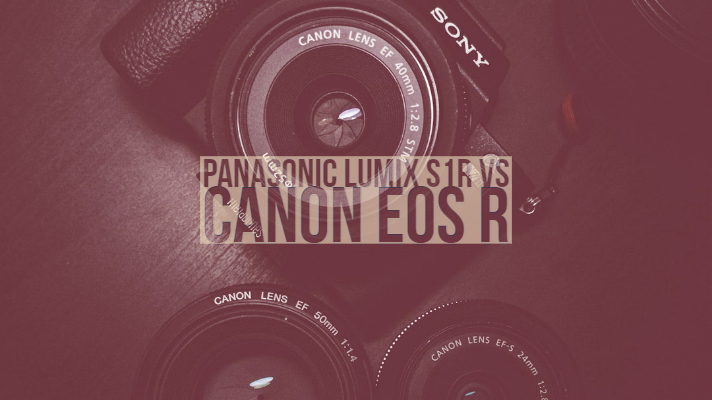
Canon EOS R vs Sony A7R Series Full Frame Mirrorless Cameras Specs

0
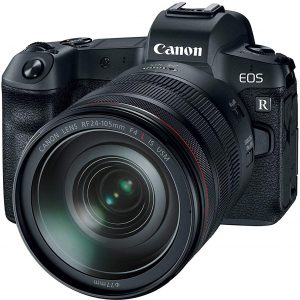
Sony, Canon, and Nikon are the three fierce competitors to one another concerning the cameras. If you are one of them looking ahead to the best experience regarding quality camera beasts, the Canon EOS R vs Sony A7R is the two capable options you can check out. How do these two cameras compare with one another? We will check out the differences between the two high-end performers.

Canon EOS R vs Sony A7R – How do They Compare with One Another?

Well, both of them are the best full-frame mirrorless cameras, and Sony brought out the excellent performers among the ILCs or Interchangeable Lens Cameras, and the Sony A7R is one of the beasts in the line-up.
We will compare them based on the few key parameters. That would offer you a proper input into how do they compare with one another. The Resolution The Sony A7R comes with a back-illuminated sensor at 42.2 MP resolution. It does not offer you a low pass filter as such and will not provide any option of maximizing the sharpness. You also have an LSI chip that improves the processing speed. The Canon EOS R has a 30.3 MP resolution. It comes with an updated version of the chip and also offers you a microlens option for the short-range mount. You have access to a low pass filter on your camera.
Features / Particulars Sony A7R III Canon EOS R
Sensor Type BSI CMOS CMOS
Size Full frame – E-MOUNT Full frame – RF Mount
Sensor Format 35 mm (Exmor R) 35 mm
Sensor dimensions 35.6mm x 23.8mm 36mm x 24.0mm
Resolution 42.4 MP 30.3 MP
  Canon EOS R does not offer you a sensor stabilization. The Sensor stabilization has been one of the most sought-after options in mirrorless cameras, and the omission may not be taken well by the fans of mirrorless cameras. You may need to go with the lenses with the image stabilization capabilities. Sony A7R, on the other hand, offers you a 5 axis stabilization option. Sony claims that it is the best you would find on a Sony camera. That would make it an exceptional choice for use on any lens whether it has any kind of focussing option or not.

The ISO Range

As long as ISO range is concerned, Canon EOS R offers you a range between 100 to 40000. You have the option of pushing it between 50 and 102400 through extension. For the Sony, the ISO range available is up to 32000. You would be able to extend it between 50 and 102400. Both the cameras would disappoint to some extent with the lower value of ISO. Both the competitors offer you a 50 ISO option. We would have loved the option for around 32 ISO.

Autofocus

Both of them come with on-sensor phase detection autofocus option. The points make use of smaller sensors to find the phase difference and suitably apply the difference to lock into the right focus. Canon opts for the Dual Pixel CMOS Autofocus. Here, each pixel is made of two photodiodes instead of one. Sony comes with one pair of pixels that are masked partially. One of the pixels receives the light on the right while the other receive them on the left. Canon beats Sony regarding focus points quite massively. It has 5655 points! That is indeed the highest number for any camera we have ever found. Sony offers you 399 phase detection points. There are 425 contrast detection points as well. The focus would cover 88 percent of width and 100 percent of height on Canon EOS R, while Sony has 68 percent of the sensor covered. Canon claims the fastest autofocus is locking at 0.05 sec. Sony has not released any official figure for the metric. The minimum sensitivity on Sony A7R is -3V with an f/2 lens. Canon would offer you a better option at -4.5V at the same rating.

The Size and Weight

In that genre, you would find both the cameras in the same league. The Sony A7R has a 657 grams weight, and the weight of EOS R stands at 660 grams. Regarding the size or physical dimensions, Sony is smaller than the Canon EOS R. The physical dimensions of the camera read 126.9 x 73.7 x 95.6mm. The Canon EOS R has the physical aspects of 135.8 x 98.3 x 84.4 mm. A comfortable gripping is one of the features we liked the most about Canon EOS R. Sony may feel awkward to handle if you are using larger sensors.

Video Shooting Compatibility

Well, both the cameras offer you the 4K shooting compatibility. Almost all the features are practically equivalent to one another on either of the cameras. Sony offers you multiple options to work with while recording in 4K. You can go with the full frame mode for a functional service. If you are shooting in full HD, Canon EOS R offers you 60 fps and 180 Mbps. Sony, on the other hand, can go up to 120 fps and 100Mbps. The same kind of frame rate would only be possible with Canon if you choose 720p. The ISO range offered on EOS R can reach up to 12800 while shooting in 4K and 25600 for the 1080p videos. The Sony A7R can go as far as 32000. However, you would not be able to push the extended values. As for the profiles, EOS R offers you Canon Log profile for use in internal and external recordings. The Sony A7R comes with a host of customization options regarding picture profiles.

The Storage

Regarding storage options, Sony uses dual SD cards for its A7R lineup. Canon, on the other hand, would offer you SD card alone. That would indicate the service is moving towards a professional consumer level performance on its cameras.

Battery Performance

The Sony A7R offers you an estimated 530 exposures for a single battery charge. The Canon EOS R is slightly lower in performance regarding battery backup and should provide you with 430 shots per charge. We would expect that Canon would come with additional battery packs. Do note that these ratings are entirely theoretical. In the real world scenarios, you would find better results. Both the cameras offer USB charging.

The Lens System

When it comes to the availability of lenses, Sony excels with its full line up of options. You can make use of E-Mount lenses on Sony for both full frame and APS-C camera options. The cross-compatibility of Sony cameras is best placed in comparison to the Canon systems you find.

Burst Rate

We were expecting a better burst shooting option on Canon EOS R given its smaller megapixel count. It offers you a continuous burst shooting options of just 8 fps. However, the continuous shooting with autofocus would be still slower than that at 5.5 fps. The speed can go even shorter at 3 fps if you are opting for C-AF and Focus priority. Sony offers you a better functionality at 10 fps no matter what settings you are opting for. The Sony A7R can take 76 RAW or JPG files. On the other hand, Canon EOS R can handle 47 RAW files, 78 Compressed files, and 100 JPG files and thus can be a better option. However, the faster burst speed combined with, the better resolution should make it one of the excellent choices. It indeed offers you a consistent performance than the Canon offering.

The Concluding Thoughts

Canon is trying to capture the mirrorless camera market, and the EOS R is indeed the first attempt in that direction. Of course, if you are a canon fan and want to try out their first encounter in the realm, this should be one of the good options you can go with. Of course, we would expect Canon to come with new offerings quite soon. The Sony A7R has been one of the great options you can give a try too. The image quality should be one of the best given the 42.4 MP functionality that it offers. Even regarding video shooting options, we find Sony A7R providing you with a higher degree of flexibility. EOS R applies a 1.7x crop while you record in 4K. In any case, we would look ahead for and foresee a good deal of competition in the realm, and that would indeed be a lot of advanced options for the consumer at large.

Best Canon RF Lenses RF Mount for EOS R Full Frame Mirrorless Camera

0
The full-frame mirrorless cameras have been the new trend. Canon, which has been at the forefront of the development of the new cameras, has recently launched its EOS R to take care of the segment. In an attempt to show off the capabilities of the brand new RF mount, Canon has recently launched four new RF lenses. We will check out the newly launched RF lenses and the options that they come with finer details.

Best Canon RF Lenses – An Overview

Canon has recently launched its new full-frame mirrorless camera – the EOS R. Positioned as the flagship model in the realm of mirrorless cameras, it boasts of the original RF mount. Before we move on to understand the concept of RF lenses and their compatibility – we will check out what precisely an RF mount is.

RF Mount – What It is?

Well, as you might have already understood, the new RF mount is a new concept launched with the EOS R full frame mirrorless camera. Announced in September 2018, the camera features a full-frame mirrorless interchangeable lenses camera. Do note that the RF mount would not be compatible with the Canon EF and EF-S mount lenses. However, you can opt for the three Canon adapters specifically designed for use with the RF mount. The RF mount makes it possible to use the new RF lenses.

What features do RF Lenses Come With?

Image Source: Canon
Well, RF lenses are a part of the new era of lenses. They have been designed for a high-quality performance along with an emphasis on speed. The lenses are specifically designed for the new EOS R camera. They offer you more advanced levels of intuitive controls. You have access to the customizable Control Ring. The Control Ring offers you the options for using the aperture compensation, shutter speed, ISO and compensation for exposure. You can make adjustments without the need for looking away from the subject. They offer you the best options for a natural shooting performance.

The Best Canon RF Lenses – The new Launches

Canon has recently launched four new lenses in the RF genre along with the new Canon EOS R camera. While two of them are suited for the newly launched EOS R, the other two are with the widest aperture. Possibly, canon wants to show off the capabilities that the RF mount comes with. Like we said before, all the four lenses come with their control rings.

1. Canon RF 24-105mm f/4L

Check on Amazon

The new Canon RF 24-105mm f/4L is designed to fit in the shoes of the most popular Canon lenses – the Canon 24-105mm f/4L. While the older generation lens is for the full frame cameras, the new RF lens is designed for the mirrorless option. The key features Offred by the lens include
  • Utterly versatile design for use in practical and professional zoom functionality.
  • You have access to 5 stop image stabilization for enhanced quality.
  • The lens ensures better sharpness even in low light scenarios.
  • Best suited for steadier handheld performance.
  • The Nano USM autofocus offers smoother and faster autofocus.
The lens should be best suited for portrait photography, creative ideas, and travel photography. The lens comes with Aspherical lens elements compensating for distortion and spherical aberration.

The Spec Sheet

Zoom Range 24 to 105 mm
Minimum Focus 0.45 mm
Lens Control Option Control Ring
Aperture 9 Blade
Motor Nano USM
Lens Construction 18 elements in 14 Groups
Maximum Aperture f/4
Minimum Aperture 22

2. RF 35mm f/1.8 IS Macro STM

Check on Amazon

If you are looking for a lens with the macro capabilities and a faster aperture, the RF 35mm f/1.8 IS Macro STM should fit your bill exactly the way you would want it to. A few salient features of the lens include
  • High-end image quality coupled with a wide angle lens.
  • Best in class low light performance. You should be able to capture the right kind of ambiance even in dark environment.
  • 5 stop stabilization for the sharpest images ever in low light.
  • Excellent quality micro shots.
  • The best option for portability with its compact size.
The lens would suit you best if you are into travel photography, close up shots and landscape photography needs.

The Spec Sheet

Zoom Range 24 to 105 mm
Minimum Focus 0.17 mm
Lens Control Option Control Ring
Aperture 9 Blade
Motor Quiet STM
Lens Construction 11 elements in 9 Groups
Maximum Aperture f/1.8
Minimum Aperture 22

3. RF 50mm f/1.2L USM

Check on Amazon

Are you a professional photographer and are looking for the best experience regarding immensely superior sharpness, creative control and low light performance – you would indeed be more than happy with the new RF 50mm f/1.2L USM lens from Canon. The ultimate 50 mm lens from Canon boasts of the following features –
  • A super bright design with the highest image quality.
  • Faster optical performance
  • The best in class L series photography
  • Best suited for professional photography requirements.
The best application areas that the lens would suit include portrait photography, street photography and excellent art shots.

The Spec Sheet

Zoom Range 24 to 105 mm
Minimum Focus 0.4 mm
Lens Control Option Control Ring
Aperture 10 Blade
Motor USM
Lens Construction 15 elements in 9 Groups
Maximum Aperture f/1.2
Minimum Aperture 16

4. RF 28-70mm f/2L USM

Check on Amazon

Advanced zoom capabilities would make it one of the best options regarding the RF cameras for your need. Canon claims that the lens redefines the zoom performance. A few features worthy of mentioning include
  • It is considered to be the best first large aperture zoom lens compatible with full frame devices
  • A consistent f/2.0 brightness throughout the zoom range
  • The perfect silent zoom with Canon’s USM technology.
  • Smarter controls for an efficient and natural shooting.
The application areas that the lens would be most suitable include travel photography, wedding photography, and photojournalism.

The Spec Sheet

Zoom Range 24 to 105 mm
Minimum Focus 0.39 mm
Lens Control Option Control Ring
Aperture 9 Blade
Motor USM
Lens Construction 19 elements in 13 Groups
Maximum Aperture f/2
Minimum Aperture 22

The Parting Thoughts

Well, these are the currently available RF lenses from Canon as things stand as of now. There have been rumors about the new launches. However, we would not like to comment on them until canon officially announces the new lenses. Before we conclude, we would like to make it clear that if you do not have a camera with RF mount, you would not be able to make use of any of these lenses. They are NOT backward compatible and would not fit on the older EF or EF-S mounts. However, if you have the older lenses, they can be used with the cameras with RF mount easily by opting for the appropriate adapters from Canon.

Nikon D3500 vs D3400 DSLR Specifications Comparison & Differences

0
Nikon, as we are all aware of, is one of the prominent players in the realm of DSLR cameras. The company recently launched its new entry-level DSLR without much hoopla. How does D3500 compare with the predecessor the D3400? Let us compare the two devices (Nikon D3500 vs D3400) and understand what improvements does the D3500 pack in on the new offering.

Nikon D3500 vs D3400 – A Close Comparison

Well, both Nikon D3500 and D3400 are entry-level DSLR cameras and have many things in common. However, the D3500 being the upgrade and a newly launched device has a few features different from the predecessor. We will compare the two cameras based on a few key parameters.

The Sensor

In terms of the sensor compatibility, the D3500 comes with the same 24 MP pixel count as on the D3400. Both of them offer the same APS-C sensor and do not provide the optical low pass filter. On the specification sheet, we observe the D3500 having a 24.78 MP resolution as compared to the 24.72 MP on the D3400. Though technically slightly different, this should not have any major effect from the practical perspective. However, the D3500 may be a good option given it is new and comes with better sensor configuration.
Features / Particulars Nikon D3500 [amazon_link asins=’B07GW23M7T’ template=’PriceLink’ store=’foi04-20′ marketplace=’US’ link_id=’eaa26332-b528-11e8-90c5-ddb1b079ea08′] Nikon D3400 [amazon_link asins=’B01KITZKDE’ template=’PriceLink’ store=’foi04-20′ marketplace=’US’ link_id=’f4f13d92-b528-11e8-bd54-510335ea1f4d’]
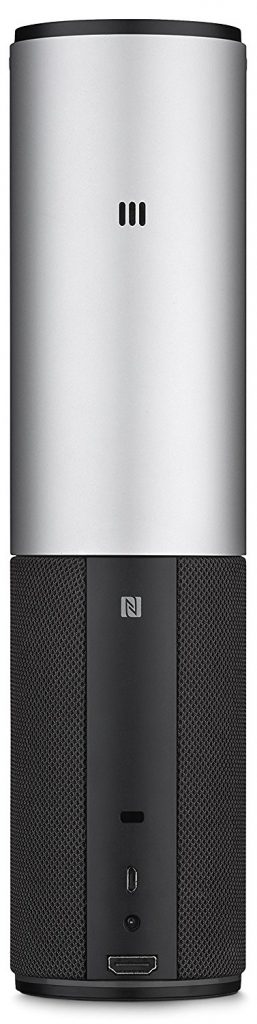
Sensor size 24.78 MP 24.72 MP
Format DX DX
Sensor Size 23.5 mm x 15.6 mm 23.5 mm x 15.6 mm
Resolution 6000 x 4000 pixels 6000 x 4000 pixels
Aspect ratio 3:2 3:2
Sensor Type CMOS CMOS

The Physical Properties

Features / Particulars Nikon D3500 [amazon_link asins=’B07GW23M7T’ template=’PriceLink’ store=’foi04-20′ marketplace=’US’ link_id=’eaa26332-b528-11e8-90c5-ddb1b079ea08′]

Nikon D3400

[amazon_link asins=’B01KITZKDE’ template=’PriceLink’ store=’foi04-20′ marketplace=’US’ link_id=’f4f13d92-b528-11e8-bd54-510335ea1f4d’]

Physical Dimensions 125 x 98 x76 mm 124 x 98x 69.5 mm
Weight 365 grams 395 grams
Weather sealing No No
  As can be seen from the above table, both D3500 and D3400 have the same physical dimensions. However, the weight of the D3400 is a little more. It could be a key consideration when you consider portability.

The Design

From the design point of view, you are bound to find a few differences between the D3500 and D3400. The grip on the D3500 is a little better than that on the D3400. This should be quite helpful when you use the camera. Moreover, a better grip can also translate into better handling when you are using long or front heavy lenses with your camera. There have been a few other changes as well concerning the design. The buttons you found on the left-hand side of the LCD screen on the D3400 have been shifted to the top and right-hand side. This aids in a better ergonomics. The flash button that resided on the front on D3400 has now stands moved to the rear.

The Complete Specification Sheet

Features / Particulars

Nikon D3500

[amazon_link asins=’B07GW23M7T’ template=’PriceLink’ store=’foi04-20′ marketplace=’US’ link_id=’eaa26332-b528-11e8-90c5-ddb1b079ea08′]

Nikon D3400

[amazon_link asins=’B01KITZKDE’ template=’PriceLink’ store=’foi04-20′ marketplace=’US’ link_id=’f4f13d92-b528-11e8-bd54-510335ea1f4d’]

Shutter Speed 1/4000 sec 1/4000 sec
Continuous Shooting 5 fps 5 fps
ISO sensitivity 100 to 25600 100 to 25600
Number of Auto Focus points 11 11
LCD Screen size 3.0 inch digital 3.0 inch digital
Screen resolution 921000 dots 921000 dots
Battery EN-EL14a Rechargeable Li-ion Battery EN-EL14a Rechargeable Li-ion Battery
Battery Backup 1550 shots per charge 1200 shots per charge
Video resolution 1920×1080 FullHD 1280×720 HD 720p 640×480 VGA 1920×1080 FullHD 1280×720 HD 720p 640×480 VGA
Video recording frame rate 60p,50p,30p,25p,24p, 720p 60/50fps 60p,50p,30p,25p,24p, 720p 60/50fps
Stereo audio recording No No
Optical Zoom for Video Yes Yes
Effective magnification 1.5 x 1.5 x
Focus Modes Automatic, Phase Detection and manual Automatic, Phase Detection and manual
Longest shutter speed 30 sec 30 sec
White balance modes Auto Manual Incandescent Fluorescent Auto Manual Incandescent Fluorescent
Exposure Compensation +/-5 +/-5
Optical Image Stabilisation No No
Connectivity Bluetooth Bluetooth
Connection ports HDMI and USB 2.0 HDMI and USB 2.0
Media Storage supported SD SDHC SDXC SD SDHC SDXC

Which One Should You Go For?

Well, both the Nikon D3500 and D3400 come with almost similar features and functionalities. You can opt for any of them and expect the same features across them. A few slight differences you may observe on the new Nikon D3500 include
  • Better Battery Capability – The battery backup per charge is quite good compared to the Nikon D3400. You get 1550 shots per charge as compared to the 1200 shots per charge on the Nikon D3400.
  • An Enhanced Grip – As we already explained, the grip has been improved, and it can be a better option towards handling. It can also be helpful if you are using heavier lenses.
  • New Button layout – The button layout on the camera has been changed and now placed quite ergonomically. You can now concentrate on the subject before you rather than fiddling with the buttons.
  • Guide Mode for new Users – This will help the new users to get used to the functionality of the camera. It will help you learn the functioning easily.
  • SnapBridge Function – The Bluetooth based file transfer mode helps to transfer your images and videos straightaway without any need to connect to your computer. It can also be used for remote trigger functionality as well.

The Concluding Thoughts

Well, that was the complete comparison between the two capable DSLR cameras from Nikon. We will recommend you opt for the new variant given the additional features that it comes with. But, in case you are considering upgrading your current Nikon D3400 for a new Nikon D3500, we would not find a good option as such. As you can observe from the above comparison chart and another discussion we carried out, the new D3500 is almost equivalent in every aspect (that should matter the most) to the three-year-old Nikon D3400. From that perspective – upgrading from a D3400 to a D3500 may not be a great idea. You may either wait for an upgrade from Nikon or go with any other option. Have you used either the Nikon D3500 or D3400? If you have, you can share your thoughts and experiences with us. This will help our readers and us in understanding the differences and practical usability of a few best Nikon masterpieces.

Canon PowerShot SX740 HS vs SX540 HS – Specifications Comparisons

0
When it comes to cameras, several technologies rule the roost. Of course, the exact technique that you will opt for will be dependent upon the shooting requirements that you may be looking ahead to. One such prominent category you would love is Superzoom cameras. If you are looking for the best Superzoom cameras from Canon, the two notable names that come to our mind are the Canon PowerShot SX740 HS vs SX540 HS. Let us compare the two cameras and choose the best one among them.

What are SuperZoom Cameras?

Well, there are situations where you would not or cannot go closer to an object, but looking for a close and personal shot. This is where an excellent zoom capacity would come handy. However, as we are aware of, too much zooming can result in pixelated images or a reduction in the quality of your pictures. SuperZoom cameras are the kind that they offer you superior image quality that it provides you with a high zoom capability. You get an exceptional image quality even at high zoom levels. SuperZoom cameras are equipped to give you optical zoom levels as high as 83X! You will indeed the experience with the excellent zoom capabilities.

Canon PowerShot SX740 HS vs SX540 HS – A Complete Comparison

Let us compare the two competing devices one by one based on a few key features. This will help us understand the distinctions and similarities between the two siblings.

Physical Features

Features/ Particulars Canon Powershot SX740 HS [amazon_link asins=’B07FXPY6SF’ template=’PriceLink’ store=’foi04-20′ marketplace=’US’ link_id=’6ccf8583-9fd5-11e8-b913-936b3865d62a’] Canon Powershot SX540 HS [amazon_link asins=’B019UDIAI6′ template=’PriceLink’ store=’foi04-20′ marketplace=’US’ link_id=’74aa2c6c-9fd5-11e8-8da3-858e2a753952′]
Physical Dimensions 110 x 64 x 40 120.0 x 81.7 x 91.9
Weight 300 grams 442 grams
Both the siblings are similar in terms of its physical dimensions. However, given the fact that the portability is also a major factor, the weight of SX540 HS can be a deciding factor in many cases.

Sensor Comparison

Features/ Particulars Canon Powershot SX740 HS Canon Powershot SX540 HS
Sensor Type CMOS CMOS
Sensor Size 1/2.3” 1/2.3”
Sensor Resolution 20.3 MP 20.3 MP
The sensor specifications of both the cameras remain equivalent. But, if you still have to choose between the two options, the more recent option in the form of PowerShot SX740 HS should be an ideal alternative for you.

Lens Comparison

Features/ Particulars Canon Powershot SX740 HS Canon Powershot SX540 HS
Wide Coverage 24 mm 24 mm
Telezoom 960 mm 1200 mm
Max aperture at Tele-Zoom F 6.5 F 6.9
Max Wide aperture F 3.40 F 3.30
The lens comparison indicates that both of the devices are almost identical in most aspects, but the SX540 HS comes with a slightly better performance in terms of its Tele-Zoom functionality.

Other Features

Features/ Particulars Canon Powershot SX740 HS Canon Powershot SX540 HS
Optical Zoom 40 X 50 X
Digital Zoom Yes, available – 4X Yes, available – 4X
ISO Sensitivity 80 to 32000 80 to 32000
Normal focal range 50 cm 5 CM
Macro Focal range 1 cm 1 cm
Focal length 24 to 960 mm 24 to 1200 mm
Max aperture f3.4 – f6.9 f3.3 – f5.9
Max Shutter speed 1/4000 sec 1/2000 sec
Built-in Flash Yes Yes
Presets for white balance 5 5
Screen 3”- 921,000 dots 3”- 921,000 dots
Screen articulation Yes No
Max video resolution 4K at 25p and 30p 1920×1080 at 60p and 30p
Storage type SD, SDHC and SDXC SD, SDHC and SDXC
HDMI connectivity Yes Yes
Wireless Connectivity Yes- Bluetooth and WiFi Yes – Bluetooth and WiFi
NFC No Yes
Battery Life  265 shots per charge 205 shots per charge

Why do We Prefer Canon PowerShot SX740 HS?

The Canon PowerShot SX740 HS has the better camera functionality, higher sensitivity and a display that offers you an excellent resolution. The articulated screen is another added advantage that improves the seamless photography. The 4K video recording should be one of the features that makes it an ideal option for you if you are into video recording more than images. The PowerShot SX740 comes with a low weight which makes it more compact and thus improves its portability by a few counts. One more factor that we thought would go in favor of the SX740 HS would be the excellent battery backup in comparison to the SX540 HS.

Why Would We Prefer Canon PowerShot SX540 HS?

Well, we did not find many features on the SX540 HS that would stand above the SX740 HS under ideal circumstances. There are only a couple of reasons we could come across with Canon PowerShot SX540 HS that could beat the PowerShot SX740 HS. It offers you the NFC connectivity in addition to the other connectivity options. The SX740 has only 960 mm telephoto lens reach, while the Powershot SX540 HS gives you a range of 1200 mm.

Which among them should you go with?

Well, we do not think there is indeed any specific choice here. The Canon PowerShot SX740 scores over the PowerShot SX540 HS by many counts. There is practically only one choice you have between them. Moreover, the SX540 HS is almost two years old when compared to the SX740 HS. As we are well aware, the newer devices tend to come with added features and functionalities. From that point of view, we would consider that the Canon PowerShot SX740 would be a better choice compared to the SX540. Having said that you should also understand that both the cameras come with almost similar features leaving aside the areas that they differ in. Image stabilization, built-in flash, WiFi connectivity, HDMI and manual focus are a few areas that these two share the same features. Ultimately, it is your exact requirement and the budget you have set aside that should play an important role in choosing the right camera. From that perspective, we would assume that the feature sets and the differences that we have listed in should go a long way aiding you to make the right choice. Weight the requirements that you have set for while choosing the camera and make a learned choice.

Nikon Coolpix A900 vs Canon Powershot SX730 Camera Specifications Comparison

0
Well, the superzoom category has been one of the most promising and favorite genres in the photography arena. If you are considering to op for the Superzoom cameras with smaller sensor size, the two intelligent choices in this arena are the Nikon Coolpix A900 vs Canon Powershot SX730. Which among these two cameras would we recommend you? Let us compare the two cameras and their features for arriving at the best features that either of them offers you.

Superzoom Cameras – An Overview

Superzoom cameras tend to be the new age criteria for the best in photography. In fact, what makes them an ideal choice is the superior zoom capability that they offer you without having to sacrifice the quality of the images. They can be your best options when you need to shoot images from close quarters without going close. Prime examples of this type shots can be those in the wild or Zoos. You want a picture up close, and much personal, but cannot afford to go that close. Those are the scenarios where a superzoom camera would be an exciting and useful possession. They offer you such high degree of optical zoom that often goes as high as 83X in many cases. Isn’t that an enjoyable experience to be shooting something with such an incredible zoom?

Nikon Coolpix A900 vs Canon Powershot SX730 – A complete comparison

We will begin the correlation between the two competing cameras based on a few critical parameters. We will be focussing on a tabulated comparison chart for each of the subsets of features so that we will be able to see the differences side by side.

Physical Features

Features/ Particulars

Nikon Coolpix A900

[amazon_link asins=’B01C3LE716′ template=’PriceLink’ store=’foi04-20′ marketplace=’US’ link_id=’37b58409-9d7f-11e8-8816-d9403b0d69fb’]

Canon Powershot SX730

[amazon_link asins=’B06Y125DWZ’ template=’PriceLink’ store=’foi04-20′ marketplace=’US’ link_id=’47e9014b-9d7f-11e8-9775-abd086fe7e8a’]

Physical Dimensions 113 x 67 x 40 mm 110 x 64 x 40 mm
Weight 289 grams 300 grams
Weight can be an important factor while handling your cameras because it will determine the baggage you carry along. However, in the case of Canon Powershot SX730 and Nikon Coolpix A900, the weight difference is quite negligible and should not pose a huge difference.

Sensor Comparison

Features/ Particulars Nikon Coolpix A900 Canon Powershot SX730
Sensor Type CMOS CMOS
Sensor Size 1/2.3” 1/2.3”
Sensor Resolution 5158 x 3878 5196 x 3907
We would consider the competing cameras to have almost similar features regarding sensor capabilities as well. They have a slight difference concerning the sensor resolution where the Canon SX730 takes an upper edge over the Nikon Coolpix A900.

Lens Comparison

Features/ Particulars Nikon Coolpix A900 Canon Powershot SX730
Wide Coverage 24 mm 24 mm
Telezoom 840 mm 960 mm
Max aperture at Tele-zoom F 6.9 F 6.9
Max Wide aperture F 3.40 F 3.30
Again, both the cameras offer the similar functionalities and features.

Other Features

We will compare the other features in a tabulated manner to find the subtle differences side by side. This will help you arrive at the best features that each of the cameras offers.
Features/ Particulars Nikon Coolpix A900 Canon Powershot SX730
Optical Zoom 35 X 40 X
Digital Zoom Yes, available – 4X Yes, available – 4X
ISO Sensitivity 80 to 32000 80 to 32000
Normal focal range 50 cm 5 CM
Macro Focal range 1 cm 1 cm
Focal length 24 to 840 mm 24 to 960 mm
Max aperture f3.4 – f6.9 f3.3 – f5.9
Max Shutter speed 1/4000 sec 1/3200 sec
Built-in Flash Yes Yes
Presets for white balance 5 5
Screen 3”- 921,000 dots 3”- 921,000 dots
Screen articulation Yes No
Max video resolution 3840×2160 at 25p and 30p 1920×1080 at 60p and 30p
Storage type SD, SDHC and SDXC SD, SDHC and SDXC
HDMI connectivity Yes Yes
Wireless Connectivity Yes- Bluetooth and WiFi Yes – Bluetooth and WiFi
Battery Life  300 shots per charge 250 shots per charge

Why Would You Choose Nikon Coolpix A900 over Canon Powershot SX730?

The Nikon Coolpix A900 comes with the following features you will not find on the competitor. Some essential elements that make it a better option than the Canon Powershot Sx730 can be summed up as
  • Maximum shutter speed at 1/4000 sec as compared to 1/3200 sec
  • Faster continuous shooting at 7.0 fps as compared to 5.9 fps
  • Better battery backup with 350 shots per charge as compared to 250.
  • Provision for time-lapse recording that aids you to be creative with your photography.
  • Better flash coverage at 7.0 meters as compared to 4.0 meters
  • Higher video resolution at 3840 x 2160 pixels as opposed to Full HD resolution

Why Would You Choose Canon Powershot SX730 over Nikon Coolpix A900?

Not to be left behind, the Canon Powershot SX730 boasts of a few unique features you may not be able to find on the Nikon Coolpix A900. Some of these features include
  • It offers you the manual focusing that helps you in better focusing maneuver.
  • A slightly better focal reach at 960 mm as compared to 840 mm on Coolpix A900
  • Higher optical zoom at 40X as compared to 35X
  • Faster lens at the wider aperture at 3.30 as opposed to 3.40

Which One Should You Opt for?

Well, given the complete comparison as in the above discussion, you can infer that both the cameras come with almost equal functionality and performance levels. The factors that go in favor of the Nikon Coolpix A900 tend to be a faster camera performance, a slightly better battery backup and better video resolution. At the same time, the Canon Powershot SX730 impresses with its better and speedier sensitivity coupled with the proper autofocus functionality. In essence, we found both Canon Powershot SX730 and Nikon Coolpix A900 offering almost equal performance in every respect. Given the fact that they offer the identical scores regarding the features, we would, in fact, give weight to the recent devices among them. However, even on that count, they are just one year apart from each other. If you think a slightly newer model is what you are looking for, the Canon Powershot SX730 should be your best choice. If that isn’t a criterion you are interested in, either of those would make the best purchase.

Nikon Coolpix B500 vs Sony H300 Superzoom Specifications Comparison

0
Well, when it comes to cameras – Sony and Nikon have been known to be the two popular manufacturers. If you are looking for the best superzoom cameras for your needs, the two best options from these two that have been attracting a few customers are the Nikon Coolpix B500 vs Sony H300. Launched in 2016 and 2014 respectively, these two have created enough interest in the superzoom category. How do these cameras compare with each other? Let us check out the features of these superzoom cameras in more exquisite detail.

What is A Superzoom Camera?

Superzoom is a new industry norm when it comes to the cameras that are not as expensive as the DSLRs but offer a better zoom capability. There are times when you need to images right from the front and close. But, you may not be able to get that close and personal – physically. That is where the Superzoom cameras can come in handy most of the times. As per the name, these cameras offer an incredible zoom capability. Some of these cameras can get as close as 83X! Some of these superzoom cameras feature small sensors you may not find on traditional point and shoot cameras. What makes them a good option is the ability to provide a good quality even with those superior zoom capabilities.

Nikon Coolpix B500 vs Sony H300 – A Comparison

Let us check out the two superzoom cameras based on a few critical parameters. We will go with a tabulated comparison for a better understanding.

Physical Properties

Features/ Particulars Nikon B 500 Sony H300
Dimensions 114 x 78 x 95 mm 130 x95 x 122 mm
Weight 541 grams 590 grams
As we can find, the Nikon Coolpix B500 is smaller among the two competitors. Weight can be a significant factor as long as carrying the camera is concerned. However, both the competing devices do not seem to differ much regarding physical weight.

Sensor

Features/ Particulars Nikon B 500 Sony H300
Sensor Type CMOS CCD
Sensor Size 1/2.3″ (~ 6.16 x 4.62 mm) 1/2.3″ (~ 6.16 x 4.62 mm)
Resolution 4612 x 3468 5171 x 3888
Resolution in MP 16 MP 20 MP
Sensor size plays an important role regarding image quality. In our case, both the cameras offer you the same performance standards regarding sensor size. However, given the fact that Nikon B500 and Sony H300 have a two-year difference between the two of them, we would expect Nikon B500 to offer better performance. Newer sensors have been observed to come with better functionality.

Lens Specifications

Features/ Particulars Nikon B 500 Sony H300
Wide Coverage 23 mm 25 mm
Telezoom 900 mm 875 mm
Maximum Aperture F 6.50 F 9.50
Maximum Wide aperture F 3.0 F 3.0
The Nikon B500 offers you slightly wider coverage than the Sony H300. Rest of the features tend to be almost similar.

Other Features

We present a complete comparison chart for the other features so that we would be able to get a clear overview of both the cameras and their strengths. In fact, on account of these features that the B500 from Nikon takes the lead over Sony Cybershot H300 as you would be able to make out through the comparison.
Features/ Particulars Nikon B 500 Sony H300
Optical Zoom 40 X 35 X
Digital Zoom Yes, available Yes, available
ISO Sensitivity 80 to 32000 80 to 32000
Normal focal range 30 cm 30 cm
Macro Focal range 1 cm 1 cm
Focal length 23 to 900 mm 25 to 875 mm
Max aperture f3.0 – f6.5 f3.0 – f5.9
Max Shutter speed 1/4000 sec 1/1500 sec
Built-in Flash Yes Yes
Presets for white balance 5 7
Screen 3”- 921,000 dots 3” – 460,800 dots
Screen articulation Yes No
Max video resolution 1920 x 1080 1280 x 720
Storage type SD, SDHC and SDXC SD, SDHC, Memory Stick Duo
HDMI connectivity Yes No
Wireless Connectivity Yes- Bluetooth and WiFi No
Battery Life 600 shots per charge 350 shots per charge

Features in Favour of Sony H300 as against Nikon Coolpix B500

Here are a few features that have the upper hand over Nikon Coolpix B500 –
  • Maximum resolution of 20 MP as opposed to 16 MP
  • The maximum telephoto aperture of 5.90 as opposed 6.5. This ensures a faster lens performance
  • Flash coverage at 8.8 meters as opposed 6.9 meters.

Features in Favour of Nikon Coolpix B500 as against Sony H300

Where does Nikon Coolpix take an upper edge in comparison to the Sony H300? Here are few comparative differences-
  • Wireless connectivity options through Bluetooth and WiFi. This ensures better connectivity
  • The articulating screen that provides flexibility while shooting
  • LCD screen resolution at 921k dots as opposed to 460k dots
  • Faster shutter speed at 1/4000 sec
  • Continuous shooting capability at 7.4 fps as against 1.0 fps
  • Better battery backup with 600 shots per charge as against 350 shots
  • Slightly better optical zoom with 40X as compared to 35X.
  • Can be controlled with a smartphone
  • Full HD video recording at 1080p

The Concluding Thoughts

Well, based on the comparison above and the points scored by each of the cameras, we would consider the Nikon Coolpix B500 as better equipped to meet the needs a camera buff – whether a hobbyist or a professional. Apart from the specific points that we have outlined here, the Nikon B500 offer you a better sensitivity and a higher resolution. A few additional features like an articulated screen add up to the usability that the camera provides you. A compact size, more battery life and a full HD resolution video recording are a few other features that would put it ahead of the competition as against the Sony H300. The connectivity features offered on the Nikon camera can be another feather in the cap for the B500 given the importance that the connected devices gain in the current scenario. Having gone through all the specifications and the features, we would indeed conclude that the Nikon Coolpix B500 is the best catch in comparison to the Sony Cybershot H300.