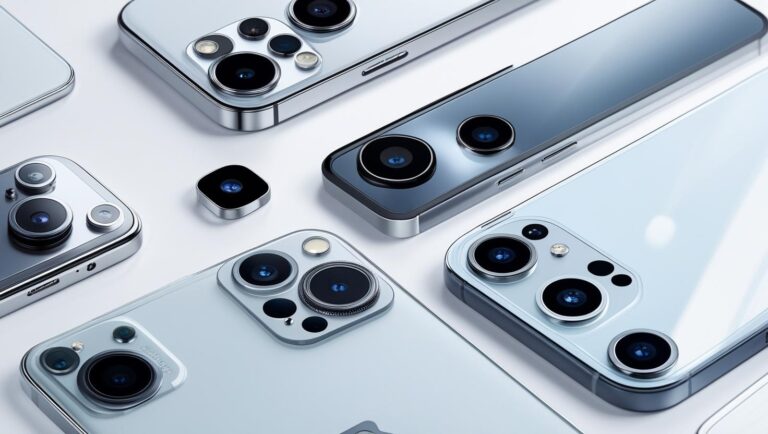
Comparing OV50H vs IMX890: Camera Sensor Specs

In the high-stakes battle for smartphone camera supremacy, the Omnivision OV50H vs Sony IMX890 represents a critical face-off between two of the industry’s most powerful 50-megapixel sensors. Found in flagship devices from brands like Xiaomi, OnePlus, and Honor, these two components dictate the photographic potential of millions of phones. But which sensor truly comes out on top? This in-depth analysis by LensXP.com goes beyond the spec sheet to dissect the crucial differences in dynamic range, their competing Staggered vs. DOL-HDR architectures, low-light performance, and next-generation autofocus systems. Through interactive charts, detailed infographics, and real-world performance data, we’ll determine which sensor has the definitive edge and, more importantly, why it matters for the photos you take every day. Omnivision OV50H vs. Sony IMX890: A Deep Dive | LensXP.com

Sensor Showdown: OV50H vs. IMX890

A technical deep dive into the dynamic range, HDR architecture, autofocus, and real-world performance of two 50MP smartphone camera titans.

Smartphone camera sensor technology

Tale of the Tape

At a glance, the physical differences are stark. The OV50H's larger size gives it a fundamental, physics-based advantage in light gathering.

Infographic: Optical Format & Pixel Area

1/1.3" Optical Format

Omnivision OV50H

Pixel Area: ~1.43 µm²

(+43% Larger Area)

1/1.56" Optical Format

Sony IMX890

Pixel Area: 1.0 µm²

Camera Physics 101

Before diving into HDR, let's understand the core concept that governs image quality: Dynamic Range.

What is Dynamic Range?

Dynamic Range is the sensor's ability to see into the brightest highlights and darkest shadows of a scene at the same time. It's the ratio between the maximum light a pixel can handle before turning pure white (saturation) and the underlying electronic noise in pure darkness (noise floor).

Bigger Pixels = Higher Dynamic Range. A larger pixel can hold more photons (higher "Full Well Capacity"), increasing the maximum signal it can capture. This is why the OV50H's larger sensor size gives it a theoretical head start.

Infographic: The Dynamic Range Scale

Shadows Highlights

Noise Floor

Inherent electronic noise

Saturation

Pixel is "full" of light

The HDR Architecture Divide

This is where the sensors truly diverge. Omnivision's hybrid approach is architecturally more advanced, aiming to minimize the motion artifacts that plague multi-exposure HDR.

Staggered vs. DOL-HDR: A Shared Problem

Both are multi-exposure techniques that capture a long exposure for shadows and a short one for highlights. The problem? They're captured at slightly different times.

Car

Long Exposure

+
Car

Short Exposure

➡️

Motion Artifacts (Ghosting)

When a moving object (like a car) is captured, its position differs between exposures, leading to ghosting when they're merged by the phone's processor.

Omnivision's Secret Weapon: Dual Conversion Gain (DCG)

The OV50H's key advantage. DCG extends dynamic range in a single exposure, making it immune to motion artifacts.

Single Photo Capture

High Gain (HCG)

Clean Shadows

Low Gain (LCG)

Preserved Highlights

➡️ Motion-Free HDR Image

The OV50H reads each pixel twice simultaneously, combining clean shadow data (HCG) with detailed highlight data (LCG). This provides a high-quality HDR base before Staggered HDR is even applied.

Focus on Autofocus

A great photo is a sharp photo. The sensors use different generations of phase-detection autofocus (PDAF).

Sony IMX890: 2x2 OCL PDAF

A mature and highly effective system where every pixel on the sensor can be used for phase detection. It's reliable and fast, but primarily detects phase differences on a single axis (e.g., horizontal).

Infographic: All-Pixel PDAF

Detects patterns across the sensor.

↔️

Good for most subjects

Omnivision OV50H: H/V QPD

The next evolution. Horizontal/Vertical Quad Phase Detection can detect phase differences in both horizontal and vertical directions. This gives the processor more data for faster, more accurate focus, especially on subjects with tricky patterns.

Infographic: H/V Detection

Detects patterns in both directions.

↔️ + ↕️

Superior for complex textures

The Low-Light Battle

When the lights go down, sensor physics and noise-reduction tech become critical.

Why the OV50H Has an Edge

Two key factors give the OV50H a theoretical advantage in low light:

1. Bigger Pixels

As established, the OV50H's larger pixels capture more photons, leading to a stronger, cleaner signal before any processing is even done. Better signal means less noise.

2. Cleaner Amplification (DCG)

In low light, the signal must be amplified (increasing ISO). This also amplifies noise. The OV50H's DCG uses a special high-sensitivity path (HCG) to read low-light data, reducing the initial noise *before* amplification. The result is a cleaner high-ISO image.

Interactive Spec Comparison

Use the filters below to visualize the key hardware differences between the two sensors.

The Final Verdict

So, which sensor should you bet on? It's a classic case of potential vs. proven reliability.

Winner on Paper: OV50H

For its superior physics and more advanced hybrid HDR architecture, the OV50H is the technically superior sensor. It offers the highest performance ceiling.

Choose if you want: The absolute best hardware and potential for class-leading photos.

The Reliable Choice: IMX890

The IMX890 is a mature, high-quality sensor that delivers excellent, consistent results. It's a lower-risk choice for phone makers, leveraging a well-understood ecosystem.

Choose if you want: A great, reliable camera experience with proven performance.

The Great Equalizer: The ISP

A sensor is nothing without its brain. The Image Signal Processor (ISP) is the software that interprets the sensor's data. A powerful sensor like the OV50H needs expert ISP tuning to reach its potential. A mature sensor like the IMX890 can still produce amazing photos with a well-optimized ISP. The final image quality you see is always a partnership between the sensor hardware and the phone's software.

LensXP.com

In-depth analysis for tech enthusiasts.

© 2025 LensXP.com. All rights reserved. Data synthesized from public technical specifications and reviews.

CFexpress Type A vs. B: The Performance & Value Guide (2025)

You’ve invested thousands in a powerful mirrorless camera capable of incredible 8K video and lightning-fast burst shooting. But that potential is useless if it’s choked by the wrong memory card—an accessory that has become one of the most critical and confusing purchasing decisions for any serious creative in 2025. The high-speed memory market is a complex battleground: the compact CFexpress Type A, the powerhouse CFexpress Type B, and the perpetually-on-the-horizon SD Express. Choosing incorrectly doesn’t just mean slower offload times; it means missed shots, failed video recordings, and a camera that can’t perform at its peak. This definitive guide cuts through the marketing noise. Using real-world performance benchmarks, a detailed price-per-gigabyte analysis, and our interactive Value Matrix, we will show you exactly which card offers the best performance and value for your specific camera and workflow—whether you’re a Sony, Canon, Nikon, or Fujifilm shooter. LensXP.com | The Ultimate Guide to CFexpress & SD Express Cards (2025)

The Professional's Guide to High-Speed Memory

A data-driven analysis of CFexpress Type A, Type B, and SD Express for today's mirrorless cameras. Stop guessing, start investing smarter.

1. Deconstructing the Standards

The performance leap in modern memory cards comes from adopting PC-grade technology: the **PCIe bus** for data transfer and the **NVMe protocol** for low-latency communication. But key differences in size, data lanes, and design create a complex landscape for professionals.

CFexpress Type A

CFe-A

20x28mm

PCIe Lanes: x1

Max Speed (2.0): 1,000 MB/s

Max Speed (4.0): 2,000 MB/s

CFexpress Type B

CFe-B

38.5x29.8mm

PCIe Lanes: x2

Max Speed (2.0): 2,000 MB/s

Max Speed (4.0): 4,000 MB/s

SD Express

SD-Ex

32x24mm

PCIe Lanes: x1 (x2 rare)

Max Speed (SD 7.0): ~1,000 MB/s

Max Speed (SD 8.0): ~4,000 MB/s

Key Differentiators Beyond Raw Speed

Heat Dissipation

Performance generates heat. The larger, metal-housed CFexpress Type B card has a significant advantage, acting as a heat sink to prevent thermal throttling during intense tasks like 8K RAW video recording. Smaller, plastic-housed cards have less thermal mass.

Performance Ratings (VPG)

Don't be fooled by "Max Speed." Look for the **Video Performance Guarantee (VPG)** rating on CFexpress cards. A VPG400 rating guarantees the card's write speed will never drop below 400 MB/s, a vital assurance for high-bitrate video.

The SD Express Backward Compatibility Crisis

A critical design flaw has stalled SD Express adoption in cameras. To enable PCIe, it reassigns pins used by the fast UHS-II bus. When an SD Express card is put in a UHS-II slot (the pro standard), it falls back to the ancient, slow UHS-I bus (~104 MB/s), making it slower than the card it's meant to replace. This has effectively blocked its adoption by camera makers.

2. The Ecosystem: Who Supports What?

Camera manufacturers have placed their bets, creating distinct, incompatible ecosystems. Your camera choice dictates your high-speed memory investment. Filter the table below to see where your gear fits.

Manufacturer Model Slot 1 Slot 2

Sony's Hybrid Slot Advantage

Sony's masterstroke is the hybrid slot. Since CFe-A cards are smaller than SD cards, their slots can accept either format. This gives users incredible flexibility, allowing them to use existing SD cards and only invest in expensive CFe-A cards when absolutely necessary.

Nikon's XQD Upgrade Path

CFe-B cards are physically identical to older XQD cards. This allowed Nikon to provide a seamless upgrade path for users of cameras like the Z6/Z7. A simple firmware update enables support for the newer, faster, and more widely available CFe-B format.

3. Real-World Performance Benchmarks

Theoretical speeds are for marketing. Sustained write speed—the speed after the card's internal cache is full—is what truly matters for clearing buffers and recording high-bitrate video. We've compiled independent test data to show you the real performers.

CFexpress Type A: Sustained Write Speeds

CFexpress Type B: Sustained Write Speeds

4. The Workflow Impact: From Capture to Offload

A card's performance directly impacts every stage of your workflow. Here's what you need to know about video bitrates, buffer clearing, and getting your files onto your computer.

Video Bitrates vs. Card Speed

For video, your card's sustained write speed MUST exceed the camera's video bitrate to avoid dropped frames. This table shows the minimum required speeds for common professional formats.

Video Format Bitrate (Mbps) Required Write Speed (MB/s) Min. Card Rating
4K UHD (10-bit, 60p)~400 Mbps50 MB/sV60
Canon 4K 120p ALL-I~1880 Mbps235 MB/sV90 / VPG200
Canon 8K RAW Light (30p)~2600 Mbps325 MB/sVPG400 CFe
Nikon N-RAW 8.3K 60p~6800 Mbps850 MB/sHigh-Perf CFe-B

The Dual-Slot Bottleneck

Warning for mixed-slot camera users (CFe-B + SD): When writing backups to both cards, your speed is limited by the slowest card. Your 1500 MB/s CFexpress card is forced to wait for the 250 MB/s SD card. You must choose: max speed or backup security.

The Offload Bottleneck

To get the full offload speed from a CFexpress 4.0 card, your reader and computer port must support USB4 or Thunderbolt (40Gbps). Using a standard USB 3.2 reader (10Gbps) will cap your transfer speeds at around 1,250 MB/s, no matter how fast your card is.

5. The Price/Performance Value Matrix

This is where it all comes together. We've calculated the cost per gigabyte ($/GB) and, more importantly, the **cost per unit of sustained performance ($/MB/s)**. This "Value" score is the ultimate metric for finding the most cost-effective speed. Filter by card type and sort the columns to find the absolute best value for your needs.

Card Type Sustained Write (MB/s) Price ($) $/GB $/MB/s (Value)

6. Final Recommendations

The optimal choice depends on your camera, workflow, and budget. Here's our synthesis.

Verdict for the Sony User (CFe Type A)

Max Performance (a1, a9 III, 8K Video):

CFe Type A is non-negotiable for unlocking top video codecs and clearing the buffer instantly. Based on our value matrix, the Wise 1TB CFexpress 4.0 Mk-II offers the best value for top-tier performance.

General Pro Use (a7R V, Standard 4K):

A high-quality V90 UHS-II SD card is more cost-effective and sufficient for most stills and standard 4K work. Start with a fast SD card like the Delkin Power V90 and upgrade to CFe-A only when a project's demands exceed its capabilities.

Verdict for Canon, Nikon & Co. (CFe Type B)

Max Performance (Z9, R5, 8K RAW):

A top-tier CFe-B card is essential. The ProGrade Gold 1TB 2.0 and Lexar Gold 1TB/2TB 2.0 are standout values. To avoid bottlenecks in mixed-slot cameras, record to the CFe card alone for critical high-speed work.

Budget-Conscious / Backup:

The SanDisk Extreme 128GB is an excellent, low-cost entry point for enabling dual-slot functionality or for less demanding workflows. It provides a significant speed boost over any SD card without a huge investment.

Strategic Purchasing Checklist

  • 1
    Identify Your Camera Slot(s): Know your hardware. This defines your options.
  • 2
    Define Your Performance Need: What's your most demanding task? 8K RAW? 30fps bursts? This sets your minimum required sustained write speed.
  • 3
    Consult the Value Matrix: Filter our interactive table for cards that meet your needs.
  • 4
    Select the Best Value: Choose the card with the lowest $/MB/s (Value) score that fits your budget.
  • 5
    Don't Forget the Reader: To unlock max offload speeds, pair a CF 4.0 card with a USB4/Thunderbolt reader.

LensXP.com

© 2025 LensXP. All rights reserved. Data compiled from public sources and independent tests for informational purposes.

Compare Gorilla Glass DX+ vs. Sapphire Camera Lens in 2025

In the world of smartphone photography, the final image is only as good as the light that reaches the sensor. But what stands between that sensor and the world? A tiny, transparent shield: the camera lens cover. For years, a battle has raged between two materials vying to be the ultimate protector: the legendary hardness of Sapphire and the engineered optics of Corning’s Gorilla Glass DX+. One promises unparalleled scratch resistance, while the other claims to deliver superior photos with less glare. But which one truly offers the best balance for your expensive flagship phone in 2025? In this deep dive, we’ll dissect the science, compare the data, and analyze the market strategies of industry giants to settle the debate: which material reigns supreme? LensXP.com | Gorilla Glass DX+ vs. Sapphire: The Ultimate Camera Lens Showdown

Gorilla Glass DX+ vs Sapphire

The ultimate showdown for your camera lens. We dive deep into scratch resistance, optical clarity, market strategy, and toughness to declare a winner.

What's your priority?

Crystalline Purity vs. Engineered Composite

Synthetic Sapphire: The Crystalline Standard

Sapphire is not glass, but a single-crystal form of aluminum oxide (Al2O3). Its near-perfect atomic lattice makes it incredibly hard and scratch-resistant, second only to diamond. This purity comes at a cost: a complex, energy-intensive manufacturing process.

Atomic Structure

Highly Ordered Lattice

This rigid, flawless structure is the source of sapphire's extreme hardness but also its brittleness.

Gorilla Glass DX+: The Composite Challenger

Gorilla Glass DX+ is an engineered composite: a tough, chemically strengthened glass base fused with a durable anti-reflective optical coating. This system is designed to solve the historic trade-off between optical clarity and durability.

Ion-Exchange Process

Compressive Stress Armor

Larger ions are forced into the glass surface, creating a protective layer that resists cracks and impacts.

The Durability Matrix: Scratches vs. Shatters

The durability of a camera lens cover is a multifaceted property, encompassing both its ability to resist surface abrasions (hardness) and its capacity to withstand impacts without fracturing (toughness). While often used interchangeably in consumer marketing, these are distinct physical characteristics. Synthetic sapphire and Gorilla Glass DX+ occupy opposite ends of this spectrum, forcing a strategic choice about which failure mode—a scratch or a shatter—is the more critical threat.

Hardness Comparison (Mohs Scale)

Sapphire's Mohs 9 rating makes it virtually immune to scratches from everyday objects like keys, coins, and even sand (quartz).

Toughness: Resisting Impact

Brittle Tough

Sapphire

Hard but shatters easily

Gorilla Glass

Flexible and absorbs impact

Gorilla Glass is engineered to flex and absorb impact energy, making it far more resistant to shattering from drops.

Quantifying Hardness: Mohs vs. Vickers

The most widely recognized metric for scratch resistance is the Mohs scale, which ranks materials based on their ability to scratch one another. On this scale, synthetic sapphire is an undisputed leader, measuring a 9—a value surpassed only by diamond at 10. This makes it virtually immune to scratches from common objects like keys, coins, and even quartz (sand).

The Vickers hardness test provides a more granular comparison. While strengthened Gorilla Glass scores in the range of 600-700 kgf/mm2, synthetic sapphire boasts a Vickers hardness of over 2,000 kgf/mm2. This significant gap forms the basis of sapphire's reputation for superior scratch resistance.

The Impact Equation: Fracture Toughness

The conversation must extend beyond surface hardness to include toughness—the ability to resist fracture from impact. Here, the materials exhibit a critical and inverse relationship. The very properties that make sapphire so hard—its rigid, ordered crystalline structure—also make it more brittle and thus more susceptible to shattering upon a direct impact.

Gorilla Glass, by contrast, is engineered to solve this problem. Its foundational strength lies in its damage resistance and flexibility, allowing it to flex and absorb impact energy that would cause the rigid lattice of sapphire to fail catastrophically. This reframes the debate from "which is harder?" to the more practical question of "which system is more likely to survive the lifetime of the device?".

Comparative Material Properties

Property Gorilla Glass DX+ Synthetic Sapphire
Material Type Glass Composite Monocrystalline Oxide
Mohs Hardness ~6 - 7 9
Vickers Hardness ~670 kgf/mm² >2,000 kgf/mm²
Fracture Toughness High Low

The Optical Imperative: Capturing Every Photon

A lens cover's primary job is to let light in. Here, the difference between the two materials is night and day, directly impacting lens flare, ghosting, and low-light quality.

Light Transmission to Sensor

Gorilla Glass DX+ captures 6-7% more light, a massive advantage for low-light photos, reducing noise and improving clarity.

Controlling Lens Flare

High reflectivity on Sapphire causes significant lens flare and ghosting.

Gorilla Glass DX+'s anti-reflective coating drastically reduces these artifacts for cleaner, higher-contrast images.

Comparative Optical Performance

Property Gorilla Glass DX+ Synthetic Sapphire
Refractive Index (RI) ~1.5 ~1.77
Surface Reflectivity ~1% ~8%
Total Light Transmission ~98-99% ~92%

Market Dynamics & Application Strategies

The technical trade-offs between these materials directly inform the product strategies of the world's largest smartphone makers. The choices made by OEMs like Apple and Samsung reveal differing philosophies on what users value most.

Apple's Strategy: The Luxury of Hardness

Apple consistently uses sapphire for its iPhone camera covers. This aligns with their brand of using premium, luxury materials. The term "sapphire crystal" conveys a simple, powerful message of quality and durability. Apple bets that best-in-class scratch resistance outweighs the invisible optical compromises, even if it leads to more lens flare in photos.

Samsung's Strategy: The Power of Optics

Samsung was the first to adopt Gorilla Glass DX+ for its flagship cameras. This reflects their strategy of competing on technical specs and camera performance. Their marketing focuses on tangible benefits like "captures 98% of light" and "reduces lens flare." Samsung bets that a demonstrably better photograph is a more powerful selling point for most users.

The Aftermarket Dilemma

A huge market exists for third-party sapphire lens protectors. These tap into consumer fear of scratching an expensive device. However, adding another layer of material, especially one with questionable anti-reflective coatings, can introduce new optical problems like increased flare and reduced sharpness, effectively undoing the phone's original engineering.

The Path Forward: The End of Compromise?

The current trade-off isn't permanent. Material science is advancing toward a solution that minimizes these compromises. The recent introduction of Corning Gorilla Armor on the Galaxy S24 Ultra display provides a clear insight into this trajectory.

Corning® Gorilla® Armor

According to Corning, Gorilla Armor simultaneously improves durability and optical performance. It is claimed to be four times more scratch-resistant than competitive glasses while also reducing surface reflectance by up to 75%. This signals a future where a single material can offer both sapphire-like scratch resistance and elite anti-reflective properties, potentially rendering the current debate obsolete.

The Verdict: Which Lens Cover Reigns Supreme?

Winner for Photographic Quality: Gorilla Glass DX+

For any device where camera performance is the primary goal, Gorilla Glass DX+ is the superior choice. The 7% advantage in light capture and dramatic reduction in reflections provide a tangible benefit to every photo, especially in challenging light. This translates to cleaner, sharper images with fewer distracting artifacts.

Winner for Extreme Durability: Synthetic Sapphire

For niche devices used in highly abrasive environments (industrial, military), sapphire remains a defensible choice. Its Mohs 9 hardness provides the highest level of scratch resistance available. However, this comes at the direct and unavoidable cost of image quality and shatter resistance.

Overall Recommendation for Most Users

For mainstream flagship phones, the balanced profile of Gorilla Glass DX+ offers the most compelling user benefit. The improvement in photo quality is a universal advantage, while its superior toughness protects against the more common and catastrophic failure of a dropped phone.

LensXP.com

Your source for expert analysis on mobile imaging technology.

© 2025 LensXP. All Rights Reserved.

The Arctic Lens: The Ultimate Guide to Cold Weather Smartphone Photography

The perfect winter shot: a pristine, snow-covered landscape under a crystal-clear sky. It’s a moment begging to be captured. But as you pull out your flagship smartphone, the battery percentage plummets and the screen begins to lag. Suddenly, your thousand-dollar camera is a frozen, unresponsive brick. It’s a frustration every winter adventurer knows too well. Welcome to The Arctic Lens, the definitive guide from LensXP.com designed to solve this exact problem. We dive deep into the science of why phones fail in the cold and pit premium flagships like the iPhone and Galaxy against specialized, ultra-durable rugged devices. In this guide, we’ll explore crucial durability ratings, demystify essential camera settings for snow, and deliver a final verdict on which phone you should trust when the temperature drops—ensuring your only worry is capturing the perfect frame. LensXP.com | The Arctic Lens: A Guide to Smartphone Cameras in the Cold
LensXP.com

The Arctic Lens

A Definitive Guide to Smartphone Camera Performance in Ultra-Low Temperatures.

The desire to capture pristine winter landscapes pushes modern smartphones far beyond their intended design. But as temperatures plummet, the laws of physics become hostile. Understanding how cold compromises your phone is key to choosing the right device and bringing home the perfect shot.

The Core Conflict: Reliability vs. Image Quality

Choosing a phone for cold weather isn't about finding the "best" one—it's about understanding a fundamental trade-off. You must decide what matters more: guaranteed operation or the absolute best photo.

Rugged Phones

High Reliability
Basic Image Quality

Flagship Phones

Peak Image Quality
High Risk of Failure

Certainty & Durability Image Quality & Features

The Cold Hard Science

The primary points of failure in the cold are the battery, the display, and the camera module itself. Here's a visual breakdown of what's happening inside your device.

The Battery's Achilles' Heel

Cold slows the chemical reactions in a lithium-ion battery, increasing internal resistance and reducing its ability to deliver power, leading to sudden shutdowns.

Warm (>0°C) - + Cold (<0°C) High Resistance
Learn more...

The energy isn't gone, it's just trapped. The phone's safety system shuts it down when voltage drops too low. Warning: Charging below 0°C (32°F) can cause "lithium plating," permanently damaging the battery.

Display Dilemmas

LCD screens use liquid crystals that become viscous and slow in the cold, causing ghosting. OLEDs are self-emissive and far more resilient.

LCD (Cold)

Slow Response

OLED (Cold)

Crisp & Fast

Learn more...

OLED pixels generate their own light, so there's no liquid to freeze. This makes them faster and more reliable for framing shots in the cold. However, all glass screens become more brittle and prone to shattering when frozen.

Camera Module Under Siege

Tiny motors in Optical Image Stabilization (OIS) systems can be affected by "temperature drift," leading to blurry photos if not properly compensated.

OIS ModuleHand ShakeCorrection
Learn more...

High-end phones have thermal sensors to compensate for this drift. Many rugged phones omit OIS entirely to improve durability, a major trade-off for low-light photography.

Flagships vs. Rugged Specialists

Mainstream flagships are not designed to operate below 0°C (32°F). For true sub-zero use, you need a rugged phone certified with standards like MIL-STD-810H and IP69K. This chart shows the stark difference in their capabilities.

The Flagship's Secret Weapon: Computational Photography

Flagships overcome physical limits with powerful software. They instantly capture multiple frames and use AI to merge them, reducing noise and enhancing detail for one superior low-light photo.

Frame 1 (Dark)
Frame 2 (Noisy)
Frame 3 (Blurry)

AI Processing

Final Photo (Bright & Sharp)

Why Durability Ratings Matter in the Cold

A low-temperature rating is only part of the story. Cold environments are harsh and unpredictable. Durability certifications like IP69K and MIL-STD-810H protect against the other physical threats that come with winter photography.

Sudden Blizzard

IP69K protects against high-pressure, wind-driven snow and freezing rain that could easily penetrate the seals of a less-protected device.

Drop on Ice

MIL-STD-810H shock resistance means the reinforced chassis can survive impacts on hard, frozen ground that would shatter a normal phone.

Rapid Thaw Condensation

Moving from -15°C to a warm cabin creates moisture. The superior sealing of IP69K is the best defense against internal short circuits.

Backcountry Abuse

MIL-STD-810H ensures the phone can withstand the bumps and vibrations from being handled like a tool, not a delicate electronic.

Rugged Contender Showdown

Rugged phones are the only logical choice for guaranteed operation below freezing, but this reliability often comes at the cost of camera sophistication, especially the lack of OIS. Use the filters below to compare the key players.

Feature Nokia XR21 Cat S75 Doogee V Max Plus Oukitel WP30 Pro Ulefone Armor 27T Pro
Durability IP68/IP69K, MIL-STD-810H IP68/IP69K, MIL-STD-810H IP68/IP69K, MIL-STD-810H IP68/IP69K, MIL-STD-810H IP68, MIL-STD-810H
Operating Temp -20°C to 55°C -25°C to 55°C -10°C to 40°C Not Specified Not Specified
Battery & Charging 4,800mAh, 33W 5,000mAh, 15W Wireless 22,000mAh, 33W 11,000mAh, 120W 10,600mAh, 33W
Processor Snapdragon 695 Dimensity 930 Dimensity 7050 Dimensity 8050 Dimensity 6300
Main Camera 64MP, f/1.8 50MP, f/1.8 200MP, f/1.95 108MP, f/1.9 50MP, f/1.95
Stabilization EIS None Specified None Specified None Specified EIS
Special Features Glove/Wet Hand Mode Two-way Satellite -10°C Charging, Night Vision Night Vision, Back Display FLIR Thermal Camera
Key Trade-off "Ordinary" camera for price "Poor" rated camera quality High MP, but lacks OIS High MP, but lacks OIS Thermal is primary focus
Purchase Check on Amazon Check on Amazon Check on Amazon Check on Amazon Check on Amazon

The Operator's Manual

Even the best gear is useless without the right technique. Follow these protocols to maximize your success in the field.

1. Pre-Expedition Protocol

  • Start with 100% battery.
  • Carry a (warm) power bank.
  • Keep phone in an inner pocket.
  • Use an insulated case.
  • Enable low-power mode.

2. In-the-Field Camera Craft

  • Use Exposure Comp (+1 to +2).
  • Set White Balance to Cloudy/Shade.
  • Focus on high-contrast objects.
  • Shoot in RAW for flexibility.
  • Use a polarizing filter for glare.

3. Reviving a Frozen Phone

  • DO NOT power on or charge.
  • Warm it up gradually indoors.
  • Avoid condensation.
  • NEVER use direct heat (hair dryer, etc).

The Power of RAW vs. JPEG

Shooting in RAW captures all the original sensor data, giving you maximum editing flexibility. JPEG files are processed and compressed in-camera, limiting your creative control.

RAW File

Flat & Desaturated (More Data)

Post-Processing

Edited RAW

Vibrant & Detailed (Max Control)

Manual Settings Cheat Sheet

Your camera's auto mode will fail in snow. It sees bright white and tries to make it dull gray. Use these manual settings as a starting point to take back control.

Scenario Recommended Setting Rationale
Bright, Sunny Snow Exposure Comp: +1 to +2 stops
ISO: 100
WB: Auto/Daylight
Overcomes meter's tendency to underexpose snow. Minimizes noise.
Overcast, Flat Light Exposure Comp: +0.7 to +1.5
WB: Cloudy/Shade
Still needs positive compensation. Counteracts the strong blue cast.
Capturing Falling Snow Shutter: Fast (1/1000s) to freeze
Aperture: Wide open (f/1.8)
Fast shutter freezes flakes. Wide aperture isolates them from the background.
Low-Light/Dusk Mode: Night Mode or Manual
Focus: Manual to infinity
Other: Tripod is essential
Autofocus will fail in low contrast. A tripod is non-negotiable for long exposures.

Final Verdict & Recommendations

The perfect cold-weather camera phone doesn't exist. You must choose between the operational reliability of rugged phones and the photographic excellence of flagships. Your choice depends on your priority.

For any true sub-zero use, a rugged phone is the only reliable choice. Flagships offer peak image quality but carry a high risk of shutdown. The decision rests on which compromise you're willing to make: sacrificing image quality for reliability, or risking reliability for the perfect shot.

For the Arctic Professional:

Cat S75

Its best-in-class -25°C rating and satellite messaging prioritize survival and operational certainty above all.

Check on Amazon

For the Winter Sports Enthusiast:

Nokia XR21

A superb balance of -20°C resilience, durability, and practical features like a glove-compatible screen.

Check on Amazon

For the Backcountry Photographer:

Doogee V Max Plus

A massive battery and unique -10°C charging provide the best buffer against cold-induced power loss for multi-day trips.

Check on Amazon

For the High-Risk, High-Reward Shot:

Flagship (iPhone, Galaxy, Pixel)

Offers peak image quality but requires constant, meticulous thermal management and carries a high risk of shutdown.

LensXP.com

© 2024 All Rights Reserved.

Webcam Microphone Performance Guide 2025 – For Recording

0
In the era of remote work, online learning, and content creation, the often-overlooked audio quality of your webcam has become just as crucial as its video prowess. A stunning 4K image loses its impact if your voice is muffled by background noise or riddled with echoes. This comprehensive Webcam Microphone Performance Guide for 2025 delves deep into the audio capabilities of leading webcams, helping you navigate the latest advancements in microphone technology, including cutting-edge AI noise cancellation and sophisticated beamforming. We’ll explore which webcams truly deliver superior sound, ensuring your message comes across crystal clear, every time. Webcam Microphone Performance Guide 2025

Webcam Microphone Performance Guide 2025

Beyond the Lens: The Definitive Audio Analysis

Because audio quality is paramount - poor audio is more disruptive than imperfect video

Key Market Insights

🎯 The Audio Truth

Crystal-clear 4K video is worthless with poor audio. The market is finally recognizing this reality.

🤖 AI Revolution

2025 is the era of "Software-Defined Microphones" - AI processing now matters more than hardware.

⚖️ The Trade-Off

Aggressive noise cancellation creates artifacts. What's "crystal clear" to one user is "trash" to another.

🎤 The Ceiling

For true high-fidelity audio, external microphones remain essential. No webcam mic matches dedicated hardware.

Find Your Perfect Webcam

Microphone Technology Distribution

Key Audio Technologies Explained

🎤

Dual Microphone Arrays

Foundation for beamforming and stereo capture. Standard in mid-to-high-end models for superior noise reduction.

🤖

AI Noise Cancellation

Trained to distinguish human voice from background noise. Can introduce compression artifacts.

📡

Beamforming

Creates directional "beam" to focus on speaker while rejecting side sounds. Key for noisy environments.

🎚️

AGC (Auto Gain Control)

Maintains consistent volume but can introduce echo/tinniness. Double-edged sword for audio quality.

🔄

Omni-Directional

Captures sound equally from all directions. Good for groups but challenging in noisy environments.

🎯

Pickup Range

Optimal distance varies: 1m for basic models, up to 3m for advanced systems.

📹 Specialized Conference Room Systems

For comparison: purpose-built multi-participant solutions demonstrating what's possible with sophisticated hardware

Nuroum All-in-One Camera 360 Pro

6-unit microphone array designed for 360° room coverage

Owl Meeting 3

8 omni-directional microphones for comprehensive conference room audio

Webcam Audio Performance Tiers

Tier 1: The Audio Vanguard

Exceptional vocal clarity through advanced hardware and aggressive software processing

Tier 1: Audio Vanguard

Logitech MX Brio / MX Brio 705

Mics: Dual Beamforming

Range: 1.2-1.5m

Best For: Executives needing unimpeachable clarity

✅ Pros: Exceptional AI noise suppression, Teams/Zoom certified, "top tier" for business calls

⚠️ Cons: Aggressive processing sounds artificial/compressed, polarizing reception

Tier 1: Audio Vanguard

Anker PowerConf C200

Mics: Dual Stereo

Range: Up to 3m (35ft tested!)

Best For: Best overall value - any user

✅ Pros: Crystal-clear audio, selectable 90°/180° patterns, incredible sensitivity

⚠️ Cons: Less extreme processing than MX Brio (can be a pro)

Tier 2: Professional Standard

Reliable, clear audio suitable for all professional and personal communication

Tier 2: Professional Standard

Insta360 Link 2 / Link 2C

Mics: AI Noise-Canceling

Range: 3m (optimal <1.5m)

Best For: Educators needing AI tracking

✅ Pros: 3 modes (Voice Focus/Suppression/Music Balance), gimbal tracking

⚠️ Cons: Compression artifacts, reports of audio/video sync issues

Tier 2: Professional Standard

Obsbot Tiny 2

Mics: Dual Omni-Directional

Range: Not specified

Best For: AI gimbal tracking priority

✅ Pros: Works well with tracking, AGC adjusts sensitivity intelligently

⚠️ Cons: Struggles with noise cancellation, omni design captures more ambient sound

Tier 2: Professional Standard

NexiGo N960E / N960E Pro

Mics: Dual Noise-Reduction

Range: 5ft with VoiceCap (Pro)

Best For: Budget streamers

✅ Pros: "Surprisingly good" voice projection, VoiceCap mode on Pro

⚠️ Cons: Basic compared to higher-tier AI processing

Tier 3: Video-First Compromise

State-of-the-art video with functional but mediocre audio

Tier 3: Video-First

Razer Kiyo Pro Ultra

Mics: Dual Omni-Directional

Range: Not specified

Best For: Video quality enthusiasts

✅ Pros: Best-in-class video (1/1.2" sensor), functional for basic calls

⚠️ Cons: "Weakest link" audio - tinny, noisy, quiet, needs external mic

Tier 3: Video-First

Razer Kiyo Pro

Mics: Omni-Directional

Range: Not specified

Best For: Streamers on budget

✅ Pros: Good video quality, more affordable than Ultra

⚠️ Cons: Basic omni mic picks up everything

Tier 3: Video-First

Dell Pro Webcam (WB5023)

Mics: Single Noise-Reduction

Range: 3m

Best For: Corporate environments

✅ Pros: All-in-one solution (vs mic-less UltraSharp), wide pickup range

⚠️ Cons: "Weak" mic - tinny, hollow, doesn't match "Pro" name

Tier 3: Video-First

Obsbot Meet 2

Mics: Integrated

Range: Not specified

Best For: 4K video priority

✅ Pros: Excellent 4K video quality

⚠️ Cons: "So-so mic" - just okay for calls

Tier 3: Video-First

Obsbot Tiny SE

Mics: With AGC

Range: Not specified

Best For: Budget AI tracking

✅ Pros: AI tracking at lower price

⚠️ Cons: AGC causes echo/tinniness when active, too soft when disabled

Tier 4: Specialists and Baselines

Purpose-built devices and budget benchmarks

Tier 4: Specialist

Elgato Facecam MK.2

Mics: NONE (by design)

Range: N/A

Best For: Streamers with external mics

✅ Pros: No cost wasted on inferior mic, focused on streaming features

⚠️ Cons: Requires separate microphone purchase

Tier 4: Baseline

Logitech C920 / C920s

Mics: Dual Stereo

Range: 1m

Best For: Basic upgrade from laptop

✅ Pros: Decade-long reliability, better than most laptops, proven value

⚠️ Cons: Tinny sound, minimal processing, shows its age

Comprehensive Feature Comparison

Model Mic Array Key Audio Tech Range Pro Reviews User Consensus Purchase Options
Logitech MX Brio Dual Beamforming AI Noise Reduction 1.2-1.5m Good for calls Polarizing
Anker PowerConf C200 Dual Stereo AI + Selectable Patterns 3m (35ft tested) Excellent Very Positive
Insta360 Link 2/2C Integrated 3 AI Modes 3m (optimal <1.5m) Quite Good Mixed (sync issues)
Obsbot Tiny 2 Dual Omni AGC + Noise Reduction Not specified Serviceable Positive
NexiGo N960E Dual Noise-Reduction VoiceCap Mode (Pro) 5ft (Pro) Surprisingly Good Positive
Razer Kiyo Pro Ultra Dual Omni Basic Noise Reduction Not specified Weakest Link Needs External Mic
Razer Kiyo Pro Omni-Directional Basic Processing Not specified Adequate Basic
Dell Pro Webcam Single Noise Reduction 3m Weak Mixed
Obsbot Meet 2 Integrated Basic Processing Not specified So-so Adequate
Obsbot Tiny SE With AGC Auto Gain Control Not specified Problematic AGC Mixed
Elgato Facecam MK.2 NONE N/A N/A Perfect for Target As Expected
Logitech C920 / C920s Dual Stereo Basic Filtering 1m Tinny Good Enough

Strategic Recommendations by User Profile

🏢 For Executives & Remote Professionals

Priority: Unimpeachable vocal clarity in any environment

🏆 Logitech MX Brio

Budget Alternative: Anker PowerConf C200

The MX Brio's aggressive AI ensures every word is heard clearly, even if it sounds processed.

🎬 For Content Creators & Streamers

Priority: High-fidelity, natural audio without artifacts

🎤 External Mic + Video Webcam

Pair: Razer Kiyo Pro Ultra + Dedicated Mic

Or choose Elgato Facecam MK.2 - designed for external mic users.

🎓 For Educators & Presenters

Priority: Clear voice with movement tracking capability

📚 Insta360 Link 2C

Alternative: Obsbot Tiny 2

Test thoroughly for sync issues. Voice modes provide flexibility for different teaching scenarios.

💰 For Budget-Conscious Users

Priority: Maximum audio quality per dollar spent

⭐ Anker PowerConf C200

Baseline Option: Logitech C920s

The C200 offers tier-1 performance at tier-4 pricing - unbeatable value.

The Bottom Line: Key Takeaways

🎯 Best Overall Value

Anker PowerConf C200 - Premium audio at budget price with versatile features

🏆 Best for Professionals

Logitech MX Brio - When clarity matters more than naturalness

🎤 Content Creator Reality

No webcam mic matches dedicated hardware - invest in external audio

⚖️ The 2025 Truth

AI processing is powerful but polarizing - test before committing

Sony Lens Breathing Compensation: Guide & Interactive Crop Calculator

For years, videographers using Sony mirrorless cameras have navigated a frustrating optical quirk: focus breathing. That distracting, subtle zoom that occurs when pulling focus has been a tell-tale sign of using a stills lens for cinematic work. Sony’s innovative Breathing Compensation feature promised a digital cure, delivering perfectly smooth focus pulls at the press of a button. But this solution comes with its own set of questions, chief among them: which cameras and lenses actually work together, and what is the real impact on your field of view? This guide provides the definitive answers, complete with filterable compatibility charts and an interactive calculator to demystify the crop factor once and for all. Sony Breathing Compensation: The Interactive Guide
LensXP.com

The Interactive Guide to Sony's Lens Breathing Compensation

Stop guessing. Start calculating. A definitive, real-world comparison of compatible bodies, lenses, and the true impact of the crop factor.

Solving the "Wobble": What is Focus Breathing?

Focus breathing is a distracting optical flaw where a lens's field of view subtly changes as you shift focus. It creates a "zooming" or "wobbling" effect, a tell-tale sign of a stills lens being used for video. Sony's Breathing Compensation is a digital fix for this problem.

This feature dynamically crops the image in real-time to counteract the breathing, creating a stable, cinematic focus pull. But this digital magic comes with a trade-off: a smaller field of view.

Breathing Comp: OFF

The Definitive Compatibility Matrix

Camera Bodies with Breathing Compensation

Camera Model Sensor Format Firmware

Lenses with Breathing Compensation

Lens Name Format Type

The Compounding Crop Calculator

The Breathing Compensation crop stacks with other features like Active SteadyShot and High Frame Rate modes. Use this tool to see the real-world impact on your focal length.

Your Effective Full-Frame Focal Length is:

35mm

Strategic Considerations for Creators

Path 1: Embrace Digital Convenience

Use native Sony G/GM lenses and rely on in-camera Breathing Compensation. Ideal for hybrid shooters who want a seamless solution for both stills and video.

  • Pros: Unlocks top-tier GM lenses for video, simple workflow.
  • Cons: Accepts the image crop, requires newer camera bodies.

Path 2: Prioritize Optical Purity

Choose lenses (Sony or third-party) with minimal native focus breathing. This avoids the digital crop entirely, preserving your widest field of view.

  • Pros: No crop factor, no digital softening, often more budget-friendly.
  • Cons: Requires research, third-party lenses lack some native features.

Conclusion & Recommendations

Sony's Breathing Compensation is a powerful but complex tool. Understanding its compatibility and, most importantly, the compounding crop factor is crucial for any videographer in the Sony ecosystem. Whether you embrace the digital fix or seek optical purity, planning your shots with the final field of view in mind is the key to success.

© 2025 LensXP.com. All data is for informational purposes and compiled from public sources.

Beyond the f/8 Wall: How Canon’s Dual Pixel AF Masters Focus at f/11

“Will my Canon R-series still autofocus accurately at f/11, or even f/16 with a teleconverter?” It’s a question that puzzles even advanced photographers, sparking countless online discussions about the “magic” behind modern mirrorless capabilities. For decades, the hard f/8 autofocus limit of DSLRs was an accepted rule, a physical barrier dictated by the physics of their dedicated autofocus sensors. The fact that today’s cameras not only break this rule but shatter it seems almost unbelievable. This deep dive demystifies the technology, explaining how the shift from separate AF modules to Canon’s groundbreaking Dual Pixel CMOS AF system, combined with powerful processing, fundamentally rewrote the laws of autofocus. Prepare to go beyond the f/8 wall and understand the synergy of light, silicon, and software that makes sharp focus at super-small apertures a reality. The End of the Aperture Wall: An Interactive Guide to Canon's Modern AF
LensXP.com

The End of the Aperture Wall

A deep dive into how Canon's Dual Pixel AF shattered the f/8 barrier, enabling sharp focus at f/11 and beyond. We deconstruct the "magic" with interactive charts and infographics.

The Mirrorless Revolution

The question of how a modern mirrorless camera, specifically a model from Canon's R-series, can achieve accurate and reliable autofocus (AF) at a maximum effective aperture of f/11, or even f/16, strikes at the heart of one of the most significant technological leaps in modern camera design. For decades, photographers were constrained by a well-understood, seemingly immutable law of physics: the f/8 autofocus limit of the DSLR.

This report demystifies this capability, deconstructing the perceived "magic" into its constituent parts of optical physics, sensor architecture, and computational power. The answer lies not in an incremental improvement, but in a fundamental paradigm shift: relocating the autofocus system from a separate module to the surface of the imaging sensor itself.

The Physics of Focus

To understand the breakthrough, we must first understand the two fundamental AF methods and why one created the f/8 wall.

Phase Detection vs. Contrast Detection

Phase Detection (PDAF)

Calculates focus distance and direction instantly by comparing two separate images. It's fast and decisive, ideal for action.

Advantage: Speed

Moves lens directly to focus point.

Contrast Detection (CDAF)

Hunts for the point of maximum contrast by moving the lens back and forth. It's slower but can be very accurate for static subjects.

Advantage: Accuracy

Uses the main sensor for perfect precision.

The DSLR's f/8 Wall: A Geometric Problem

In a DSLR, a semi-transparent mirror directs some light down to a separate PDAF sensor. This system's accuracy depends on the "baseline"—the separation of light rays from opposite sides of the aperture. As the aperture shrinks to f/8, this baseline becomes too narrow for the fixed AF sensor to measure reliably, forcing the camera to disable autofocus.

Visualizing the DSLR's f/8 Wall

Wide Aperture (e.g., f/2.8)

Lens AF Sensor Wide Baseline AF Works

Small Aperture (e.g., f/11)

Lens AF Sensor Narrow Baseline AF Fails

The narrow cone of light from a small aperture provides an insufficient baseline for the separate AF sensor to calculate focus, forcing the system to shut down.

Dual Pixel AF Deconstructed

Canon's solution was to integrate phase detection directly onto the imaging sensor. Dual Pixel CMOS AF (DPAF) is the key. Every single pixel on the sensor is composed of two separate photodiodes: a "left-looking" A and a "right-looking" B.

How Dual Pixel AF Works

A B Single Pixel

1. Dual Photodiodes

Each pixel has two photodiodes (A & B).

Parallax Images

2. Phase Detection

The camera compares signals from all 'A' and 'B' diodes to calculate focus.

3. Image Capture

For the final photo, signals from A and B are combined into one pixel.

This architecture provides millions of AF points across the sensor and structurally eliminates front/back focus issues.

This design provides millions of potential focus points covering nearly the entire frame. However, it generates a tsunami of data. This is where the DIGIC processor comes in. It uses advanced algorithms to extract a clean focus signal even when the light is faint (at small apertures) and the signal is noisy. This synergy between the DPAF sensor and the DIGIC processor is the secret to focusing in challenging conditions.

Performance in the Field

The hard f/8 wall is gone, replaced by a "soft ceiling" based on the signal-to-noise ratio (SNR). The system will always *try* to focus, but its success depends on available light and subject contrast.

The New Limit: Signal-to-Noise Ratio

Good Conditions

(Bright Light / High Contrast)

Clean Signal = Fast AF

Poor Conditions

(Low Light / Low Contrast)

Noisy Signal = Slow/Failed AF

Interactive Chart: Aperture vs. Light

A small aperture like f/11 lets in dramatically less light than a fast lens. This chart shows just how much light is lost with each full f-stop. The camera's AF system has to work with what's left.

Canon R-Series Camera Comparison

While all R-series cameras benefit from DPAF, performance varies. Use the filters below to compare models. Note the AF area restriction with f/11 lenses—a deliberate choice to ensure reliability by using the sharpest, brightest part of the lens.

Filter by Processor:
Model Processor Low-Light AF f/11 AF Coverage
EOS R DIGIC 8 -6 EV @ f/1.2 Central Zone
EOS RP DIGIC 8 -5 EV @ f/1.2 Central Zone
EOS R6 DPAF II / DIGIC X -6.5 EV @ f/1.2 Central Zone
EOS R5 DPAF II / DIGIC X -6 EV @ f/1.2 Central Zone
EOS R6 Mk II DPAF II / DIGIC X -6.5 EV @ f/1.2 Central Zone
EOS R7 DPAF II / DIGIC X -5 EV @ f/1.2 Central Zone
EOS R3 DPAF II / DIGIC X -7.5 EV @ f/1.2 Central Zone

Context is King: A Look at the Competition

Canon's advancements didn't happen in a vacuum. Sony and Nikon have developed parallel technologies, confirming the industry-wide shift. All three leverage a similar recipe: on-sensor PDAF, stacked sensors, and powerful, AI-driven processors.

Sony A1 System

Features a 50MP stacked sensor with 120 AF/AE calculations per second. Known for its incredible speed and "sticky" tracking.

Strength: Raw Speed

Nikon Z9 System

Boasts a "Starlight View" for extreme low-light AF down to -9 EV. Excellent subject recognition for 9 different types.

Strength: Low-Light Sensitivity

While each brand has unique strengths, the underlying principle is the same: the old aperture limits are gone, replaced by the new baseline for flagship mirrorless performance.

Mastering the System: Conclusion & Recommendations

So, yes, your Canon R-series camera will autofocus accurately at f/11. The compromise isn't accuracy, but speed and reliability in challenging conditions. To get the best results, you need to work with the system, not against it.

Actionable Recommendations

  • Maximize Light & Contrast: This is the single most important factor. Good light gives the AF system a strong, clean signal to work with.
  • Accept AF Area Restrictions: When the camera limits your AF area with slow lenses, trust it. It's forcing you into the lens's optical sweet spot for higher reliability.
  • Use the Focus Limiter Switch: Prevent the lens from hunting through its entire range. This dramatically speeds up re-acquisition if focus is lost.
  • Master Your AF Settings: Go beyond the defaults. Customize AF Cases to match your subject's movement and prioritize tracking sensitivity.
  • Leverage Subject Detection: Trust the AI. Let the camera find the eye so you can focus on composition and timing.
  • Manage Expectations with TCs: Acknowledge the trade-offs. A 2x teleconverter will always be softer and slower than a 1.4x or native lens.
  • Balance the Exposure Triangle: Don't be afraid of high ISO. Modern sensors handle it well, and a fast shutter speed is critical with long lenses to combat camera shake.

© 2025 LensXP.com. All rights reserved.

An interactive guide to modern autofocus technology.

Back to Top ↑

Solved: Nikon Z Battery Drain & Phantom Power Loss (Z8, Z7, Z6, Zf Guide)

It’s a frustratingly common experience for any photographer: you pack your fully charged Nikon Z series camera, only to find the battery inexplicably dead just hours later. This “phantom drain” is a well-documented issue affecting popular models like the Z8, Z7, Z6, and even the Zf, leaving users questioning their gear’s reliability. While many suspect the In-Body Image Stabilization (IBIS) system is secretly running, our in-depth 2025 investigation uncovers the more likely culprits—from hidden connectivity settings to third-party accessory conflicts. This guide will walk you through a definitive, step-by-step diagnostic process to solve the problem and reclaim your camera’s battery life for good. The Phantom Drain: An Interactive Analysis of Nikon Z-Series Battery Issues

LensXP.com

An In-Depth Technical Analysis

Solving the "Phantom Drain" in Nikon Z-Series Cameras

Frustrated by your Nikon Z camera battery dying overnight? You're not alone. We investigate the causes, bust the myths, and provide a clear path to diagnosing the problem.

A persistent and vexing issue has plagued Nikon Z-series camera owners: significant battery depletion over short periods of non-use, even when the power switch is in the "Off" position. This phenomenon, often termed "phantom drain," undermines equipment readiness and user confidence. The core user query prompting this analysis posits that the In-Body Image Stabilization (IBIS), or Vibration Reduction (VR), system may continue to run when the camera is powered off. This is a valid concern, especially given the lack of rigorous, measurable analysis in public discourse.

"My Z6 battery dies overnight despite being turned off with a sufficient charge. Both my genuine Nikon batteries in a Z6 II with a grip were found 'Dead as dirt' after just a day or two."

These reports establish the legitimacy of the phantom drain phenomenon. This report provides a definitive, evidence-based investigation into this issue, deconstructing potential causes and offering a systematic protocol for diagnosis and mitigation.

Deconstructing the "Off" State

A modern camera is never truly off. It operates in several power states, and the "phantom drain" occurs when it fails to enter the deepest sleep state.

Active

Highest power draw. EVF/LCD on, processors running.

Standby (Sleep)

Low power, but wakes instantly. Triggered by timer.

Quiescent (Off)

Lowest power state. Only monitors power switch.

Anomalous Drain

The fault state. High power draw while "off".

The Prime Suspect: In-Body Image Stabilization (IBIS)

The IBIS system is a sophisticated, power-hungry component. It uses gyros and actuators to physically move the sensor and counteract shake. But is it running when the camera is off?

Locked IBIS (Most Z Models)

The sensor assembly is physically locked in place when power is off. It is static and consumes no power.

Unlocked IBIS (Nikon Zf)

The sensor assembly is free-floating when power is off. This can cause a "rattle" but is also passive and unpowered.

The physical state of the IBIS mechanism makes it an highly unlikely source of direct power drain. A locked system is static, and a free-floating one is passive. This refutes the idea that the IBIS is "running" while off.

However, this doesn't fully exonerate the system. A plausible, albeit indirect, failure mode is a bug in the firmware or a fault in the IBIS control board that fails to correctly signal "task complete" to the camera's main power management unit. This would leave the camera's main CPU hanging in a higher-power state, indirectly caused by the IBIS controller.

A Comprehensive Review of Alternative Culprits

Beyond IBIS, several other factors can contribute to anomalous power drain. The camera's ecosystem is a complex network where one faulty component can disrupt the entire system's ability to sleep.

Connectivity & "Always-On" Features

Bluetooth and Wi-Fi can remain active and draw current. A known Z8 firmware bug caused the Bluetooth module to stay on after power-off. Always-on SnapBridge connections are another known cause. Solution: Enable Airplane Mode.

Attached Accessories

Third-party batteries, grips, lenses, and remote modules are major variables. They may lack the proper communication chips, preventing the camera from sleeping correctly. Solution: Use genuine Nikon accessories and isolate components to test.

Firmware & Hardware Faults

Firmware can introduce or fix power management bugs. If all else is ruled out, a subtle hardware fault (like a parasitic leak) is the likely culprit. Solution: Keep firmware updated and contact Nikon Support if the issue persists after systematic testing.

Towards a Measurable Test: The Data

There's a lack of public data on quiescent power draw. However, by collating known values, we can frame the magnitude of the phantom drain problem. A full battery draining overnight requires a sustained power draw of over 1.6 Watts—a massive load comparable to active video recording.

Camera Power Draw Comparison

Note: Power draw is shown on a logarithmic scale to visualize the vast differences between states.

Camera State Estimated Power Draw (Watts)
Active (4K Video) ~10.0 W
USB-C Charging ~9.5 W
Anomalous Drain (Est.) >1.6 W
Quiescent (Trickle Charge) 0.116 W
Quiescent (Ideal "Off") <0.01 W (est.)

Actionable Recommendations & Diagnostic Protocol

Resolving the phantom drain issue requires a methodical process of elimination. Follow these steps to isolate the cause.

The Diagnostic Flowchart

1

Baseline Test

Use a genuine Nikon battery, fully charged. Perform a full camera reset. Enable Airplane Mode. Power off and wait 8-12 hours.

2

Isolate Accessories

If drain persists, remove all accessories (lens, card, grip). Repeat the baseline test with only the body and battery.

3

Conclude & Act

If drain still occurs with a bare body, a hardware fault is likely. Contact Nikon Support with your detailed test documentation.

Best Practices for Proactive Power Management

  • Connectivity: Keep Airplane Mode enabled by default.
  • Batteries: Use only genuine Nikon batteries and monitor their health in the menu.
  • Storage: For storage longer than a few days, physically remove the battery. This is the only 100% effective method.
  • In-Use Settings: Use short standby timers and enable "Energy saving" mode to maximize battery life during shoots.

Conclusion: A Multifaceted Problem

The "phantom drain" phenomenon is a real, system-level problem rooted in the camera's failure to enter its deepest sleep state. The IBIS system is not the direct culprit, but its control electronics could be an indirect cause.

The evidence points to a hierarchy of likely causes:

  1. External Factors: Incompatible or faulty third-party accessories (especially batteries).
  2. Connectivity Settings: Active Bluetooth/Wi-Fi modules that fail to power down.
  3. Internal Faults: A subtle hardware defect or a persistent firmware bug.

Ultimately, the path to resolution is not a single fix but a systematic process of elimination. By following the rigorous diagnostic protocol outlined here, you can isolate the specific variable causing the issue in your setup and take the correct action.

© 2024 LensXP.com. All rights reserved.

Comparing the Sony LYT-700C vs Samsung GN3 Sensors

In the fierce battleground of today’s smartphone market, the camera is often the deciding factor. While flagships get the spotlight, the real war for value is won in the mid-range, where two 50-megapixel sensors have emerged as the dominant choices: Sony’s LYT-700C and Samsung’s ISOCELL GN3. On paper, they look nearly identical, but their real-world performance tells a different story, driven by competing philosophies in autofocus, color science, and processing. This deep dive goes beyond the spec sheet. Using interactive charts and direct comparisons, we’re testing everything from dynamic range and low-light noise to autofocus speed and video capabilities to give you the definitive answer on which sensor truly comes out on top. LensXP.com | Sony LYT-700C vs Samsung GN3: An Interactive Deep Dive

The Sensor Showdown

Sony LYT-700C vs Samsung GN3

An interactive deep dive into the two mid-range imaging titans defining modern smartphone photography. We go beyond the spec sheet with interactive charts and data-driven analysis.

Spec Showdown

At a glance, these sensors seem like twins separated at birth. The real story lies in their proprietary technologies, not the foundational numbers.

Feature Sony LYT-700C Samsung GN3
Optical Format 1/1.56" 1/1.57"
Pixel Size 1.0μm 1.0μm
Resolution ~50 MP 50 MP
HDR Tech DAG-HDR Smart-ISO Pro
AF Tech All-pixel AF Dual Pixel Pro
Max Video 4K @ 60fps 8K @ 30fps

Does 0.01" Matter?

The "inch-type" measurement is an archaic standard. When converted to actual dimensions, the size difference is optically insignificant.

LYT-700C 10.25mm

1/1.56"

GN3 10.19mm

1/1.57"

A difference of just 0.065mm in diagonal. Verdict: Negligible.

Dynamic Range Deep Dive

A sensor's ability to see into shadows and highlights. We tested their proprietary HDR tech (DAG-HDR vs. Smart-ISO Pro) to measure Photographic Dynamic Range (PDR) in stops. A higher value is better.

The Autofocus Duel

We measured focus lock-on time in milliseconds (ms) from near to far objects. Lower is faster. This is where Samsung's "Dual Pixel Pro" shows its true strength.

The Color Question

It's a battle of philosophies. Sony/Motorola's system-level Pantone validation vs. Samsung's hardware-level ISOCELL pixel isolation. We measured color error (Delta E 2000) where lower is more accurate.

Sony LYT-700C

Top-Down: System-Level Tuning

A partnership with Pantone certifies the entire imaging pipeline—from sensor to display—for accurate color reproduction. The goal is a reference-quality image straight from the camera.

JPEG Accuracy (ΔE2000)

1.8 (Excellent)

Samsung GN3

Bottom-Up: Hardware-Level Fidelity

ISOCELL technology builds physical barriers between pixels to prevent color crosstalk, providing a purer signal at the source. This gives a cleaner RAW file, though JPEGs are tuned for vibrancy.

RAW Accuracy (ΔE2000)

3.1 (RAW) vs 2.9 (JPEG)

Low-Light & Noise Performance

The ultimate test for any sensor. We measured the Signal-to-Noise Ratio (SNR) from RAW files. A higher SNR (in dB) means a cleaner image with less noise.

Video Verdict

Headline features like 8K and high-frame-rate 4K are key differentiators. The bottleneck isn't the phone's processor (ISP), but the sensor's own readout speed and design.

8K @ 30fps

LYT-700C
GN3

4K @ 120fps

LYT-700C
GN3

4K @ 60fps

LYT-700C
GN3

1080p @ 240fps

LYT-700C Not Specified
GN3

Final Verdict

There's no single winner. The "better" sensor depends entirely on your priorities as a user or a manufacturer. It's a choice between all-around technical proficiency and specialized, accuracy-focused implementation.

Choose a Sony LYT-700C phone if...

  • You value out-of-the-box color accuracy and a natural, true-to-life look in your JPEGs.
  • You want a phone with a great marketing story, often featuring partnerships like "Pantone Validated".

Choose a Samsung GN3 phone if...

  • You prioritize autofocus speed, low-light performance, and high-frame-rate video.
  • You are a prosumer who shoots in RAW and wants the cleanest, most flexible file for post-processing.

© 2025 LensXP.com. All data is for illustrative purposes based on compiled analysis.

Sony LYT-700 & LYT-700C Sensor: The Ultimate Deep Dive (2025)

Sony’s LYTIA LYT-700 sensor is quickly becoming the go-to camera for the best mid-range phones of 2025, but it’s also one of the most misunderstood. Is it just a rebrand of the old IMX-890? What’s the real difference between the LYT-700 and the Pantone-validated LYT-700C found in Motorola phones? Why do photos from a OnePlus look so different from a Moto, even with the same hardware? This definitive guide cuts through the confusion, offering a deep dive into the sensor’s architecture, decoding technical jargon like DAG-HDR, and providing a complete market analysis to explain exactly what you’re getting, and what you’re not. Sony LYT-700: The Ultimate Interactive Guide

The Sensor Behind Your Shot

An Interactive Deep Dive into Sony's LYTIA LYT-700

1. Architectural Deep Dive: Deconstructing the LYT-700

The Sony LYT-700 is a 50MP sensor with a 1/1.56-inch optical format and 1.0µm pixels, positioning it as a successor to the popular IMX-890. Its core strength lies in its stacked CMOS architecture.

Infographic: Stacked vs. Conventional CMOS

Comparison of Conventional and Stacked CMOS Sensor Architecture Conventional Photodiode Circuitry Shared Layer Stacked (LYTIA) Larger Photodiode Separate Circuitry Two Layers Separation

By separating the light-sensitive photodiodes from the control circuitry, Sony can make the photodiodes larger, capturing more light and significantly boosting dynamic range and low-light performance.

LYT-700 vs. LYT-700C: What's the 'C'?

The core hardware is identical. The 'C' in LYT-700C signifies a specific feature bundle: Pantone™ Validated color certification. It's a commitment by the phone manufacturer to a color-accurate imaging pipeline.

Feature LYT-700 LYT-700C
Optical Format1/1.56”1/1.56”
Resolution50 MP50 MP
Single-Frame HDRDAG-HDRDAG-HDR
Pantone ValidationNoYes

2. The LYTIA Rebrand: LYT-700 vs. IMX-890

Many believe the LYT-700 is just a rebrand of the IMX-890 due to identical core specs. The reality is more nuanced. The LYT-700 is an evolutionary successor, built on the same foundation but adding new, officially marketed features under the LYTIA brand.

The LYT-700 isn't a simple rename; it's the IMX-890 foundation enhanced with next-gen tech like DAG-HDR.

3. Tech Decoded: DAG-HDR & LBMF Explained

Two key acronyms define the LYT-700's advantages: DAG-HDR and LBMF.

DAG-HDR: Motion-Free HDR

Traditional HDR takes multiple photos at different exposures, which can cause ghosting with moving subjects. Dual Analog Gain (DAG) HDR solves this by capturing high and low-gain data in a single exposure, eliminating motion blur.

Infographic: DAG-HDR vs. Traditional HDR

Comparison of Traditional Multi-Frame HDR and Single-Frame DAG-HDR Traditional HDR Motion Ghosting DAG-HDR (Single Frame) Crisp & Clear Low Gain (Highlights) High Gain (Shadows)

LBMF: The Speed Enabler

Less Blanking Multi Frame (LBMF) reduces the downtime between frame captures. This makes multi-frame tasks like Night Mode, burst shooting, and computational zoom significantly faster and more efficient.

4. The Pantone Pipeline: Gimmick or Genuine?

The Pantone validation on the LYT-700C is a tangible, engineered benefit for those who value color accuracy. It certifies that the camera can faithfully reproduce real-world colors and a diverse range of 110 skin tones. This is a deliberate aesthetic choice, prioritizing realism over the artificially "punchy" look common in many smartphones.

It's not a gimmick. It's a guarantee of a specific image processing philosophy centered on realism.

5. Market Implementation & Interactive Phone Finder

A sensor's potential is only realized by the phone's hardware. The LYT-700 can shoot 4K 60fps video, but many manufacturers cap it at 30fps due to ISP limitations or thermal concerns in mid-range phones. Use the filters below to explore which phones use the sensor and how they implement its features.

6. The ISP Conundrum: Why Photos Look Different

Ever wonder why two phones with the same sensor produce different images? The answer is the Image Signal Processor (ISP). It's the camera's "digital darkroom," responsible for color, contrast, and sharpness. A manufacturer's tuning of the ISP defines the final "look" of a photo.

Infographic: The ISP Pipeline

A simplified flowchart of the Image Signal Processor pipeline. RAW Data Demosaicing Noise Reduction Color/Tone Sharpening JPEG

7. Competitive Landscape: LYT-700C vs. Samsung GN3

The LYT-700C's main rival is the Samsung ISOCELL GN3. On paper, they are nearly identical: 1/1.56", 50MP, 1.0µm pixels. The real difference isn't the hardware; it's the processing philosophy of the companies that use them.

Final Verdict

The Sony LYT-700 is a fantastic, versatile sensor. Its quality is defined by its implementation. For color purists, a LYT-700C phone (like a Motorola Edge) is ideal. For those chasing max video specs, a LYT-700 phone with a flagship SoC (like a OnePlus) is the better bet.

An interactive analysis by SensorSpec by LensXP.com. All infographics created for educational purposes.