Best 50 mm Prime Lenses for Leica M Mount Cameras & Specifications

Are you a Leica fan? Are you looking for the best 50 mm Prime Lenses for Leica M Mount? You would then indeed be looking for Leica lenses. If you are finding it difficult to find the best lenses for Leica M Mount camera, we must say you have chosen the right path. We would want to make your life a little easy and let you find a few good options for your need.

Best 50 mm Prime Lenses for Leica M Mount

We have listed a few good lenses for your need on Leica M Mount cameras. Of course, Leica comes with their own lenses, but Leica isn’t the only one when it comes to the manufacturing of M Mount Lenses. In fact, the lenses from Leica themselves are quite expensive, and that is precisely why you would need to look elsewhere for the glasses of your expensive camera. Here we go with the select few lenses for your Leica M Mount Camera.

The Leica APO-Summicron-M 50mm f 2.0 ASPH

Price: [amazon_link asins=’B01JKMRS9O’ template=’PriceLink’ store=’foi04-20′ marketplace=’US’ link_id=’74ef3936-3f23-11e8-88b4-87505b69b3e3′] The lenses have been known for providing excellent performance. The Leica APO-Summicron-M 50mm f/2 ASPH is not an exception, but they are quite costly. The performance is par excellence though. They offer you a sharp edge to edge clarity. The lenses do not distort the image you are shooting.

The Pros

  • Sharper edge to edge performance.
  • Built-in hood should be an added advantage
  • There is no chromatic aberration observed at all.

The Cons

  • Expensive
  • The lenses offer manual focus alone.
If you are looking for the best lens that money can buy in the 50 mm genre, this is the one you would go for.

Carl Zeiss Planar T* 2/50 ZM

Price: [amazon_link asins=’B000MT1GM0′ template=’PriceLink’ store=’foi04-20′ marketplace=’US’ link_id=’ac4ea360-3f23-11e8-94d4-9516ad6f9a72′] This one is designed for softer and low contrast images; the lenses come with the maximum aperture. While they work best for the M Mount cameras, they are equally well suited for the other mirrorless cameras as well.

The Pros

  • Best performance regarding sharpness.
  • Maximum aperture ensures softer shots.
  • All metal build ensures durability.

The Cons

  • A little distortion
  • Does not come with a lens hood
  • Can only be used for manual focus
It can be an excellent option for the standard angle lens for your needs. If you have no issues concerning the slight distortion, you can go for it.

Zeiss ZM Sonnar 50 f 1.5

Price: [amazon_link asins=’B001AM3PRW’ template=’PriceLink’ store=’foi04-20′ marketplace=’US’ link_id=’ef922e3f-3f23-11e8-b341-f9fa6daf30b9′] The Zeiss ZM Sonnar 50f1.5 is indeed the fastest regarding performance. Photographers claim it to have a romantic side to it. The lens offers high contrast sharpness.

The Pros

  • Sharper in the center.
  • Great bokeh effect
  • Excellent rendering of ODF areas.

The Cons

  • Closest possible is one meter
  • No built-in hood
The lens comes with beautiful rendering.  If you are into more exceptional portraits, the lens should be the best options.

Leica Summilux ASPH 50 f1.4 (Lux 50)

Price: [amazon_link asins=’B00422GVSC’ template=’PriceLink’ store=’foi04-20′ marketplace=’US’ link_id=’7b9f61b2-3f26-11e8-8b2c-afc942878ea2′] Well known for the best optical performance, the Leica Summilux ASPH 50f1.4 (Lux 50) should be the best for sharper images. Minimal or no chromatic aberration is yet another feature that would make it an exceptional option.

The Pros

  • Comes with a built-in hood
  • Edge to edge sharpness.

The Cons

  • The lenses are a little bigger than most counterparts.
  • Lower contrast.
It would offer you a sharper image, but if you are ready for experimentation with low contrast – it can be a good option.

Leica Noctilux 50 f 0.95

Price: [amazon_link asins=’B001IKEX68′ template=’PriceLink’ store=’foi04-20′ marketplace=’US’ link_id=’ba092a42-3f26-11e8-8a05-753ee4ec386b’] The low light photography at its best – that is exactly what we can say about the Leica Noctilux 50 f 0.95. But, being specifically designed for nightlife shots, the lens needs you to practice quite to a good degree so that you can get used.

The Pros

  • The best in class edge to edge sharpness performance.
  • It does separate the background from the subject entirely.

The Cons

  • The closest focus you can opt for is just one meter.
  • The lens is quite expensive
  • A little heavy to handle.
The best performance lens works an excellent option if you are in the night or low light photography. However, inability to focus beyond one meter can be a concern.

Russian Jupiter 3 50 f1.5

The lens is equivalent to looks and functionality to Zeiss Sonnar lens. In fact, photographers call it a Zeiss Sonnar Clone.

The Pros

  • The lenses are quite cheaper options.
  • Value for money features
  • Better contrast and better sharpness.

The Cons

  • Cannot focus closer than one meter.
  • Soft focus issues
  • There are a few cases of flare.
If you are into nature photography and looking the best lens for both subtle portraits – this can be your best option for all those needs.

7Artisans 50mm f1.1

Price: [amazon_link asins=’B075N3MM83′ template=’PriceLink’ store=’foi04-20′ marketplace=’US’ link_id=’0810e71a-3f27-11e8-882c-2b3dbed4a8fe’] It is a high capacity lens for Leica M Mount cameras and can be your best bet for the best bokeh features. The beautiful image quality and complete control over shots are what would make it an excellent option.

The Pros

  • Very beautiful and excellent bokeh effect.
  • Quite ergonomics design.
  • Very much affordable.

The Cons

  • There are a few holes in the focusing ring, creating chances of impurities getting in.
All metal body should indeed be the good news for those looking for the best lenses. Except for the holes in the focusing ring, rest of the features make it stronger and sturdy.

In Conclusion

Which one among those lenses is your favorite? We considered all of them since they do a great job, except for the fact that some of them are costlier, but our vote goes for the Leica lenses. They are made for the camera in question and rightly “understand” the requirements of your camera in a better way than the counterparts.  However, the expensive price tag is what would make it a little out of reach for most of us camera buffs. However, that does not leave aside the other able options we have included in this compilation. They too tend to be compelling enough and can replace the Leica lenses to a considerable extent. Among the other lenses we have featured in our collection, we would consider the Zeiss lenses to be quite useful in what they are capable of. Which one among the Leica M Mount lenses we have featured here would you opt for? Share your thoughts and opinions with us so that it would help our readers in making a learned choice.

Sony A7II vs Sony A7III: Comparison of Specifications and Differences

The mirrorless cameras are here to stay. That is precisely what it appears to be the trend looking at the paradigm shift with the products being launched by the renowned brands in the photography genre. The mirrorless cameras are set to replace the DSLRs quite soon. Why not? The advantages associated with them tend to be quite practical enough, and that could be the sole reason for their popularity. Sony, for one, has recently launched a successor to its Sony A 7II. How do both these siblings fare against each other (Sony A7II vs Sony A7III)? Let us find it out in today’s post.

Sony A7II vs Sony A7III

Well, Sony has been a world leader in the arena of photography equipment. It has recently added yet another product to its portfolio. A new successor arrives for the Sony A 7II released three years ago. Three years is a quite a long time for a product to remain popular given the current trend of the products going obsolete in a matter of six months or so. The Sony A 7II has been able to stick to its popularity since three years stands testimony to its feature set. The new Sony A 7III takes it further from where the predecessor has left it. It has meanwhile launched two flagships in the form of A9 and A 7r III. It appears as if Sony has taken the astounding features from those flagships and arrived with the best alternative to A 7III. We will compare the capable siblings to arrive at the best characteristics that set them apart, or somewhat similar. So, let us employ a feature by feature approach.

The Sensor

The Sony A 7III has a slightly higher resolution at 24.3 MP while the old generation A 7II offers you a resolution of 24.2 MP. The A 7III also comes equipped with the new generation Exmor R CMOS with back illumination technology. Both the cameras come with BIONZ X image processor, but the one on A 7III is advanced with the updated version of the image processor. It also offers you a slight improvement over the predecessor regarding dynamic range. Sony has stated that it provides you a 15 stops performance, while the A 7II offered you 14 stops. The chipset also has a front-end LSI chip on A 7III. This improves the readout speed and processing speeds by almost 2 percent. Both of them are capable of recording in 14 RAW formats either in compressed or uncompressed form. The A 7III also offers you an improved five-axis image stabilization. You get a five steps shutter speed option in comparison the 4.5 steps option available on A 7II. There is also a marked difference regarding startup time, which is around 40 percent faster on A 7III.

Auto Focus

As we already stated, the A 7III borrows a host of features from the flagship A9. It comes with an incredibly whopping 693 phase detection points in addition to the 425 contrast detection points. It covers around 93 percent of the sensor area.  It also comes with Sony’s 4D focus mode. It can track the movements of an object quickly in a 3D space. The A 7II, on the other hand, comes with 117 phase detection and 25 contrast detection points. The minimum sensitivity on the A 7III has been improved from -1Ev to -3Ev. The A 7III also has better low light focussing abilities, while you get two times better tracking speed. The performance of Eye Focus has also improved as it is now available in continuous shooting mode as well, while you got it only through single shot focus mode on the A 7II.

Shutter and Continuous Shooting Features

Even in this department, you will find a host of improvements in A 7III as compared to the A 7II. Well, three years is a considerable period, and you are bound to see those changes. The A 7III has come with a new electronic or silent shutter. The continuous shooting mode has also received an improvement. The continuous shooting mode will now work with ten fps instead of 5 fps on the A 7II. There has also been an improvement in the buffer performance. The A 7III will save up to 177 JPGs and 89 compressed RAW images (or 49 compressed RAW files). The A 7II can handle 50 JPG frames or 20 frames in RAW. The A 7III also comes with an anti-flicker technology as well. This technology detects the fluctuations in the light and adjusts the shutter time and speed. This is what would help you minimize color variations in your shots.

Image Stabilisation

Both Sony A 7III and A 7II come with a five-axis sensor stabilization. The compensation has been improved from 4.5Ev on A 7II to 5.0Ev on A 7III. The Sony A 7II was the first camera to launch with the technology that brings the service with E-Mount series. The A 7III takes it forward from what was seen on A 7II.

Video Specs

The A 7II had launched with unique video capabilities when it began. However, these specifications have gone out of place as of now. It is capable of recording Full HD up to 50/60p and 50Mbps. It does suffer from visible aliasing. The A 7III has introduced a host of improvements over the A 7II. It provides you a 4K video recording options at 24 or 25 fps. In fact, the camera does capture the videos at 6K and then downsamples them to 4K. You would be able to expect an enhanced detailing and sharpness in your videos. There are several added options and advancements in the form of Zebra pattern, proxy recording and Gamma Display assist.

Battery Performance

The Sony A 7II works on an NP-FW50 battery pack. It has been known to have a better endurance limit and offers you a 350 shot rating. The new generation NP-FZ100 battery pack comes with 2.2 times higher endurance level. This is the same battery pack used on Sony A9. The new battery pack has been claimed to offer 710 shots per charge. In fact, this has been considered to be the best performance for a mirrorless camera. If you are on EVF, you will get approximately 610 shots per charge.

Key Specs in A Table

Well, we thought the comparison would be practical and useful if presented in a tabulated format. Here is an attempt at classifying the key features –
Features /Particulars Sony A 7II Sony A 7III
Camera Category CSC CSC
Sensor Full-frame (35.8 x 23.9mm) Full-frame (35.9 x 24mm)
Resolution 24.2 MP 24.3 MP
Processor Bionz X Bionz X
Sensitivity Range ISO 50-25,600 ISO 50-204,800
Continuous shooting 5 fps 10fps with full AF and metering
Video Resolution Full HD (1920×1080) 4K (3840 x 2160)
Storage SD/SDHC/SDXC (UHS-I) and Memory Stick variants Dual card slots, Slot 1: SD(UHS-I/II compliant), Slot 2: Memory Stick Duo/SD(UHS-I)
Viewfinder 0.5-inch OLED with 2,359,296 dots 0.5-inch OLED with 2,359,296 dots
Screen Tilting 3-inch TFT LCD with 1,228,800 Tilting 3-inch Touchscreen with 921,600 dots
Dimensions 126.9 x 95.7 x 59.7mm 126.9 x 95.6 x 73.7mm
Weight 556g (body only), 599g with battery and card 650g with battery and card
Battery NP-FZ100 NP-FW50
Battery Backup 710 shots per charge 410 shots per charge
Focus Points 693 phase detection/ 425 contrast detection 117 phase detection / 25 contrast detection
  Well, the tabulation shows the Sony A 7III as the winner among the two siblings. In fact, this is exactly on the expected lines as the new Sony A 7III has been launched as a successor to the three-year-old Sony A 7II.

In Conclusion

A look at the spec sheet of A 7III alone would give you an idea of the massive improvements that have been done over the Sony A 7II. In fact, it has been on the expected lines as over three years have passed on after the launch of the Sony A 7II. We would consider the Sony A 7III as the perfect successor to the A 7II in every aspect of the camera functionality. Sony has made use of all the advancements that have happened in the arena for the last three years and added them to make the A 7III the right option as a replacement for your A 7II. What makes it even more interesting is the fact that Sony has also incorporated a few features from the flagship devices like Sony A9 and A 7r III in making it one of the best options you can go with. Sure, the Sony A 7III is priced slightly higher than the A 7II. But, the price looks quite reasonable enough given the deal you are getting regarding enhanced features. We would indeed foresee the Sony A 7III as one of the best sellers quite soon. If you are entering the arena of full-frame photography, A 7III should be your prime choice. If, however, you are looking for a cheaper option, go for the A 7II which isn’t much worse either, in any way.

Fujifilm X-H1 vs Panasonic DC GH5 Specifications & Feature Comparison

Mirrorless interchangeable lens cameras have been the recent trend that has revolutionized the professional camera arena for quitter sometime now. Given the popularity that the genre has been enjoying, we thought of comparing two of the best mirrorless interchangeable lens cameras so that you will be able to make a well-informed decision as to which one to go with. Fujifilm X-H1 vs Panasonic DC GH5, they are the two different cameras that we will compare today.

Mirrorless Cameras- An Overview

Before we can move ahead comparing the two cameras – that have become popular enough in their own right – it would be essential to understanding the genre that they are available in. Maybe this will help us understand the concept a little better. The mirrorless camera lets the light pass through the lens and onto the sensor. The lack of need for the mirror makes the camera a little smaller in construction and more straightforward to handle. In fact, that is precisely what would make a mirrorless camera more compact and portable. But yes, Autofocus is an area where DSLRs may have the upper hand, but the latest technology has added improvement in the Autofocus technology used in the mirrorless cameras as well. Video quality is amply enhanced on the mirrorless camera. DSLRs cannot use the phase detection autofocus efficiently and thus need to rely on contrast detection focus. This results in slower focus options.

Fujifilm X-H1 vs Panasonic DC GH5

Introduced one year apart, both Fujifilm X-H1 and Panasonic DC GH5 come under the same genre of mirrorless cameras. In fact, Fuji has been a name to reckon with in the field of still shots. With the introduction of Fujifilm X-H1, they have now forayed into the range of mirrorless cameras that offer an excellent functionality makes it ideal for sound video recording.

Physical Comparison

In terms of physical dimensions, both Panasonic DC GH5 and Fujifilm X-H1 are similar in almost all respects. However, you would find the GH5 a little heavier compared to the X-H1. Either of the cameras offers you the splash and dustproof features and thus should be best suited for any environment. In fact, that would make them suitable for all weather application. As for the battery life, the Fujifilm X-H1 runs on the NP-W126S battery pack and can take up to 310 shots per charge. The Panasonic DC GH5 can provide up to 410 shots per charge on its DMW-BLF19 power pack. Here is the comparison chart that would help you in getting a better picture-
Features Panasonic DC GH5 Fujifilm X-H1
Dimensions 140 x 97 x 86 mm 139 x 98 x 87 mm
Weight 673 grams 725 grams
Battery Backup 310 shots per charge 410 shots per charge
Weather Sealing Yes Yes

Sensors

Sensor specifications are indeed the key to the performance that you can expect from a camera. It influences the image quality considerably. A more substantial sensor will let more light through it and thus ensure better low light photography. Moreover, you stand to gain a better dynamic range with a large sensor. From a professional photographers’ view, a large sensor gives them creative freedom. Our cameras under comparison have different sensor functionalities. The Fujifilm comes with an APS-C sensor, while the Panasonic GH5 offers you a Four-thirds sensor. The performance of the two cameras shows a little-marked difference. The fact that the X-H1 has a higher resolution should make it better equipped with substantially more individual pixel sizes as well. Moreover, the cameras are one year apart, and that should indeed give an edge to X-H1 as the sensor is equipped with the latest technological advancements in the field of pixel performance. Here is another chart indicating sensor performance
Features Panasonic DC GH5 Fujifilm X-H1
Sensor Type Four Thirds APS-C
Camera Resolution 20.2 MP 24 MP
Resolution in pixels 5184 x 3888 6000 x 4000
Video format supported 4K at 60 fps 4K at 30 fps
Pixel Size 3.34 micron 3.93 micros
  From the comparison above, it can easily be seen that the GH5 is capable of a better video recording functionality in contrast to the X-H1.

What Are the Advantages of Fujifilm X-H1?

These are a few features that should prompt you for the Fujifilm X-H1 –
  • The large sensor will ensure better low light sensitivity.
  • You can capture better details with the higher resolution and 11 percent better performance.
  • Bigger pixels to provide the better dynamic range
  • The LCD on the top lets you review settings
  • Better shutter speed at 1/32000

Why would you Prefer Panasonic DC GH5?

Though one year older compared to its competitor, the Panasonic DC GH5 has its advantages over the Fujifilm X-H1.
  • Affordable compared to Fujifilm X-H1
  • Better JPG and RAW buffer
  • The articulated screen offers better control over what is happening.
  • Longer battery life
  • Slower slow-motion functionality.

A Detailed Comparison Chart

For a better and useful comparison, a comparison chart for all the features should serve as the best option to meet your needs.
Features Panasonic DC GH5 Fujifilm X-H1
Sensor Resolution 20 MP 24 MP
Sensor Size Four Thirds APS-C
Burst Speed 9 fps (11 with S-AF) 4 fps with e-shutter, eight fps mechanical (11 with grip)
AF Joystick 4 way eight-way
Image Processor Venus Engine 10 X Processor Pro
Autofocus points 225 325
ISO 100-025600 100 – 51200
Image Stabilisation 5-Axis Sensor Stabilization; Dual I.S. 5-axis in-body stabilization of 5.5 stops
Continuous shooting speed 12 fps 14 fps
4K Video 4K at 60 fps 4K at 24 and 30 fps
Touchscreen Yes Yes
Screen articulation Full articulation  Tilted
Headphone Jack Yes No
Slow Motion speed 120 fps 180 fps
Video Battery Life 55 minutes 35 minutes
Top Deck display  No Yes
WiFi and Bluetooth Yes Yes
HDMI out Yes Yes
The comparison table above puts the Fujifilm X-H1 as a better option in comparison to the Panasonic DC GH5. Unless you are opting for an affordable model and too keen on the slow motion and a few features as indicated in the chart above, the Fujifilm should be the clear winner.

Which One Should You Go With?

Well, if one considers and the options from an average customer point of view, the Panasonic GH5 should be the better option for your requirements. However, if you are a professional and looking for the real cinematic experiences in your shoots, we would vote for the Fujifilm X-H1 as a better alternative. We would consider the Fujifilm X-H1 as the best option for a still or video camera with all features.

Spec Difference between Canon EOS M100 vs M50 Mirrorless Cameras

Mirrorless cameras have become quite popular these days. In fact, what would make it one of the prime choices is it retains the interchangeable lenses and bigger sensors available on DSLR cameras while doing away the mirror mechanism. This has a bearing on the fact that the mirrorless camera technology is what would give freedom to the manufacturers in producing the more straightforward and lighter models. Canon, one of the prominent Camera manufacturers, has been actively involved in the technology. Two such mirrorless cameras that Canon has introduced in the market are Canon EOS M100 vs M50. We will compare these two devices in today’s post. We assume this comparison should be helpful for you in making an educated decision.

Canon EOS M100 vs M50

Mirrorless cameras are also known as Compact Cameras. The CSC, or Compact System Cameras have been a trend of late, and there have been models that would suit everyone. There are several options – right from the entry level basic models to the full-fledged devices. Before listing out the differences between the two devices, we would understand what exactly a mirrorless camera is.

Mirrorless Cameras – What Exactly They Are?

What is a mirrorless camera and how does it differ from the DSLR options? Well, the critical difference is the lack of a reflex mirror which forms part of the requirements that are necessary on a DSLR camera. The mirror in the DSLR reflects the light for the optical viewfinder. A mirrorless camera does not come with a reflex mirror. The imaging sensor on a mirrorless camera is always exposed to the light, and thus you can still have access to the image preview either on the viewfinder or the LCD. The term Mirrorless camera is used for the cameras that have a digital EVF, or no viewfinder at all – but come with interchangeable lenses.

How Do Canon EOS M100 and M50 differ from each Other?

The Canon EOS M50 is the latest entrant in the arena of the mirrorless cameras from Canon. In fact, it is a slightly advanced version in comparison to the entry level model Canon EOS M100. We will differentiate both the cameras based on different features.

The Sensors

Both the cameras come with the same sensor – APS-C. There are a few inherent differences between the two though. The comparison chart here below should offer you a bright idea of the similarities and differences –
Features/Particulars Canon EOS M50 Canon EOS M100
Sensor Format APS-C APS-C
Lens Selection 7 7
Monitor Resolution 1.04 1.04

The Video Resolution

This can be a huge differentiator between the two competing cameras. The EOS M50 does come with 4K compatibility. In fact, M50 has been considered to be the first camera from Canon family of mirrorless cameras to feature a 4K video shooting capability. The video shooting abilities offered by M50 would be 4K at 24p/25p, Full HD at 60p and HD at 120p. The EOS M100 can only shoot up to full HD at 60 fps. The M50 also allows for 4K time lapse and time grab features. However, the 4K feature available leaves a lot to be desired. The autofocus used may be a little unreliable. Moreover, with the crop feature used in 4K mode, the field of view gets considerably reduced.

Rear Monitor

This is yet another differentiating feature that would keep the two competing cameras apart. However, we would consider it as a mere physical difference. Both the models offer articulations options, but the EOS M50 provides you a multi-angle screen that you would be able to flip on one side and then rotate as per your needs. The M100 can only be tilted in a two-way mechanism. From that perspective, it may not be entirely ideal for the video shooting.

Auto-Focus Mode

Both EOS M50 and M100 come with the similar Auto Focus systems. You would get the same Dual Pixel CMOS AF system on either of the devices. However, there is a difference in the number of focus points available on the individual cameras. The M50 is advanced in comparison to the M100 even in this case. The EOS M100 comes with 49 focus points and has a 7 x 7 grid. In fact, it would be hovering around 80 percent of the sensor area. The M50, on the other hand, offers you anywhere between 99 to 143 focus points. The exact number of focus points you would get will depend upon the lens used. The camera would utilize more than 88 percent of the sensor area.

The EVF Option

Under normal circumstances, an entry level camera does not come with an Electronic View Finder. However, Canon has been quite generous with the EOS M50 and has equipped it with 0.39 type EVF on the device. You would find it at the center of the body as in the case of a DSLR. The M100 does not have a built-in viewfinder. It also does not offer an option for adding an external EVF. It is a hot she model and thus does not support adding an EVF.

Support For RAW Formats

Both M50 and M100 offer you the RAW converter support. However, M50 has also implemented the new CR3 14-bit RAW format as well. This format can reduce the file size by up to around 30 to 40 percent without affecting the original resolution. This will ensure that you would be able to save more files on your SD card.

Battery Consumption

This is an area where the M100 scores over M50. It can shoot up to 295 photos on a single charge. The M50, on the other hand, can come up with only 235 shots per charge. In fact, this has been considered to be the worst result among all the mirrorless cameras from Canon. However, there could be a few variations as it would be dependent on how you use the camera in the real world circumstances. On paper at least, the M100 takes the lead on the M50.

Silent Shutter Mode

Silent Shutter is one of the features that would help you in such situations where you would want to remain discrete while shooting with the camera. The best examples can be lectures, church services or similar other functions where silence or decorum is much needed. In fact, EOS M50 is the only camera in the mirrorless camera range from Canon that features a silent Shutter option. The M100 lacks the silent shutter mode.

A Tabular Comparison Between M100 and M50

A tabulated mode of observation should be helpful in understanding both the models from a closer perspective. It helps in a better comparison and thus enables you to choose the best option among the two.
Features/Particulars Canon EOS M100 Canon EOS M50
Launched In August 2017 February 2018
Sensor APS-C APS-C
Resolution 24 MP 24 MP
Dimensions 108.2 x 67.1 x 35.1mm 116.3 x 88.1 x 58.7mm
Weight 302 grams 387 grams
Battery Life 295 shots per charge 235 shots per charge
Image Stabiliser No Yes
Video Resolution 1920 x 1080 3840 x 2160
External Microphone No Yes
Inbuilt flash Yes Yes
Sensitivity 100 – 25600 ISO 100 – 25600 ISO
Touchscreen Yes Yes
WiFi Yes Yes
Bluetooth Yes Yes
Screen Articulation Tilted Articulated
Screen Size 3 inches 3 inches
Maximum focal points 49 143
Focus Dual Pixel AF system Dual Pixel AF system
Continuous shooting 10 fps 6.1 fps
Microphone port Yes No
RAW support Yes Yes, additional CR3 support
Environmental sealing No No
NFC Support Yes Yes
Digital Video Stabilisation Yes No
What inferences can we draw from the tabulated comparison chart as above? Well, we find the EOS M50 a better option. The Canon EOS M50 offers several advantages over the M100 regarding a faster camera performance, a more rapid and accurate autofocus feature and the presence of an optical image stabilizer. The better video recording and a dedicated microphone connector should be the features that would make your videos more lively and realistic.

Our Verdict

Which among them would we suggest our readers? Well, you might already have found through the comparison presented herewith, the Canon EOS M50 scores over the M100 based on several important aspects. In fact, except the digital video stabilization and battery capacity – the M50 offers you additional features and better image quality. The only areas that the M100 can beat the M50 are the compact build that it provides and the value for money feature. If you are looking for a mirrorless camera that is portable enough, smaller in size and low price, you can go for the EOS M100. However, if you are the one who does not mind trading the price for the better features – then the M50 should be your prime choice – thanks to the unique and advanced features that the camera comes with. Which among these devices have you chosen? Do share your views and opinions with us. Your feedback will help our readers and us in understanding the concepts and features a tad better.

Sony RX10 IV vs Panasonic FZ2500: Specifications & Feature Comparison

Digital Cameras have been one of that essential equipment we carry quite often – whether on business trips or leisure. What features would you look for in your favorite digital camera? If you are finding it difficult to make a choice between the multiple options you have at your disposal, a review should be quite helpful in answering those questions. In today’s post, we will make a comparison between two of the best choices you have regarding Superzoom Digital Cameras – Sony RX10 IV vs Panasonic FZ2500. Launched a year apart, both these cameras have become quite popular in their own right. If you are confused between the two, the following comparison should be helpful in addressing your concern. Please note that we will not be coming up with a verdict on which one among them is good, but will only share the comparison and leave the decision to you.

Sony RX10 IV vs Panasonic FZ2500 – Which One Should You Buy?

Well, both Panasonic FZ2500 and Sony RX10 IV come under the Large Sensor Superzoom cameras. Most of their features tend to be similar. There are slighter differences between the two though. We attempt differentiating the two so that you can make a wiser purchasing decision depending on the features that you would indeed need.

Design

Regarding the design and body comparison, the Panasonic FZ2500 is a little larger than the Sony RX10 IV. Also, the body weight of the Panasonic FZ2500 is considerably more substantial when compared with the offering from Sony. Sony RX10 IV comes with weather sealing and offers you splash and water resistance as an added advantage. Panasonic does not provide any weather sealing on its digital camera. As long as battery backup is concerned, both Panasonic and Sony devices offer you similar features in most aspects. Sony RX10 IV can take up to 400 snaps while Panasonic can shoot up to 350 on a single charge. Here is the physical specification chart that would give a clear indication of the differences and similarities.
Features Panasonic FZ2500 Sony RX10 IV  
Dimensions 138 x 102 x 135 mm 133 x 94 x 145 mm
Weight 915 grams 1095 grams
Battery Backup 350 shots 400 shots
Weather Shield No Yes

Sensor and Other Features

The sensor is what would assume more importance than the other aspects of your digital camera. In fact, it will be one factor that determines the efficiency and quality of your images. Professionals prefer a camera with large sensors. A large sensor would be able to absorb more light because of the more significant surface area and larger individual pixels. Lager sensor size would make it the best option for a full dynamic range and better low light photography. You would also get rich color depth with a more considerable sensor. If you are a professional photographer, you would love larger sensor as it provides you better control over depth of field, provided you have a capable lens. However, the larger sensors increase the bulk of the cameras. In our case, both the cameras sport the same sensor size and a megapixel count of 20.
Features Panasonic FZ2500 Sony RX10 IV  
Sensor Class 1 inch 1 inch
Resolution 20 MP 20 MP
Resolution in pixels 5472 x 3648 5472 x 3648
Video recording Max 4K at 30 fps 4K at 30 fps

Features

Both the cameras under review have a few features that make them almost equivalent in most aspects. Being Superzoom varieties, they offer you zoom lenses built in. The Zoom properties that Sony RX10 IV are 24-600mm f/2.4-4.0 optic, while those for Panasonic FZ2500 read 24-480mm f/2.8-4.5. That would again make them completely equivalent in most features.
Features Panasonic FZ2500 Sony RX10 IV
Viewfinder 2360 dots 2359 dots
Control Panel No Yes
LCD Screen Size 3.0 inches 3 inches
LCD Movement Swivel Tilting
Shutter Speed 1/4000 sec 1/2000 sec

Other Features

Well, for a better understanding of the differences between the two cameras, we have included a table to indicate the best features of either of them in the order of preference. Check out the features that would have more impact on your requirements and choose the one that has most of the features you are looking forward to.

Features In Favour Of Panasonic FZ2500

Features Panasonic FZ2500 Sony RX10 IV
Faster Shutter Speed 1/4000 sec 1/2000 sec
Lightweight 915 grams 1095 grams
Timelapse recording Yes No
Flash Range 13.2 m 10.8 m
Higher Video resolution 4096 x 2160 3840 x 2160
ND Filter Yes No
4K Photo Yes No
Post Focus Mode Yes No
Focus Stacking Yes No

Features In Favour Of Sony RX10 IV

Features Sony RX10 IV Panasonic FZ2500
High Number of focus points 315 49
Higher Screen resolution 1440 1040
Better Continuous Shooting 24 fps 12 fps
Battery Backup 400 350
Weather Sealing Yes No
Tele focal length 600 mm 480 mm
Optical Zoom 25X 20X
Bluetooth Compatibility Yes No

Which One Would We Buy?

Frankly speaking, your choice should depend upon your requirements as such. Both the competing devices have been similar in most of the essential aspects. There are a few features that they take the upper hand over the other as indicated in the tables above. The broad features that would go in favor of Panasonic FZ2500 can be summarised as
  • Flexible LCD ensures that you would be able to shoot odd angle shots.
  • The faster shutter speed that would help you freeze the action sequences.
  • Lighter construction would make it easy to carry around.
  • More importantly, it is affordable than the competitor.
On the other hand, Sony surpasses the Panasonic device based on following points
  • Control Panel ensures better-customized shots
  • Faster burst speed will provide a better option to shoot fast-moving objects.
  • Wider maximum aperture will ensure that you get better low light shots.
  • Weather sealing provision makes it best for all terrains and weather conditions.
  • Offers you more shots per charge thereby ensuring better battery backup.
As you would see, there aren’t any significant differences between the two cameras. If you take the points alone, Sony may win hands down, but a camera preference is entirely personal in every aspect, and the exact choice will depend upon your shooting habits and the individual requirements that you may have. From that point of view, we would assume that the complete comparison sheet presented above based on different features should go a long way in helping you make a decision that you will never repent later.

Top Canon Cine Lenses: EF & EF-S Mount for DSLR Filmaking – Beginner

You have recently bought yourself a new Canon Camera. The next thing you would want to check out is which is the top Canon Cine Lenses? Maybe people keep asking about many other options as well. Like what is the best DSLR lens for Canon Camera, which is the best Canon Cine Lenses or What is the best Prime lens for Canon camera? We have attempted answering all those queries through by listing out a few right Canon Cine Lenses you can buy in 2018.

The Top Canon Cine Lenses in 2018

Well, choosing the best would depend upon a lot of features and factors. You may need to give a thought to your budget and the exact requirement. Before you can zero in on any particular canon camera lens, it would be a good idea to understand the underlying concept involved in each of these options. Here is our list of toppers among the best Canon Cine Lenses.

CANON EF 24-70MM F/2.8L II USM

The lens has been listed as the first item in our listing for a valid reason. Undoubtedly, CANON EF 24-70MM F/2.8L II USM is the best you can get for your Canon camera by any standard. What would make it a great option is the adaptability that it has for all conditions? No matter what kind of setup you are shooting at, it is the best walk around lens you can have on your Canon equipment. The customization goes to the next level with its ability to suit any camera, whether a full frame one or a CMOS camera.
Price [amazon_link asins=’B0076BNK30′ template=’ProductAd’ store=’foi04-20′ marketplace=’US’ link_id=’0d0e57ba-2818-11e8-a991-dffa2c559472′]
Focal Length and Maximum Aperture 24-70mm, 1:2.8
Lens Construction 18 elements in 13 groups.
Diagonal Angle of View 84° – 34°
Focus Adjustment Inner- focusing using a USM motor
Closest Focusing Distance 0.38m/1.25 ft
Zoom System Rotating Type
Filter Size 82mm
Dimensions 3.5 x 4.4 in., 28.4 oz. / 88.5 x 113mm, 805g

CANON 50MM (Nifty Fifty)

This Canon camera lens has two options – EF 50mm f/1.4L USM and 50mm f/1.8 STM. We would advise you to opt for the latter for its versatility. Why? Well, because the lens is best suited for two shots videos and wide-angle shooting. As long as you are not concerned with the depth effect, you can go for the camera lens with f/1.8STM. The lens lets you shoot extremely close up videos and photos that come out quite vivid. If you are a photographer for portraits, action, and nighttime photography – this is the perfect you can check out.
Price [amazon_link asins=’B000I1YIDQ’ template=’ProductAd’ store=’foi04-20′ marketplace=’US’ link_id=’4cccb3c9-2818-11e8-b020-895d603d2229′]
Focal Length and Maximum Aperture 50 mm f/1.2
Lens Construction 6 elements in 5 groups
Diagonal Angle of View 46°
Focus Adjustment AF with full-time manual
Closest Focusing Distance 1.15 ft. / 0.35m
Zoom System Rotating Type
Filter Size NA
Dimensions 2.7 x 1.5 in. / 69.2 x 39.3mm, Approx. 5.6 oz. / 159g

CANON EF-S 17-55M F/2.8 IS USM LENS

The USM technology used in this canon Cine lens makes it one of the best in its genre. The motor is so silent that this piece of glass should be the best option for recording interviews. One of the fastest fast EF-S zoom lenses, CANON EF-S 17-55M F/2.8, IS USM LENS has newer focussing algorithms that would make you’re focussing a real breeze. In addition to the automatic focusing, you can also target your subject manually. The build quality is durable both for looks and performance. You can also be assured of an excellent image stabilization performance.
Price [amazon_link asins=’B000EW8074′ template=’ProductAd’ store=’foi04-20′ marketplace=’US’ link_id=’a633d213-2818-11e8-bcb6-8f642ccb8c4d’]
Focal Length and Maximum Aperture 17-55mm f/2.8
Lens Construction 19 elements in 12 groups
Diagonal Angle of View 78°
Focus Adjustment AF with full-time manual
Closest Focusing Distance 1.15 ft. / 0.35m
Zoom System 5-group helical zoom
Filter Size 77 mm
Dimensions 3.3 inches in diameter, 4.4 inches long, 22.8 oz
 

CANON 10-18MM F/4.5-5.6 IS STM LENS

We would treat this one as the most affordable lens you can lay your hands on. The image stabilization abilities are up to the mark and can be one of the strongholds on this lens. The full-wide angle performance is quite at par with the other lenses we discussed in this feature. However, when it comes to the low light photography, it may not be the best for all kinds of situations. If you are into shooting buildings and architectural masterpieces, Canon 10-18 mm lens would be your perfect bet. It would be the best option for the EOS cameras with an APS-C sensor.
Price [amazon_link asins=’B00K899B9Y’ template=’ProductAd’ store=’foi04-20′ marketplace=’US’ link_id=’d4b13737-2818-11e8-ab36-971acfcfcc74′]
Focal Length and Maximum Aperture 10-18mm1:4.5–5.6
Lens Construction 14 elements in 11 groups
Diagonal Angle of View 107°30′ – 74°20′
Focus Adjustment Rear focus system
Closest Focusing Distance 0.72 ft. / 0.22m
Zoom System NA
Filter Size 67 mm
Dimensions 2.9 x 2.8 inches, approx. 8.5 oz. / 74.6 x 72.0mm, approx. 240g

CANON EF 70-200MM F/2.8L IS II USM

If you are looking for one of the best video zoom quality on your Canon Camera, the Canon EF 70-200MM F/2.8L IS II USM should be what you should opt for. It has the best in class speed, performance, and optical quality. Whether you are a professional or an amateur, the lens should meet all your requirements alike. The optical image stabilization provided by the lens indeed incorporates next-gen technology. The lens comes with anti-moisture qualities thereby making it ideal for all environmental conditions. The excellent zoom levels that do not deteriorate the class can be beneficial in cases where you cannot get too close the subject physically. Wedding photography and sporting action are the examples for the situations that this lens can be put to good use.
Price [amazon_link asins=’B0033PRWSW’ template=’ProductAd’ store=’foi04-20′ marketplace=’US’ link_id=’0608bfaa-2819-11e8-9848-e5a8c7285c36′]
Focal Length and Maximum Aperture 70-200mm 1:2.8
Lens Construction 23 elements in 19 groups
Diagonal Angle of View 34° – 12°
Focus Adjustment Inner focusing system with USM. Full-time manual focus available
Closest Focusing Distance 1.2m/3.94 ft
Zoom System NA
Filter Size 77 mm
Dimensions 3.5 x 7.8 in./88.8 x 199mm; 52.6 oz./1490g
  The Concluding Thoughts Well, that should be an excellent collection of Canon Cine lenses for all your requirements. We have focussed on all genres of lenses ranging across walk around and telephoto lenses that are available from Canon. If you are just starting off, it would be a wiser decision to stick to what has been provided to you in the standard kit. Check your budget when choosing a camera lens for your Canon. Maybe one of the lenses you already have done the job with slight tweaking. Exercise conscience and take a well-informed decision.

Top 4K Webcams For Zoom YouTube Streaming or Professional Needs

A webcam can be the best way for you to stay in touch with your colleagues, family, and friends, no matter how far they are. However, apart from this facet of their applicability, they are also quite useful and practical enough for their usability at offices. You can use them for business operations with your clients. It can also be helpful for a one-to-one conference with your staff and colleagues. Most of the available webcams are either HD (720p) or FHD (1080p). 4k is still a mostly unexplored niche category. So, we explored and found a few. Here are some of the top 4K webcams that should meet your requirements.
Related Reading: Best Full-HD Webcams with Privacy ShUTTER

What Should You Look For In A Webcam?

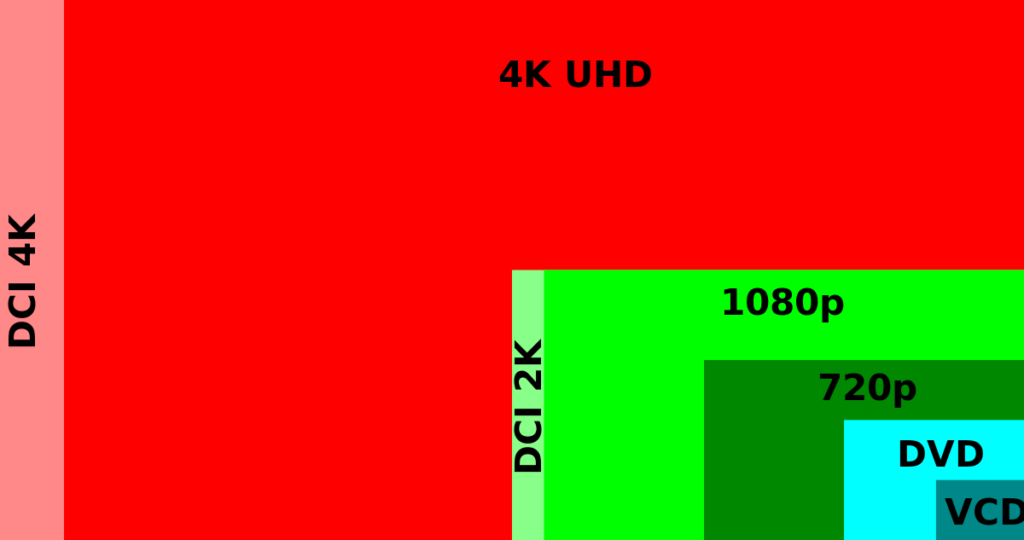
Here are a few points you need to take care of before finalizing the webcam of your choice. This should form part of the basis for a better decision. Recording quality should be of prime concern. A webcam with the old standard of 480p is not enough these days. If not 4k, getting a 1080p should be the minimum requirement. Also, do pay attention to the difference between 4K recording and streaming. A webcam with a 4K recording capacity may not necessarily be able to perform to the same level in the case of streaming. If you need fast streaming, check out your options before you buy the webcam. The microphone is yet another aspect you need to take care of. If you are into creating specialized videos, you may be having specialized recording rooms. But, for an ordinary office, it may not be the exact scenario. It may be a great idea to look for a webcam that reduces the background noise in such circumstances. This would help you be confident that the other party can listen to yours. Are you into zooming a lot while on a webcam? Please note that zooming can have severe effects on your communication, especially the conference calls. If you are into zooming, do check that your chosen camera has proper autofocus functionality. Field of view is yet another feature that can be worth attention. However, the exact requirement would depend on what you are looking at. For most of us who are into office communication at the forefront of a webcam, field of view may be an option only secondary. But, if you are looking to make YouTube Videos or other similar creative masterpieces, we would advise you to opt for a better field of view. When it comes to ‘live streaming,’ clear video communication is essential. Your laptop or computer must be equipped with a functional webcam that can meet this need. One of the most important specs to consider before buying any webcam is the resolution. The 1080p (Full HD) webcams are already prevalent in the market for a long time. For utmost video clarity, it is wise to go for the 4K webcams. The difference between 1080p webcams and 4K webcams is that the latter can produce an exceptional video quality level that is quite better than you are obtaining from the built-in webcam of your computer.  Moreover, viewers can see you in quite vivid detail, and your appearance will be more professional. For Zoom video calls, YouTube streaming, and other professional needs, the 4K webcams are the best fits. Apart from offering better quality photos and videos, they also provide clearer audio. Let’s get familiar with which are the best 4K webcams:
Top 4K Webcams: Our Recommendations

Sr. No. Image Product Name Manufacturer Buy Now
1

  Logitech BRIO Ultra HD Webcam Logitech   Check on Amazon
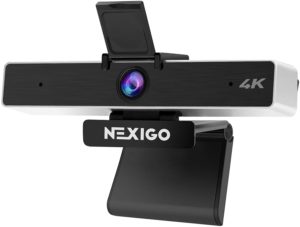
2   Nexigo 4K Webcam with 5X Digital Zoom Nexigo Check on Amazon
3   Amugpill 4K Webcam with Microphone Amugpill Check on Amazon
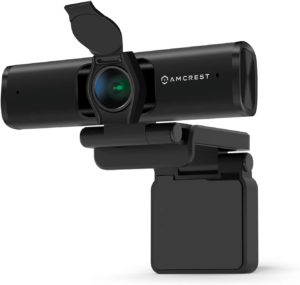
4   Amcrest 4K Webcam w/Microphone (AWC897) Amcrest Check on Amazon
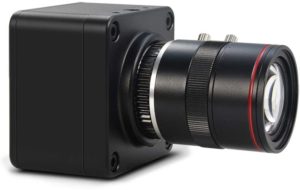
5     MOKOSE 4K@30fps USB Camera MOKOSE Check on Amazon
6   Looca Webcam, 4K HD Computer Camera Looca Check on Amazon
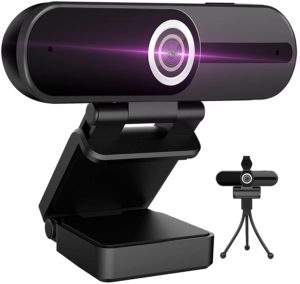
7   XPCAM 4K Webcam with Microphone XPCAM Check on Amazon
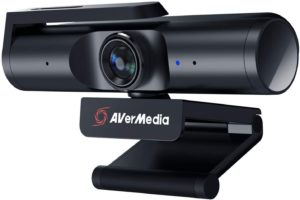
8 AVerMedia Live Streamer CAM 513 AVerMedia Check on Amazon
9 Amugpill 4K Webcam with Microphone: Amugpill Check on Amazon
  1. AVerMedia Live Streamer CAM 513:

Check on Amazon

With the help of this AVerMedia webcam, you can stream videos at both 1080p and 4K resolution. It can stream 4K UltraHD video at a speed of 30fps for exceptional clarity. Also, it can stream 1080p (Full HD) video at a speed of 60fps for flawless motion. Now you can share your favorite moments in Ultra-High definition through the precision-engineered 4K optics. The same is driven by the Sony Exmor technology and improved with the AVerMedia’s CamEngine software. If you find that the picture quality is not great, you can tweak the settings.

Features:

  • The webcam captures more background during streaming through a 94° wide-angle field of view.
  • It can automatically track speakers and emphasize the significant details through tilt, zoom, and digital pan.
  • The full 360° rotation and 0.25-inch thread tripod support provide steady yet flexible mounting options.
  • The device comes with a simple plug & play USB 3.0 interface. It adds crystal-clear 4K video to your stream output.
  • The ease of setup makes this webcam compatible with the leading streaming and video calls apps like Zoom, OBS, Discord, RECentral, etc.
  • The privacy shutter comes with a rotating arm. It helps you to encompass the lens through a single hand effortlessly. When not in use, close it and stay stress-free about the webcam hackers.
  • The CamEngine app lets you explore the various features of this camera. It helps you use functions like noise cancellation, AI-framing, frame presets with the ePTZ, and more.

7. XPCAM 4K Webcam with Microphone:

Check on Amazon

This XPCAM 4K webcam is also known as an 8MP HD computer camera. It is a pro streaming webcam equipped with a tripod and a privacy shutter. With the compact, sleek and foldable design, this USB webcam is easy to use anywhere. It contains a 6 feet long USB power cable—no need for an additional driver. Plug the camera into the USB port of your device. Subsequently, you can use video software like facetime for calling.  This webcam is a perfect choice for video calling, conferencing, recording, live streaming, online teaching, telecommuting, social gaming, etc. With the available swivel clip, you can place this webcam on your computer in various alignments. Not just computers, you can set it up on desktops, laptops, Mac, LCD monitors, and any flat surfaces.

Features:

  • With high-tech optics and lenses, this webcam offers razor-sharp quality videos.
  • It can record video in professional quality at 4k ultra HD resolution. So, the viewers can clearly view all details and colors.
  • The built-in dual microphone comes with a noise reduction function. It makes the sound clear and offers the ability to pick up voice from 12 feet distance.
  • It comes with a pause and plays button. So, you can freeze the screen while there is a video call going on. Press the play button to return to the screen when you want.
  • The H.264 video compression technology and the facial enhancement technology automatically optimize the image. So, the video quality is outstanding.
  • It is compatible with most video apps like YouTube, Facebook, Twitter, Hangouts, Whatsapp, Facetime, Skype, Zoom, Xbox One, OBS, Mixer, and more.

6. Looca Webcam, 4K HD Computer Camera:

Check on Amazon

Looca designs this 4K computer webcam that can capture videos in ultra HD quality. The corresponding video output will be useful for recording, video chatting, and streaming. With the available privacy over, your communication stays protected from hackers. The process to set up is easy; simply plug this USB webcam on a PC—no need for an additional driver.  A tripod is included for ease of placement. Moreover, the available tripod-ready clip is rotatable and adjustable. It can be mounted in various alignments. The built-in tripod stand keeps this webcam stable.

Features:

  • The 4K ultra HD resolution depicts the crystal-clear details and bright colors on the screen.
  • Its dual microphone is quite simple to set up, and it comes with a noise-reduction function. So, the sound output is clear even when heard from 12 feet of distance.
  • It comes with the play and pauses feature for user convenience. This button is present at the top part of the webcam. It lets you freeze and unfreeze the video call’s screen whenever you want.
  • For automatic image optimization, it comes with high-tech video compression technology and facial enhancement technology.
  • The compatibility is great with most video apps like YouTube, Facetime, Skype, etc.
  • Names of OS and devices it can work with are Windows 2000/XP/7/8/10 or above version, Android 5.0 or above version, Chrome OS, Mac OS, Smart TV, and more.

5. MOKOSE 6-12mm Varifocal Manual Lens Webcam 4K@30fps USB:

Check on Amazon

This USB camera uses the UVC standard that offers great compatibility with Windows, Mac OS, and Linux. At a time, multiple cameras can work on a PC. The output produces a decent 4K image with no latency. Besides, the USB cable is long enough for most of your needs. You need not manually zoom the shot with a press of a button. It actually makes tiny zoom adjustments with every press. You can make such adjustments in up to 30 presses. Subsequently, you can reset the adjustment to view the output broadly.  The downloadable, free software works flawlessly.

Features:

  • The 1/1.8 inches CMOS image sensor displays image with more clarity and less noise. It can depict the true color of the object precisely.
  • The resolution is 3840 x 2160 pixels at 30 fps. It also supports full HD resolution (1920 x 1080 pixels). Both these options come with low latency.
  • Other resolutions it supports at 30 fps are 2560 x 1440 pixels, 2048 x 1536 pixels, 1280 x 720 pixels, and 640 x 480 pixels.
  • With the available 3 meters long USB cable, it supports PC USB 3.0 and 2.0 interfaces.
  • There is a 6-12 mm Varifocal manual lens included.
  • The field of view is 32°-61°.
  • It comes with auto backlight compensation and an auto-tracking white balance.

4. Amcrest 4K Webcam w/Microphone (AWC897):

Check on Amazon

For PCs, desktops, and laptops, you can use this HD streaming webcam with a mic. For excellent low light performance, it supports a wide-angle lens and comes with a large sensor. The light turns red when there is power, and it switches to green when the camera is active. Furthermore, a flip-down lens cover is included.  The USB 2.0 cable has a length of 5 feet, 9 inches. There is no need for third-party software for operating the computer accessories. No worries about the security of your images and personal data sent or received to a server.  With the available tripod thread and a mounting clip, the placement is versatile. Hence, you can mount this Amcrest webcam on any surface. Even in a noisy environment, the video conference experience is the best.

Features:

  • It supports 4K UltraHD video recording at 18fps and 2K video recording at 30fps.
  • For excellent image quality at the output, it comes with a ⅓ 4K CMOS image sensor.
  • The wide-viewing angle of 75° makes the webcam ideal for video conferencing and webinars.
  • The included privacy cover encloses your webcam while not in use. It protects your data from web hackers.
  • Its built-in microphone comes with a noise-reduction function. It provides superior quality stereo audio for a natural and clear recording of sound.
  • The USB 2.0 plug-and-play interface offers compatibility with Windows, Android, and Mac OS.
  • The platform compatibility includes YouTube, Skype, Zoom, Android IPTV, Gmail, WeChat, Windows Live@Messager, etc.

3. Amugpill 4K Webcam with Microphone:

Check on Amazon

For PCs, desktops, laptops, and Mac, you can set up this Amugpill webcam. With support for a 120° wide-angle lens, this webcam can work with FaceTime, Skype, Zoom, Microsoft Teams, etc.  Through the USB 2.0 connector, there is no need to install or download any complex driver software. The available stereo microphone is compactly designed and can stay concealed on your desk. So, it does not deteriorate the decor of your desk. For professional calls and YouTube streaming, this webcam is best considering the price. When not in use, the privacy shutter encloses your webcam for protection. It deters web hackers from accessing your data. Generally, for individuals, small groups, and companies, this webcam works well. The lens cover is removable.

Features:

  • The built-in microphone picks up sound from all directions. It also automatically filters out background noise. So, you benefit from clear voice output every time.
  • Its panoramic 3840 x 2160 pixels resolution is suitable for YouTube streaming and professional video conferencing. Also, it is best for video calling, video conferences on Skype, online teaching, gaming videos, etc.
  • For optimal viewing angle, the webcam can be swiveled at 90°. So, it provides secure access to a desktop, laptop, tripod, and LCD monitor. Though its position is adjustable, the build quality is sturdy.
  • It is compatible with Windows XP/Vista/7/8 /10, Android OS, iPad, and iPhone. Also, it can work with the leading live broadcasting platforms.
  • The face recognition works rapidly and smoothly. It captures the exciting detail at 30 fps.
  • There is support for automatic light correction.

2. Nexigo 4K Webcam with 5X Digital Zoom:

Check on Amazon

NexiGo presents this 2021 latest version webcam with lots of advanced features. It can work with plenty of video streaming apps. You can use it on a desktop, PC, Mac, and laptop. It is possible to use it for Skype video conferencing, Zoom video calls, MS Teams, and more. The incorporated stereo microphones offer enhanced quality for video calls, video recording, and streaming games. There is support for the USB 2.0 interface; no need for an additional driver. The included privacy cover secures your data and communication throughout. It prevents hackers from accessing your data.  It includes a threaded base and an adjustable clip for safe mounting on a monitor, laptop, or tripod. Typically, you can use this Nexigo webcam for live streaming, professional conference, video recording, gaming, and online teaching.

Features:

  • The built-in Sony 8.5 MP sensor provides 3840 x 2160 pixels quad HD resolution at 30 fps. The same offer crispiness and clarity in the video output.
  • It comes with 5X digital zoom.
  • With the adjustable field of view, you can vary the field of view from narrow to wide to focus on the subject you want. During this adjustment, there is no compromise in the UHD resolution.
  • The dual microphones are Omni-directional and come with the noise-cancellation feature. They guarantee great clarity of audio from all angles.
  • The automatic low-light correction offers satisfactory video output even in low-light conditions.
  1. Logitech BRIO Ultra HD Webcam:

Check on Amazon

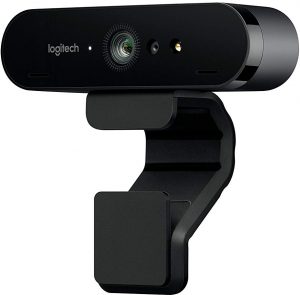
For YouTube streaming, recording, and video conferencing, you can set up this Logitech webcam. With the premium quality glass lens, HDR, autofocus, and 4K image sensor, the video quality appear lifelike. The Right light 3 automatically varies the exposure and contrast. As a result, it compensates for backlighting and glare. So, the video quality seems great even in dim light conditions. The RightLight 3 light correction is so much useful for recording, streaming, and video calls. Use the available tripod thread and an adjustable clip for proper mounting. With these options, you can mount this webcam on a table, LCD screen, etc. For privacy, the removable shade can be flipped down.

Features:

  • It supports 4K Ultra HD resolution at 30 fps and 1080p resolution at 30 fps or 60 fps.
  • The 5x zoom lets you closely evaluate the details of images and videos. This function supports pan and digital zoom.
  • You can opt from 3 field of view options without compromising the HD resolution.
  • With both infrared and optical sensors, this webcam offers quick and safe facial recognition for Windows Hello. Just look at the lens to log in.
  • The connection types it supports are USB 2.0 Type-A, USB 3.0 Type-A, and USB Type-C connections.
  • It is certified for business and Cisco. The app compatibility includes Skype for Business, Zoom, Cisco Jabber, WebEx, Blue Jeans, Facebook Messenger, and more.
  • Your video app recognizes a webcam, and you can use it with BRIO. It’s certified compatible with Skype for Business, Windows Hello, cloud services like BlueJeans and, and more.
  • For Windows, it can work with Windows 10, XSplit, and OBS. For Mac, it can work with Swift Capture.
Article-7: Best 4K webcams
Sr. No. Image Product Name Manufacturer Buy Now
1 AVMP TECH 4K Webcam AVMP Check on Amazon
2 Lecran 4K Webcam with Microphone Lecran Check on Amazon
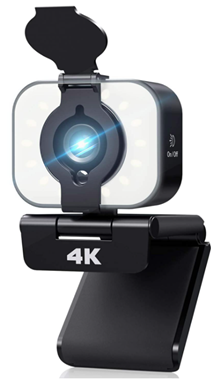
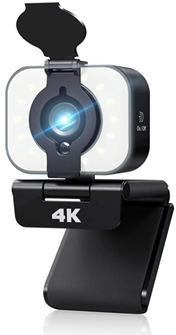
3   Fosvacs 4k Web Camera Fosvacs Check on Amazon
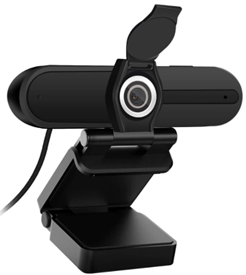
4 DGVDO 4K Upgraded Webcam DGVDO Check on Amazon
5 DEPSTECH 4K Webcam with Microphone DEPSTECH Check on Amazon
6 GoHZQ 4K Webcam with Microphone GoHZQ Check on Amazon
7 EfficVerwal 4K Full HD Webcam EfficVerwal Check on Amazon
8 ETICIAN 4K Webcam ETICIAN Check on Amazon
9 ALPCAM 4K Ultra HD Webcam ALPCAM Check on Amazon
10 Hotpet 4K Autofocus USB Webcam Hotpet Check on Amazon
11 IFWATER 4K Ultra HD USB webcam IFWATER Check on Amazon

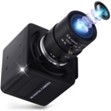
11. IFWATER 4K Ultra HD USB webcam:

Check on Amazon

For personal and professional use, this 4K UHD webcam is widely used for seamless communication. The fast transmission speed and great video clarity justify your investment. All the recorded video appears vivid and clear. There is a built-in UHD lens that guarantees sharp image quality with clarity. The supported video formats are MJPEG and YUY2. Manual adjustments are available for focus, zoom, and aperture. All the controls are precise, and the lock screws work perfectly. Moreover, there is support for the USB 2.0 OTG interface for plug & play setup. No need to install drivers. Simply plug the webcam into the USB port of a computer. For the price, the image and video quality are great.

Features:

  • The 4K UHD (3840 x 2160 pixels @30fps) and low-color reproduction deviation produce a sharp image with precise information.
  • It is equipped with a Sony IMX317 sensor 5-50 mm manual varifocus lens. This lens makes the webcam suitable for surveillance systems, professional video production, industrial applications, etc.
  • Names of parameters you can adjust are contrast, brightness, saturation, sharpness, hue, gamma, backlight contrast, white balance, and exposure.

10. Hotpet 4K Autofocus USB Webcam:

Check on Amazon

The high-optic lenses in this Hotpet webcam provide outstanding image quality. Due to this lens and 4K resolution, the output videos are razor-sharp. You can easily record professional-quality videos in 4K UHD resolution. Therefore, you will clearly see all the details and colors. The bright light turns on depending on the ambient light. Excellent video clarity makes the webcam perfect for online teaching, professional conference, business interview, gaming, and recording. With the compact aluminum case inside, this webcam is compatible with a lot of streaming apps. They are namely Skype, Zoom, OBS, YouTube live streaming, Facebook Live, and GoToMeeting. For the operation, plug the webcam into the computer’s USB port without installing drivers. Moreover, there is support for the USB 2.0 OTG to facilitate high-speed USB 2.0 data transmission. This is why bandwidth occupancy is less and work efficiency is high. The length of the USB cable it comes with is 3 meters.

Features:

  • The 100° autofocus lens guarantees fast and precise autofocus performance. It makes sure the webcam stays automatically focused on your face though you move around.
  • The SONY IMX415 (1/2.8″) image sensor and 30fps speed lead to clear and crisp videos.
  • The shutter type is an electronic rolling shutter.

9. ALPCAM 4K Ultra HD Webcam:

Check on Amazon

For video chatting, recording, streaming, use this ALPCAM webcam. It presents a 4K UHD image and video output. From different viewing angles and in different conditions, the output stays visible. The sound is clear and natural with the dual microphones. These microphones make the webcam perfect for online classes, video conferences, chatting, and more. The data transmission speed is excellent due to the high-speed USB 2.0 OTG interface. The bandwidth occupancy is less. Connect this webcam with apps or software like YouTube, Facebook Live, Skype, FaceTime, Zoom, and more. Use the included tripod screw hole to mount this webcam on a bracket.

Features:

  • The built-in manual varifocal lens offers manual adjustment of focal length in the range of 2.8-12 mm.
  • The 1/2.5-inch Sony IMX317 image sensor provides a maximum resolution of 4K @ 30 fps. So, the images and videos appear crisp and clear.
  • There are 3 manual adjustments available. Adjust zoom at the front, iris in the middle, and focus at the rear of the lens.
  • This webcam is instantly identified in OBS. So, it allows you to choose a wide range of resolutions and visual settings.

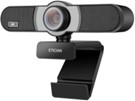
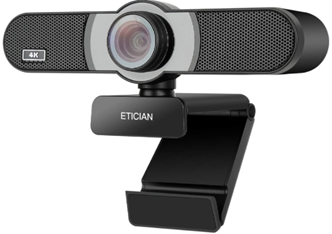
8. ETICIAN 4K Webcam:

Check on Amazon

What makes this ETICIAN webcam unique is it contains an 8 MP lens. This lens guarantees excellent clarity for images and videos. Especially for online education, Skype calls, video conferences, YouTube recordings, and live streaming. The USB cable length is 70 inches. Just plug the webcam into the computer’s USB port with this cable—no need to install extra drivers. Foldable design simplifies the setup and operation anywhere. It is due to its compact size that most people mount it at the top of the monitor. You can also place it on a tripod or some stand.

Features:

  • The 8 MP wide-angle lens supports a 116° alignment with zero distortion.
  • The camera lens and ultra-HD CMOS image sensor make close-up details more lifelike on video.
  • The autofocus feature ensures videos are crystal-clear and sharp.
  • The built-in mic is implemented with digital noise reduction technology. It leads to clear and pure sound, picked up from 10 meters distance.

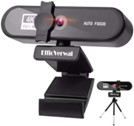
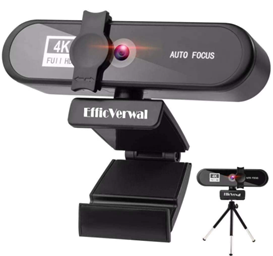
7. EfficVerwal 4K Full HD Webcam:

Check on Amazon

For professional environments, this webcam from EfficVerwal is extremely suitable. It is best for meetings, conferences, calls, live broadcasts, and video chatting. Also, you can use it for gaming. A huge mass of people uses it for staying connected during ‘work from home.’ There are more than 12M pixels in the image output. The 4K HD image quality clearly displays your face. The Autofocus feature eliminates the need for manual adjustment of focus. Plug its USB port into that of your PC. Subsequently, it automatically searches for the drivers online—no need to install additional drivers. The body of the webcam is durable with ABS and acrylic.

Features:

  • The built-in lens supports variable 120° wide-angle vision. The lens can be physically adjusted 360° to let you be visible in all directions.
  • The video encoding is M-JPGD.
  • The video frame rate is 30 fps, and the audio rate is 192 kbps.
  • There is support for audio compression in the dual stereo microphone.
  • There are 4 adjustable soft fill lights to provide bright illumination.
  • With the included privacy cover, you can cover the camera lens. This cover ensures the privacy of your communication during live broadcasts, meetings, video chatting, etc.

6. GoHZQ 4K Webcam with Microphone:

Check on Amazon

Connect this 8 MP UHD webcam to your PC, desktop, laptop, Macbook, computer monitor, Xbox, smart TV, etc. You may be surprised to note the excellent video quality during online classes, webinars, video conferencing, live streaming, gaming, etc. One of the most functional components is the dual microphones. They are omnidirectional microphones that pick up sound from 8 meters of distance. Furthermore, they are implemented with noise-reduction technology to ensure pure stereo sound. Due to the automatic filtering of background noise, the sound recording is clear even in a loud environment. A base mount clip with support for 180° rotation is included. This, along with a rotatable lens design, allows you to vary the webcam angle as you want. You can mount the webcam on the top of a computer monitor. Setup is simplified with plug & play; no need to install drivers.

Features:

  • The advanced 1/3.2-inch CMOS image sensor leads to a professional recording of UHD videos.
  • Other key features are HDR, zero optical distortion, automatic light correction, adjustable exposure, and contrast. These features promise crystal-clear details and vivid colors.
  • The plug& play setup guarantees wide compatibility with various operating systems. You can connect the webcam with devices having Windows 2000/XP/7/8/10, Android 4.0 and above, Mac OSX 10.7 and above, Linux, and Chrome OS.
  • Names of streaming software compatible are YouTube, Skype, Facebook, Zoom, WebEx, WeChat, PotPlayer, MSN, etc.
  • The play/pause button helps you to freeze and restore the screen during video calls.
  • The built-in privacy protection cover ensures safety during communication. It protects the lens from debris, dirt, and other damages.

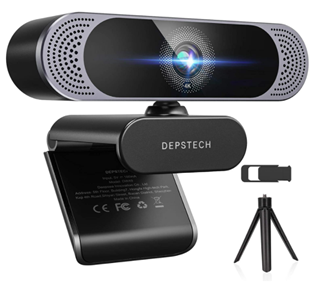
5. DEPSTECH 4K Webcam with Microphone:

Check on Amazon

Enjoy the lifelike video calling experience with this PC web camera. There are zero delays during communication. Generally, people use it for online education, video conferencing, streaming, Skype calls, Zoom meetings, and more. For remote meetings, the autofocus feature is inevitable. This feature is found in this device that implements a face tracking system. This system keeps the person’s face in focus. Moreover, it discards distraction due to other objects. Every fine detail of the video appears clear even in dim light conditions. Use the available 5.9 feet long USB 2.0 cable connector to connect the webcam with laptops, computers, desktops, or Mac. No need to download additional software or drivers. If you don’t want to clip the webcam on a monitor, use the tripod to mount steadily.

Features:

  • There is a 1/3-inch CMOS Sony image sensor that provides 4K resolution @30 fps.
  • Dual microphones pick up voice from all directions.
  • The implemented digital noise filtering technology automatically filters out background noise. So, video output boasts excellent clarity, even in a noisy environment.
  • There is support for auto-exposure control and white balance. Thus, this webcam smartly adjusts the parameters to produce optimal image quality in any light setting.
  • The privacy cover protects your privacy and keeps the lens in pristine condition.
  • The field of view is 80°.
  • The ability to rotate at 360° lets you easily move the camera to any angle.

4. DGVDO 4K Upgraded Webcam:

Check on Amazon

The highest resolution this DGVDO webcam supports is 4K. It may vary depending on the software used since most software compresses the image quality. The compatibility is USB 2.0 and 3.0. All you need to do is connect the webcam to a computer with a USB cable. With the assistance of the flexible clip, it is easy to fix the webcam on the computer firmly—no worries about vibration to the lens. If you want, you can attach the webcam to a tripod. It is easy to switch the lens on and off freely with the flip privacy cover—no need to shift or close the webcam. In any light settings, your face appears clear to all the persons connected in the conference.

Features:

  • The 105° wide-angle lens offers excellent clarity, high-speed communication with an engaging experience.
  • Video streaming appears more professional with automatic image optimization.
  • The automatic low light correction ensures a clear view even in low light conditions.
  • The noise reduction works automatically in the microphone. It promises stereo audio with great clarity.
  • The range of the sound transmission is 1.5 meters to guarantee flawless voice communication.
  • 3 levels are available in the filling light. Choose the one to obtain the desired illumination.

3. Fosvacs 4k Web Camera:

Check on Amazon

For tasks like streaming, recording, video calling, etc., this Fosvacs webcam works reliably. Not just desktop or laptop, it can be connected to a monitor or LED TV. When connected to a monitor or 4K LED TV; you obtain video recording or calling experience in 4K. But if your LED TV is not 4K, the resolution supported is only 1080p. Also, it is possible to connect a notebook or Android TV having a USB port. If you want, you can mount it on a tripod. Use the privacy cover to ensure secure communication. Moreover, you can stop video recording or video chat anytime with the freeze screen button. There is a shutter cover, mini tripod, and a manual in the box.

Features:

  • The Sony CMOS image sensor supports 4K video recording @ 20fps (for 4K LCD screens and monitors) and 1080p video recording @ 30fps(for Full HD LCD screens and monitors).
  • Due to the 75° field of view, there is zero distortion in the output. This feature is suitable for video conferences and video chatting with multiple persons at once.
  • Image clarity is uncompromised even in low-light conditions due to automatic low-light correction.
  • The automatic low-light correction makes the webcam perfect for Skype, YouTube, Facebook Live, OBS, Twitch, XSplit, Zoom, etc.
  • OS compatibility includes Windows 10/8, Mac OS 10.6 or higher, and Android 5.0 or higher.
  • Video recording and chatting software supported are Yahoo Video Messenger, MSN Messenger, and Twitter.

2. Lecran 4K Webcam with Microphone:

Check on Amazon

If you are looking for a flexible and easy-to-use webcam, choose this one from Lecran. Its head can be adjusted vertically, allowing you to adjust in any position. There is a LED touch light surrounding the front part. Connect to the USB 2.0/3.0 port of your computer—no need to install software or drivers. To mount steadily, you can use a tripod with a dense rubber coating. This kind of tripod makes the webcam perfect for outdoor shooting and time-lapse photography. Use the included privacy cover to enjoy secure communication.

Features:

  • High-quality video and razor-sharp image quality are made possible with the 4K resolution @ 25fps.
  • Video output is always clear, smooth, and lifelike with automatic exposure control and automatic white balance.
  • The stable transmission makes the webcam ideal for video recording, conferencing, and streaming.
  • 3 levels are available in the ring fill light for offering lighting compensation. It is easy to choose any of these levels with touch control.
  • In any light setting, the brightness is uncompromised.
  • The noise-reducing microphone guarantees digital stereo audio. It controls distraction due to background noise for clear video recording.
  • The audio output is clearly heard even from a far distance.
  1. AVMP TECH 4K Webcam:

Check on Amazon

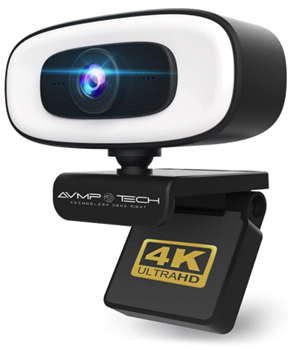
Whether you are in ‘work from home’ mode or want to do live streaming or play online games, set up this webcam. The cutting-edge HD lens promises high-quality video output suitable for professional communication. Especially for online learning, the ring light is useful. It offers enough illumination for dim areas and close-ups. Even in a dim light setting, your face will appear clear and bright. A mount is included to ensure the webcam stays stable. It is possible to mount in different angles using a tripod and 360° mounting clip. Use these accessories to mount the webcam on a desk or stand. For devices like desktops, laptops, monitors, Chromebooks, Macbooks, etc., this device works well. During setup, there is no need to install additional drivers. Features:
  • All videos appear crystal-clear at 3840 x 2160 pixels resolution with an 8MP CMOS sensor.
  • The 100° wide angle makes the webcam suitable for YouTube, Facebook, Zoom, Twitch, OBS, etc.
  • Supported picture formats are BMP, JPG, and PNG.
  • Supported video formats are MP4 and AVI.
  • Ambient noise cancels out with the noise-canceling microphone. This component promises natural sound even in a noisy environment.
  • 3 levels are available in ring fill light. Activate any level with the touch.
  • Long touch of fill light activates flash, and short touch deactivates it.
  • The driverless plug & play setup offers compatibility with the USB 2.0/3.0 port.
  • The OS compatibility is Windows 10/8/7, Mac OS 10.6 and above, Android 5.0 and above, Chrome OS, and Linux.

To Summarize:

These 4K webcams offer exceptional clarity for video calling, Youtube streaming, and other professional video calling needs. The sensors in these devices are designed to work in most light conditions. With these webcams, you can streamline your business communication flawlessly and quickly.

Top 4K Webcams That Would Meet Your Needs

We have several choices in HD webcams. However, as we said before, finding the 4K webcams is not that easy. Moreover, the webcam needs to be compatible with several options and functions. A few of the requirements have been listed above. The recording quality, microphone performance, and field of view are a few of the features you need to check out. In fact, streaming and recording have a lot of differences between them. A webcam recording in 4K may not be able to stream in 4K. Check out your options before making the final choice. Even though we could not zero in on many alternative options in 4K, we tried our best and found a couple of them. Here are a few options you may go with.

Logitech BRIO

Check on Amazon

This is the perfect and advanced webcam you opt for. This is the best when it comes to the ideal 4K webcams currently available.

It provides you support for recording in resolutions 4K, 1080p, and 720p. It employs infrared facial recognition. The lighting performance is the best with High Dynamic Range RightLight 3. You can be assured of three different viewing angles.

Key Features –

Resolution 4K Ultra HD 3840p/30fps Full HD 1080p/30 or 60fps HD 720p/30, 60, or 90fps.
Field of View 65°, 78°, and 90°
Zoom 5X
Autofocus Yes
Price Check on Amazon

GBD Wireless 360 Degree Panoramic Camera 3D VR

Check on Amazon

First, this is not a webcam but a great 360-degree camera, ideal for live streaming. The camera offers you a super wide-angle. You can get multiple preview modes – hemispherical mode, circular mode, segmentation mode, and panorama mode. The ultra HD 4K recording functionality ensures the best performance. It can be easily connected to your PC, smartphone, or tablet and used as a webcam. In fact, you can use the tool for multiple uses apart from being just a webcam.

Key Features –

Resolution 4K: 2448*2448 30fps/2048*2048 30fps/1440*1440 60fps&30fps/1072*1072 60fps&30fps
Field of View 360 degree
Zoom 5X
Autofocus Yes
Price Check on Amazon

In Conclusion

In fact, that would practically conclude the list of our top choices for the best 4K laptops. The technology is yet to be available for the webcams, and Logitech has been the front-runner with its launch of the first 4K webcam on the platform. Until more manufacturers join the bandwagon and launch more such cameras for your PCs, we may need to live with the webcams compatible with 1080p resolution. If you come across any 4K webcam, do let us know through the comments here below. We would indeed add the products to our compilation.

Canon PowerShot SX430 vs Nikon B500 vs Sony H400V: Camera Comparison

Though smartphones have replaced the cameras in more ways than one, they have not yet lost their charm. If you are a professional photographer or even someone who has an active interest in photography – you will look forward to a sophisticated and quality driven camera.  However, in a market saturated with a host of different choices for a great camera that is affordable enough – it may be a little tight to find the options that would best meet your needs. To aid you in choosing the best camera that would meet your requirements, we are pleased to offer a comparison of the three most promising cameras in the following paragraphs. We have zeroed in on Canon Powershot SX430, Sony H400V and Nikon Coolpix B500 as the three prominent cameras that would meet the requirements that a regular photography enthusiast or a traveler can opt for.

Comparison between Canon PowerShot SX430 vs Nikon B500 vs Sony H400V

Well, these three come under the genre of small sensor superzoom cameras. All three have the specific features that would make them a good choice. We have used a tabular mode of arranging the specifications for easy comparison. The tabular comparison arranged side by side should aid you in making a brilliant and faster choice among the competitors.

General Features

Features Canon Powershot SX430 Sony H400V Nikon B500
Series Powershot DSC Coolpix
Type Bridge Camera Bridge Camera Bridge camera
Connectivity WiFi, GPS HDMI, USB WiFi, HDMI
Battery Type li-ion Rechargeable Li-ion Rechargeable AA standard battery
Sensor Type CCD Sensor CCD sensor CMOS sensor
 

Camera Properties

Features Canon Powershot SX430 Sony H400V Nikon B500
Resolution 20.0 MP 20.1 MP 16 MP
Zoom 45x Optical 63x Optical 40x Optical
Max. Video Resolution 720p HD 720p HD 1080p HD
Available Resolutions 1280 x 720 640 x 480 1920 x1080 1280 x720 640 x 480 1280 x 720 640 x 480
Frame rate 25 fps for 720p 30 fps for VGA 30 & 60 fps for 720p 30 fps for VGA 25 & 30 fps for 1080p 25,30 & 60 fps for 720p 30 fps for VGA
 

Lens Properties

Features Canon Powershot SX430 Sony H400V Nikon B500
Construction 12 elements in 11 group 15 elements in 10 groups 12 elements in 9 groups
Focal Length 4.3 – 19.3.5 mm 4.3 to 215 mm 4 to 160 mm
Zoom 45x 63x 40x
Aperture f/3.5 – f/6.8 F 2.8 to 6.3 f/3 to f/6.5
 

Storage Capacity

Features Canon Powershot SX430 Sony H400V Nikon B500
Storage System DCF, DPOF, EXIF DCF, DPOF, EXIF DCF, EXIF
Memory card Type SD, SDHC, SDXC SD, SDHC, SDXC SD, SDHC, SDXC
 

Battery

Features Canon Powershot SX430 Sony H400V Nikon B500
Battery Type Li-ion li-ion Standard
Charging Rechargeable Rechargeable AA
Shots Possible 195 shots 300 shots 600 shots
 

Connectivity

Features Canon Powershot SX430 Sony H400V Nikon B500
WiFi 802.11 b/g/n 802.11 b/g/n 802.11 b/g/n
Bluetooth No No V 4.1
NFC Yes Yes Yes
USB Yes No No
HDMI No Yes Yes
 

Other Features

Features Canon Powershot SX430 Sony H400V Nikon B500
ISO Auto, 100 to 1600 Auto, 80 to 3200 Auto, Manual, 125 to 6400
White balance Auto, Cloudy, Custom, Daylight, Fluorescent Auto, Daylight, Cloudy, Fluorescent White, Incandescent, Flash, C.Temp/Filter, Custom Auto, Cloudy, Daylight, Flash, Fluorescent, Incandescent
Iris Control No No No
Shutter Speed 1/4000 – 1 sec 1/4000 – 1sec 1/1500 – 1 sec
Self Timer 10 seconds, 2 seconds, Custom seconds Off, 10 sec., 2 sec., portrait 1, portrait 2 10 seconds, 2 seconds

Design

Features Canon Powershot SX430 Sony H400V Nikon B500
Dimensions 104.4 x 69.1 x 85.1 mm 129.6 x 93.2 x 114.8 mm 113.5 x 78.3 x 94.9 mm
Color Options Black NA Black, Red
 

Availability

Canon Powershot SX430

[amazon_link asins=’B019UDI5PO’ template=’ProductAd’ store=’foi04-20′ marketplace=’US’ link_id=’3633b3da-25bb-11e8-85d8-c78a65fabb9b’] The camera is indeed a dream come true for all the amateur photographers out there. Whether you are an novice or a professional, the features are quite self-explanatory. Coming from the house of Canon, the camera can be your best bet.

Sony H400V

[amazon_link asins=’B00I8BIB18′ template=’ProductAd’ store=’foi04-20′ marketplace=’US’ link_id=’534fa29a-25bb-11e8-87a2-8f4ecb2fea5a’] Sony is undoubtedly have taken the lead to become a clear leader in the camera business. The superzoom camera with exceptional clarity offers clear and smoother videos are quite exceptional in their own right. Cinematic HD experience should make it a photographers’ delight.

Nikon Coolpix B500

[amazon_link asins=’B01C3LEBW6′ template=’ProductAd’ store=’foi04-20′ marketplace=’US’ link_id=’71982b6f-25bb-11e8-891f-915d9d39328b’] The 16 MP CMOS sensor would make it a force to reckon with. The full HD resolution at 1080p is one of the features you may not find elsewhere. Apart from the Optical zoom, you can also get an 80x digital zoom. It comes with excellent connectivity features that include WiFi, NFC, and Bluetooth. You get a host of accessories at that price including memory card, carrying case, card reader and rubber grip among the other accessories.

Before We Take Your leave…

That should conclude our concise review of the three excellent cameras that would be an excellent choice for professional photographers or photography enthusiasts. We have attempted including as many details that a photographer would be interested. Of course, we might have left out a few features and aspects that are purely technical and beyond what an average person could fathom. Do go through the feature sets we have compared side by side and opted for a camera that would better suit all your requirements. Do share your views with us.    

Canon 470 EX-AI – The FlashWith AI Features & Specification Details

If you are into photography, you would be aware that flash photography is something that requires skills. In fact, most professional photographers avoid flash directly because it takes away the natural elements of a photograph. However, you would indeed need it, especially during event photography and similar concepts. What would be the perfect advice then? Canon seems to have taken the issue to its heart. The result is a new product that makes use of AI in a flash. Yes, Canon’s new offering Canon Canon 470 EX-AI comes with AI (Artificial Intelligence) features. Let us check out the flash and its features in this article.

Canon 470 EX-AI – The FlashWith AI Features

Canon 470 EX-AI

Check on Amazon

Flash Photography needs a lot of calculations (E-TTL / E-TTL2) and understanding. You could be a great photographer with your intelligence. But, if you want to use the flash, you need to go through a few challenges. The exact timing of the flash and the angle of lighting play a considerably significant role in the efficient use of flash. From that perspective, Canon’s new flash system 470EX-AI is indeed a blessing for the photographers worldwide. What does this flash system do? We will find in the following paragraphs.

Canon 470EX-AI Flash System – An Overview

https://www.youtube.com/watch?v=chLtZ5Fress The Canon 470EX-AI is flashgun designed for Canon DSLRs and mirrorless cameras. Making use of new concept referred to as AI Bounce, to resolve the woes experienced by photographers while using flash, it is a product that fits the middle range of offerings from Canon. The flashgun can be your best bet if you are frequently moving between landscape and portrait photography. The system can also be useful if you are shooting a moving object. It makes use of the bounced flash technique. The flashlight is bounced from a ceiling or wall so that you can get uniform lighting on the subject you are trying to shoot. This would work better than using the flash directly on the subject.

Canon 470EX-AI Features

Well, instead of listing out the features, let us indulge in a concise review of the product. This is bound to give you a clear understanding of the flash system in more exquisite detail.

The Design And Build

From the first glance, it will appear to be similar to other flashguns available. However, a closer examination will reveal the best features that the product comes with. To understand the concept you need to use it in your camera. More on that later. Though the automatic setting should be the perfect option for effective flash photography, the flashgun offers you a semi-automatic functionality as well.

Working

The first time you use it, it will fire off a flash to ascertain the exact scene around. Then it will begin to move upwards or towards a wall depending on what it calculates concerning the view around. The flash drives tilt and twists smoother and quicker to produce a bounced illumination, also referred to as “flattened illumination” in the photography terminology. That should be for the current positioning of your camera. When you move or change the camera orientation, it will move on its own and get ready for the next shot. As we said, it does come with a semi-automatic setting as well. Just position the angle, twist or swivel that you want and press the button on its side. The flashgun will maintain this aspect when you move or change orientation.

Performance

The functionality works at its level best. You may find it a little awkward to see something moving over the camera, but if you have used any motorized equipment before – you will get used to it. The service has been found to be delivering consistent results even with constant moving and around and frequent changes in orientation.

What Features Does It Pack-In?

The Canon 470EX-AI comes with a motorized head cover. It does come with a built-in adapter for disbursing the light efficiently. The flashgun has been designed to work with a focal length that is quite shorter. The service recharges in just under 5.5 seconds in case four AA/LR6 batteries charge it. If you are using rechargeable batteries, the recharge time for the flash is around 3.5 seconds. The Canon Flashgun 470EX-AI also comes with a high-speed sync functionality as well. This is to adjust for faster shutter speeds and wider apertures. A list of features can be summarised as
  • Focal length Coverage – 24 to 105mm
  • Custom Functions – 19
  • Built-in Optical receiver – You would be able to use it up to 10 meters from the camera.
  • Infrared
  • AI Bounce Feature with automatic and semi-automatic modes
  • Wireless optical receiver
  • Larger LCD.

What Makes It An Innovative Option?

Well, we are all aware of the softer flash used by the photographers. They tend to do it manually. The timing and the angle may not make exact sense in most of the cases. An automated approach will be the best option to produce an even bounced illumination. However, the AI feature of on Canon 470EX-AI takes it ahead of automation. Instead of making the flattened illumination a reality without manual intervention, it makes more authentic and technology driven. The reviews have indicated that it works the best and produces optimal brilliance for every one of your shots. In fact, the flashgun keeps on moving on its own as you walk around. That would aid in cases where you are shooting moving objects. You need not worry about forgetting to align the flash for the proper illumination and thus missing an excellent shot.

In Conclusion

Well, the Canon 470EX-AI is indeed the best you can get and indeed an upgrade by any standard. It is likely to be quite successful enough if you look at the challenges that photographers go through in getting better flash photography. It may be too early to comment on how successful the technology will be regarding sustainability and consistency, but we would vouch for the usability as it has made it easy for us to indulge in flash photography confidently without the issues or the steep learning curve associated with it. Here is the full video with more in-depth information from Canon.

Best 4K HDR Camcorders and Action Cameras With Low Budget Options

Technology has been all-pervading. This does not leave cameras aside. We used to take photos to keep the moments from our life perfectly etched for eternity. But, times have changed considerably. The gadgets that we are always attached to have made us want for more advanced options. The videos speak more than images. 4K has been the new standard in 2018, and that is exactly why we have been looking ahead for the 4K capable HDR Camcorders and action cameras you can buy in 2018. Check out a few options you can check out.

Best 4K HDR Camcorders and Action Cameras

When looking for the best 4K HDR Camcorders and Action Cameras, the essential features you need to look for would ease using image quality. If you are about to use it for the professional photography requirements, you may also need to pay attention to the mounts and accessories you would get with it. Here are a few options you can give a thought to.

<2020 Update>

Sony FDR-AX700

Check on Amazon

The Sony FDR-AX700 has been considered one of the high-end options for almost all your expectations in the best 4K camcorder functionality. Designed to provide you with the perfect professional consumers ever. An effortless performer in its class provides you access to a huge degree of performance enhancement under any lighting conditions. The incredibly faster experience with the hybrid autofocus and a wider coverage is what would provide it one of the exciting choices ever. The Hybrid Log-Gamma (HLG) encoding provides you with a huge degree of enhancement in HDR terms. The multi-interface shoe is another advantage that can offer you access to power, signal connections, and coordinated on/off switching with the compatible accessories. The Dual media slots with Relay and Simultaneous recording modes can be useful, providing a huge degree of flexibility concerning recording time and flexibility. Amazon

Canon HF G60

Check on Amazon

Canon HF G60 is one of the excellent options in the Vixia compact consumer lineup. It has been one of the high-end budget-friendly 4K camcorders. It provides you access to such a huge degree of options in the form of a 1″ CMOS sensor, a 25.5-382.5mm lens, a 3″ articulating touchscreen, a tilting viewfinder, optical stabilization, DC in, and dual card slots. The camera shoots 4K UHD up to 30 fps at 150 Mbps and 1080p FHD up to 60 fps at 35 Mbps. One of the strongest factors in its favor can include the outstanding phase-detection AF system. The powerful Digic DV6 image processor, along with legendary Dual Pixel CMOS AF technology that further enhances your experience. The 15x Optical Zoom Lens is yet another high-end feature that we found really impressive in every respect. The 5-Axis Optical Image Stabilization provides three image stabilization modes viz Standard, Dynamic, and Powered. The dual SD card support should be yet another feature that further improves your experience. Amazon

Panasonic UX90

Check on Amazon

The camcorder was launched in 2016 and offered you a slightly low-end option among the professional camcorders. While it shares most of its features with the Panasonic UX180 but is offered for budget-conscious customers. A few of the features that we found rather interesting on the Panasonic UX90 include a 1″ MOS sensor, 24.0-480 mm Leica lens, 3.5″ articulating touchscreen, tilting viewfinder, optical stabilization, DC in, and dual card slots. You can shoot the video in 4K UHD up 30 fps at 100 Mbps and 1080p FHD 60 fps at 50 Mbps. You can shoot either MOV or MP4 formats. As for the images, it shoots them in 8.6 MP. The eight selectable gamma modes improve the dynamic range or contrast. It can be your best bet for any of your professional productions ever. It can be your best option for almost each of your requirements regarding the ever-demanding 4K market. Amazon

Panasonic AG-CX350

Check on Amazon

One of the high end 4K camcorders, the Panasonic AG-CX350 can be one of the excellent options for improving your 4K recording capabilities. It can offer you access to enhanced performance with the true cinematic DCI 4K, 10-bit, 4:2:0 footage. It should double up as one of the enhanced options ever for almost all your expectations to create content for movies, commercials, or documentaries. You can get access to a very high degree of performance with the dual memory card slot that further improves your shooting capability by leaps and bounds. The new and advanced features offered by the tool provide you access to high-quality videos. Built-in 5-Axis Hybrid Image Stabilizer is one of the thoughtful inclusions that further provide you with the ability to perfect creative moments. The intelligent autofocus and focus assist capabilities can be yet another perfect option for picture-perfect videos and images. Amazon

GoPro HERO6 Black

GoPro has been a favorite name when it comes to cameras and allied products. The image quality should be the best that you would get among a host of devices. The compact and excellent looking device comes with an intuitive interface and interactive controls.

The Features –

  • The action camera offers you 4K video capture at 60fps, while HD video recording is available at 30 fps.
  • The camera provides you 12 MP still images.
  • The camcorder is capable of RAW image capture.
  • The 2-inch touchscreen and digital video stabilization.
  • You have to waterproof up to 30 feet.
It offers you high-end digital stabilization. You also have the best selection of accessories.

Olympus TG-Tracker

If you are trying to check out the best alternative for GoPro and considering the best 4K action cameras, Olympus TG-Tracker can be a great option you have. The brand has been quite popular and has been well known for feature-packed devices.

The Features –

  • The camera comes with an 8 MP resolution.
  • You get a 1.5-inch screen that can tilt.
  • It offers you advanced features like WiFi and GPS connectivity, and action sensors. It can be considered to be perfect for the photographer in you.
  • The minimal design makes it the best choice for the best in class portability.

Sony FDR-X3000

If your preference is for the best image stabilization, nothing can beat a Sony. You can be assured of the best performer in the video and audio options. Waterproof construction is yet another feature that would make it worthy of selection.

The Features-

  • You can be ensured of 4K video capture at 30 fps and HD video recording at 1080p resolution.
  • Get access to 12 MP still images and 10fps burst shots.
  • High end optical and digital stabilization.
  • Get access to WiFi and GPS connectivity.
  • Waterproof up to 197 feet.

Garmin Virb 360

Garmin is the best option for you if you are looking to shoot 360-degree videos. The shockproof and water-resistant camcorder up to 33 feet, Garmin offers you live streaming functionality as well.

The Features –

  • The rugged body offers you exceptional performance and durability.
  • Capable of 4K video at 30 fps and 5.7k video at 30 fps.
  • You can have access to Still images at 15 MP resolution.
  • Live streaming capabilities would put it way ahead of the other options included in this list.
  • You can also operate it through voice commands.
  • The camcorder comes with a bundled tripod.
The Garmin Virb 360 is an expensive option among the action cameras featured in this compilation, but the features and freebies justify the high price.

YI 4K Action Camera

Yl 4K Camera has been a hot favorite with most camera buffs, more so in the action camera category. The looks would be what would attract you the first thing you find it. It is attractive and full of features. The smaller, darker, and sleeker camcorder does have all the features you expect from it.

The Features-

  • You can shoot 4K videos at 30 fps and HD videos in 1080p and up to 120 fps.
  • The still I age resolution would read 12 MP.
  • It offers you up to 120 minutes of video recording on a single full charge.
  • It can record videos at 4K, 1080p and 720p resolutions.
  • You have access to several modes, including but not limited to slow motion, timer, and time-lapse.
The camcorder offers you all the features in a small package. But, yes – you will not get the waterproof functionality, so no rain shots, please! You get an optional case, though.

The Concluding Thoughts

Well, that was our compilation for the best 4K HDR camcorders and action camera combination. Though not exhaustive in any way, we would assume that the products featured in this compilation should go a long way in making this one of the original listings that would help any photography enthusiast. In fact, we have attempted to include a model from each of the top contender brands rather than choosing two models from the same brand. This has been done intentionally as there are several capable camcorders from each of the chosen brands. In fact, some buyers always have brand loyalty, and as such, the decision to include all the major brands that have a good portfolio of 4K HDR camcorders and action cameras. Have you used any of the devices that we have featured in this compilation? If you have, do share your opinions, views, and experiences with these models and manufacturers. If you think we have missed any of the camcorders worthy of being here, do let us know about them as well. We may consider adding them to our list when we update this post.